Gaps #93167
openClinicare > ER/IP/OP > Management Plan > Management Plan Notes Should Persist in “Plan Notes” Panel Only and Not Repopulate Free Text Box After Save.
0%
Description
Description:
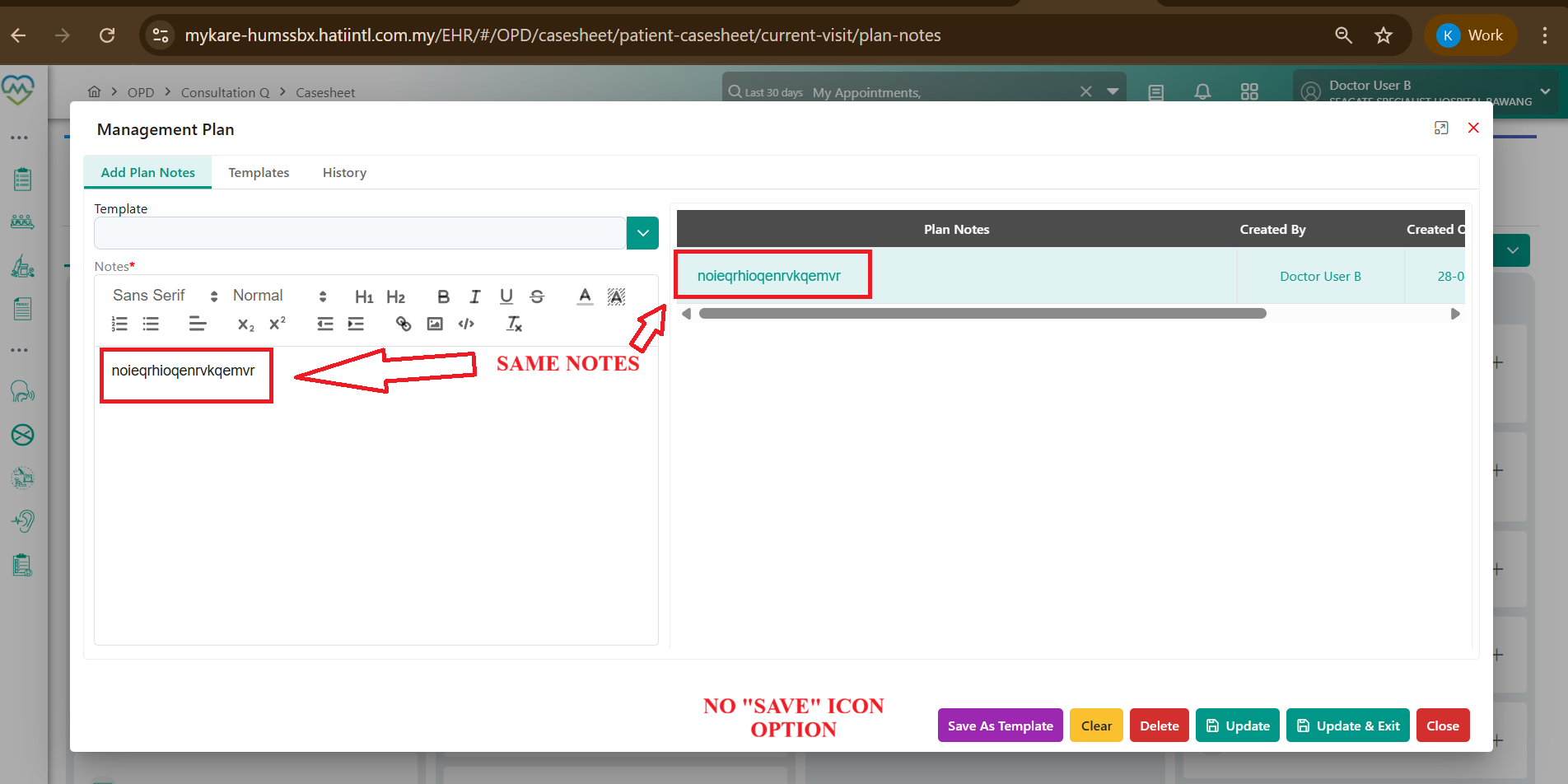
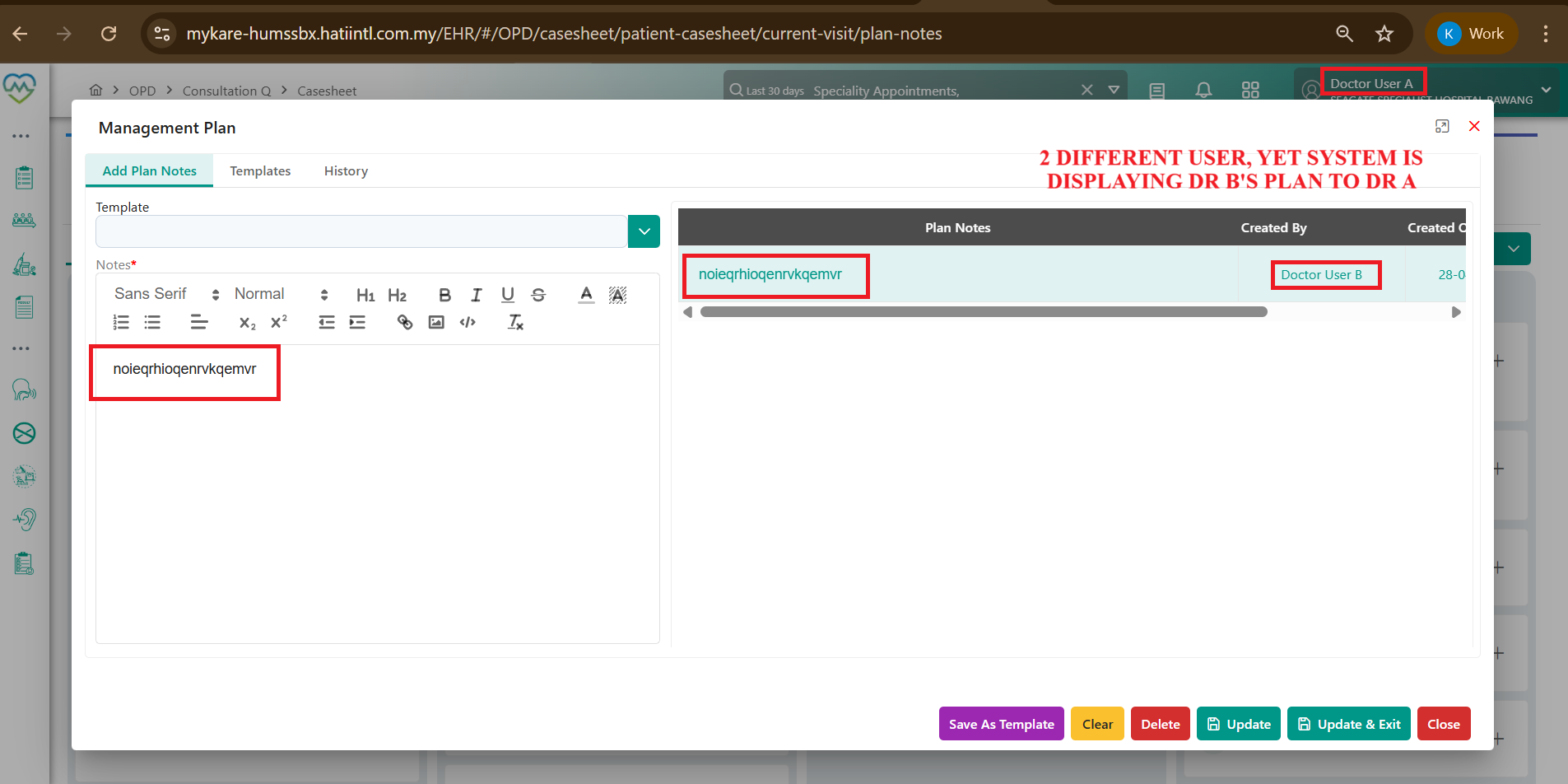
Currently, when a user enters a Management Plan in the free text box and saves/exits the screen, the entered notes incorrectly reappear in the free text box upon re-entering the module. This leads to duplication and confusion between active editing state and saved plan records. Additionally, notes entered by one user may incorrectly appear in another user’s session when accessing the same patient.
Current Behaviour:
1) User enters Management Plan notes in the free text box.
2) User clicks Save & Exit.
3) Upon re-entering the screen:
- The previously saved notes reappear in the free text box.
- The same notes also exist in the right-side “Plan Notes” panel.
- The free text box reappearing content only serves as an implicit prompt to update the existing plan, rather than acting as a fresh input field.
4) Additionally (Multi-user issue):
- If User A enters Management Plan notes and saves them.
- When User B opens the same patient and accesses Management Plan:
User A’s unsynced free text content incorrectly appears in User B’s free text box.
This should not occur under any circumstance.
Expected Behaviour:
After Save & Exit, the entered Management Plan notes should:- Be stored only in the right-side “Plan Notes” panel.
- NOT reappear in the free text box on re-entry.
- The free text box should reset/clear when:
- Re-entering the module
- Switching users
- Opening the same patient in a new session
Each session (per user, per patient access) must always show a fresh empty free text box unless explicitly loading a selected note for update.
Functional Requirement Enhancement:
The Management Plan module should support two distinct actions:
1. Add New Plan
User writes a new plan in the free text box.
Clicks Save (or “Save as New Plan”).
Plan is added to the Plan Notes panel.
2. Update Existing Plan
User selects an existing note from the Plan Notes panel.
Selected content loads into editable mode.
User modifies notes.
Clicks Update & Exit to overwrite/update the selected plan.
UI/Action Requirement:
Current system appears to only support an Update icon-based flow.Should additionally support:
- “Save New Plan” for new entries.
- “Update & Exit” for modifications of selected notes.
Impact:
- Prevents duplication and ghost data in free text input.
- Ensures proper separation of:
- Draft input (free text box)
- Persisted records (Plan Notes panel) - Prevents cross-user data leakage in shared patient sessions.
- Improves clinical safety, clarity, and audit integrity of management plans.
Files
No data to display