Bug #93223
openADT Doctor Asterisk Removal & Clinicare Filter Alignment
0%
Description
Issues Description : In the ADT request module, the “Doctor” field is currently marked as mandatory (asterisk), which is not required. Additionally, in Clinicare, need to change the filter to make it aligned.
Step to reproduce
1.Login System
2.Navigate to > ADT request
3.Click on Save admission
4.Click on In Patient
5.Click on filter
6.Observe screen > currently, the filter is set to “Admitting Physician.” instead of "Admitting Speciality".
Expectation:
1. Remove the asterisk (*) from the “Doctor” field in the ADT request to make it non-mandatory.
2. In Clinicare, change the filter label from “Admitting Physician” to “Admitting Speciality” to allow filtering by speciality.
3. Ensure the dropdown values for “Admitting Speciality” are consistent with those configured in the ADT module.
4. Set the “Type” filter to default as “All Patient” whenever a doctor logs into the system.
5. Make sure the dropdown for doctor speciality in ADT are SAME for "Admitting Speciality" filter in clinicare
Picture 1: to remove asterisk at doctor.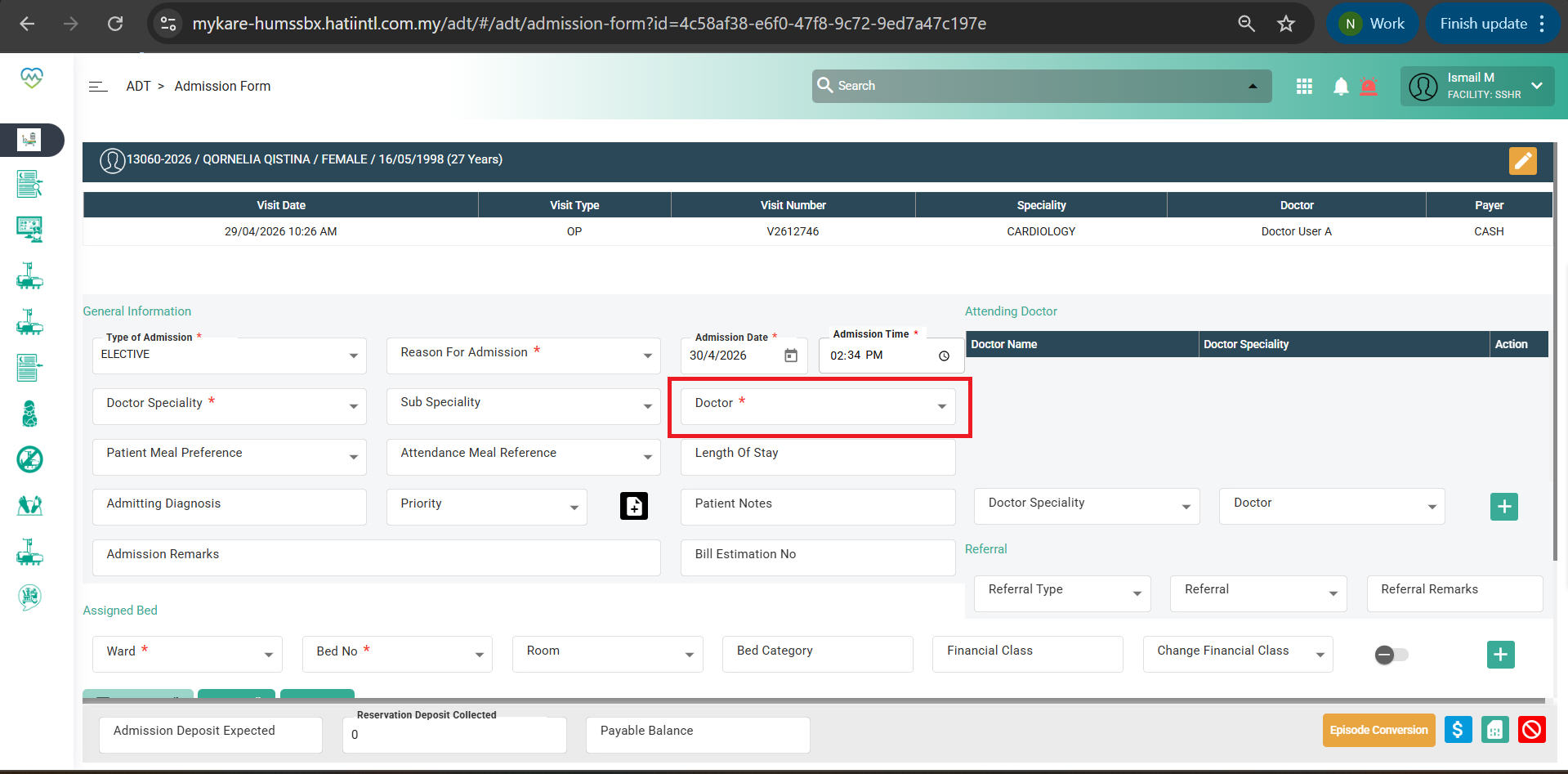
Picture 2: change the admitting physician to Admitting Speciality.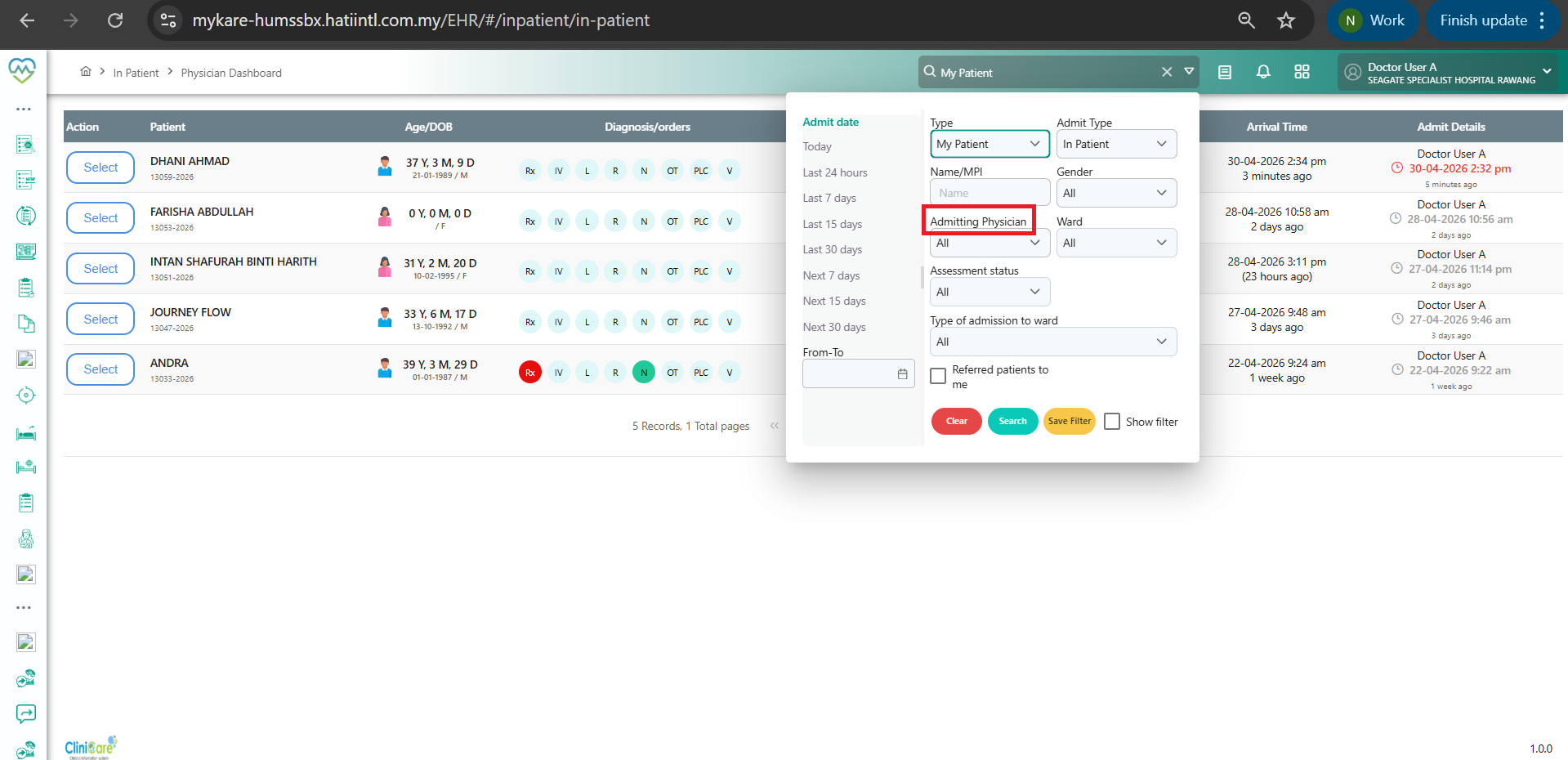
Picture 3: make the type to default "All Patient" 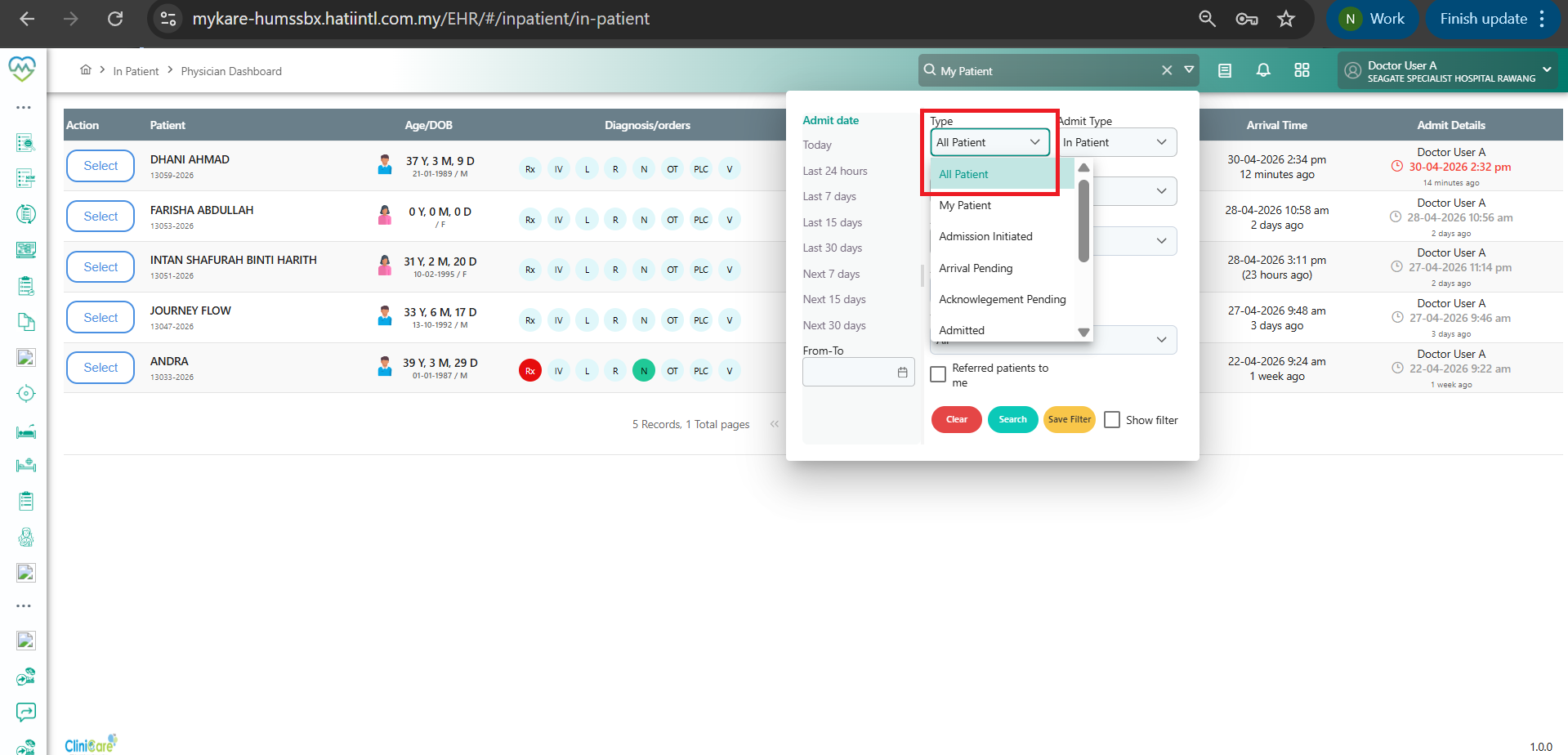
Picture 4: make sure the dropdown for doctor speciality in ADT are same in "Admitting Speciality" filter in clinicare 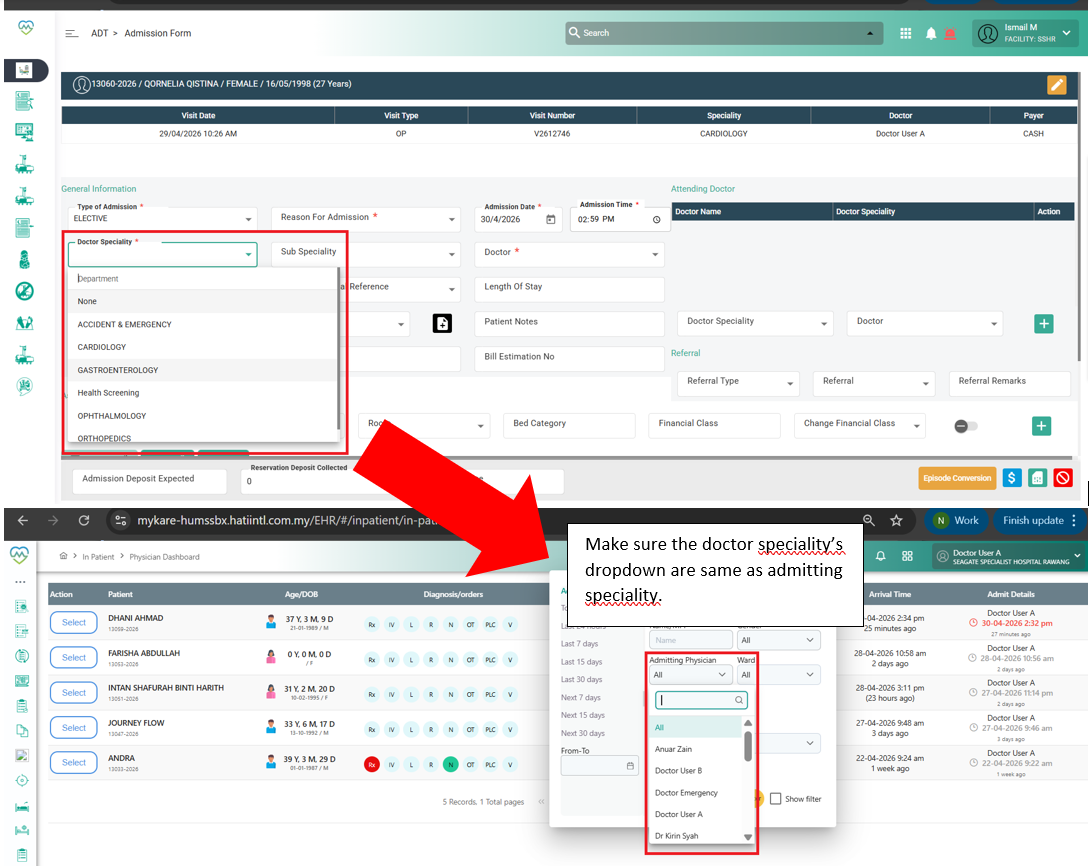
Files
No data to display