Gaps #93368
openER/OP/IP > HPI > Display User, Department, Date & Time Stamp for HPI Entries in ER/IP/OP Modules
0%
Description
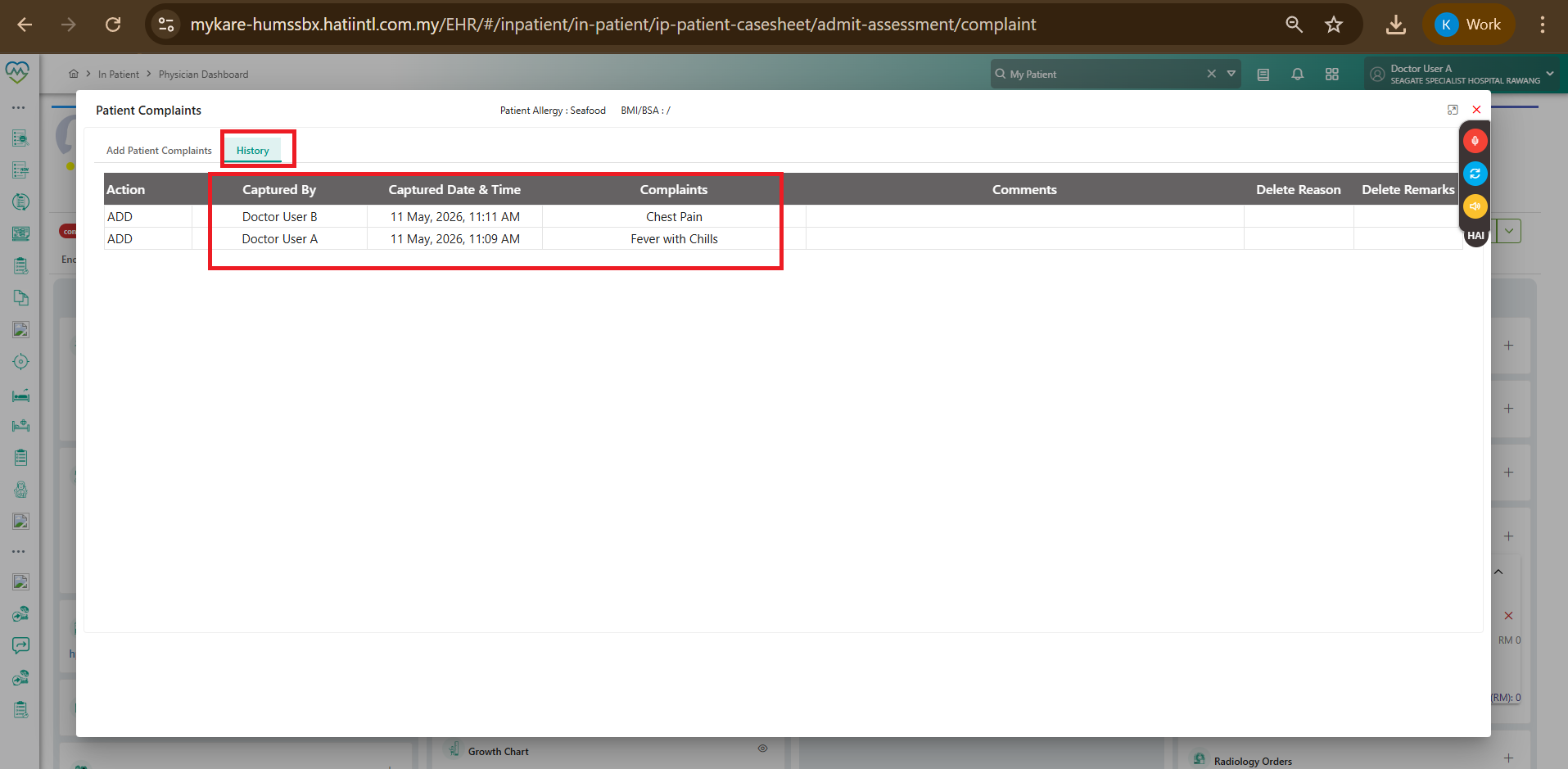
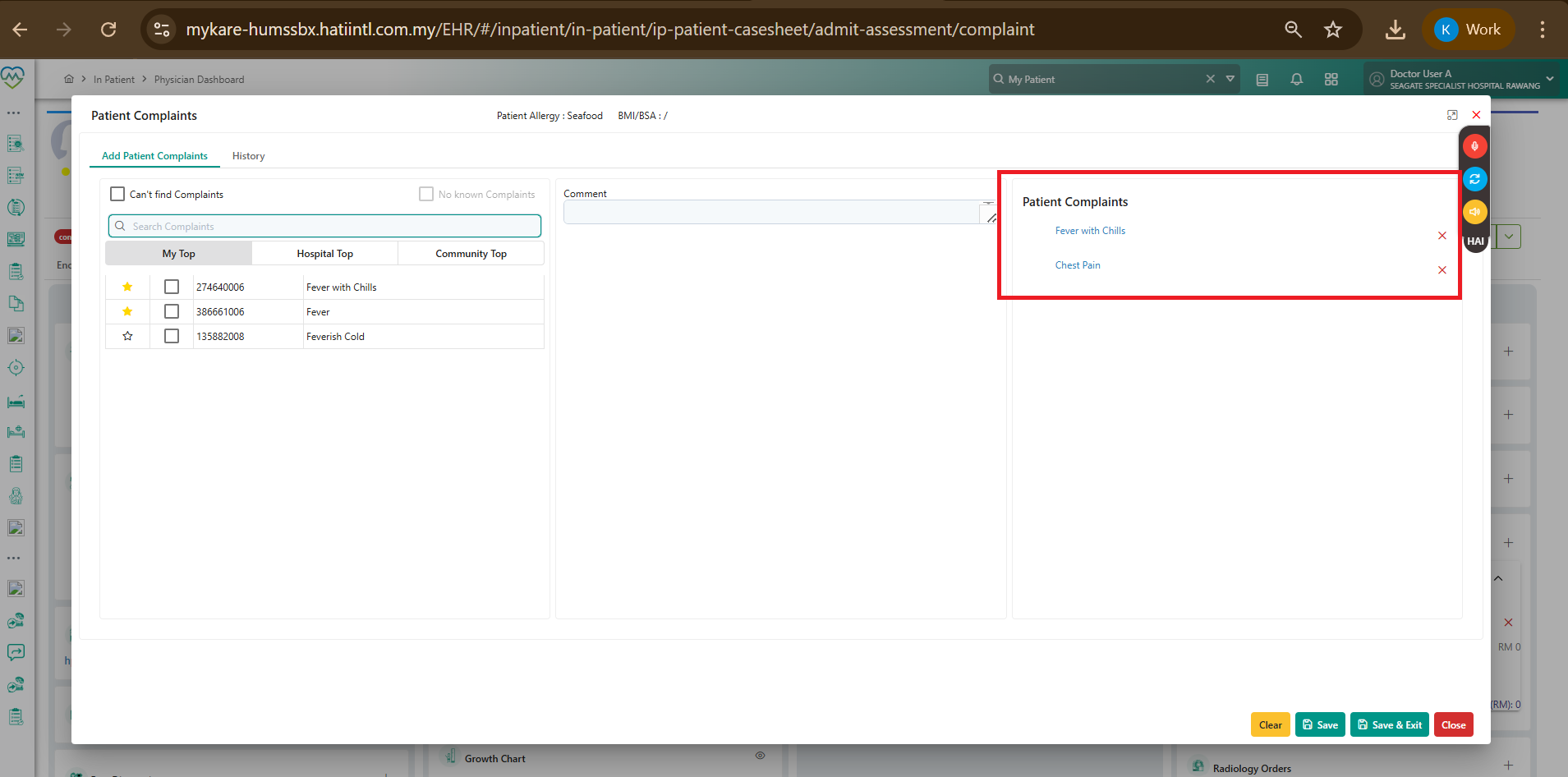
Currently, under the HPI (History of Presenting Illness) section in the ER, IP, and OP modules, all HPI entries are being captured without clearly displaying:
- Doctor name
- Department / specialty
- Date
- Time stamp
The only place where user/date/time information is currently visible is under the HPI > History tab.
This creates confusion when multiple doctors from different specialties are managing the same patient encounter for unrelated complaints.
Scenario Example:
Dr A (Cardiologist) reviews the patient for a cardiac-related complaint and enters HPI.
Subsequently, the same patient is referred to Dr B (Dermatologist) for a separate dermatological complaint.
Dr B enters a new HPI related to the dermatology issue.
Currently:
Both HPI entries are captured,
However, the system does not clearly indicate:
which doctor entered the note,
from which department/specialty,
and the corresponding date/time of entry.
This causes difficulty in distinguishing clinical ownership and chronology of care.
Expected Behavior / Requirement:Each HPI entry should clearly display:
- Doctor/User Name
- Department/Specialty
- Date
- Time Stamp
directly within the HPI display view, not only inside the History tab.
- Different departments may assess the same patient for different complaints.
- HPI and Chief Complaint documentation should remain specialty-specific and not be merged into a single undifferentiated entry.
- Clinical clarity
- Continuity of care
- Referral workflow
- Audit trail
- Medico-legal documentation
- Patient safety
Files
No data to display