Gaps #93858
openPreliminary Report Release Notification in OP Consult Patient Folder
0%
Description
Module:
Laboratory Information System (LIS) → OP Consult / IP Patient / ER Patient Folder
Description:
Currently, there is no notification or visual indicator to inform the attending doctor that a preliminary report has been released and is available for review. As a result, doctors may not be aware that a preliminary result has been issued unless they manually access and review the patient's records.
Problem Statement:
Although the preliminary report is transmitted to the patient folder:
1. No notification is generated in the doctor's notification/bell section.
2. No status indicator is displayed within the patient's laboratory order information.
3. The laboratory test status remains as "Processing" in the laboratory workflow
- Requested Enhancement
Introduce a new workflow status and notification mechanism for Preliminary Released.
- Functional Requirements
- 1. New Status Creation
A new status shall be introduced:
Status Name: Preliminary Released
Trigger Event:
- When an MLT performs a Preliminary Release and saves/releases the report.
System Action:
- Update the test order workflow with the new status at both places as shown in picture below:
1.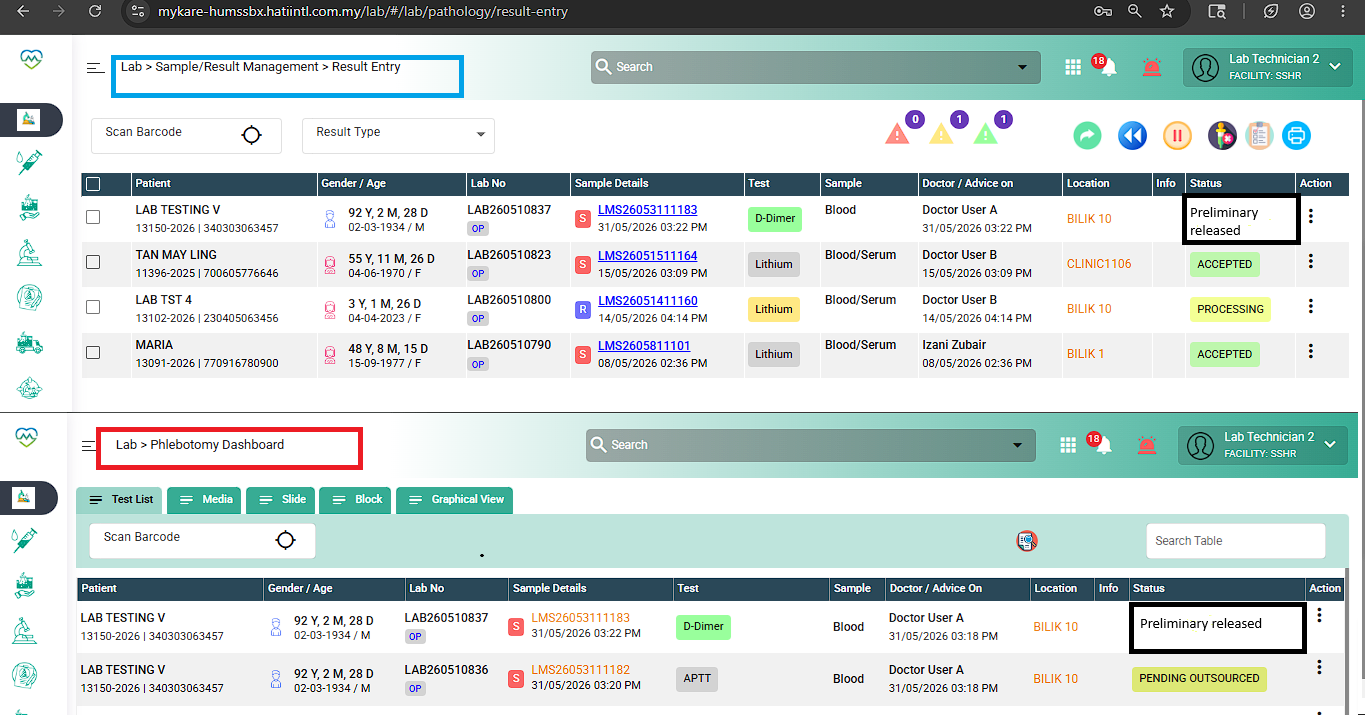
Note: The Preliminary Released status shall be updated based on the workflow stage at which the preliminary report is released.
Currently, the Preliminary Report function is available in the following modules:
i) Sample/Result Management
Result Entry
         Result Validation
         Result Approval
ii) MicrobiologyResult Entry Dashboard
Result Entry Verification
Result Entry Approval- Make the status available for display in OP Consult / IP / ER patient folders.
- 2. Doctor Notification (Bell Icon)
Location:
Top notification bell within OP Consult / IP / ER.
Trigger:
Upon successful Preliminary Report Release.
Notification Message Example:
"- The patient San (MRN:SH 25000186) has the test Preliminary Report : D-DIMER" with date and time the notification is generated.
Expected Behaviour:
- Notification shall appear in the doctor's notification list.
- Notification shall be clickable.
- Clicking the notification shall navigate the user to the relevant patient record > navigate to lab order and display the test details.
- 3. Display Status in Patient Folder
Location:
Patient Folder → Laboratory Order Details Panel
Display Requirement:
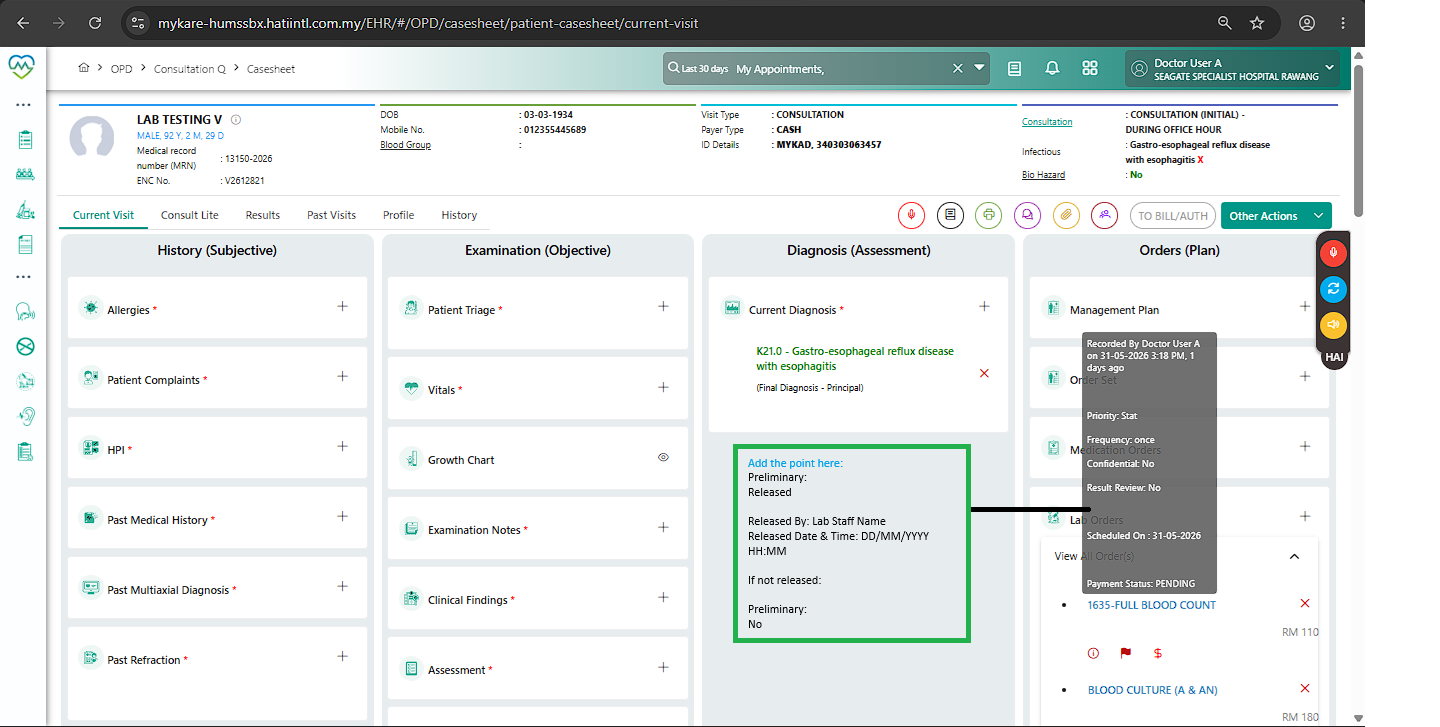
Show the preliminary release information prominently together with other laboratory information.
Suggested display:
- Result Status: Preliminary Released
- Released By: [MLT Name]
- Released Date & Time: [DD/MM/YYYY HH:MM]
- Remarks (optional)
- Suggested Wireframe
Patient Folder → Laboratory Information
Preliminary:
Released
Released By: Lab Staff Name
Released Date & Time: DD/MM/YYYY HH:MM
If not released:
Preliminary:
Not Released
---
Files
Updated by Daniyal Ansari 5 months ago
- Assignee changed from Daniyal Ansari to Kunal Yelne
Updated by Daniyal Ansari 2 months ago
- Assignee changed from Kunal Yelne to Daniyal Ansari