Gaps #94034
openPHIS > Display Indicator for DDA/Cytotoxic Drugs in Patient Consumption Module
0%
Description
Issues Description:
Currently, the Patient Consumption module does not clearly indicate when a medication is classified as Dangerous Drug Act (DDA) or cytotoxic drug. This may lead to difficulty in identifying high-risk medications during dispensing and administration, increasing the risk of medication errors.
There is no visual indicator or label to differentiate normal medications from controlled substances such as DDA or cytotoxic drugs within the Patient Consumption screen.
Step to reproduce:
1.Login System
2.Navigate to > Pharmacy
3.Click on Patient Consumption
4.Observe screen > the Patient Consumption module does not clearly indicate when a medication is classified as Dangerous Drug Act (DDA) or cytotoxic drug.
Expectation:
The system should display a clear indicator for medications classified as DDA or cytotoxic drugs in the Patient Consumption module.
A visible label or icon (e.g., ⚠️ or badge) should be shown next to the medication name.
The indicator should clearly differentiate DDA and cytotoxic drugs from normal medications.
This information should be visible during dispensing and administration to ensure patient safety and compliance with medication handling guidelines.
Picture 1: The expectation of screen of Patient Consumption with indicator DDA.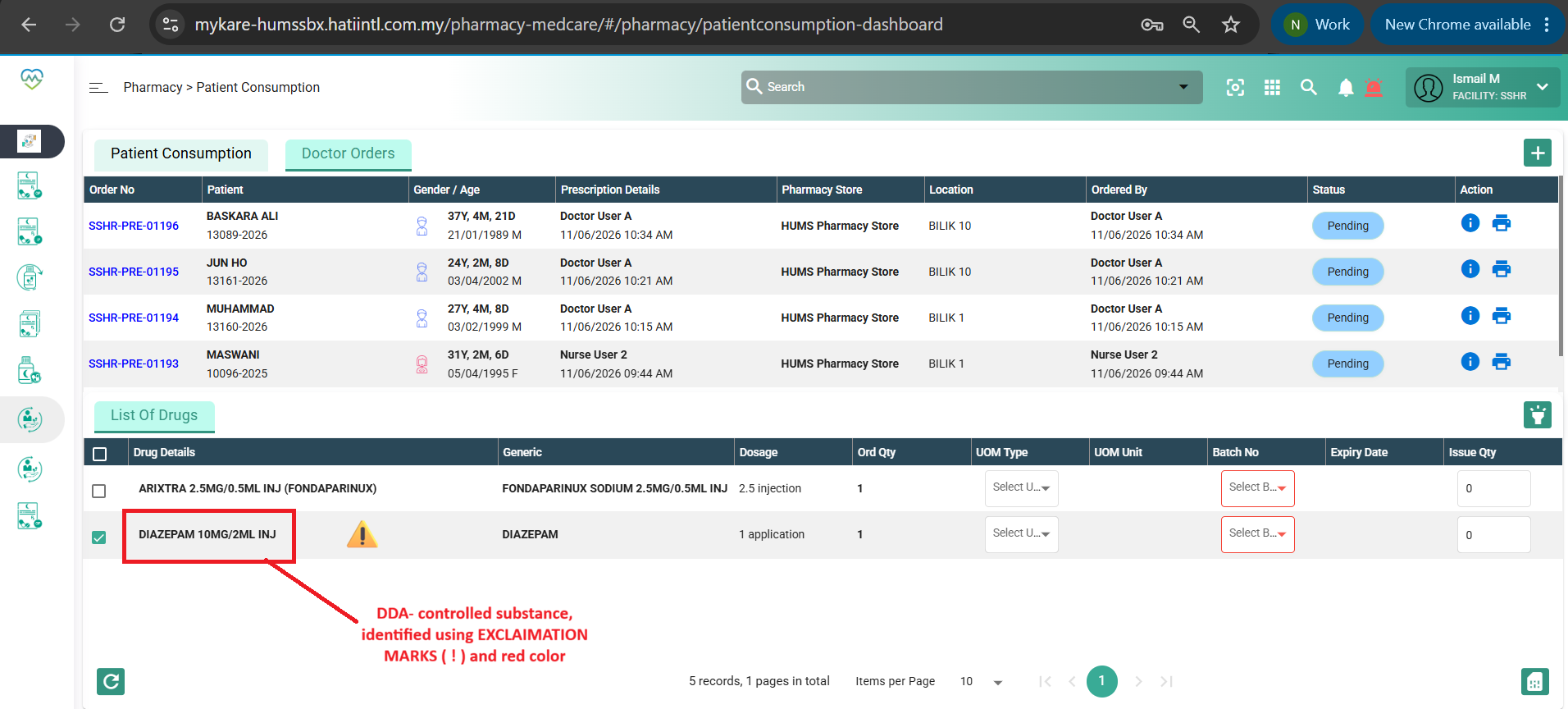
Files
Updated by Daniyal Ansari 5 months ago
- Assignee changed from Daniyal Ansari to Shweta Sandip Waghmare
Updated by Shweta Sandip Waghmare 5 months ago
- File clipboard-202606151827-a6f7j.png clipboard-202606151827-a6f7j.png added
- Assignee changed from Shweta Sandip Waghmare to Somanath Jyotiram Rode
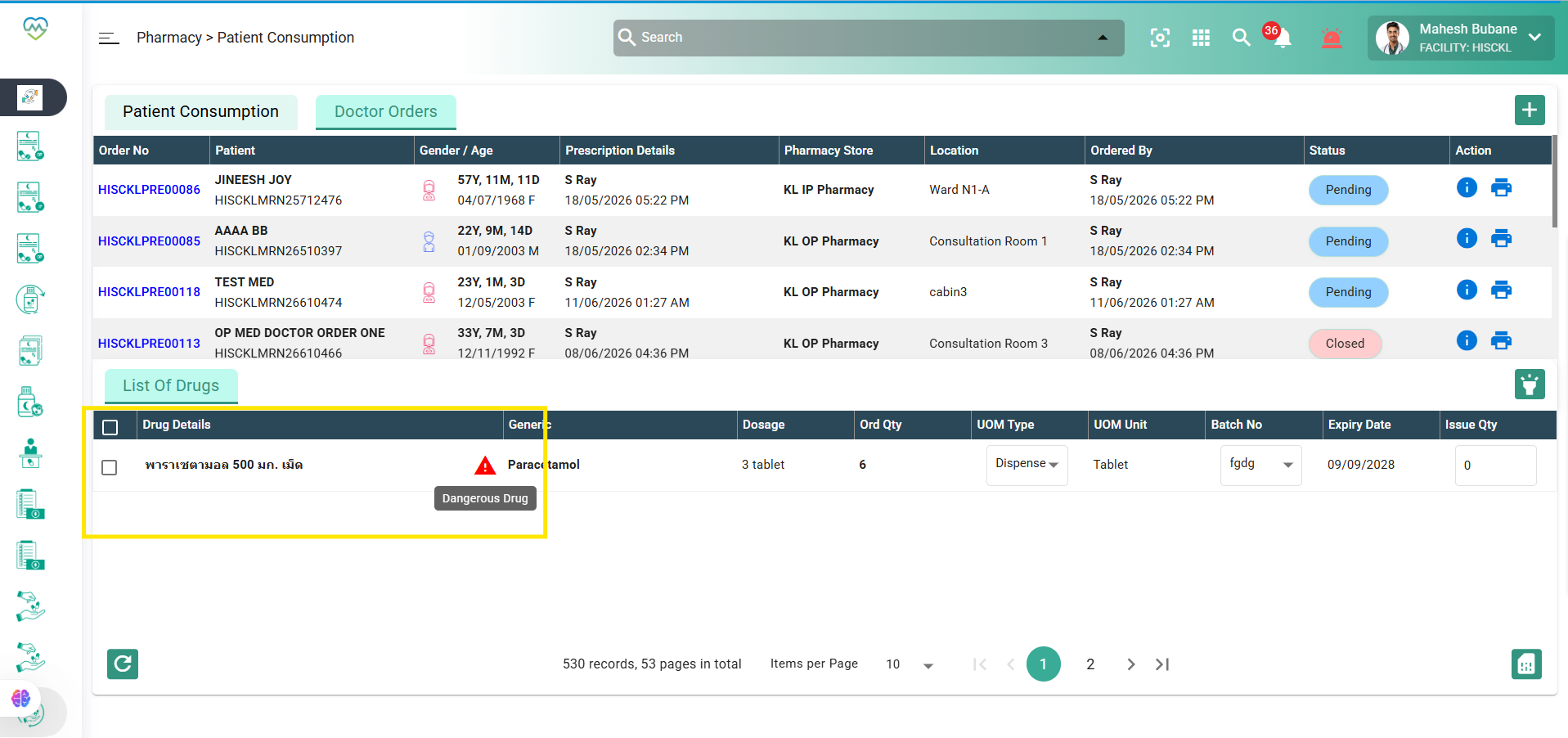
Hello Somnath, please add 'isDangerousDrug' flag in the below api response
https://mykarecloud360-dev.hatiintl.com.my/stock-service/pharmacy/patientConsumption/getPreparationDetail/8a80a3f79e399f8e019e3a6472200010
Updated by Somanath Jyotiram Rode 5 months ago
hi Shweta pleas check now i added the f;lag in response
Updated by Somanath Jyotiram Rode 5 months ago
- Status changed from New to Assigned
- Assignee changed from Somanath Jyotiram Rode to Shweta Sandip Waghmare
Updated by Shweta Sandip Waghmare 5 months ago
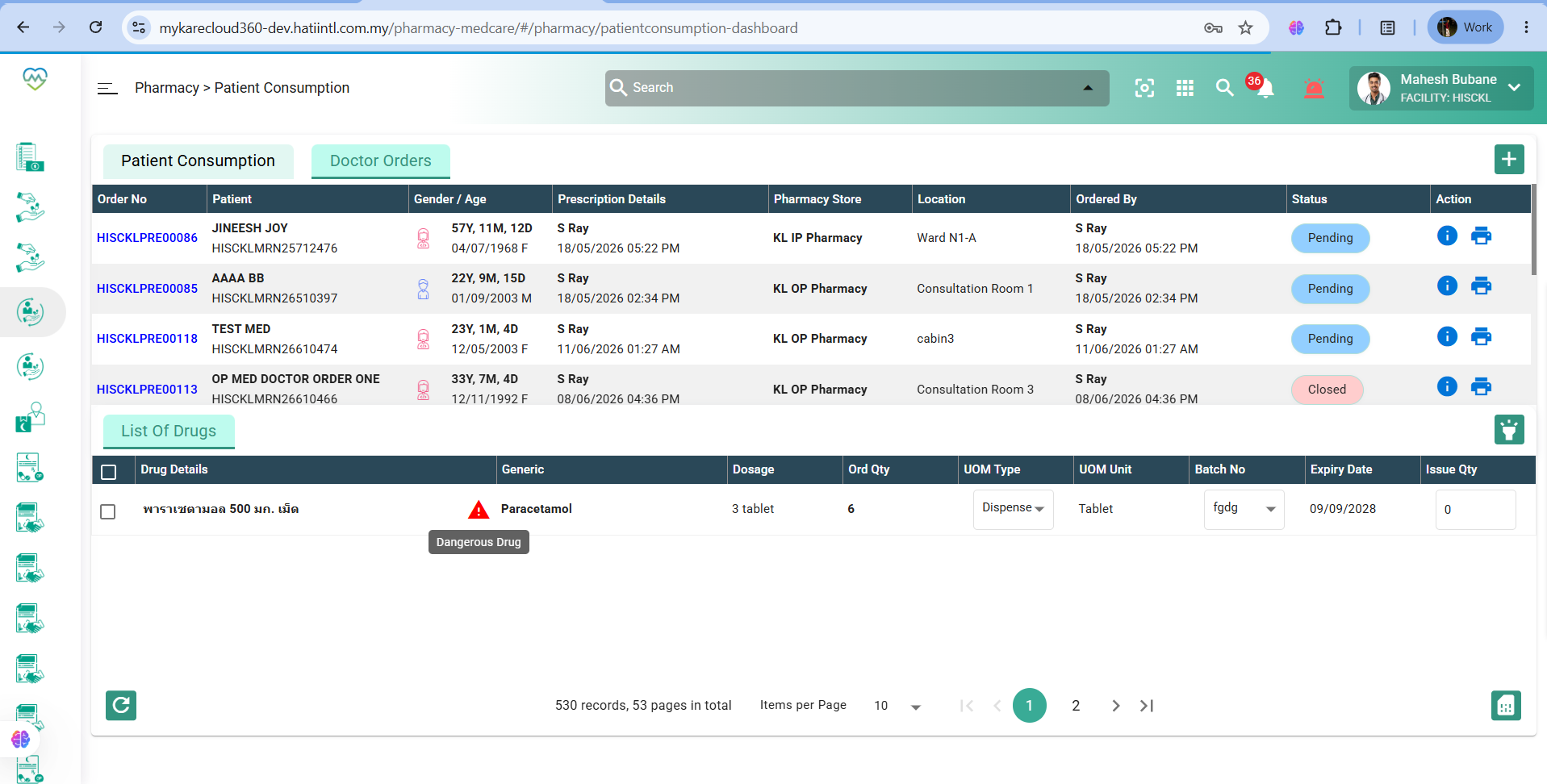
- File clipboard-202606161351-cbdgi.png clipboard-202606161351-cbdgi.png added
- Status changed from Assigned to Coded
Updated by Daniyal Ansari 5 months ago
- Status changed from Coded to QA
- Assignee changed from Shweta Sandip Waghmare to Mangesh Pangrekar
Updated by Akshay Patil 4 months ago
- File Screenshot (8128).png Screenshot (8128).png added
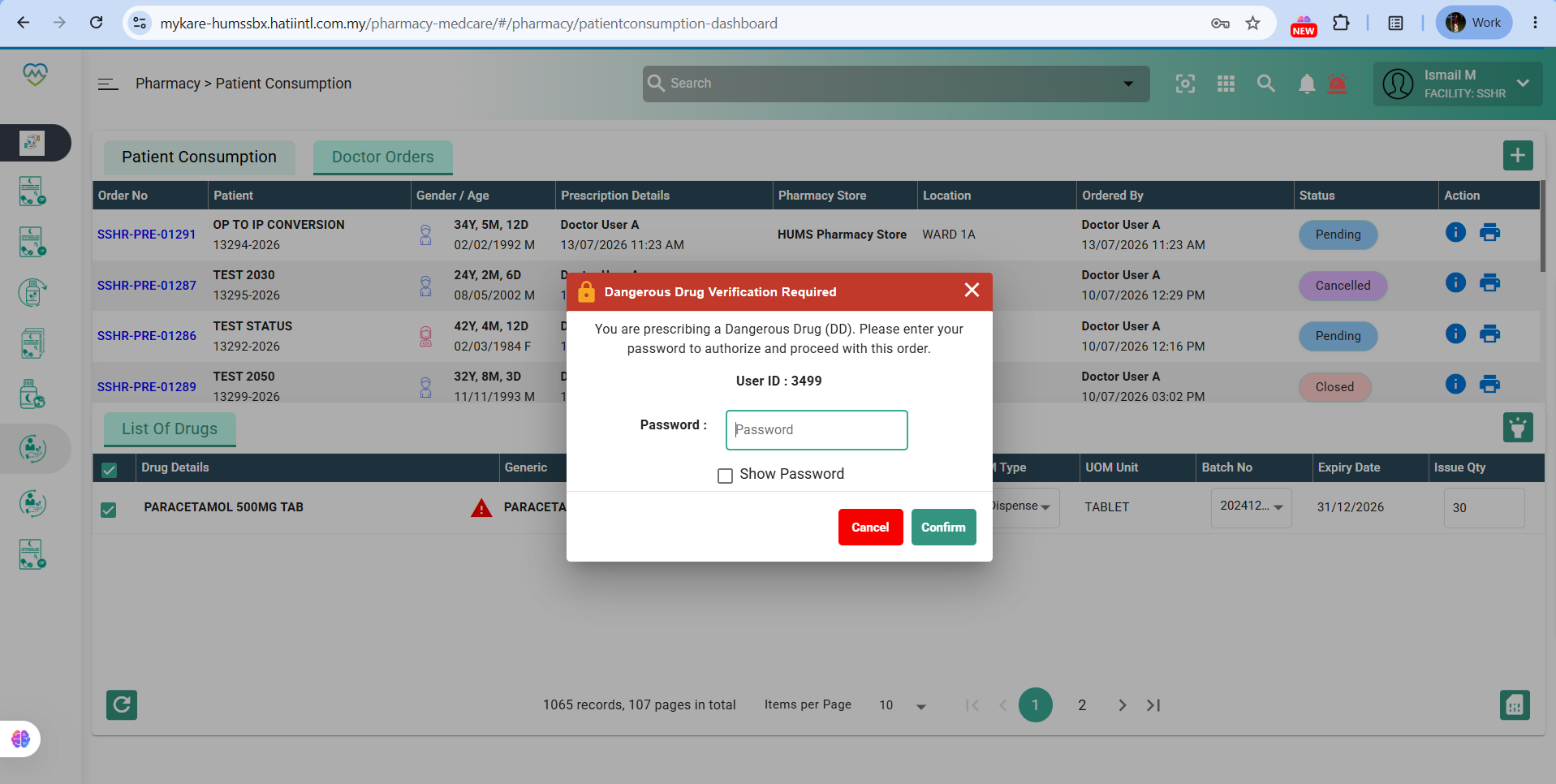
- Status changed from QA to Re-open
- Assignee changed from Mangesh Pangrekar to Daniyal Ansari
FAIL - Unable to Add item from patient consumption showing error
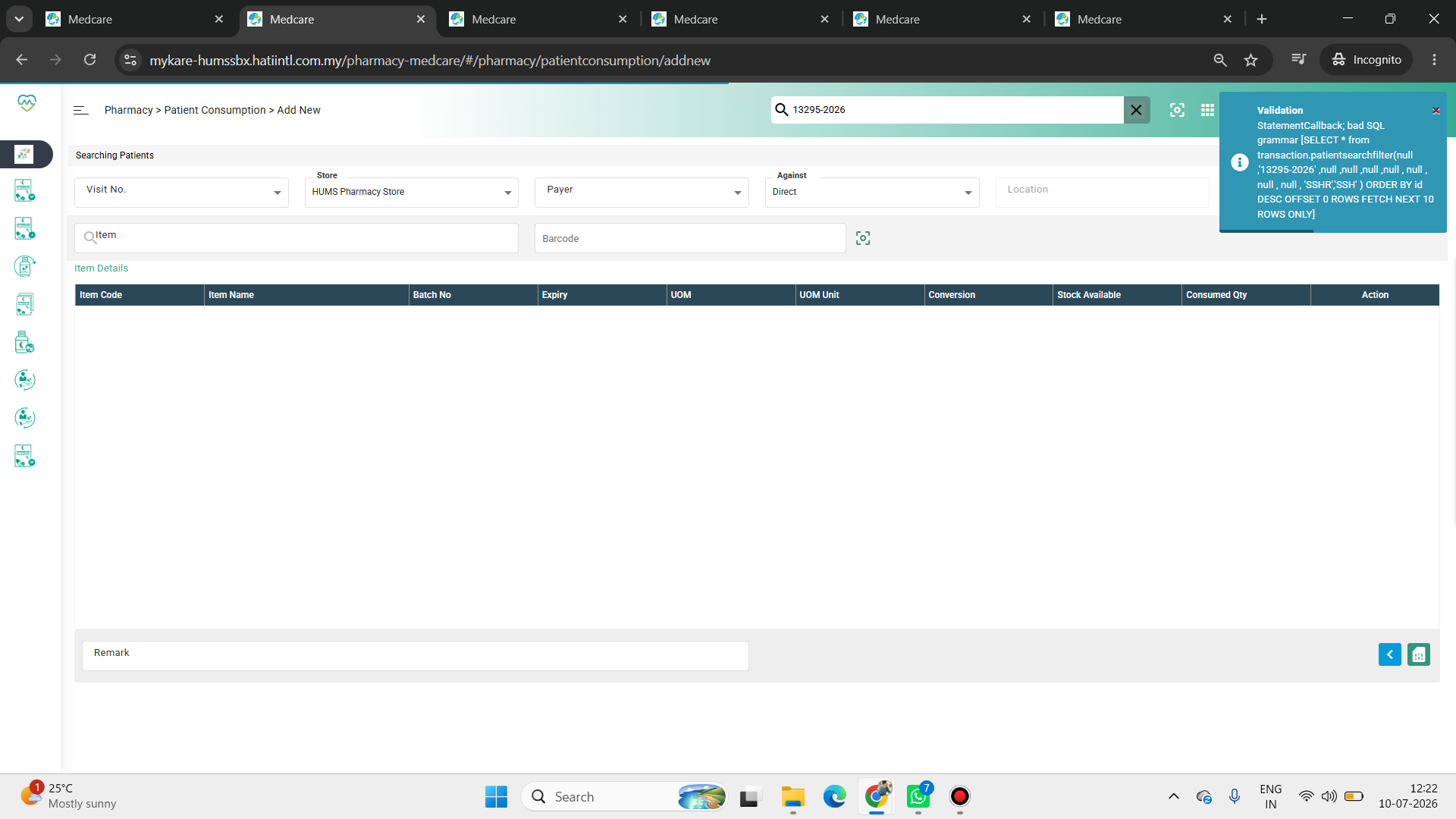
Updated by Shweta Sandip Waghmare 4 months ago
- Assignee changed from Daniyal Ansari to Shweta Sandip Waghmare
Updated by Shweta Sandip Waghmare 4 months ago
- File clipboard-202607132146-xc5w1.png clipboard-202607132146-xc5w1.png added
- Assignee changed from Shweta Sandip Waghmare to Rohit Jadhav
Hello Rohit, please check this issue on HUMS.
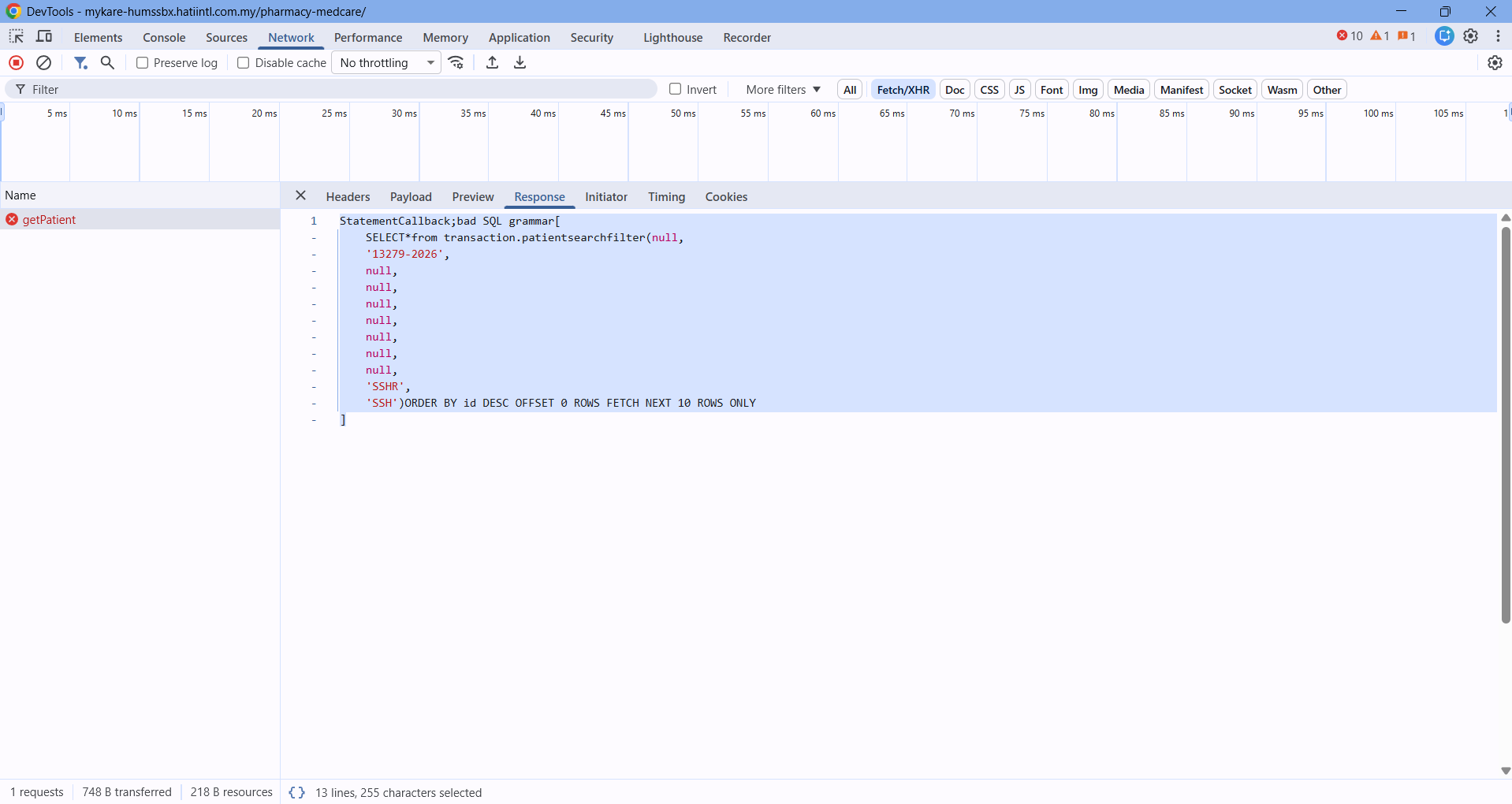
Updated by Rohit Jadhav 4 months ago
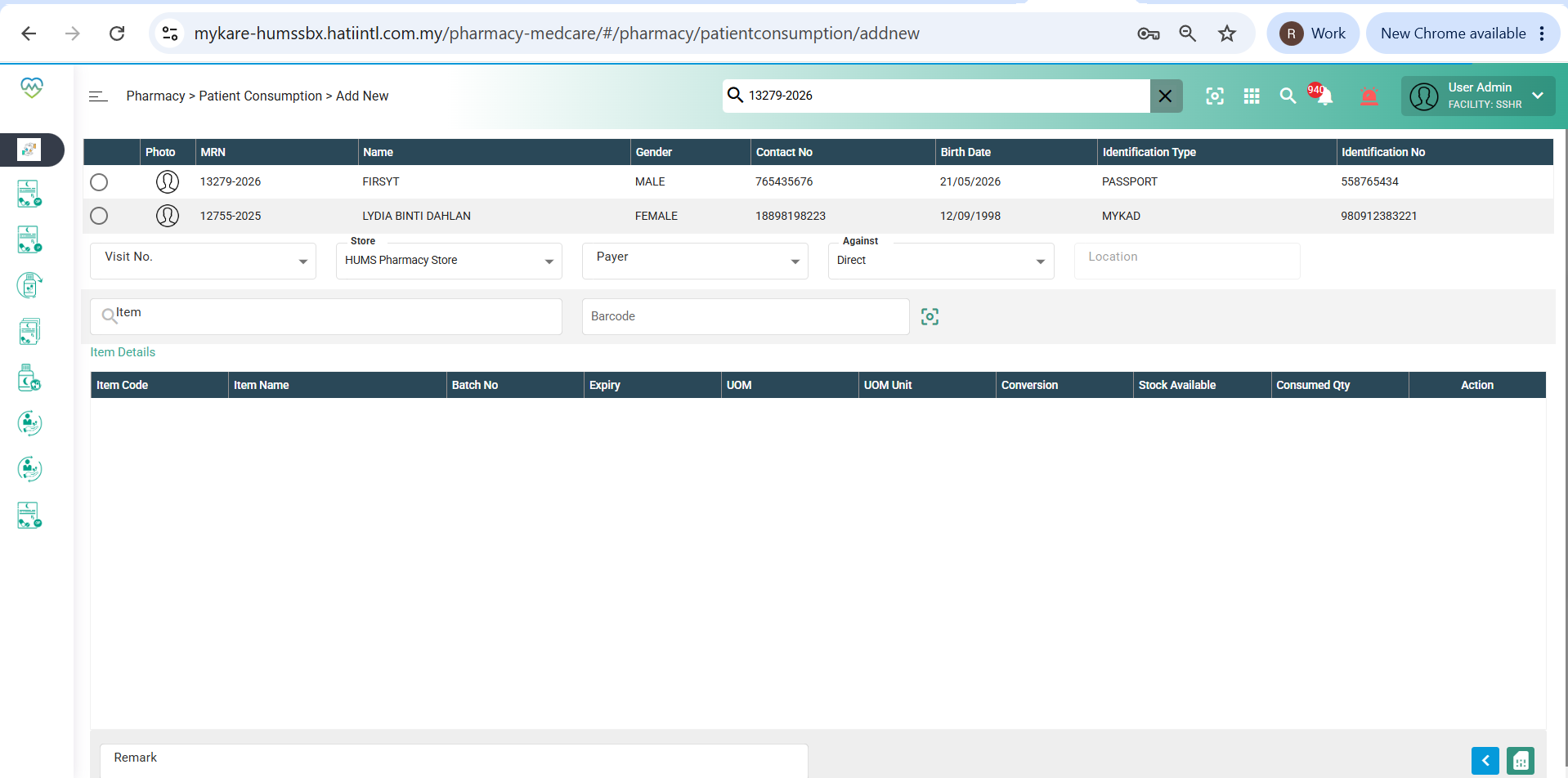
Issue resolved @shweta Waghmare please validate
Updated by Rohit Jadhav 4 months ago
- Assignee changed from Rohit Jadhav to Shweta Sandip Waghmare
Updated by Shweta Sandip Waghmare 4 months ago
- File clipboard-202607141121-qqc3w.png clipboard-202607141121-qqc3w.png added
- File clipboard-202607141122-mv3sb.png clipboard-202607141122-mv3sb.png added
- Status changed from Re-open to Coded
- Assignee changed from Shweta Sandip Waghmare to Akshay Patil
Hello Akshay, above validation error is resolved on HUMS. But for this point you need to check Doctor Order's screen, not Patient Consumption. Please revalidate at your end.
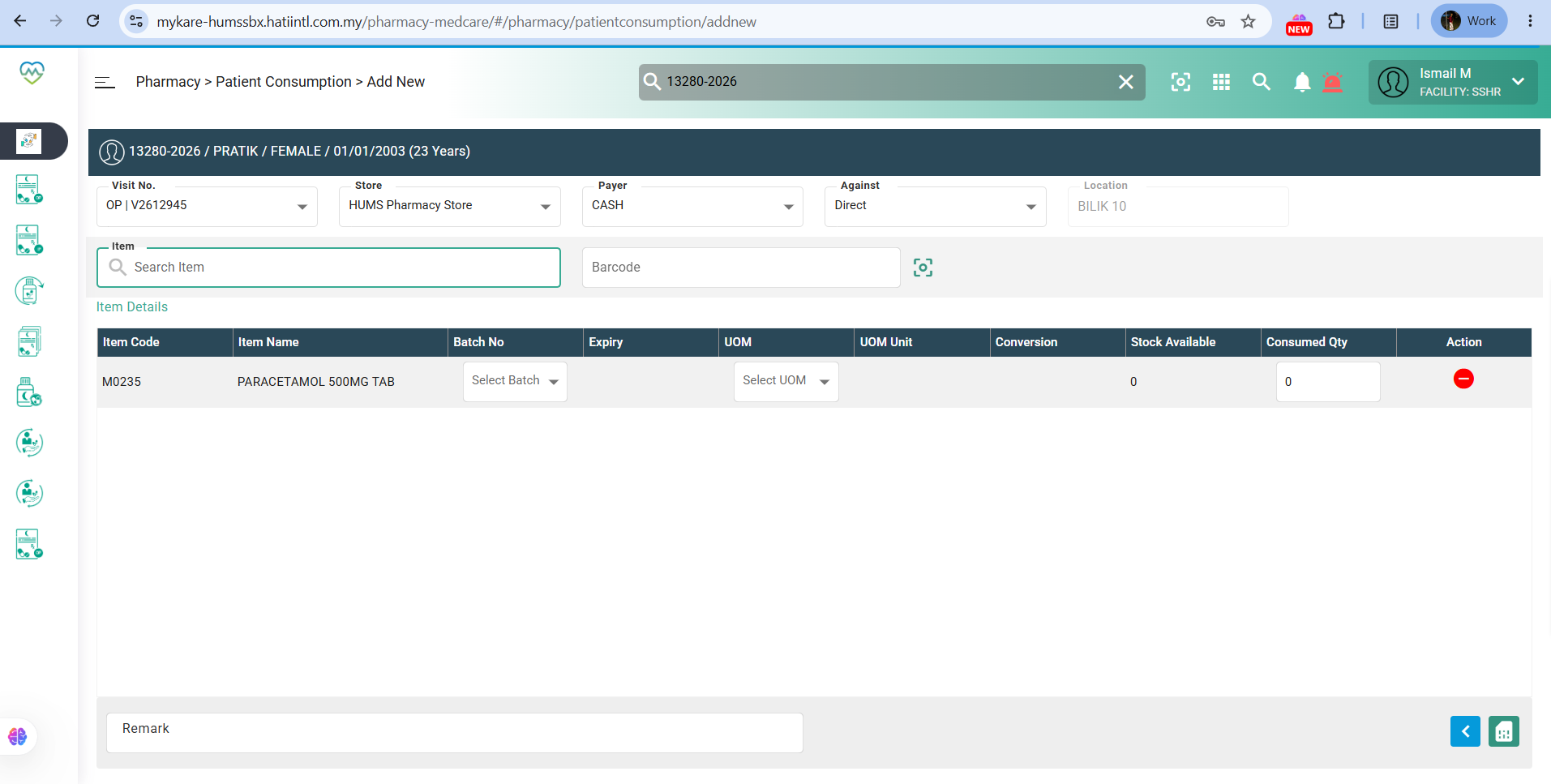
Doctor Orders :