Bug #94282
closedGaps #92458: Enhancement of Microbiology Reporting Screen to Capture Stain Used and Notes
The Master for Dropdown data is Missing
0%
Description
Path: Lab > Microbiology > Result Entry Dashboard
Steps:
1.Register the patient and order the Microbiology lab test (Blood Culture and Sensitivity).
2.Go to the Sample Taking screen, select the test request, click tick, and click save.
3.Go to the Central Receiving screen, select the test, and click save.
4.Navigate to Sample/Result Management > Sample Processing, select the test, and click tick to receive the sample.
5.Navigate to Microbiology > Media Observation and click the link in the sample details column.
6.Add the media by selecting from the dropdown and clicking the ‘+’ button.
7.Update the Growth and status in the media row.
8.Update the culture and status at the bottom of the screen, then click 'Save Sample'.
9.Navigate to Microbiology > Result Entry Dashboard, select the sample, and click the link in the sample column.
10.Enter the clinical, macroscopic, microscopic, and staining information.
11.Click on the Identification tab and enter the microorganism and antibiotic details.
12.Click Save and Submit.
Expectation:
In the step 11, able to see the dropdown
Actual Result:
There is no dropdown: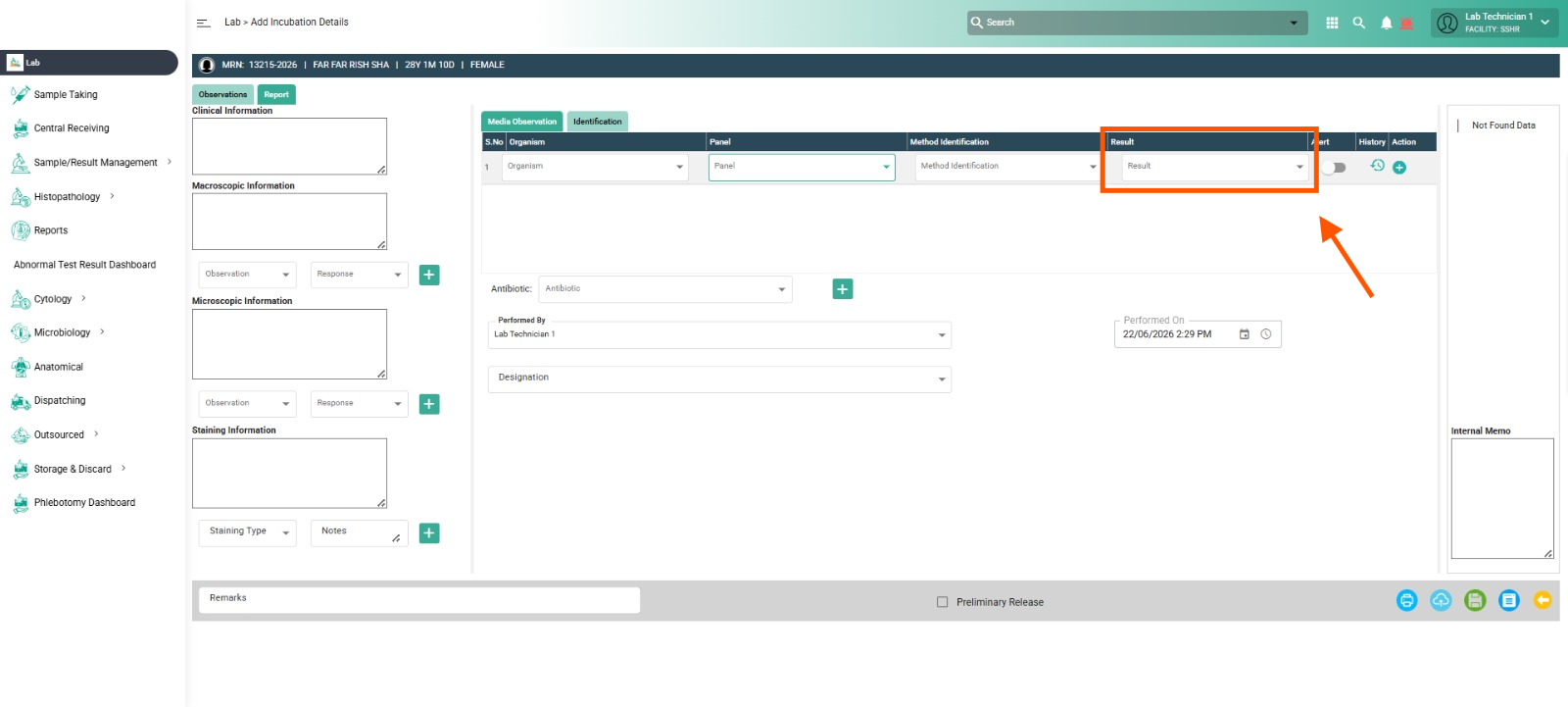
Files
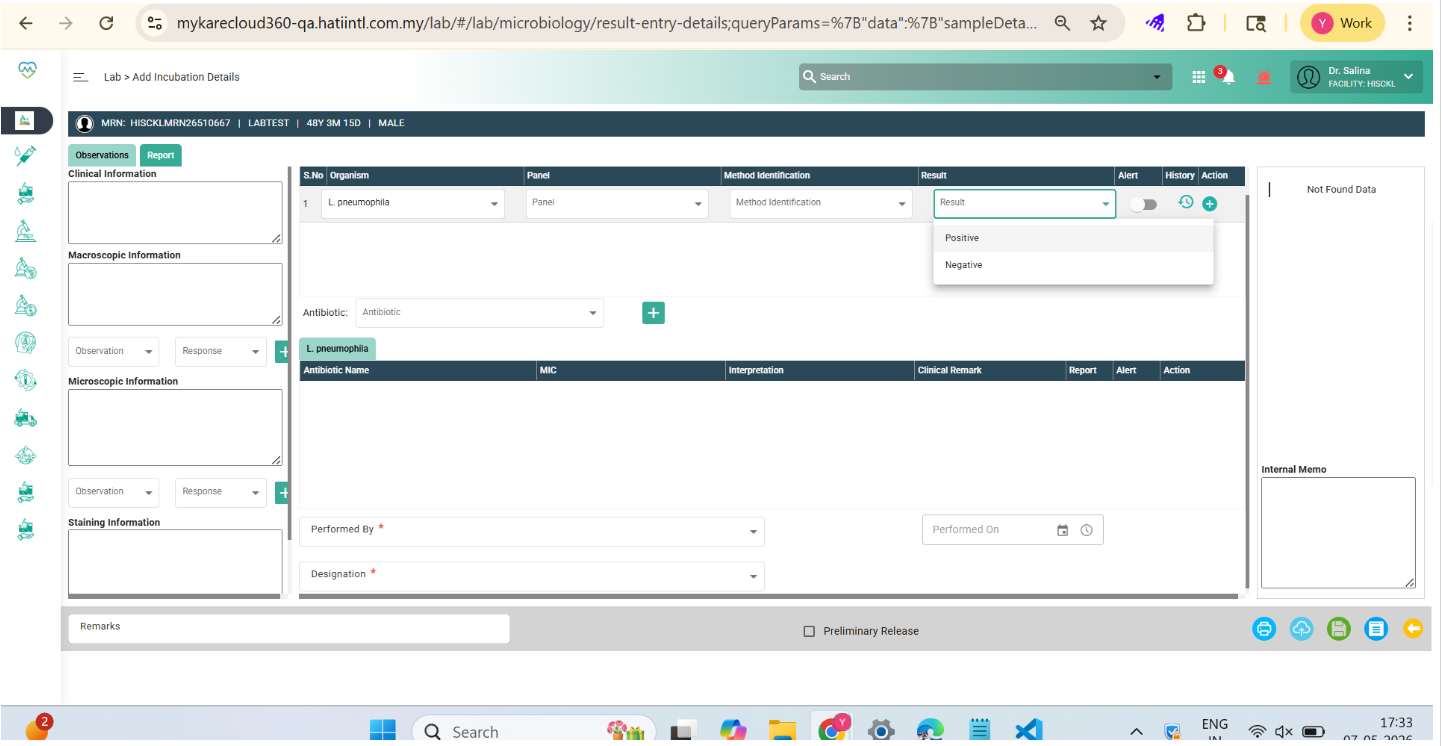
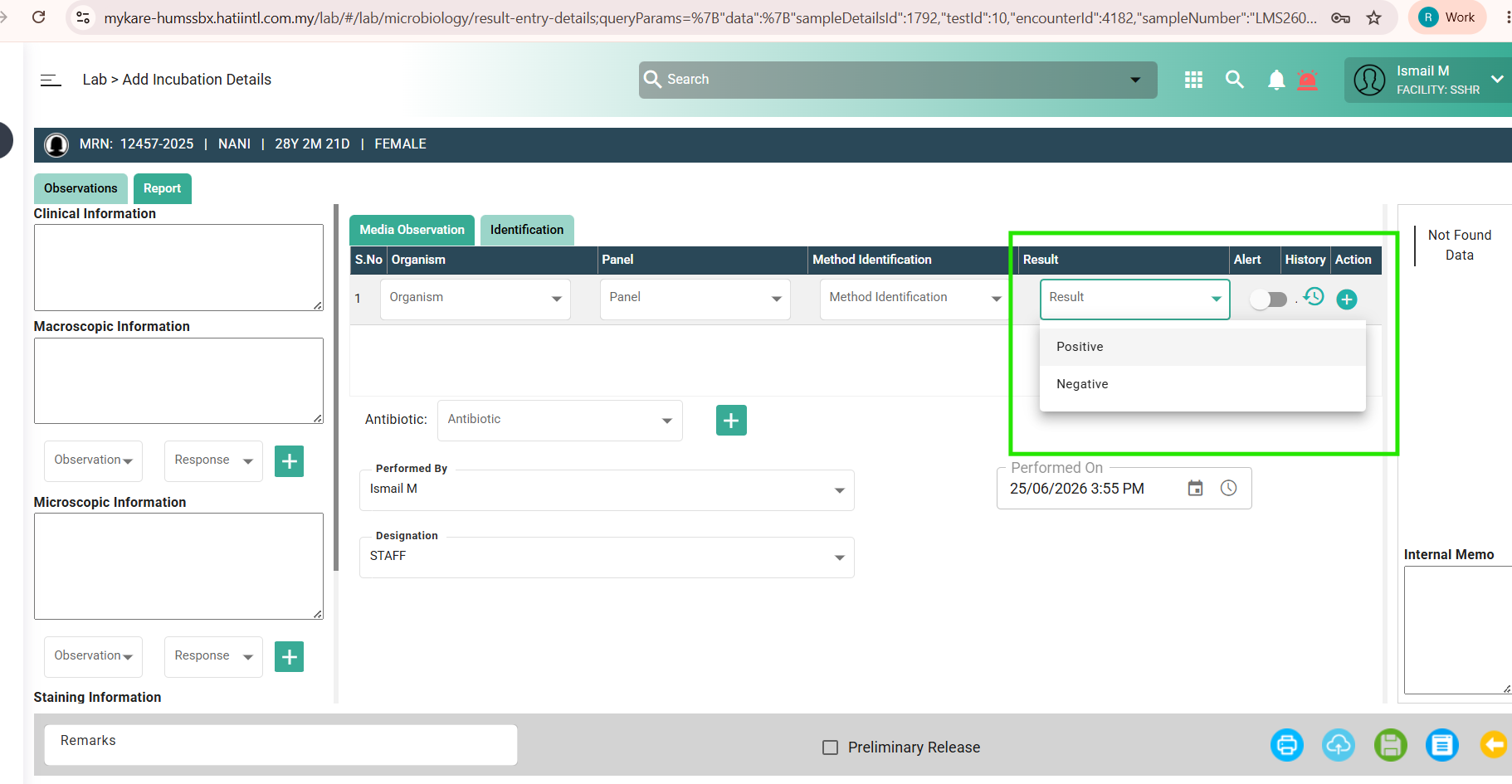
Updated by Daniyal Ansari 5 months ago
- Assignee changed from Daniyal Ansari to Nurfarisha Izani
Hi Farisha, please share the master data and list that is supposed to appear here, thank you
Updated by Nurfarisha Izani 5 months ago
- File clipboard-202606240959-3jzxv.png clipboard-202606240959-3jzxv.png added
- File clipboard-202606241001-2nbjj.png clipboard-202606241001-2nbjj.png added
update below: vvvvvvvvvvvvvvvvvvvvvvvvv
based on the parent ticket #92458, the data should follow as it stated in the image
Updated by Nurfarisha Izani 5 months ago
- Assignee changed from Nurfarisha Izani to Daniyal Ansari
Updated by Daniyal Ansari 5 months ago
- Assignee changed from Daniyal Ansari to Prathmesh Sargar
Updated by Prathmesh Sargar 5 months ago
- File image (3).png image (3).png added
- Status changed from New to Coded
Data is showing now for Master Dropdown Now
Updated by Shweta Sandip Waghmare 4 months ago
- Assignee changed from Prathmesh Sargar to Mangesh Pangrekar
Updated by Nurfarisha Izani 4 months ago
- File clipboard-202607061450-cjtxi.png clipboard-202607061450-cjtxi.png added
- Status changed from QA to Tested
- Assignee changed from Mangesh Pangrekar to Nurfarisha Izani
Update Below:
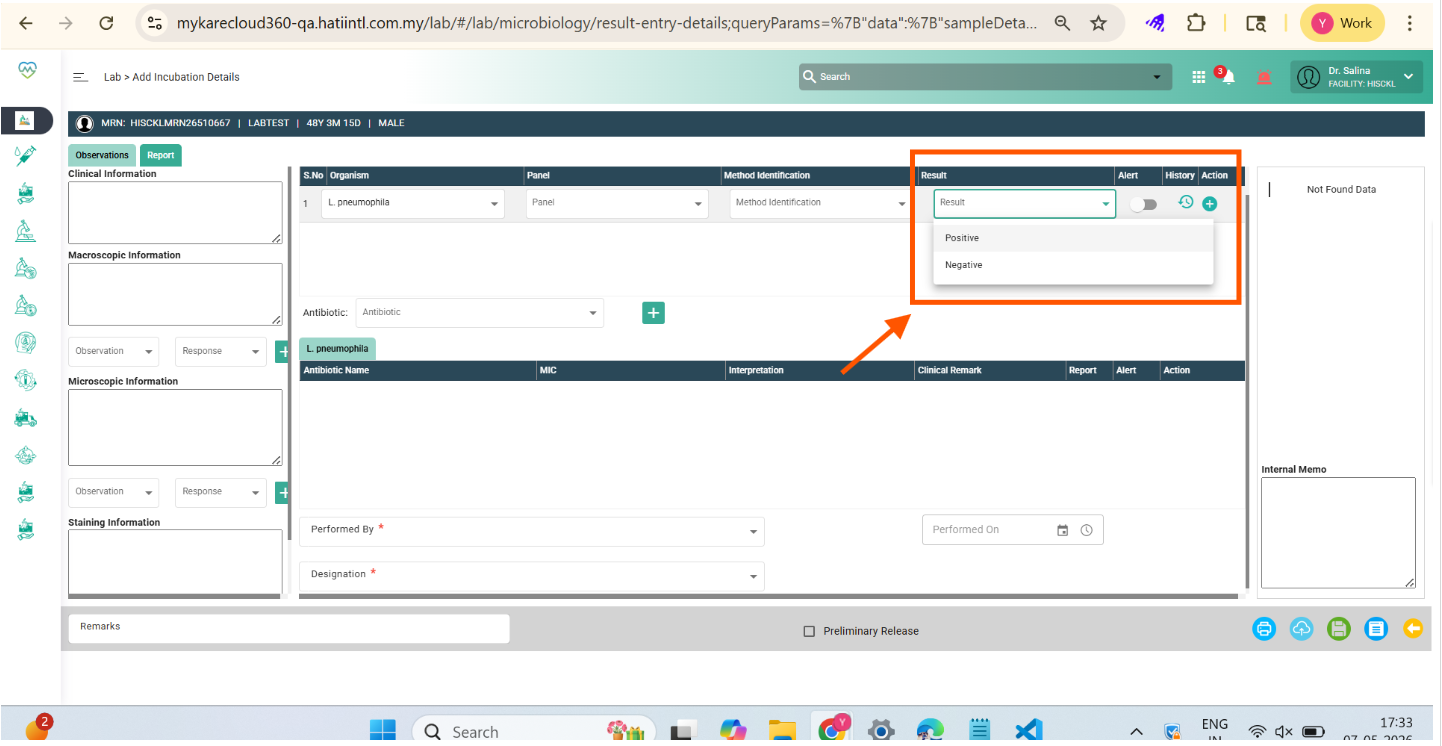
Environment: Sandbox HUMS
Issue: The dropdown is not appear
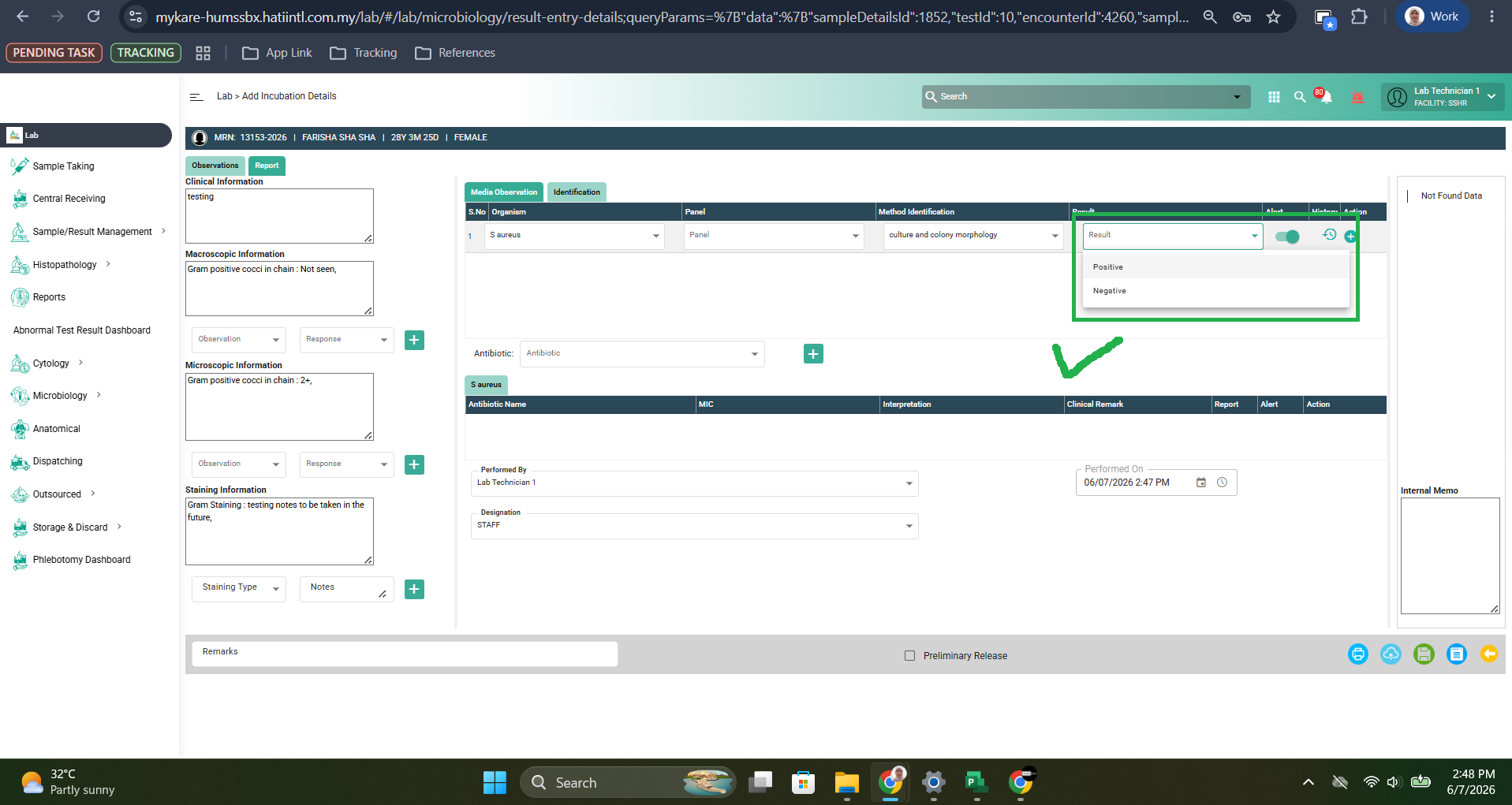
Actual result: The dropdown is appear
Issue Resolved