Gaps #86971
closedGaps #86698: HUMS T.H.I.S GAP Analysis
Gaps #86765: GAPS > PHIS > THIS
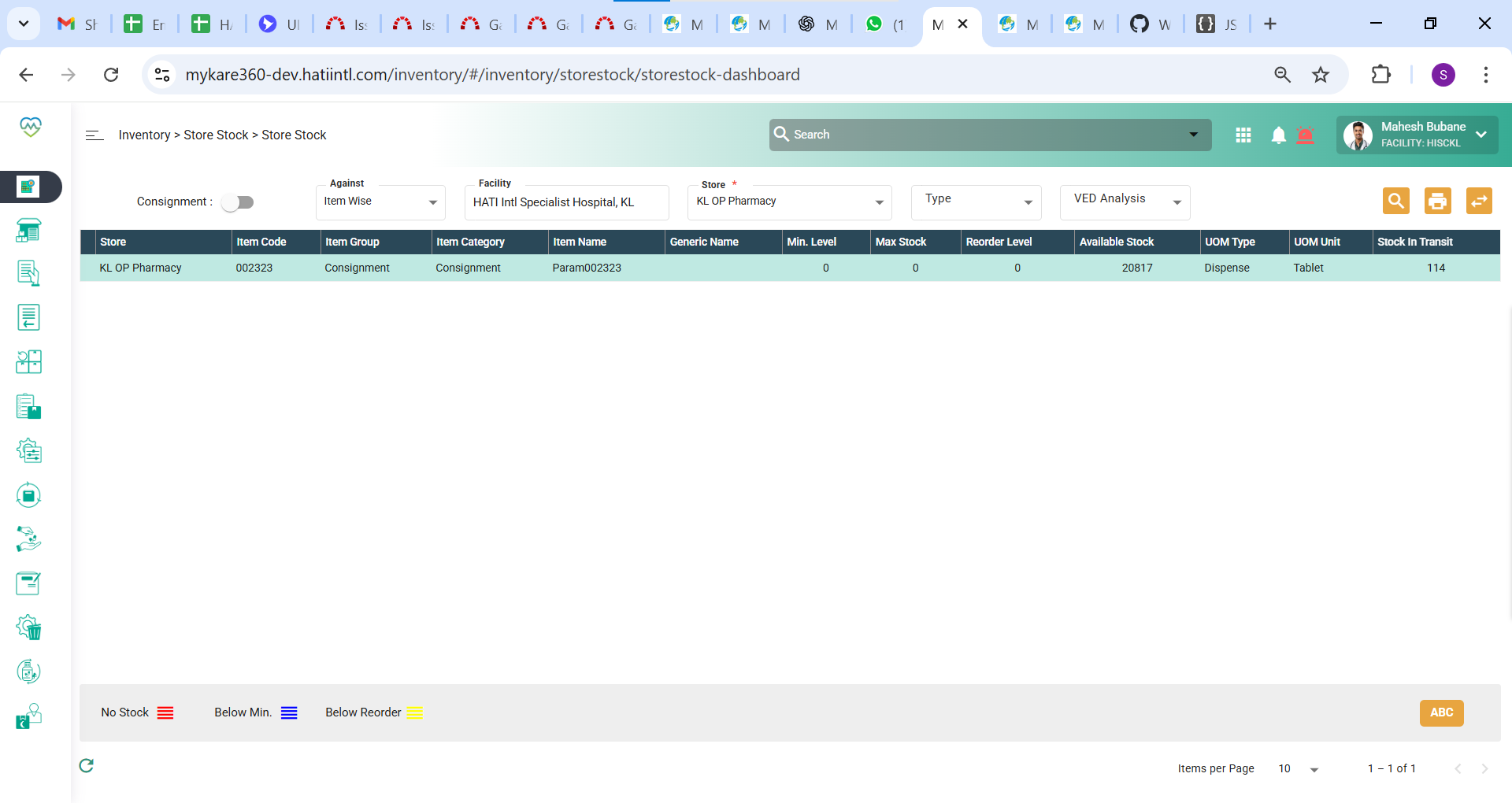
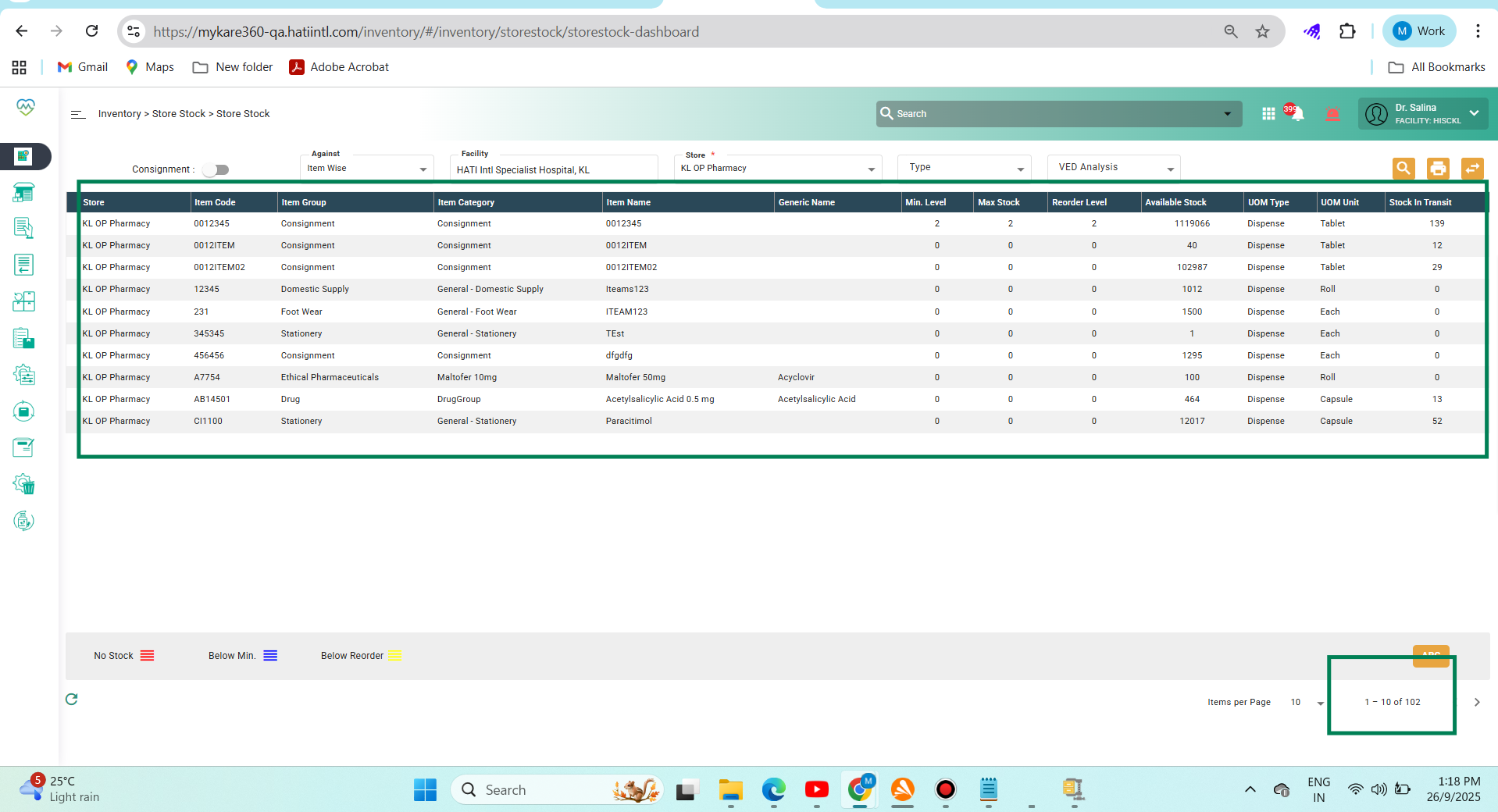
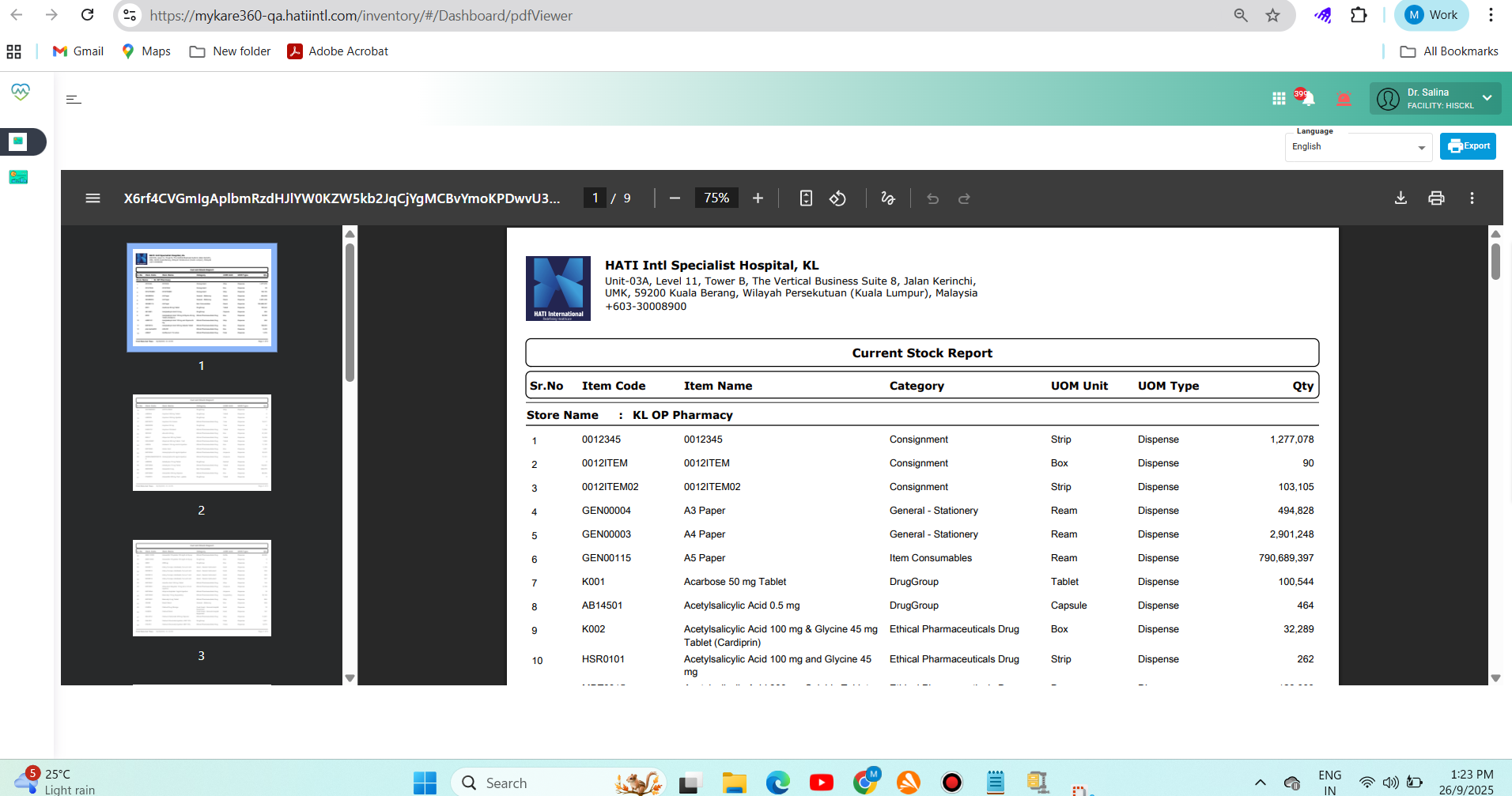
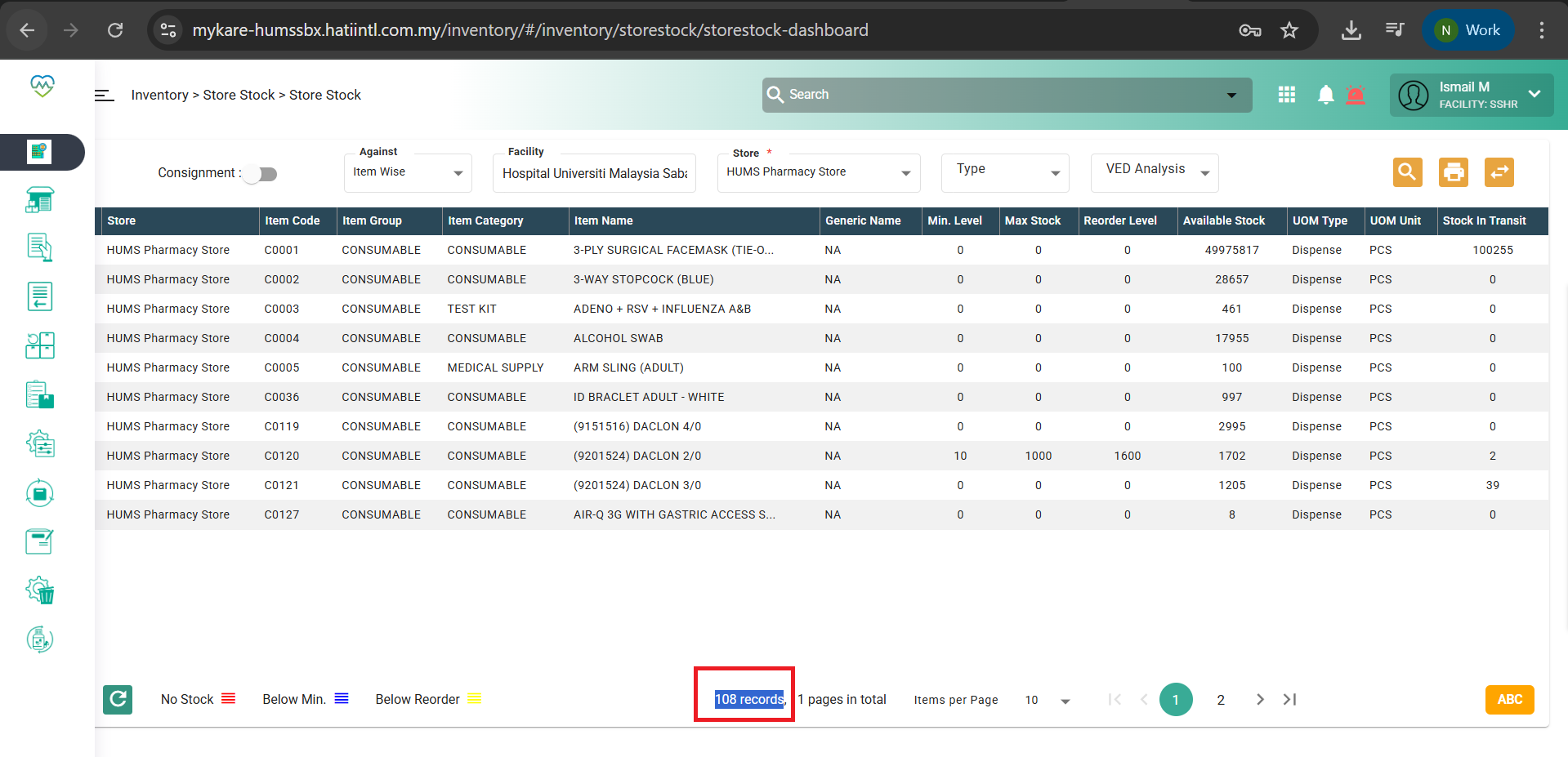
GAPS > PHIS > In the store stock , print should only show the FILTERED data.
90%
Description
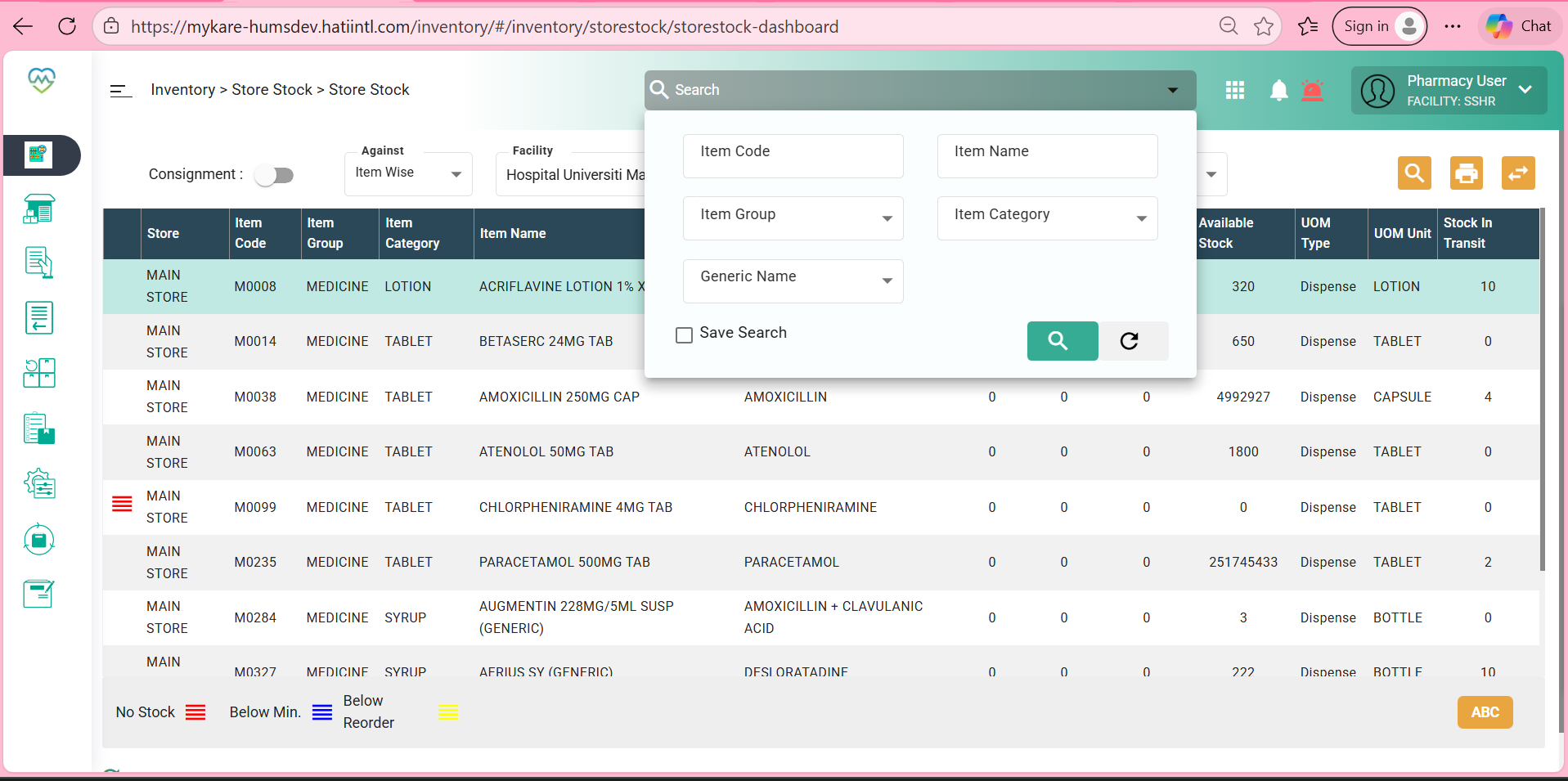
Issues Description : In the store stock , print should only show the FILTERED data.
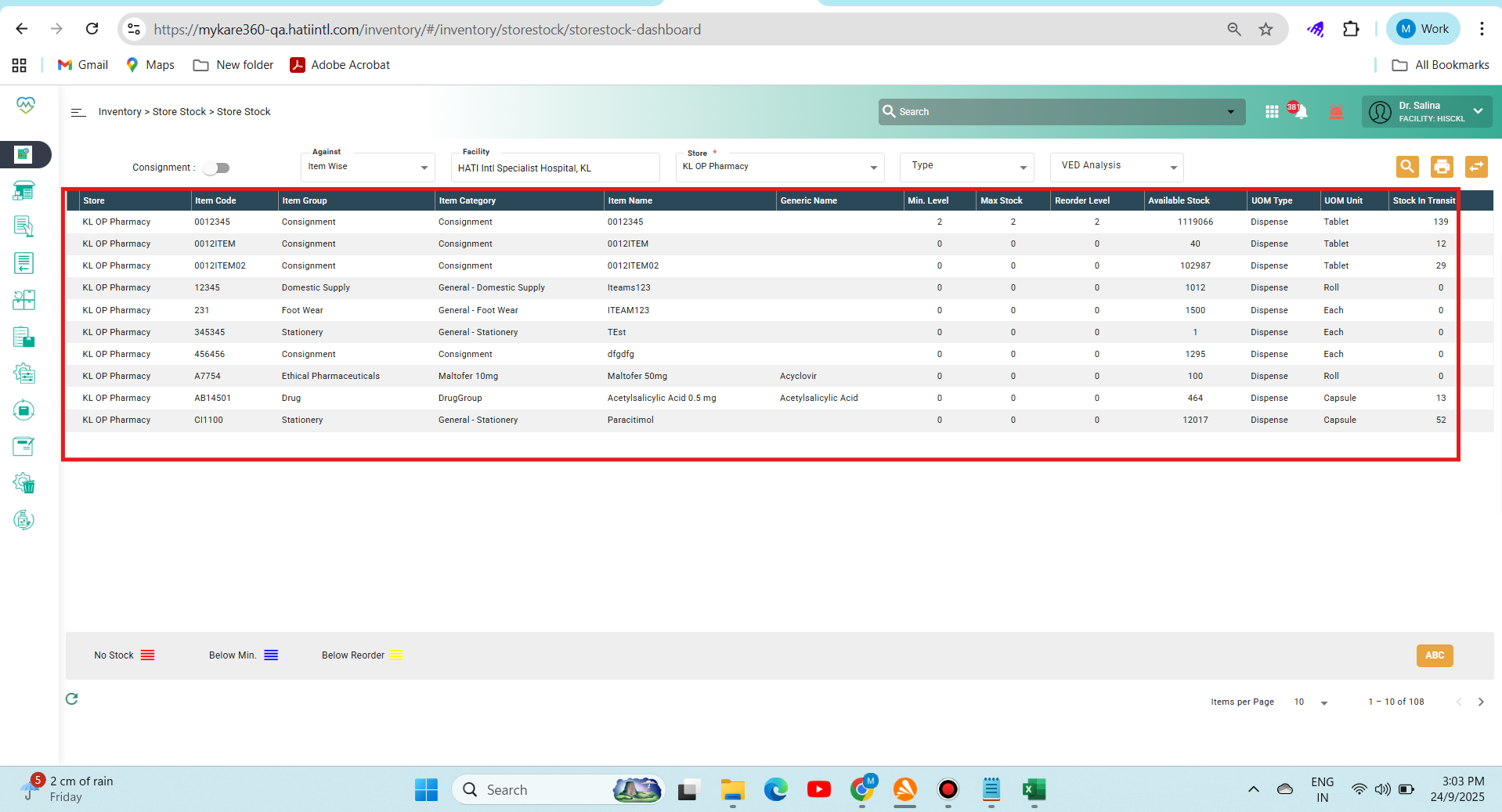
In the store stock module, any printout generated should reflect only the data currently displayed on screen, based on applied filters, such as item type, expiry date, or stock location. This ensures that printed reports remain relevant, concise, and aligned with the user's current query.
Step to reproduce:
1. Login to Medcare
2. Navigate to Inventory > Store Stock
3. Search the detail of the item
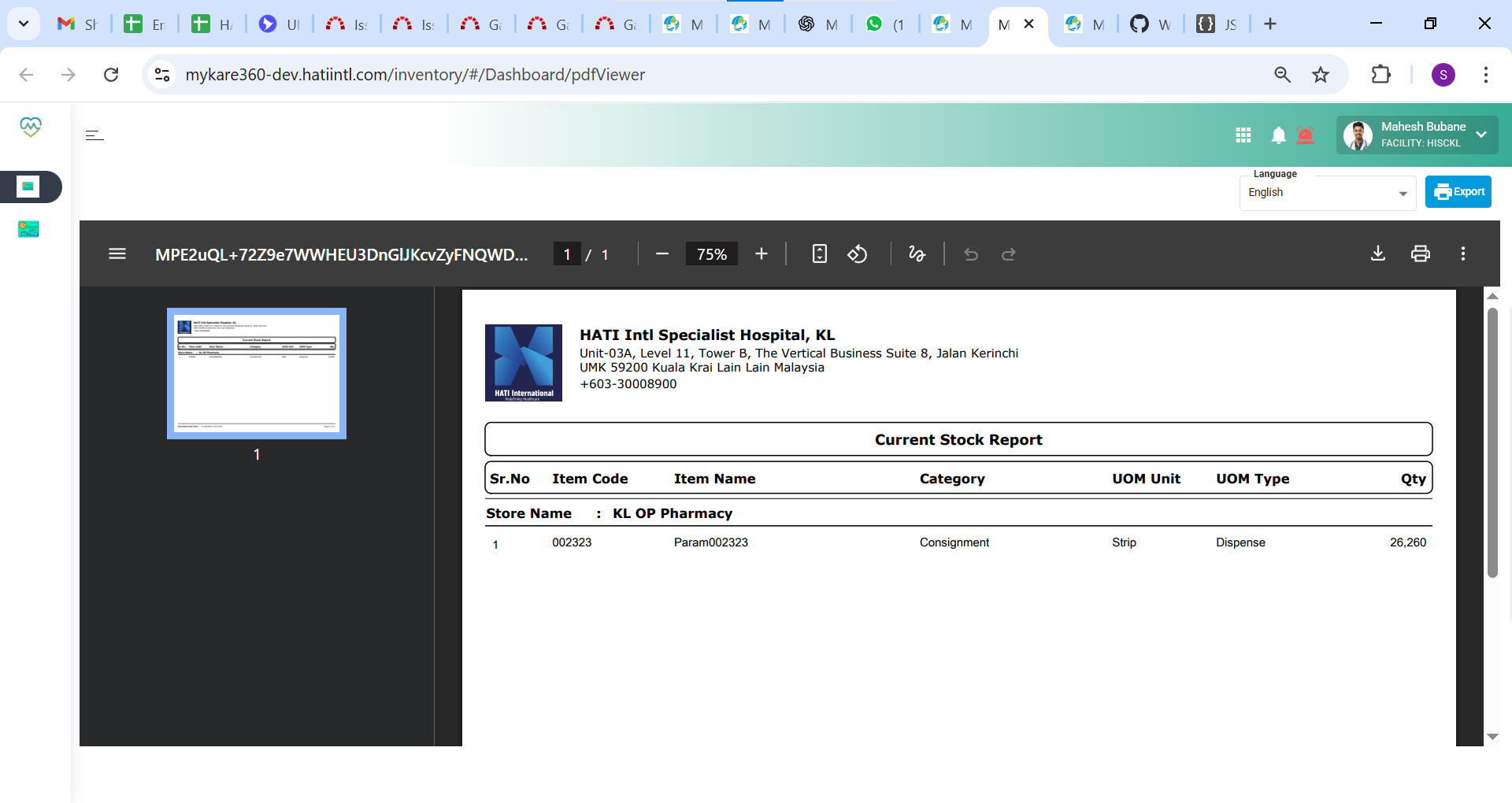
4. Click on the printing
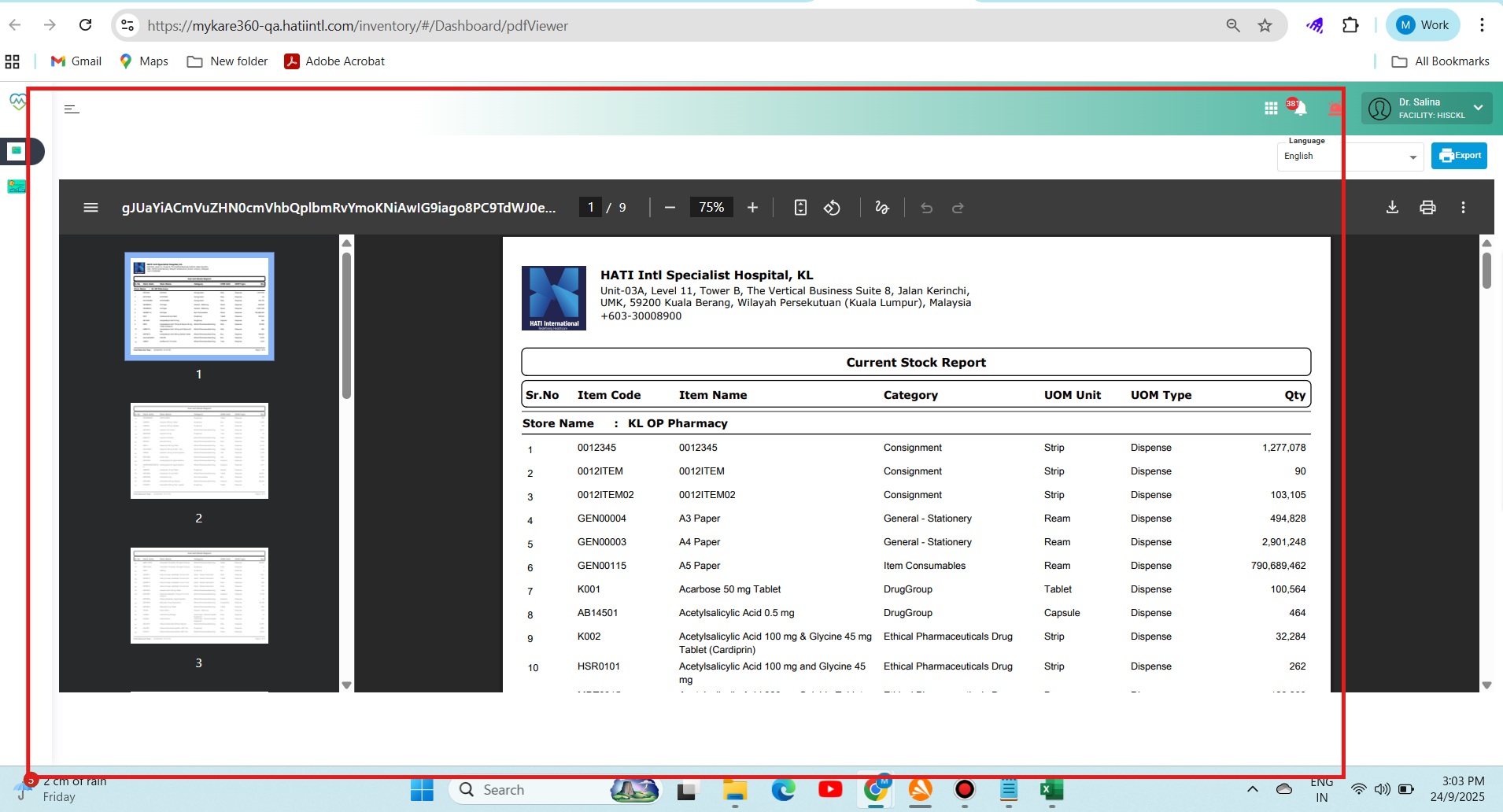
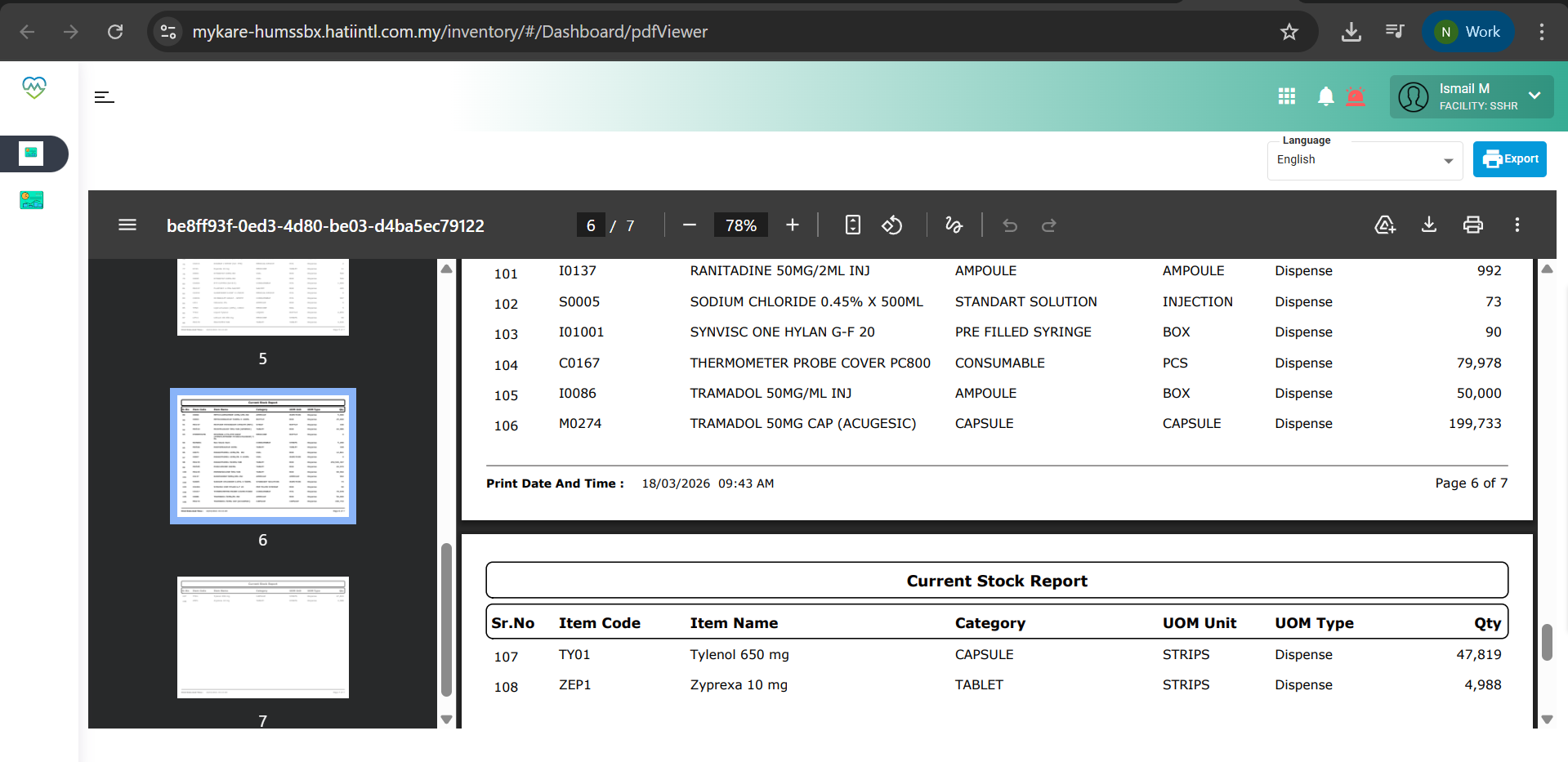
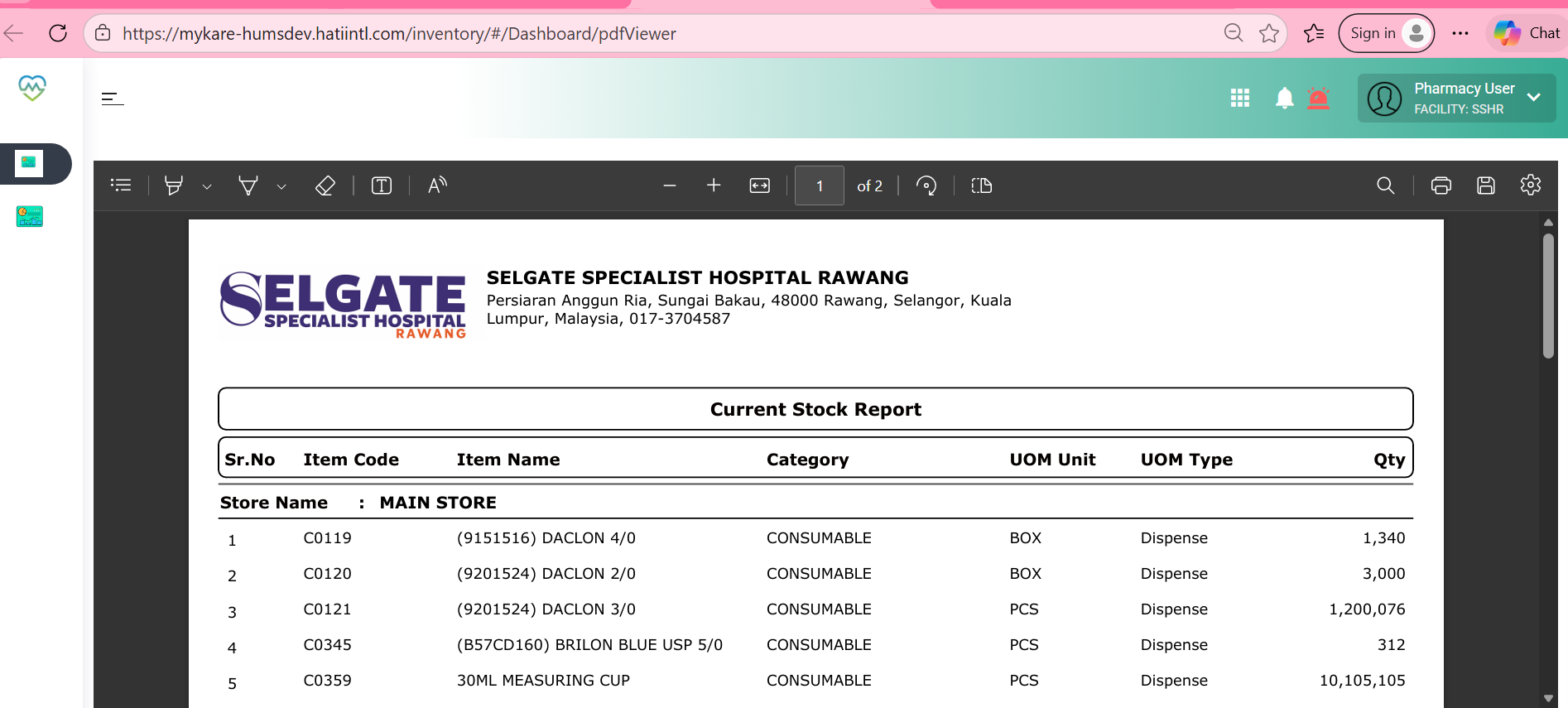
5. Observe the screen > system is not printing the item based on the search item
Expectation:
system should show the filtered data on the printing screen. not default to the system
Files