Gaps #87156
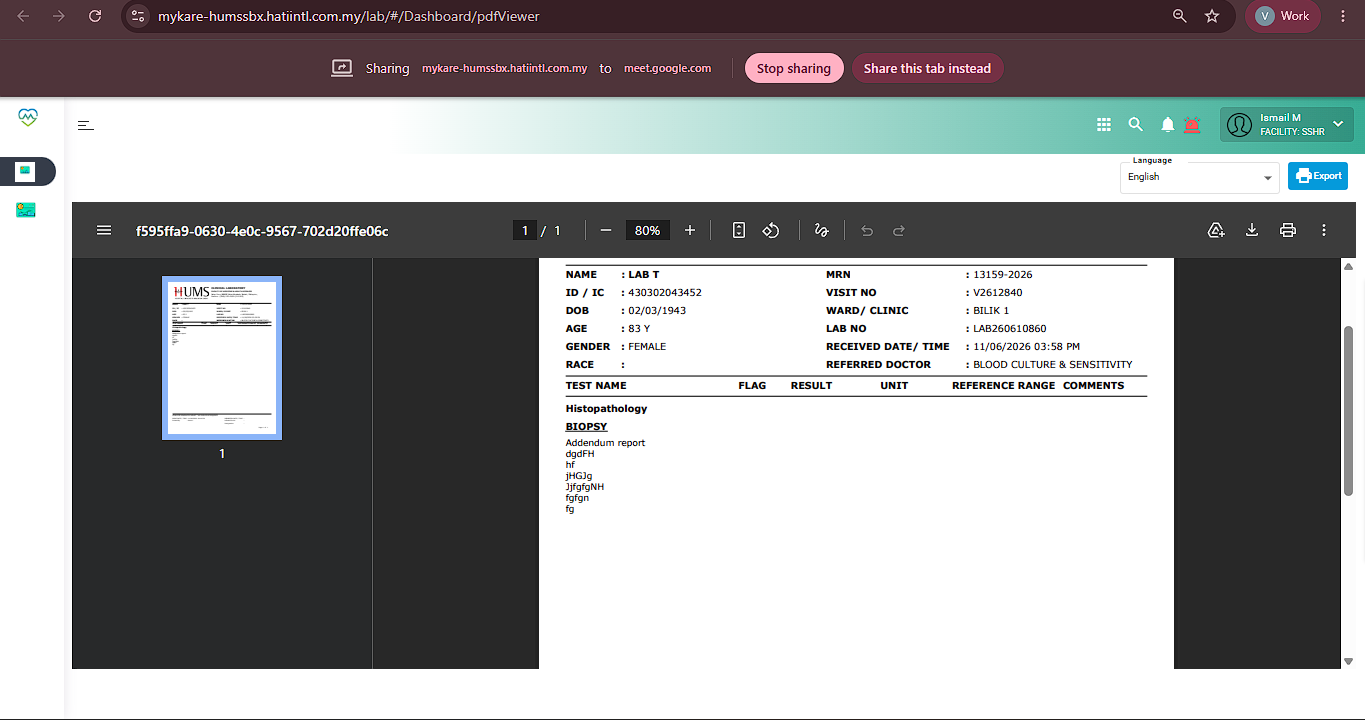
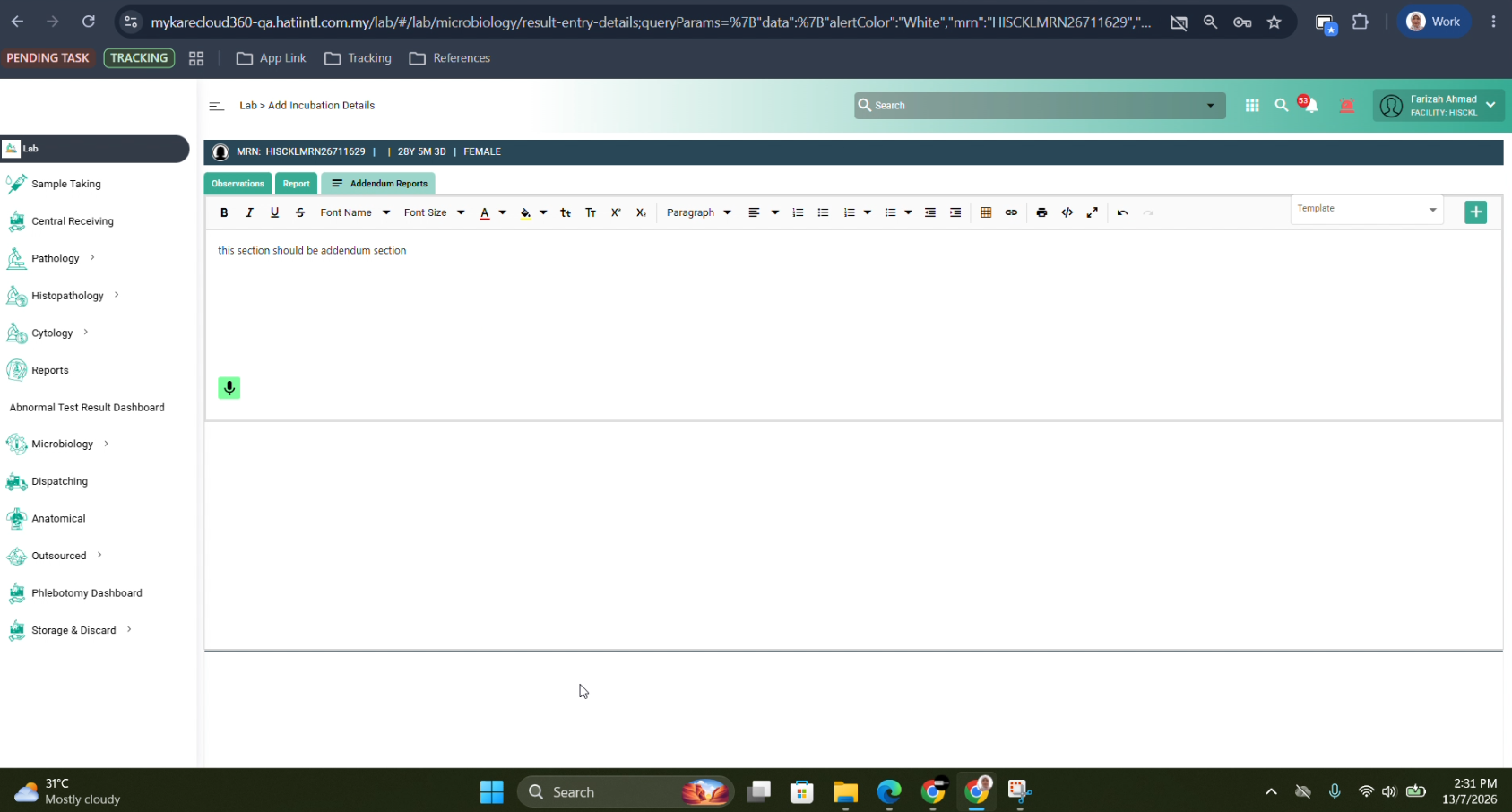
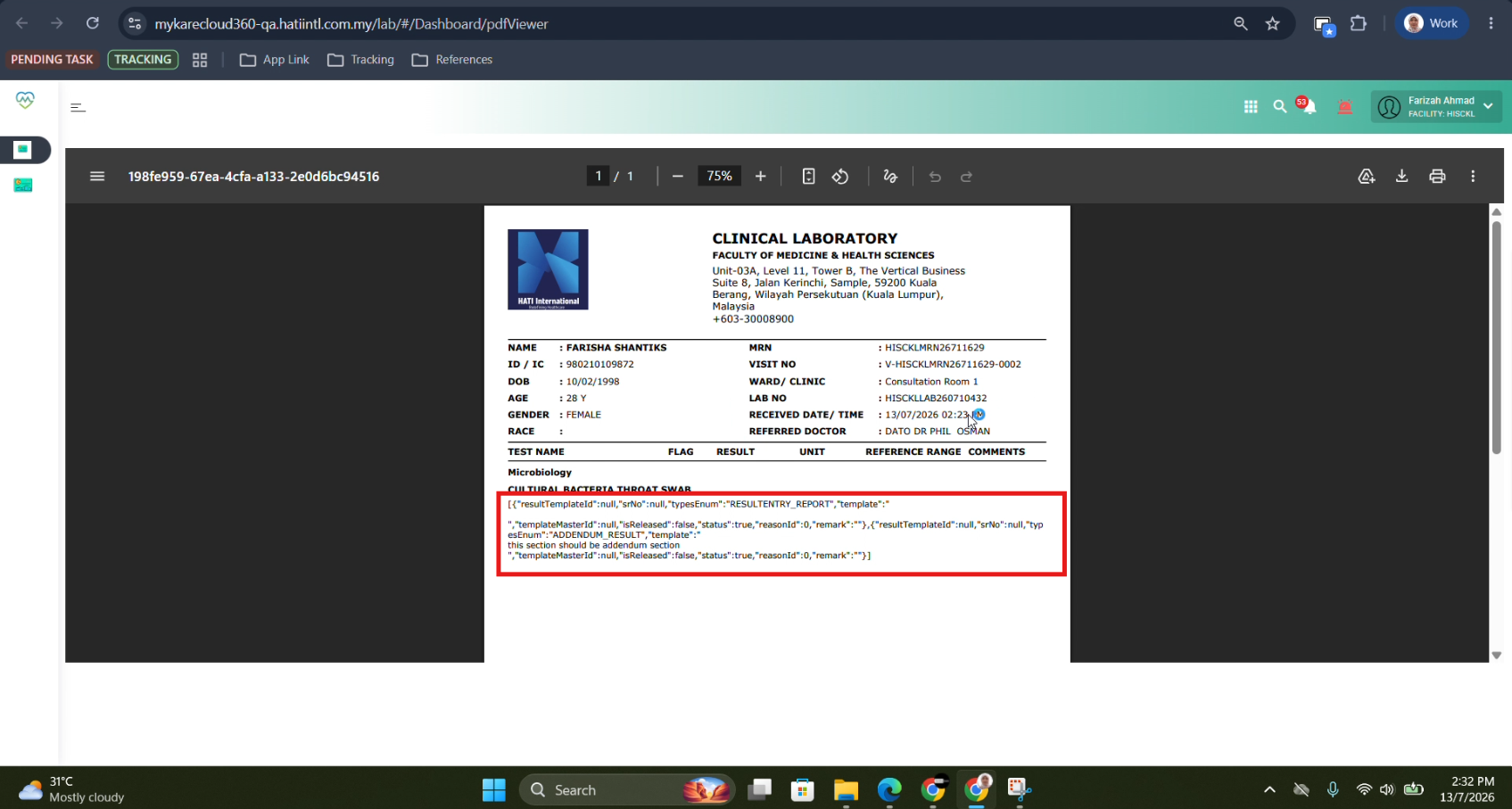
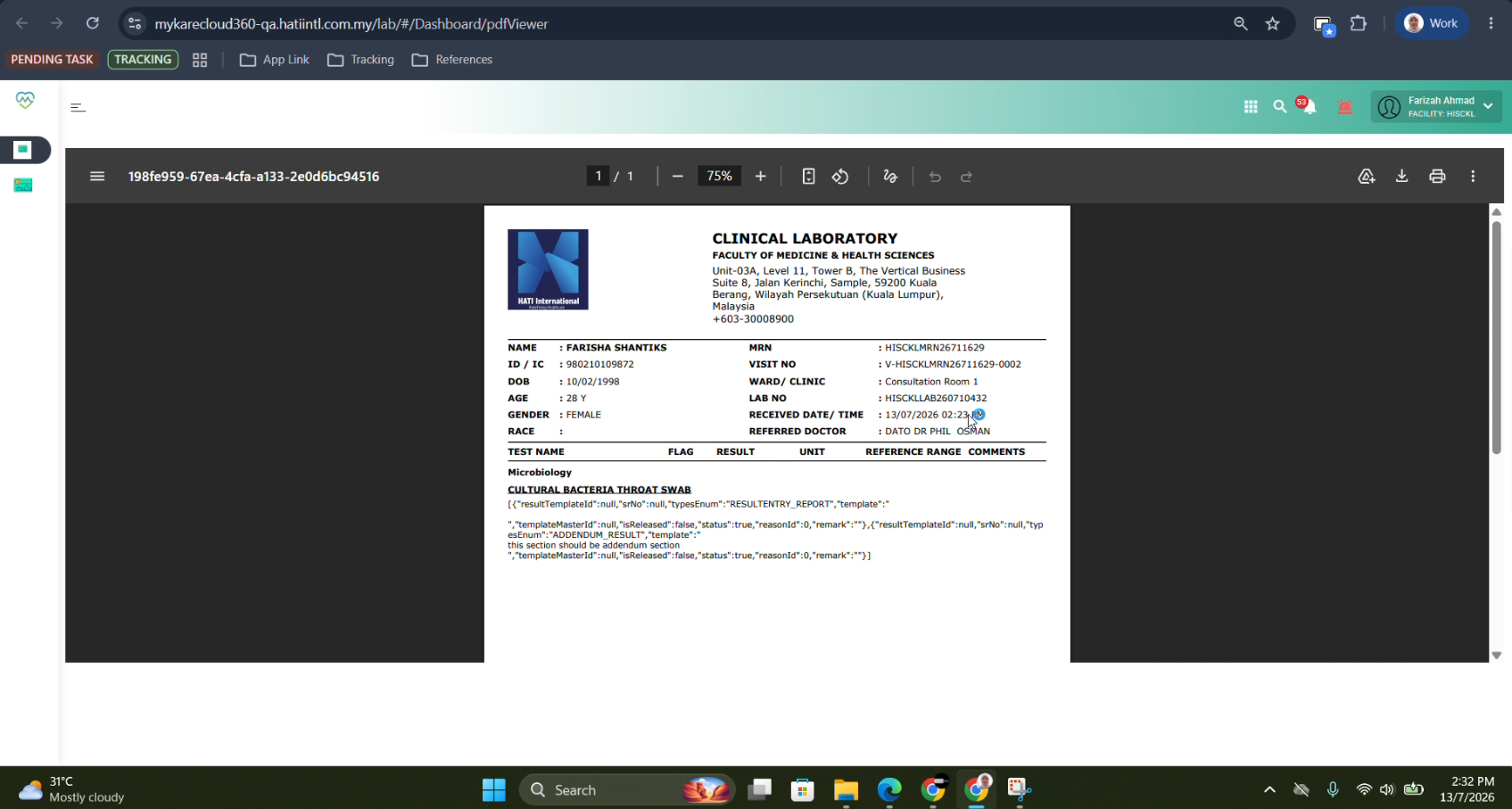
openCheck again: Any amendments made should be added as addendum, name and time stamp should be available for addendum.
50%
Description
As a [Pathologist], I want to create an Addendum/Supplementary Report for an existing test report
1. Use Case
As a Pathologist, I want to create an Addendum Report (Supplementary Report) to append additional findings, clarifications, or amendments to an existing finalized test report without replacing or modifying the original content.
This ensures data integrity, traceability, and compliance with medical documentation and audit standards.
2. Visual UI
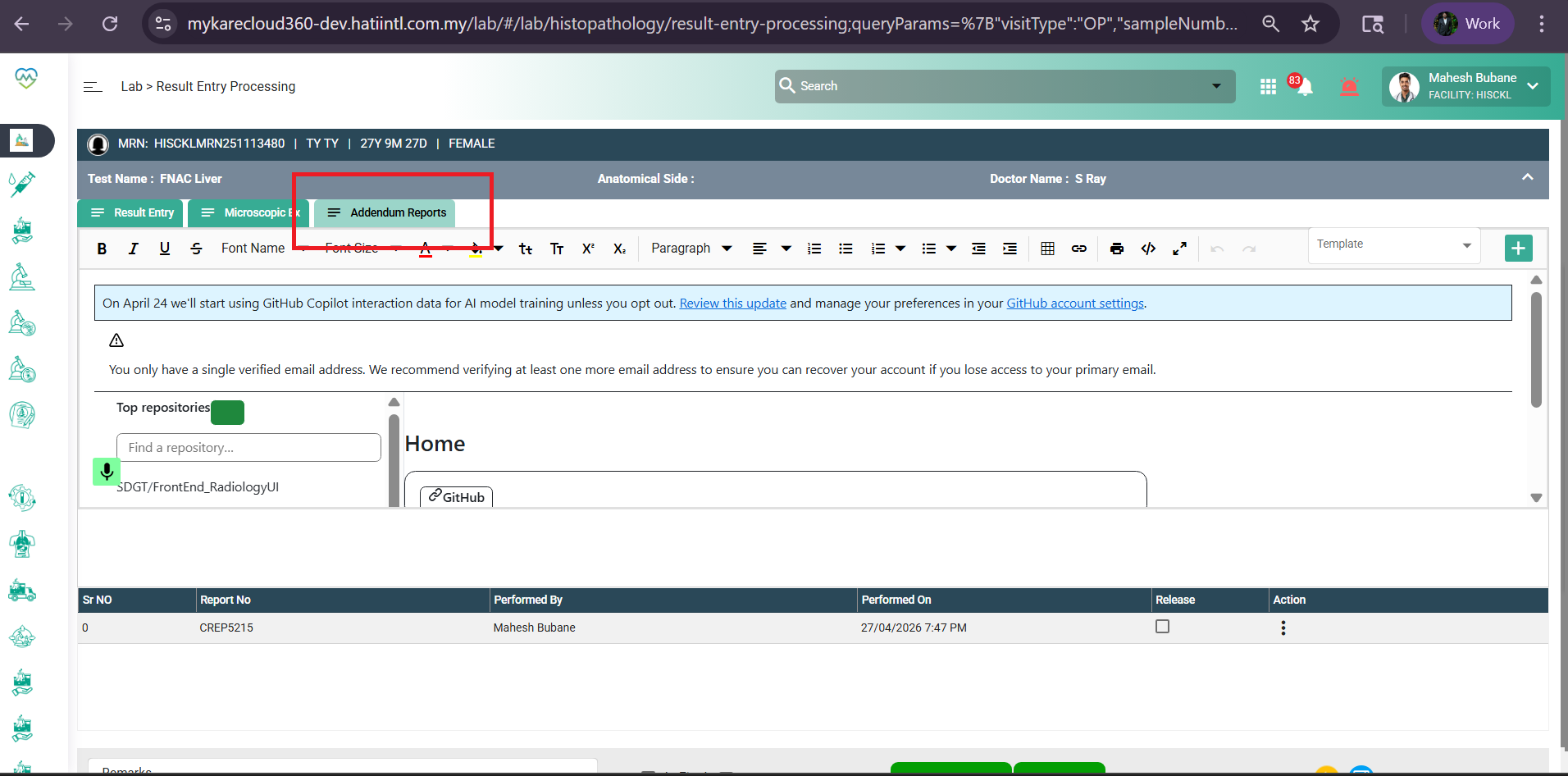
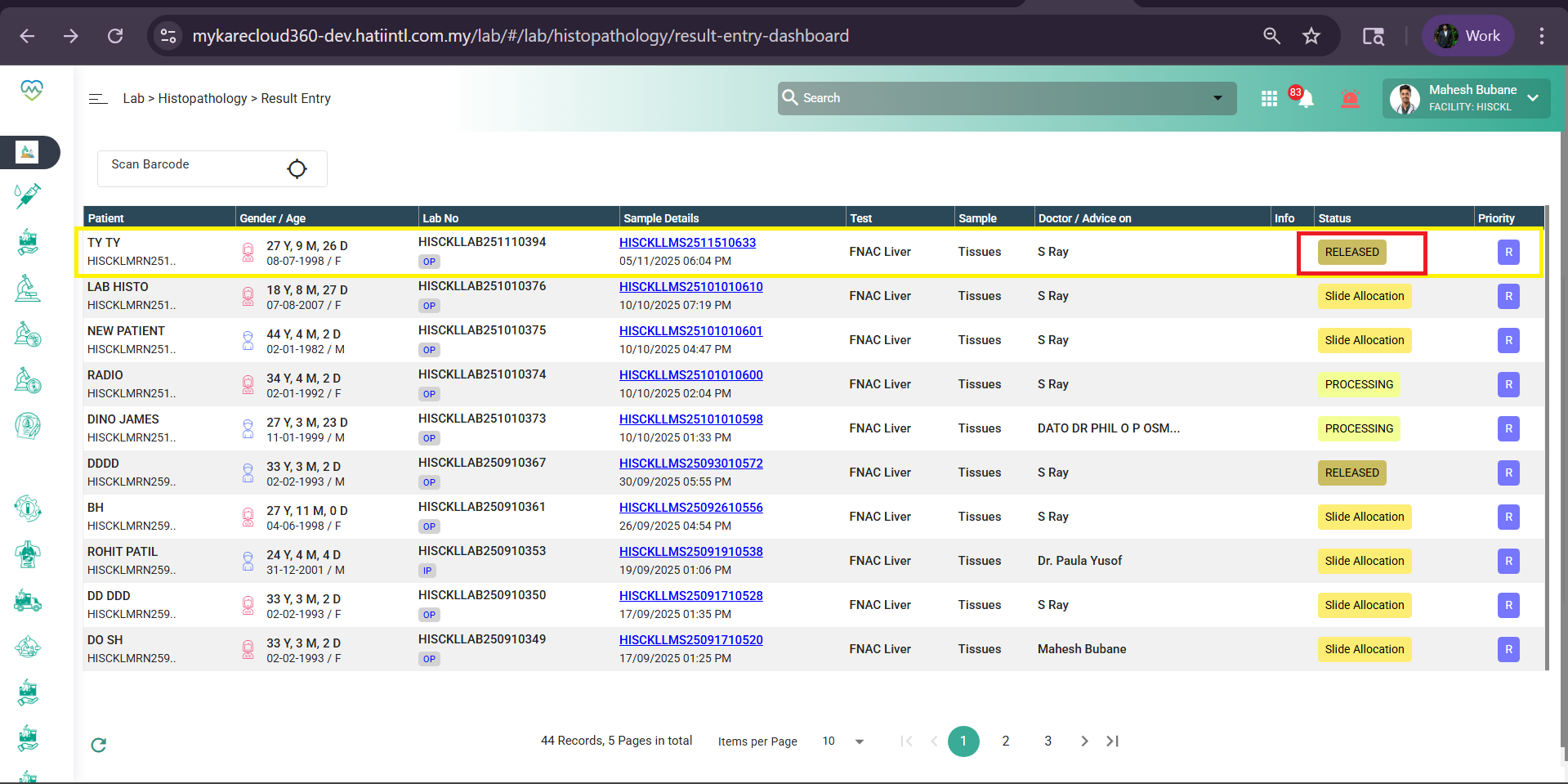
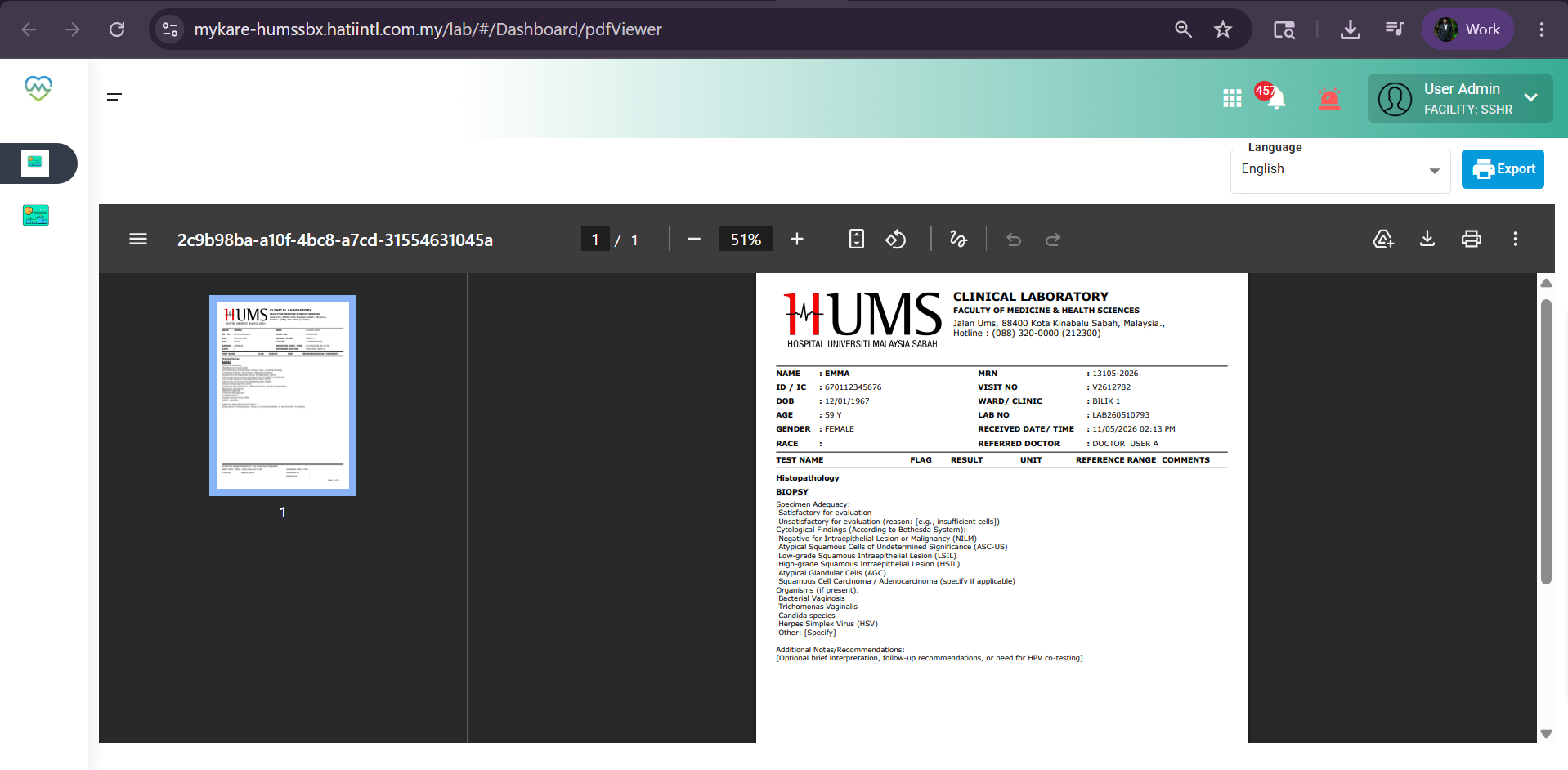
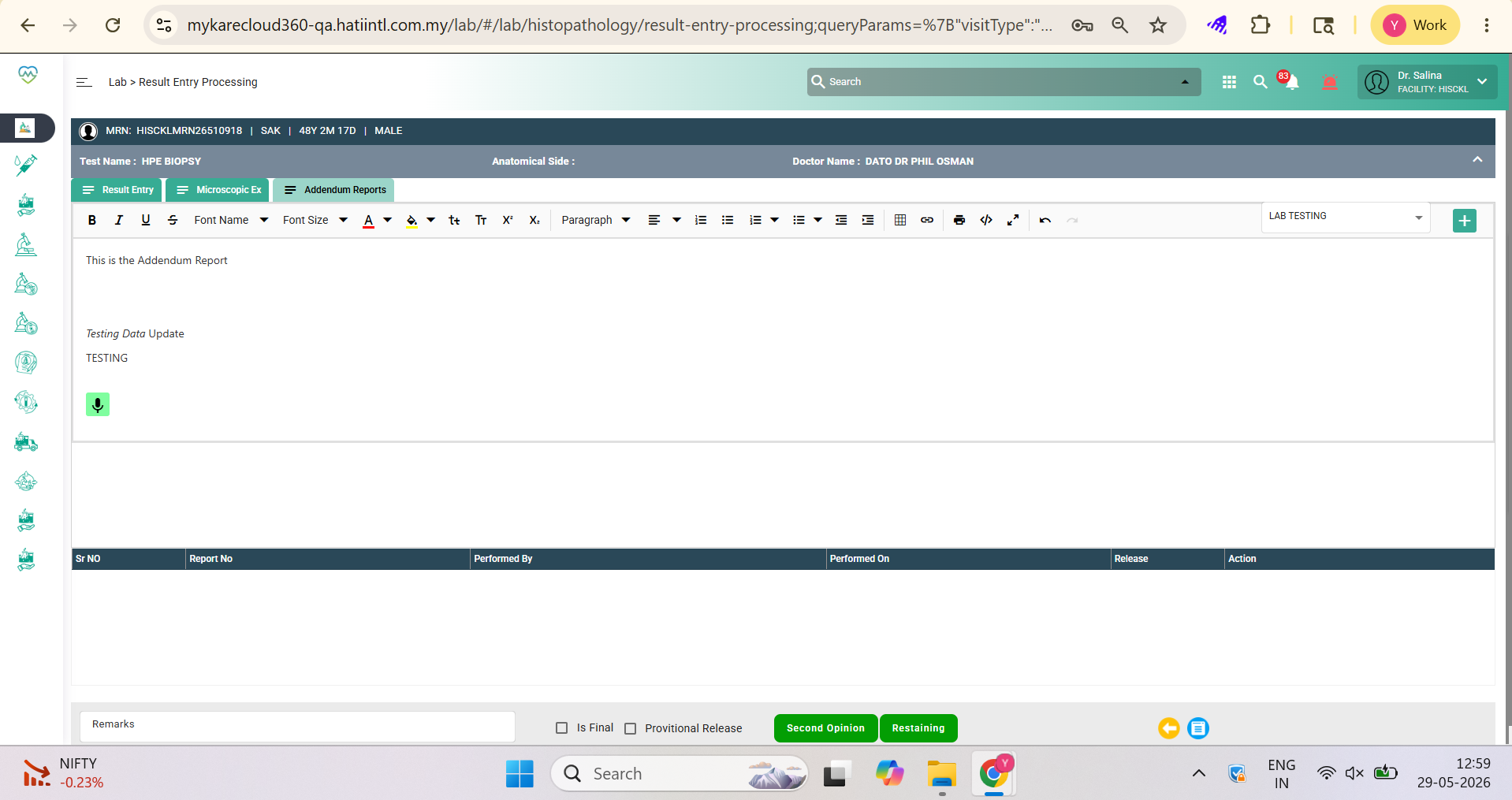
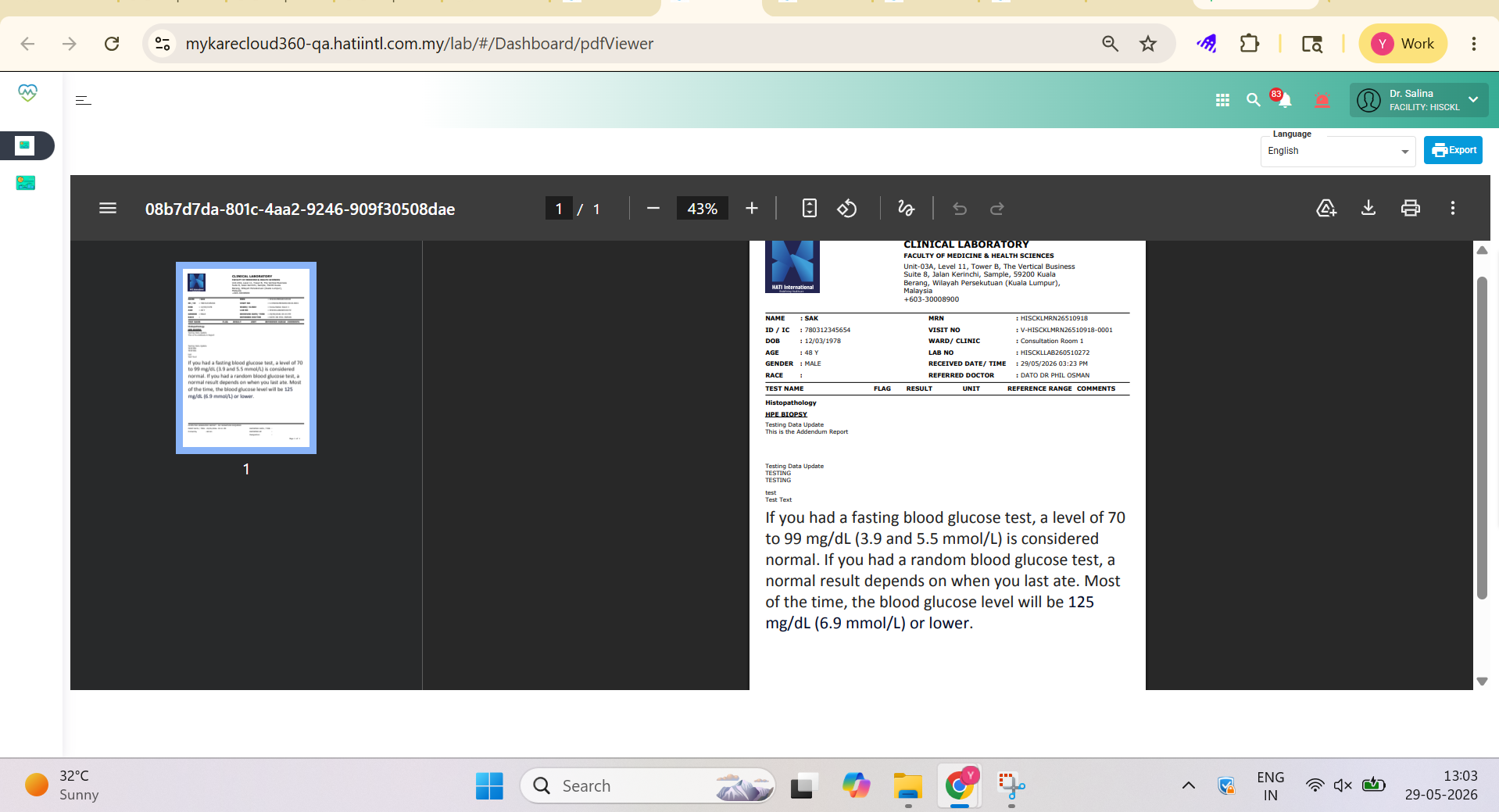
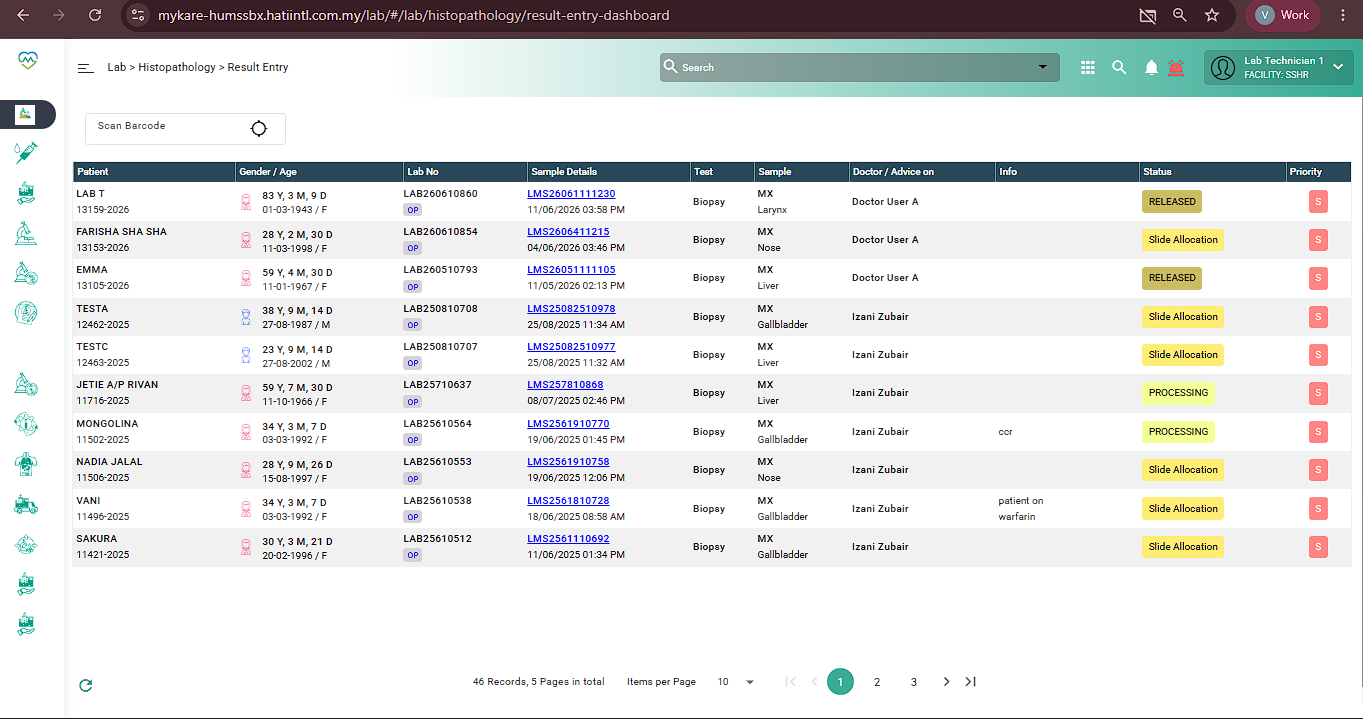
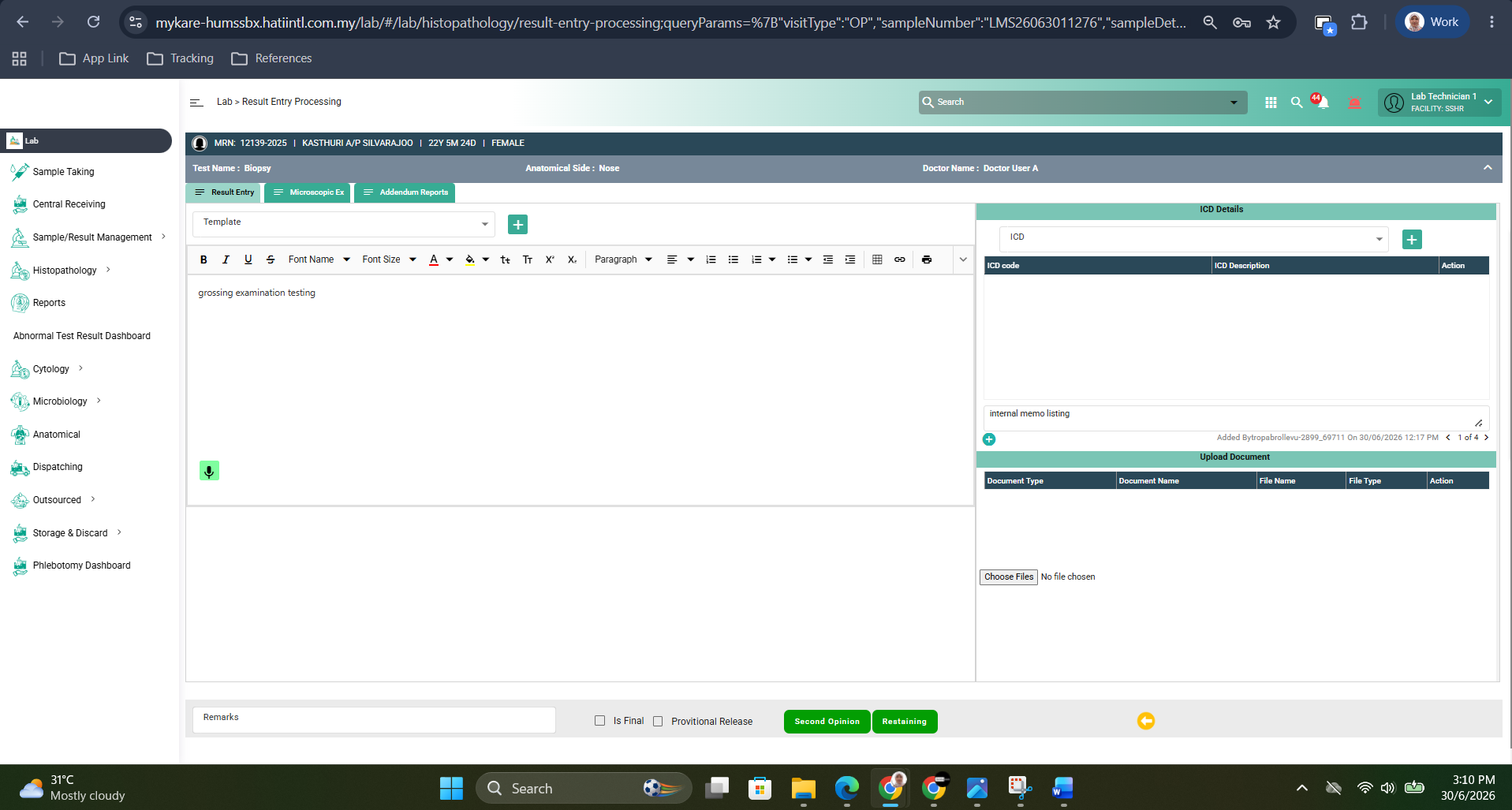
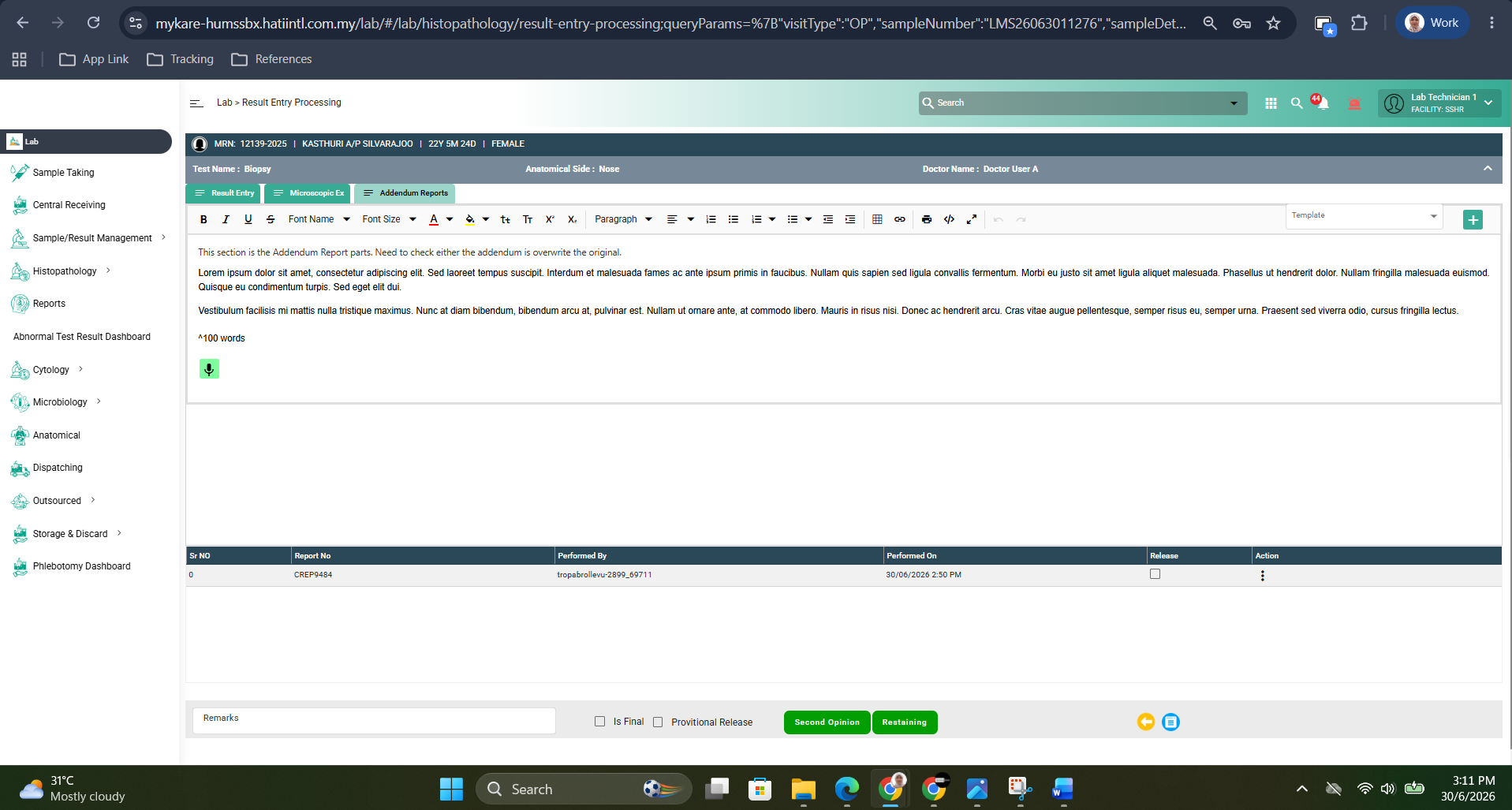
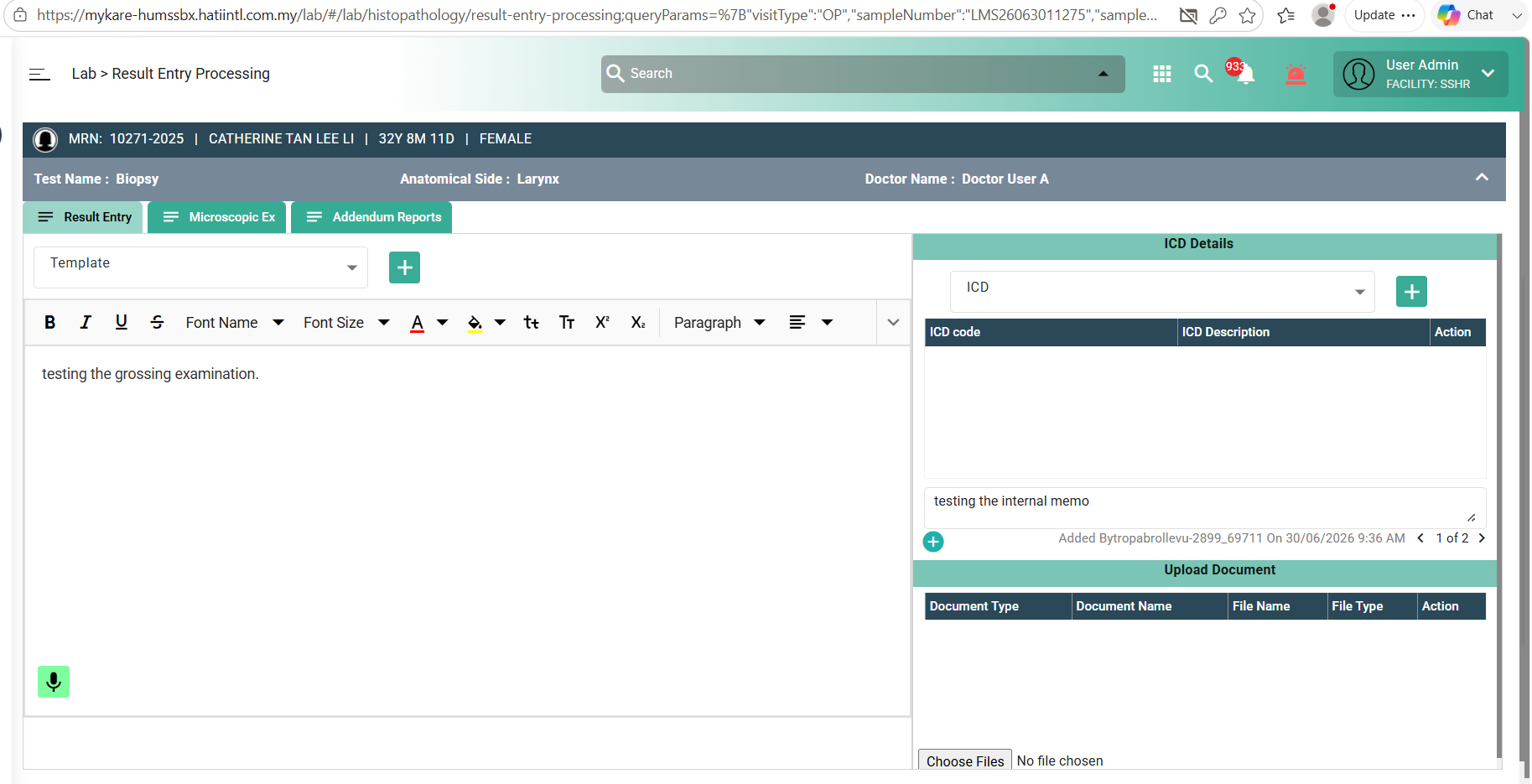
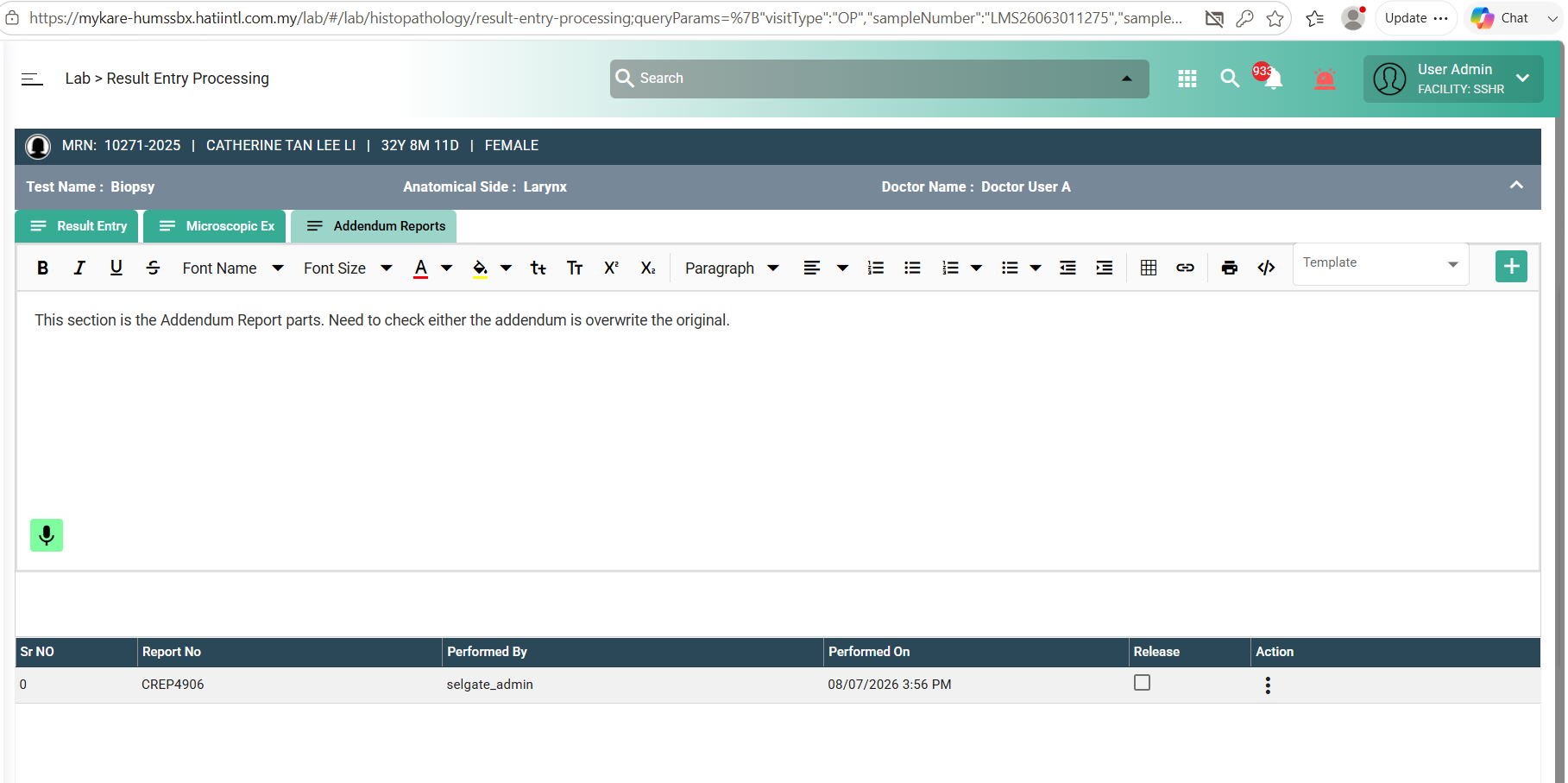
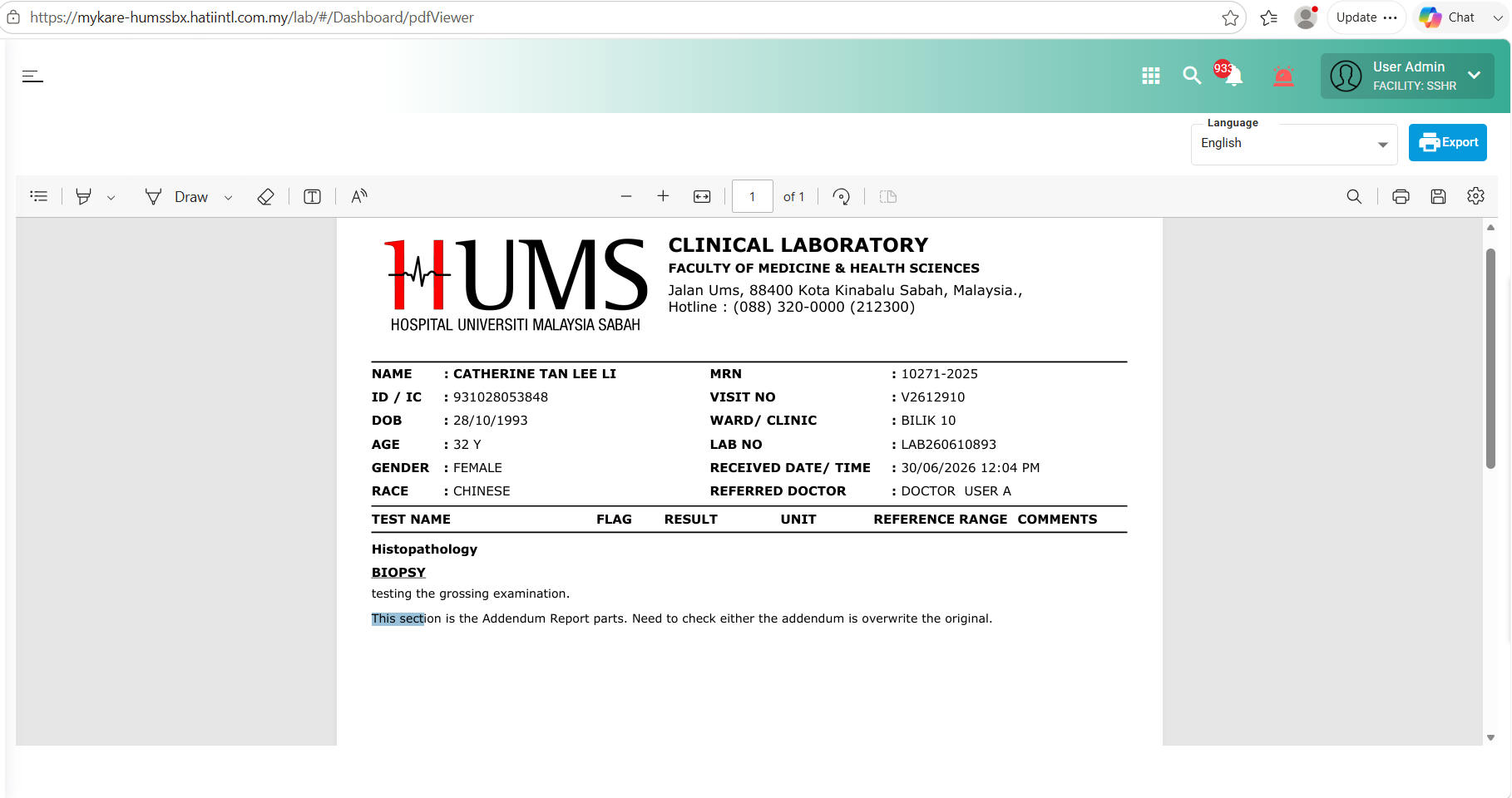
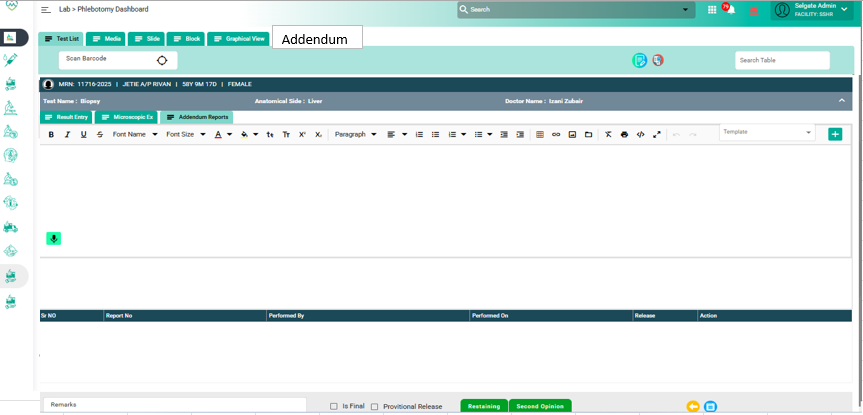
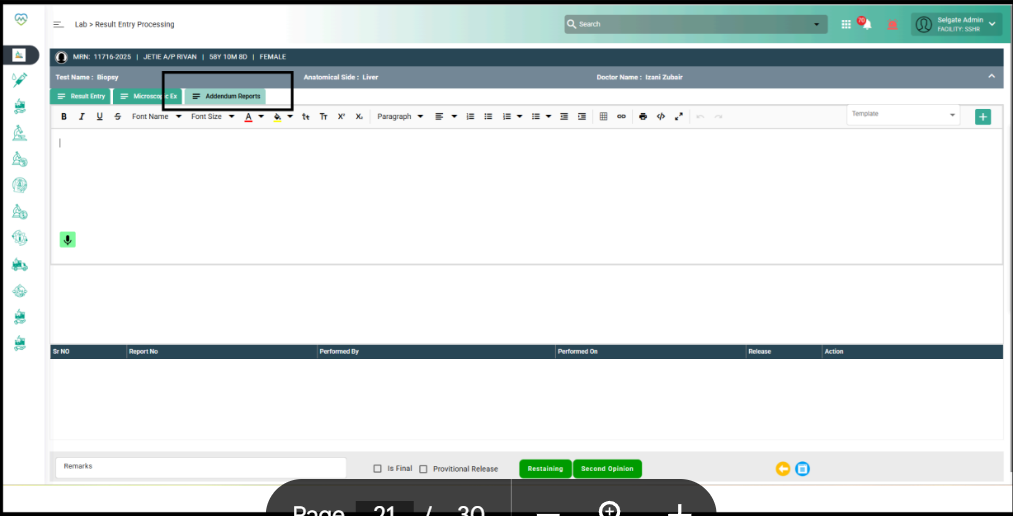
Refer to the attached screenshots.
The “Addendum” tab will be available in the Result Entry screen for relevant tests (e.g., Biopsy in Histopathology).
Within this section, users can:
- Enter supplementary information in a free text box (rich text editor).
- Select or type the Reason for Amendment using:
- A dropdown containing predefined options (e.g., “Report Correction”, “Additional Findings”, “Clarification”).
- A free text box for manual entry if the predefined options are insufficient.
- Save the addendum to append it as a Supplementary Report linked to the original report.
3. Pre-condition
❏ The Result Entry screen must be accessible for the relevant department (e.g., Histopathology/Cytology).
❏ Only authorized users (Pathologists or designated roles) can add Addenda.
❏ The original report must be finalized before an Addendum can be created.
❏ The following metadata must be captured and stored for every Addendum:
Capture Username of the user making the amendment ✅
Capture Date and Time of the amendment ✅
Reason for amendment (Optional based on department policy) ✅
❏ The Addendum details will be displayed and traceable in the Phlebotomy Dashboard.
❏ The clinician/requester must be able to identify that a Supplementary Report has been added (via alert or visible indicator).
4. Acceptance Criteria
❏ Creating an Addendum should not trigger a new report version.
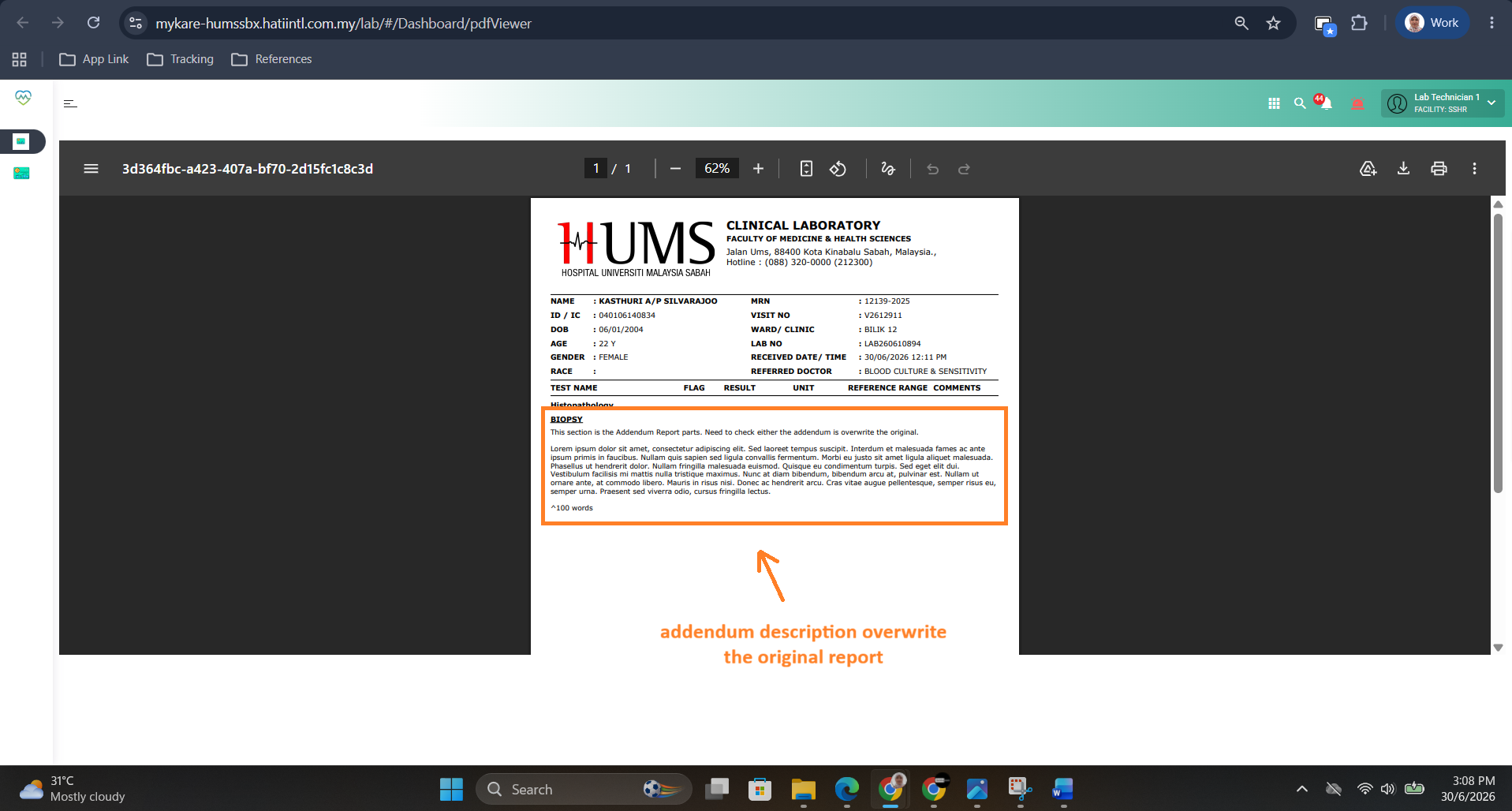
❏ The Addendum should appear as a Supplementary Report section appended to the existing report.
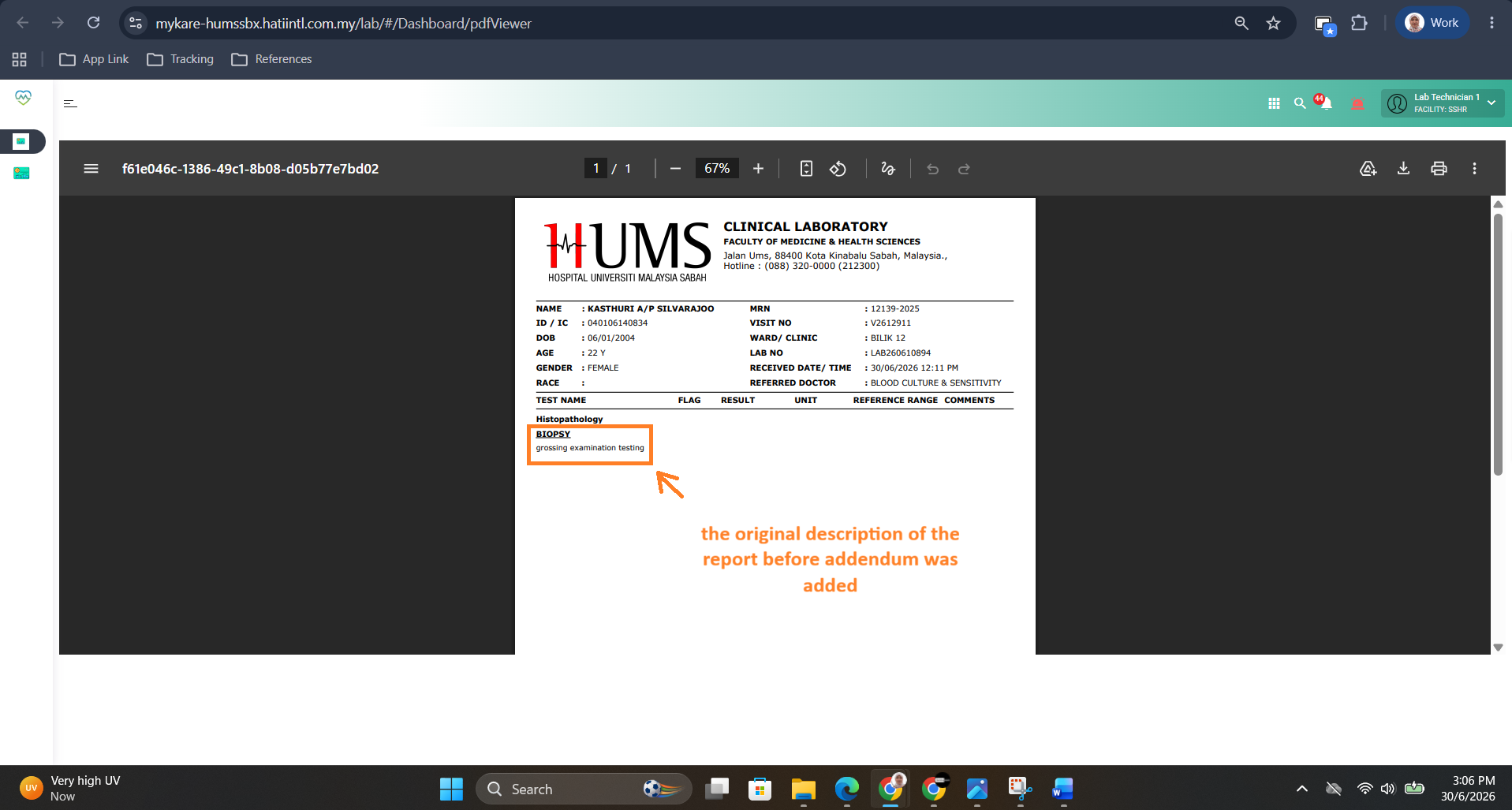
❏ The Addendum should not overwrite or alter any content in the original report.
❏ All addenda—whether corrections or new findings—will be categorized under Supplementary Reports.
❏ Each Addendum should include the label:
“Supplementary Report issued on DD/MM/YYYY by [Username]”
❏ Each Addendum must maintain complete traceability (username, timestamp, reason).
❏ Clinicians/requesters must be alerted or able to visually identify the presence of a supplementary report in the dashboard or patient record view.
❏ Multiple Addenda can be created for a single report, and all must be displayed chronologically.
❏ Once saved, Addenda cannot be edited or deleted — only new entries can be appended.
5. Technical Requirement
❏ Each Addendum should be stored as a child record linked to the parent report ID.
❏ The system must maintain complete version tracking and audit trail for every Addendum entry.
❏ Database table must include:
- Parent Report ID
- Addendum ID (unique)
- Username / User ID
- Date and Time
- Reason (Dropdown/Text)
- Addendum Text Content
❏ Addendum details should display in: - Result Entry Screen (under Addendum tab)
- Report print view as “Supplementary Report”
- Phlebotomy Dashboard (indicator or status)
❏ The predefined reasons should be configurable from the Master Configuration (Admin Setup) screen.
❏ Notification logic: - If enabled, the system should flag or alert the clinician/requester when a supplementary report is added.
- The alert method (popup, dashboard highlight, or message) can be finalized with the client.
6. System + User Flow Diagram
Step 1: User Access
- Pathologist opens the Result Entry screen for a finalized report.
- Navigates to the Addendum tab.
Step 2: Data Entry
- Pathologist types in supplementary findings or clarifications in the text box.
- Selects a predefined reason from dropdown or enters a custom reason manually.
Step 3: Save Action
- User clicks Save Addendum.
- System validates user permission and report status.
System captures:
- Username
- Date & Time
- Reason (if provided)
- Addendum content
Step 4: System Processing
- Addendum is saved as a new supplementary record linked to the original report.
- Original report remains unchanged.
- Addendum record is marked as “Supplementary Report”.
- The entry is stored in the audit trail.
Step 5: Display and Notification
- The Phlebotomy Dashboard updates with a Supplementary Report indicator.
- Clinicians/requesters viewing the case are alerted or can see a visual marker that a supplementary report exists.
- When the report is viewed or printed, the Addendum appears as:
“Supplementary Report issued on DD/MM/YYYY by [Username].”
[1] Pathologist Opens Finalized Report
│
▼
[2] Navigates to “Addendum” Tab in Result Entry
│
▼
[3] Enters Addendum Text + Selects/Enters Reason
│
▼
[4] Clicks “Save Addendum”
│
▼
[5] System Validates User Permission & Report Status
│
▼
[6] System Records:
- Username
- Date & Time
- Reason (Optional)
- Addendum Content
│
▼
[7] Addendum Stored as Child Record (Linked to Report ID)
│
▼
[8] Original Report Remains Unchanged
│
▼
[9] Supplementary Report Appears:
“Supplementary Report issued on DD/MM/YYYY by [Username]”
│
▼
[10] Phlebotomy Dashboard Updated → Supplementary Indicator Visible
│
▼
[11] Clinician/Requester Alerted or Sees Visual Indicator
7. Outcome
❏ The system successfully appends supplementary information to the existing report without replacing or modifying the original data.
❏ All Addenda are traceable with full metadata and appear in chronological order.
❏ The clinician/requester can easily identify and access the supplementary report.
❏ The overall process supports full audit compliance and data integrity standards.
Attachment: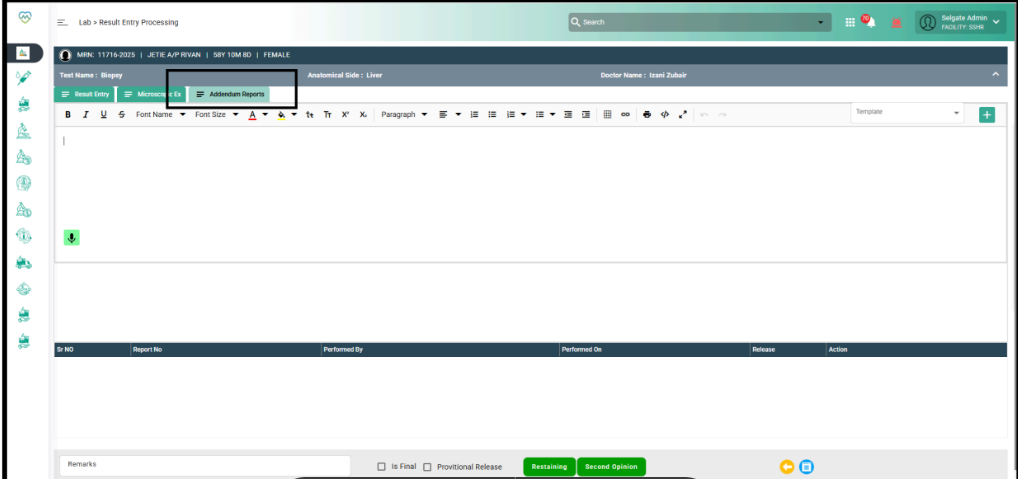
Files