Bug #91736
closedPHIS > INVENTORY > STOCK ADJUSTMENT
0%
Description
Unable to add active stock that has 0 qty in system.
Steps to follow:
1. Pharmacy > Inventory > Stock Adjustment
2. Click add new > stock type > stock adjustment
3. add item > key in item code that need to be adjust
4. observe screen
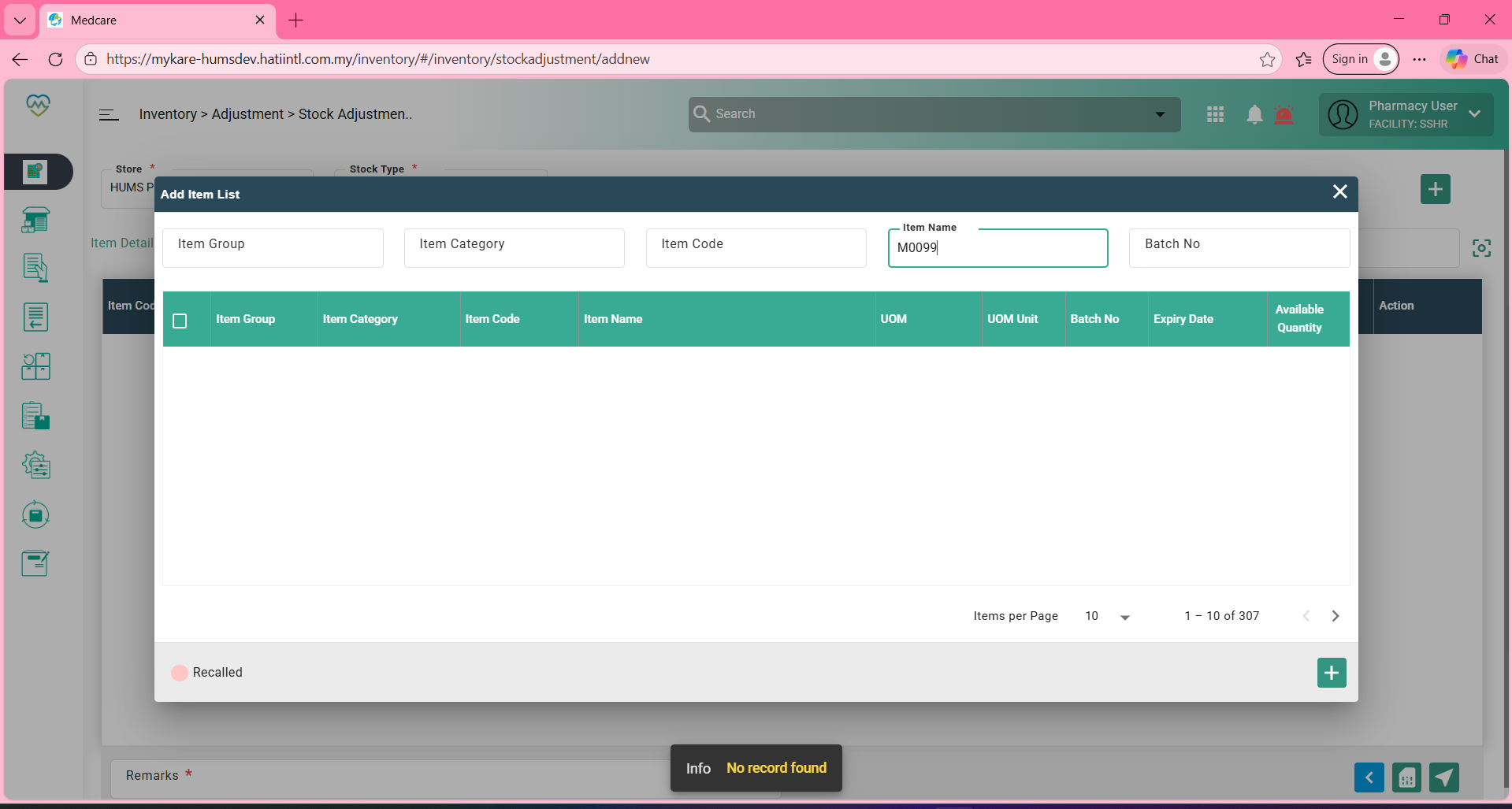
Expectation: User should be able to adjust active stock , due to system not tally with physical stock
Files
Updated by Daniyal Ansari 9 months ago
- Assignee changed from Daniyal Ansari to Ismail Momin
Updated by Ismail Momin 9 months ago
- Assignee changed from Ismail Momin to Dayang Yusreena A.M Yaakub
Based on the screenshot, the following three scenario were identified:
1) Item code M0099 was searched in the Item Name field instead of the Item Code field.
2) Item M0099 belongs to the Main Store, but the search was performed under “HUMS Pharmacy Store.”
3) Item M0099 has 0 available quantity, and on the Stock Adjustment screen, items with 0 available quantity are not displayed.
Updated by Nur'Ain Binti Karim 3 months ago
- File clipboard-202607291721-gwouw.png clipboard-202607291721-gwouw.png added
- Bug/Defect On Production added
- Bug/Defect On deleted (
Development) - Issue released on HUMS SandBox added
- Issue released on deleted (
Dev)
Tested in HUMS Sandbox and it works
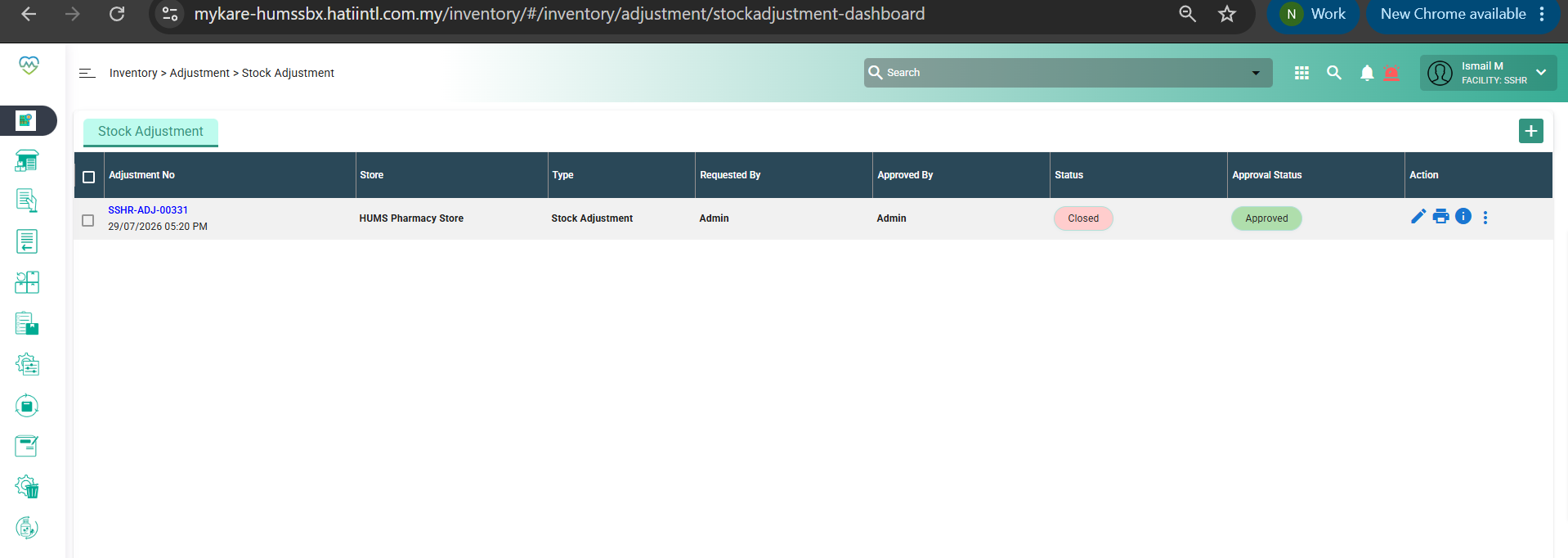
Updated by Nur'Ain Binti Karim 3 months ago
- Status changed from Assigned to Patching
Updated by Nur'Ain Binti Karim 3 months ago
- Status changed from Patching to Closed