Gaps #92463
openAutomatic Media Mapping to Specimen in Microbiology Result Entry
0%
Description
Description: In the current Laboratory Information System (LIS) workflow, Medical Laboratory Technologists (MLTs) are required to manually assign culture media to specimens during microbiology result entry. After assigning media, users must manually update the processing status of each media as “In Progress” or “Completed.”
This manual process increases the workload for laboratory staff and may result in delays, inconsistencies, or errors when assigning media to specimens.
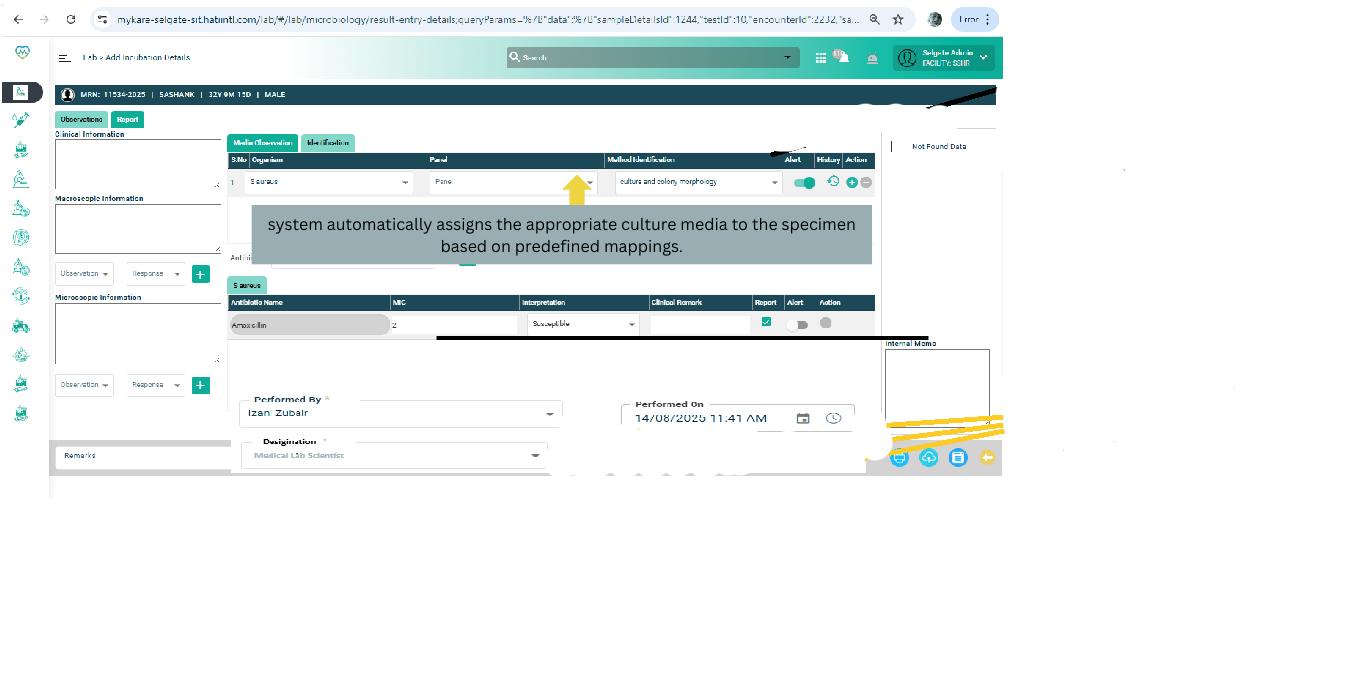
To improve workflow efficiency and reduce manual intervention, users have requested an enhancement where the system automatically assigns the appropriate culture media to the specimen based on predefined mappings.
Objective
The objective of this enhancement is to:
1. Automate the assignment of culture media to specimens.
Scope
Automatic mapping of media based on:
1.Test type
2.Specimen type
- Display mapped media automatically in the Microbiology Result Entry screen.
- Default status of media set to “In Progress.”
- Ability for users to manually modify media assignments.
- Administrative configuration of Test-to-Media mapping.
Expected Workflow
- Specimen is registered in LIS.
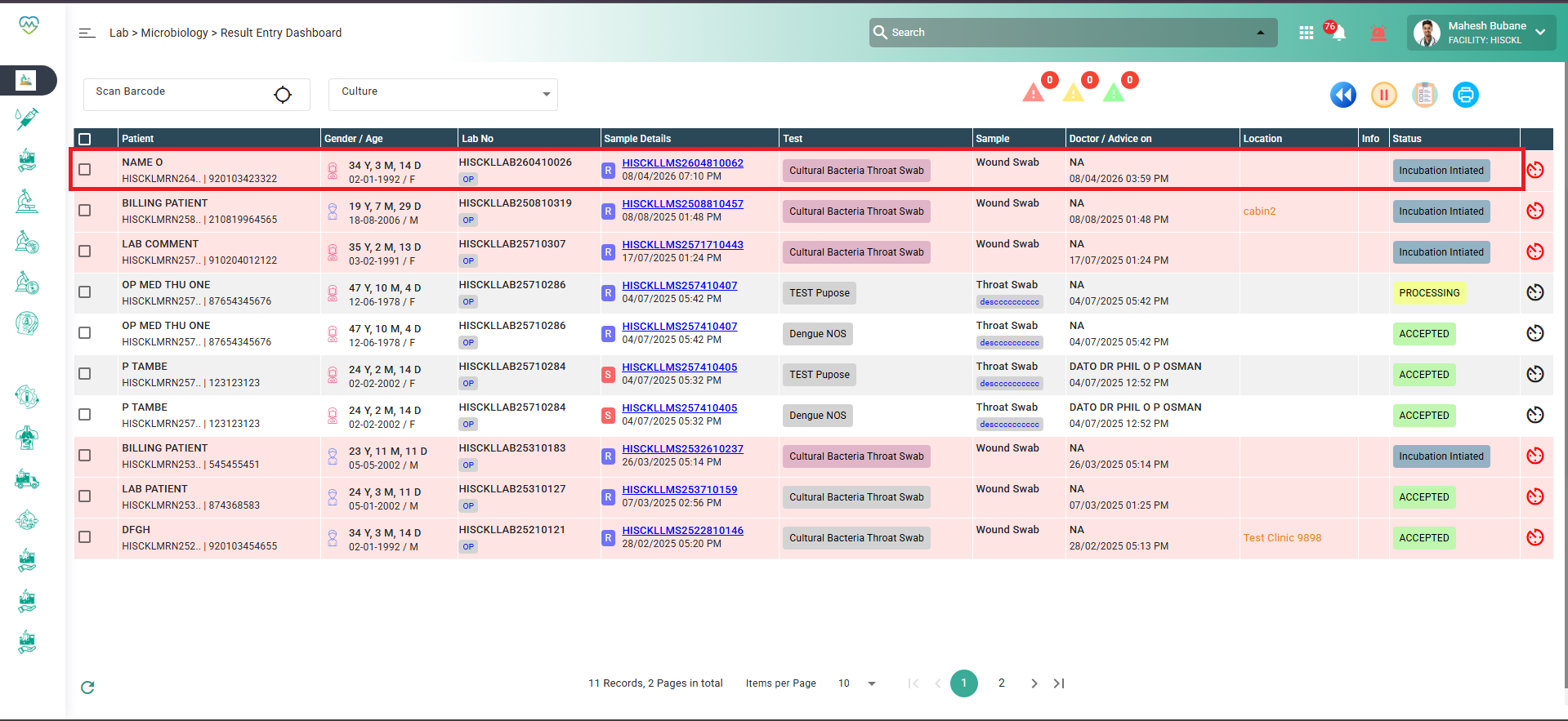
- User opens the Microbiology Result Entry screen.
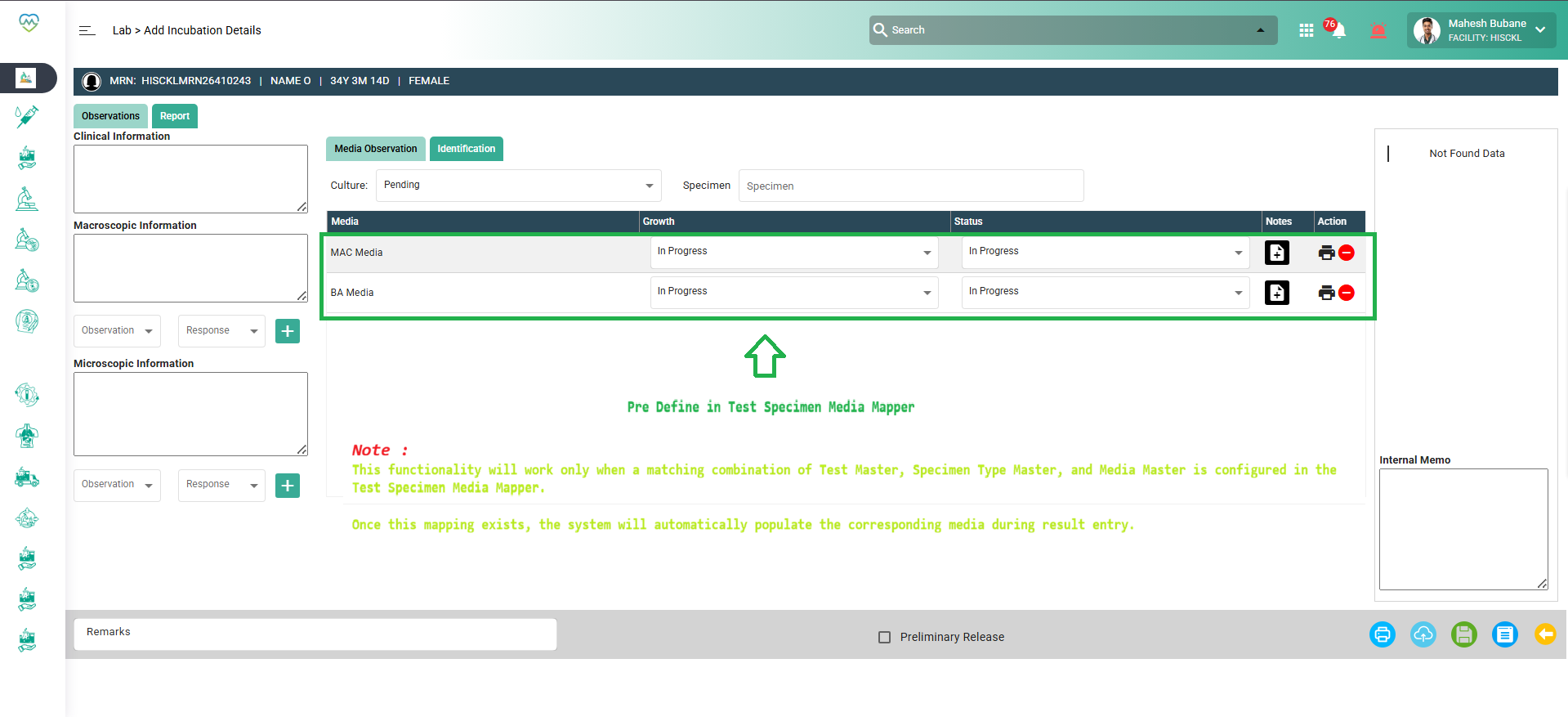
- System automatically loads preconfigured media mapped to the test/specimen.
- Media rows appear automatically in the Media Observations section.
- Status is automatically set to “In Progress.”
- User may:
- Add additional media
- Remove unnecessary media
- Update status to Completed
7. User records culture results.
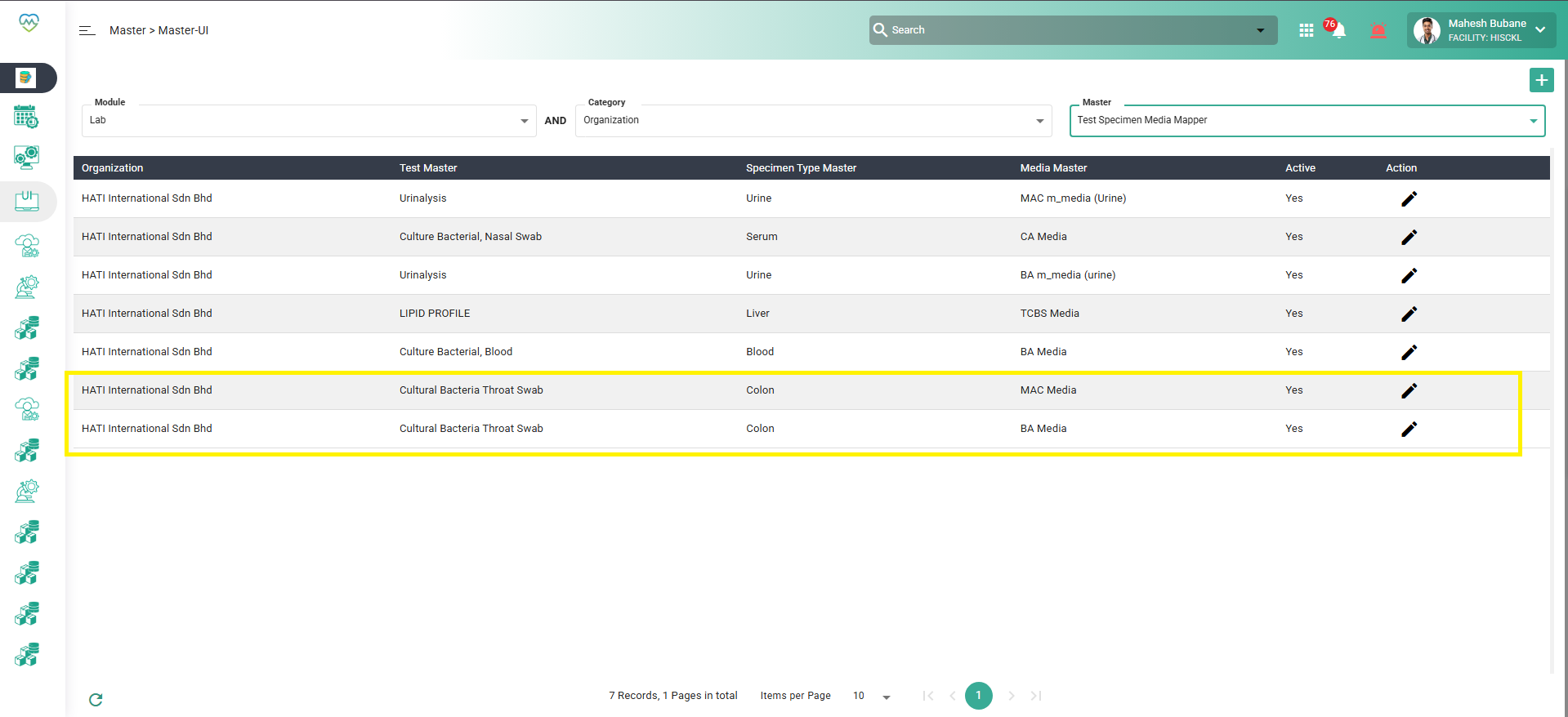
8. System administrators must be able to configure mappings between:
- Test
- Specimen Type
- Default Culture Media
- Example:
Test Specimen Default Media -------------- -------- -------------------------- Blood Culture Blood Blood Agar, MacConkey Agar Urine Culture Urine CLED Agar Sputum Culture Sputum Blood Agar, Chocolate Agar
Conditions: Media mapping must be configurable by administrators.
: Automatic mapping should occur only for configured tests.: Users must be able to override the mapping if required.: The system must maintain an audit trail of user modifications.Files
Updated by Daniyal Ansari 7 months ago
- Assignee changed from Daniyal Ansari to Kunal Yelne
Updated by Kunal Yelne 7 months ago
- File Screenshot 2026-04-17 183515.png Screenshot 2026-04-17 183515.png added
- File Screenshot 2026-04-17 183407.png Screenshot 2026-04-17 183407.png added
- File Screenshot 2026-04-17 183314.png Screenshot 2026-04-17 183314.png added
- Status changed from Assigned to Coded
New Requirement implemented
Updated by Daniyal Ansari 7 months ago
- Status changed from Coded to QA
- Assignee changed from Kunal Yelne to Mangesh Pangrekar
Updated by Daniyal Ansari 5 months ago
- Assignee changed from Mangesh Pangrekar to Kunal Yelne
Updated by Vasuki Muniratnam 5 months ago
Based on our discussion yesterday, I have cross-checked the client master data, specifically the Sample Media Mapping configuration. Currently, the client has provided a single Sample Type to be mapped with its respective media. I did not find scenarios where multiple specimen types are configured for the same mapping that would prevent automatic media assignment. In addition, based on the current workflow, the specimen is entered by the MLT under Microbiology > Media Observation > Add Incubation Details. Typically, only one specimen/sample type is entered for the case. Therefore, the system should be able to determine the applicable media from the configured specimen type and automatically populate the mapped media in the Media Observation section. Users can then add, remove, or modify the media if required.
Updated by Kunal Yelne 5 months ago
- File Screenshot 2026-06-08 141150.png Screenshot 2026-06-08 141150.png added
- File Screenshot 2026-06-08 141158.png Screenshot 2026-06-08 141158.png added
- Status changed from Re-open to Coded
Issue resolved Now as per discussion screen change
Lab > Microbiology > Result Entry Dashboard to
Lab > Microbiology > Media Observation
please check now new changes 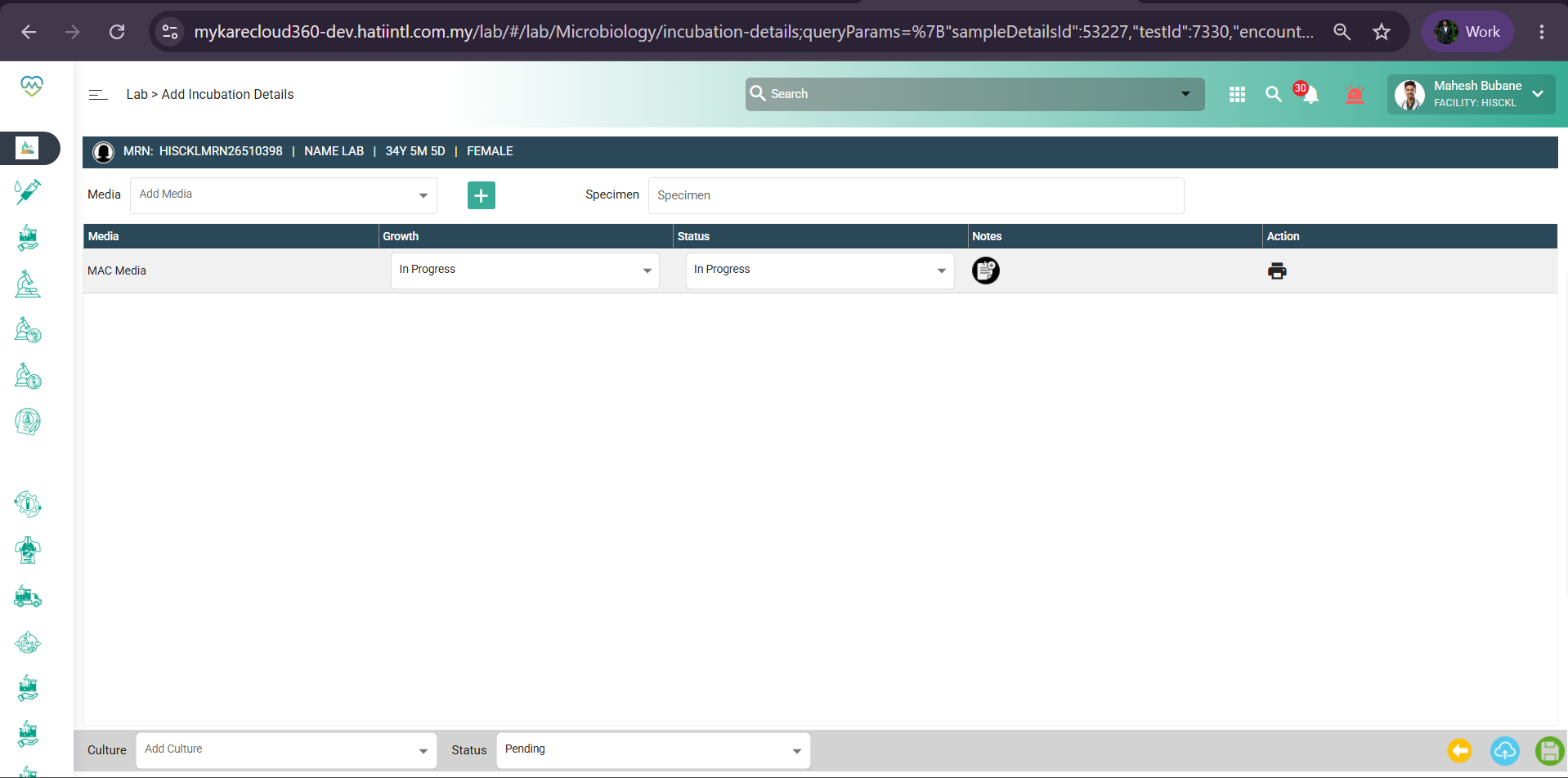
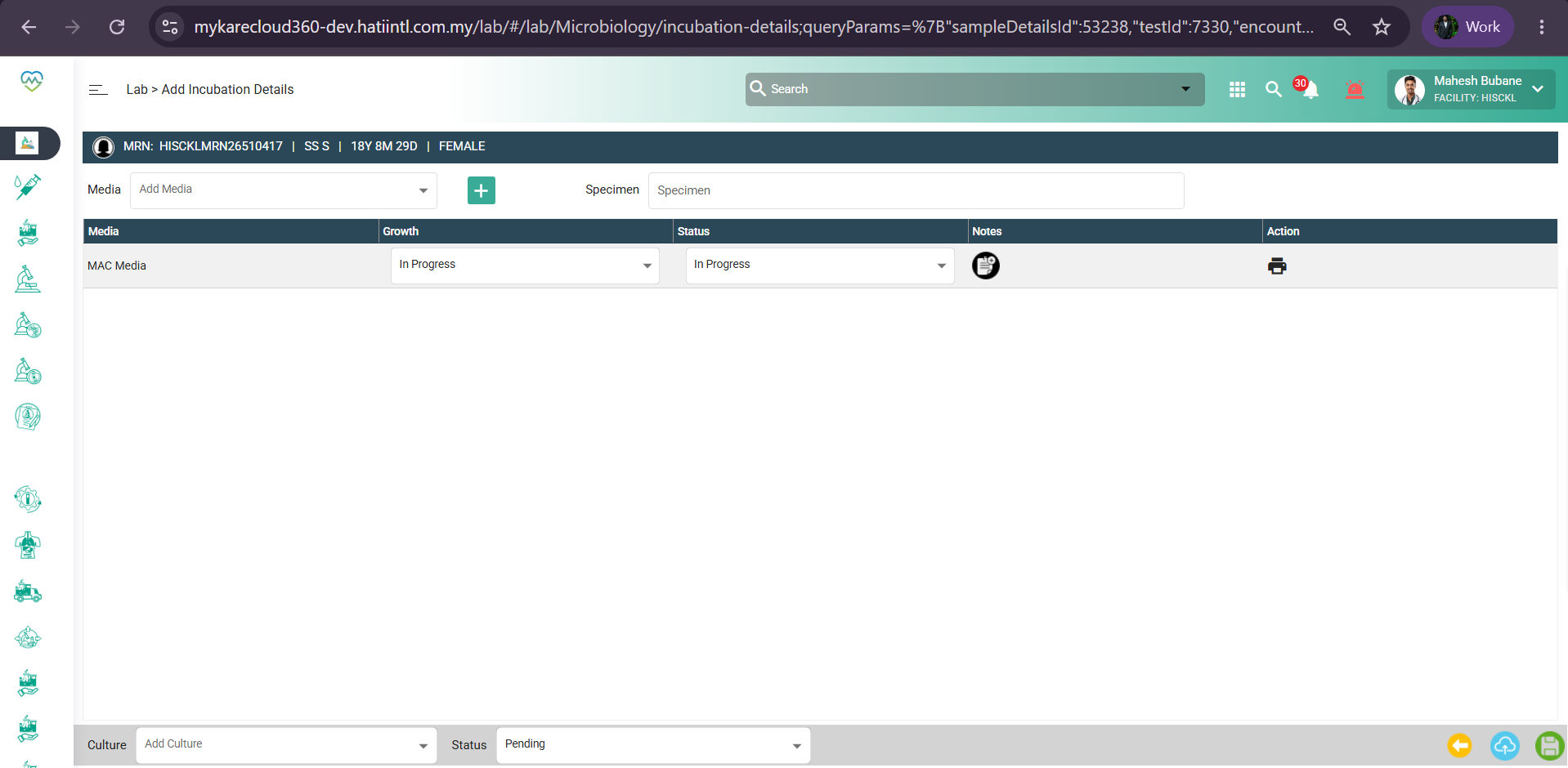
Updated by Kunal Yelne 5 months ago
- Assignee changed from Kunal Yelne to Mangesh Pangrekar
Updated by Yaswanth Sai Thirumalasetty 5 months ago
- Status changed from QA to Tested
Tested in QA, Working fine
But there is a new issue https://pmo.hatiintl.com.my/issues/94148
Updated by Mangesh Pangrekar 4 months ago
- Assignee changed from Mangesh Pangrekar to Zulkefli Arris
Updated by Zulkefli Arris 4 months ago
- Assignee changed from Zulkefli Arris to Nurfarisha Izani