CLINICAL> ER> SECONDARY SURVEY> HISTORY>
CLINICAL> OP> CONSULTATION Q> CURRENT VISIT>
CLINICAL> IP> PHYSICAL DASHBOARD> ADMIT ASSESSMENT/RE-ASSESSMENT>
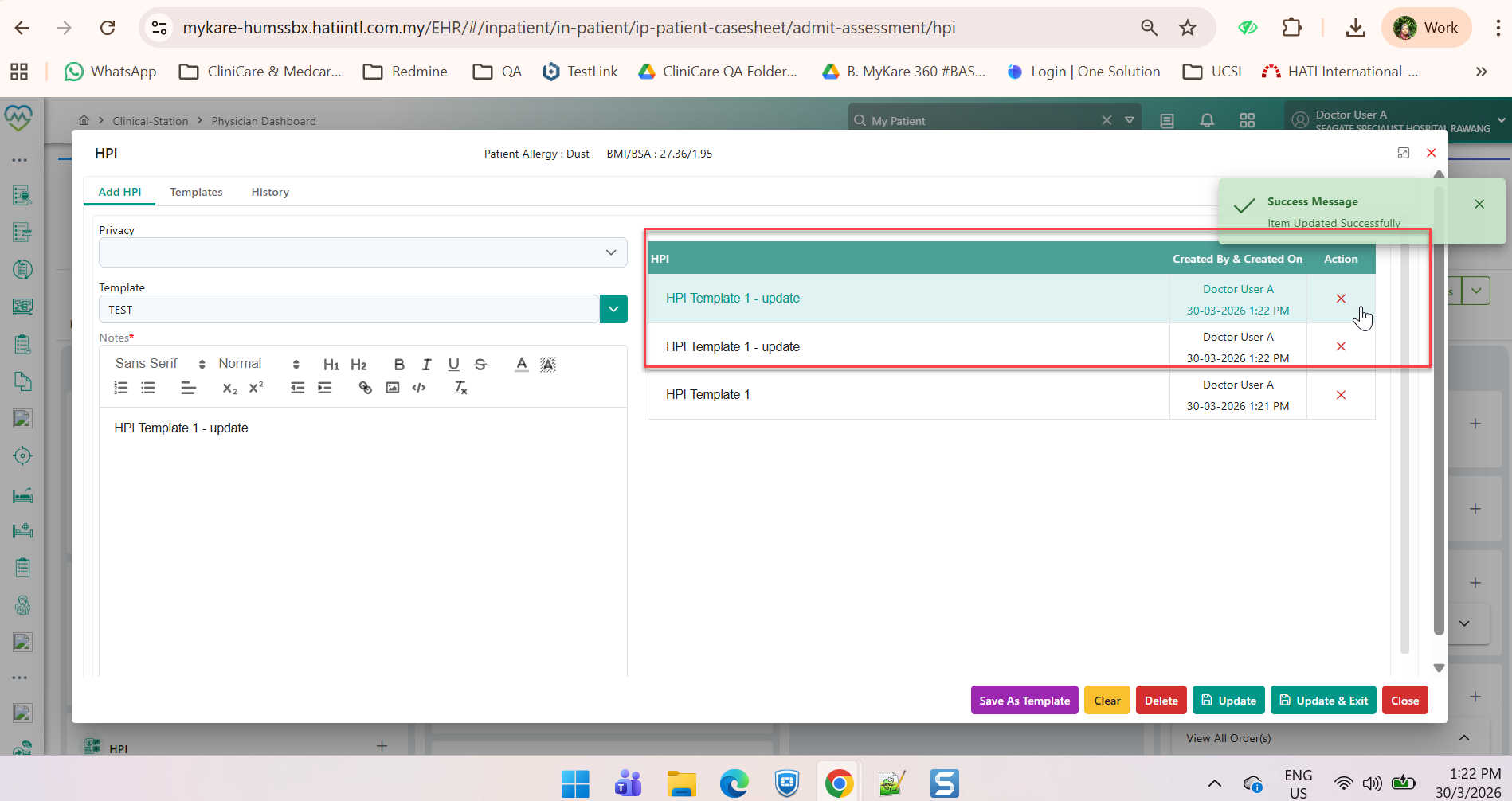
\\\\\\\\\ * HPI Update Workflow Issues – Missing Buttons, Duplicate Entries, Navigation Dependency, Template Overwrite* ///////////
Base on video recording:
HPI Update Workflow Issue
ISSUE:
1)Update workflow, users are not able to update entries directly.
The system does not enable changes immediately, only enables updates after navigating away to another category and then returning to HPI, which is inefficient and confusing.
EXPECTATION:
1)Direct editing of the existing HPI entry.
2)Saving changes immediately without requiring navigation.
HPI Update Buttons Disappeared
ISSUE:
1)The Update and Update & Exit buttons have disappeared.
Despite this, when users enter new notes and click Save, the system reflects the changes as updated and records them in the History section.
EXPECTATION:
1)The Update and Update & Exit buttons should remain visible.
2)Users should be able to:
√ Edit existing HPI entries directly.
√ Save changes with audit trail (date, time, user ID).
√ Exit after update without duplication.
HPI Update with Template Selection
ISSUE:
1) if a user selects a template, the system immediately overwrites/demolishes the original notes without warning.
2) There is no prompt or confirmation message, which risks accidental data loss.
EXPECTATION:
1) Selecting a template should:
Prompt a warning before replacing existing notes.
Offer options:
√ Replace existing notes
√ Add template to existing notes
√ Cancel action
2) Add a confirmation prompt when selecting a template:
i) “Applying this template will overwrite existing notes. Do you want to continue?”
ii) Provide option to add template instead of replacing.
iii) Ensure audit trail records template usage.