Gaps #92923
openMRD > Medical Report > Report Request Worklist. Requester and Assignee Update
0%
Description
Issues Description : Medical Report assignment workflow does not display clear tracking of requester and assignee, causing difficulty for MRD to monitor status without manual follow-up.
Step to reproduce
1.Login System
2.Navigate to > NRD
3.Click on Medical Report
4.Click on add new
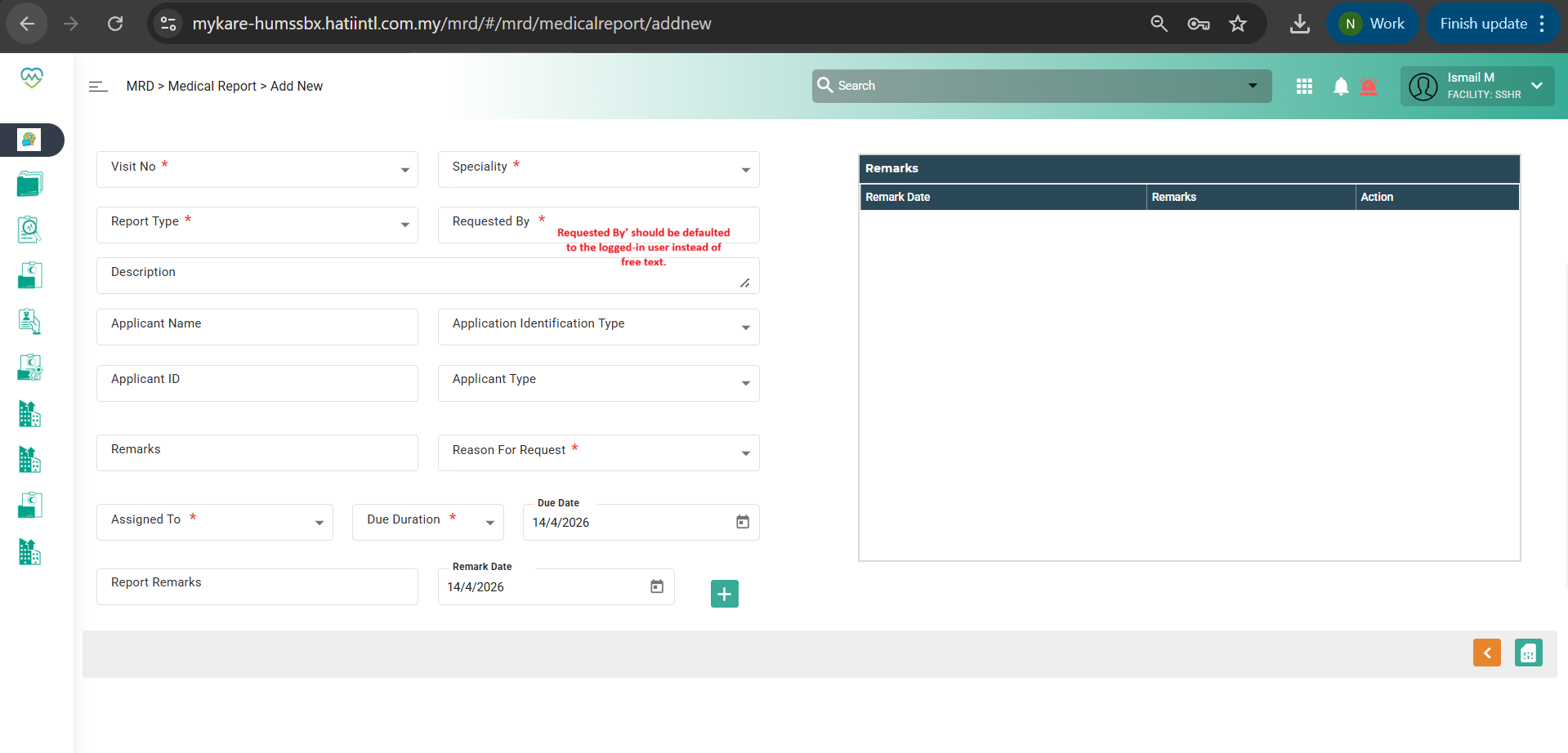
5.Observe screen > "Requested By” is not auto-filled based on login user and need to fill in manually.
Expectation:
“Requested By” should be auto-defaulted based on login user
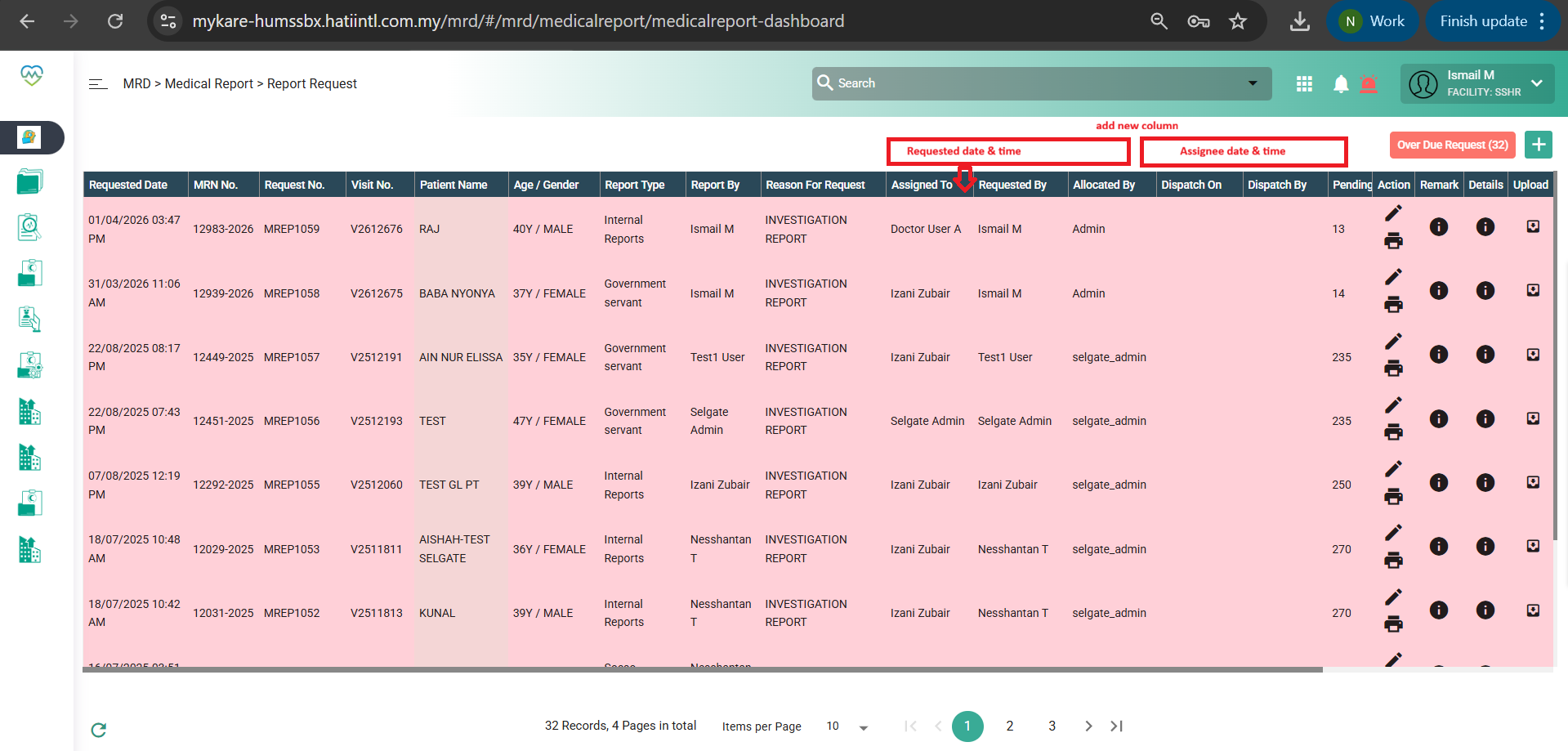
1. “Requested Date & Time” should be auto-captured when MRD assigns to HOD
2. Relabel assigned to > Assigned to HOD
2. HOD should be able to assign the report to Staff/MO
3. System should capture:
- Assignee To:
- Assignee Date & Time
4. UI should clearly display assignment status:
- Whether assigned or not
- Current assignee name
- Date & time of assignment
5. This allows MRD to track progress without manual follow-up
6. Status Improvement
Instead of just “Assigned”, use clearer stages:
- Pending HOD
- Assigned to MO/Staff
- In Progress
- Completed
The workflow in Report Request Worklist: MRD staff > assigned to HOD of department > assignee to MO/staff.
Refer below snapshot
1. Re-label assigned to - Assigned to HOD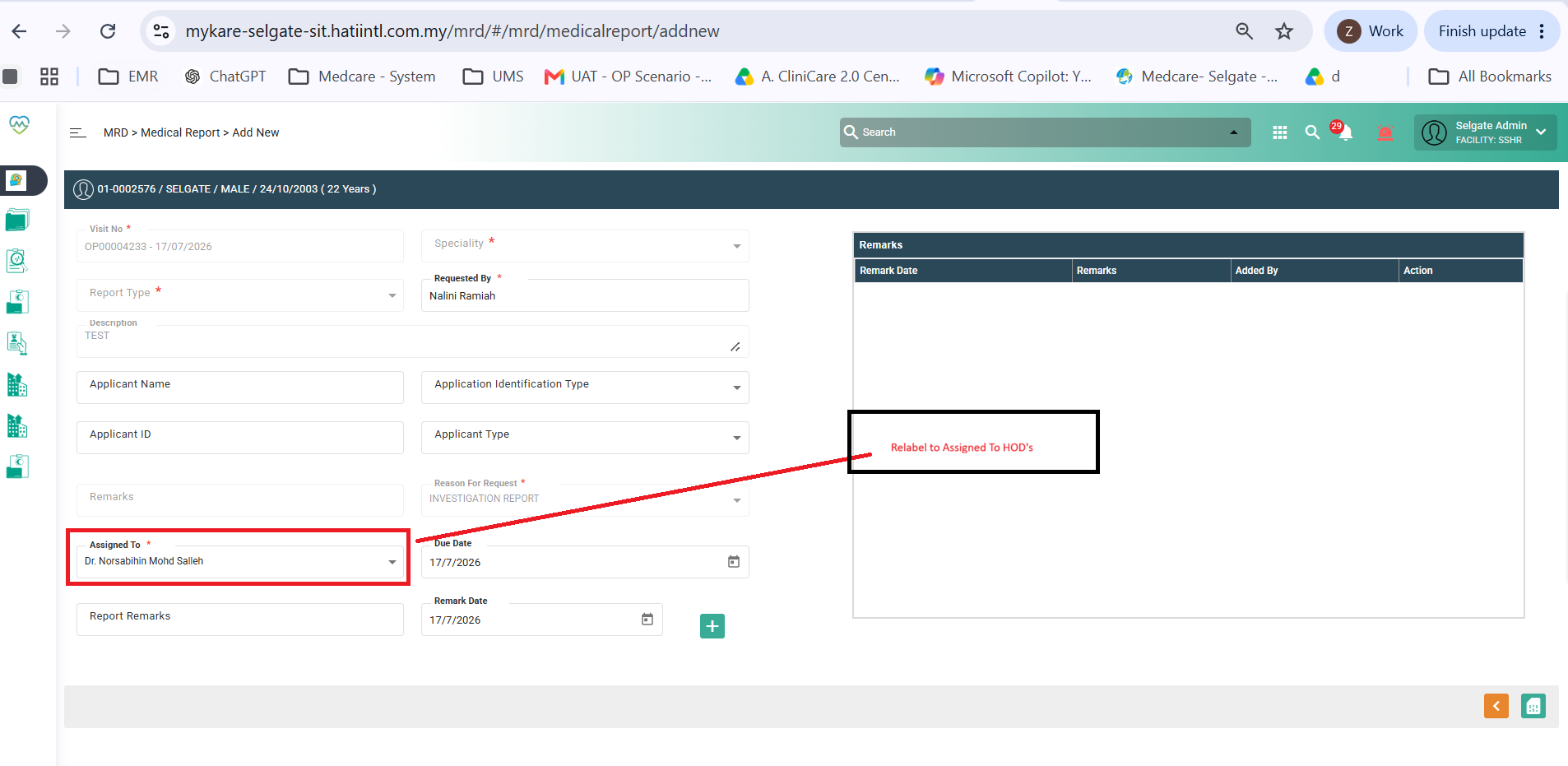
2. Add column reassign to 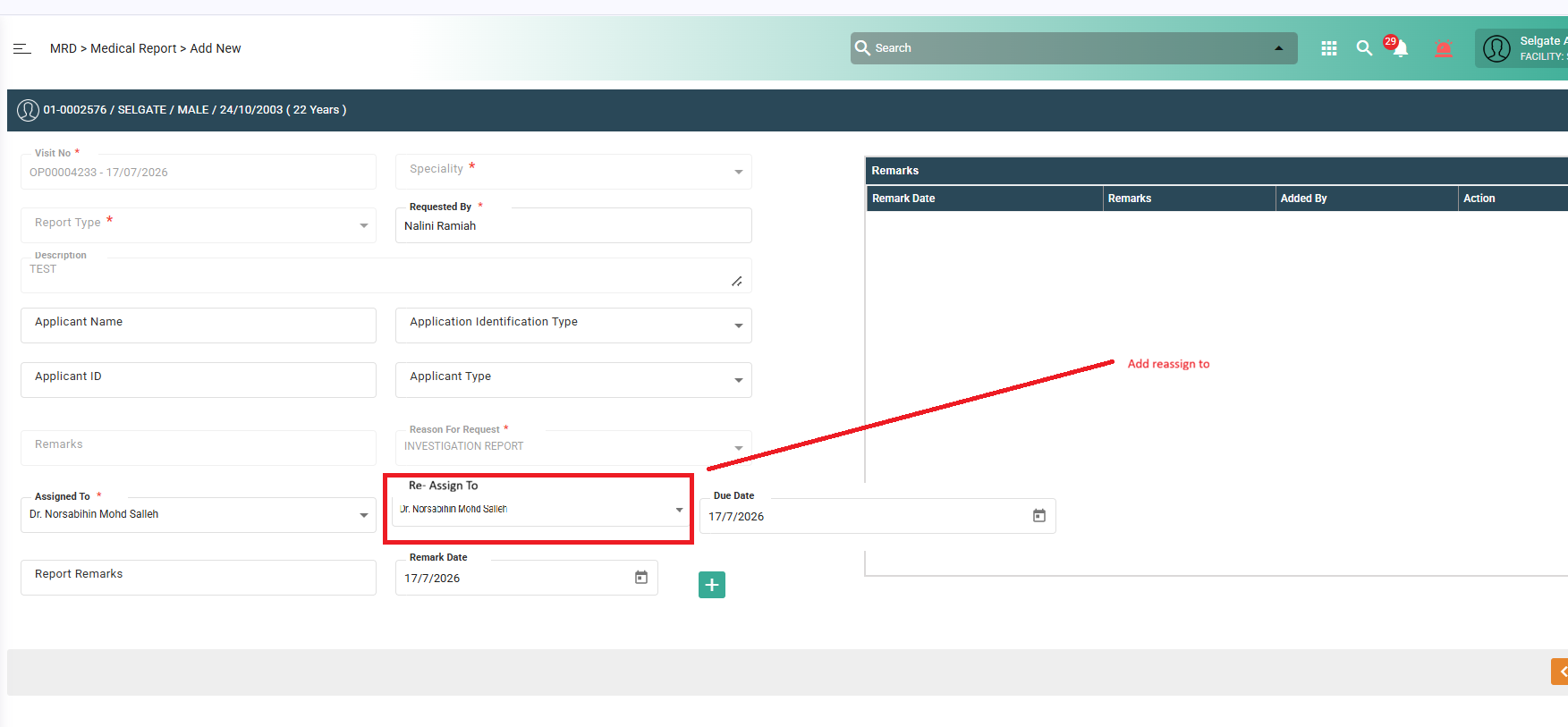
3. Report request list UI screen ( To re-label assigned to Assigned to HOD, Reassign To, Date time reassigned) 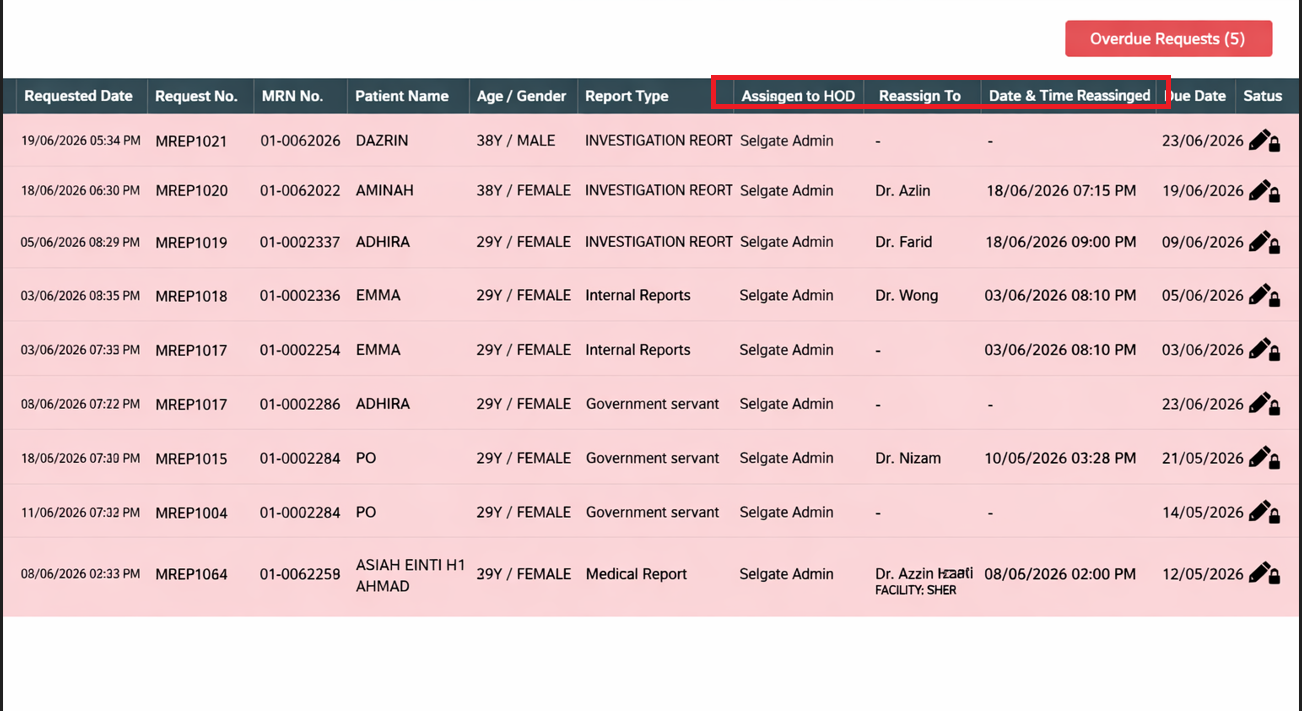
Status Sequence
A. Assigned to HOD – Indicates that the Medical Report request has been assigned by MRD staff to the respective Head of Department (HOD).
B. Reassigned To – Indicates that the HOD has reassigned the request to the designated Medical Officer (MO) or HIS staff doctor for processing.
C. In Progress – Status is automatically updated when the assigned Medical Officer (MO) or doctor starts preparing the Medical Report.
D. Completed – Indicates that the Medical Report has been finalized and completed.
Files