Actions
Bug #93360
closedClinicare > ER > Deactivated Triage Category Still Appears in ER CliniCare Dropdown
Dev Due date:
12/06/2026
Release date to QA:
12/06/2026
Bug/Defect On:
QA
Severity:
Major
Issue released on:
HUMS SandBox
Function:
Description
Issue Summary
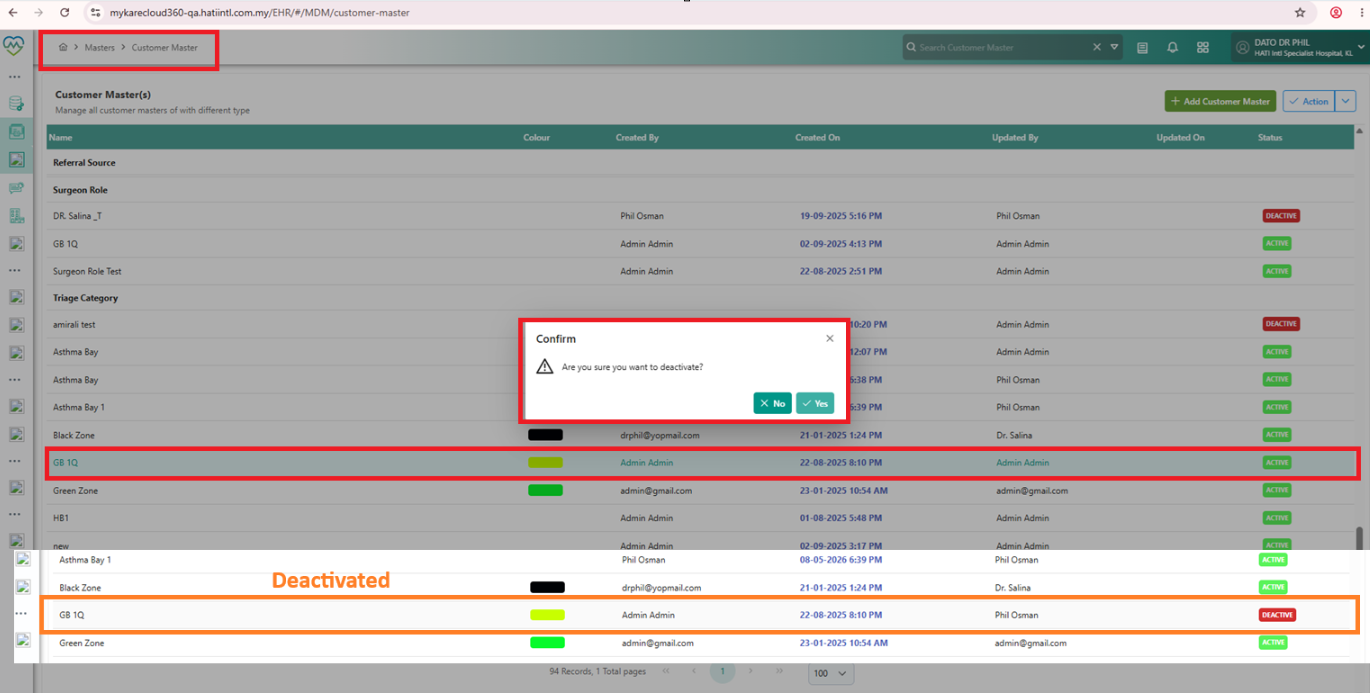
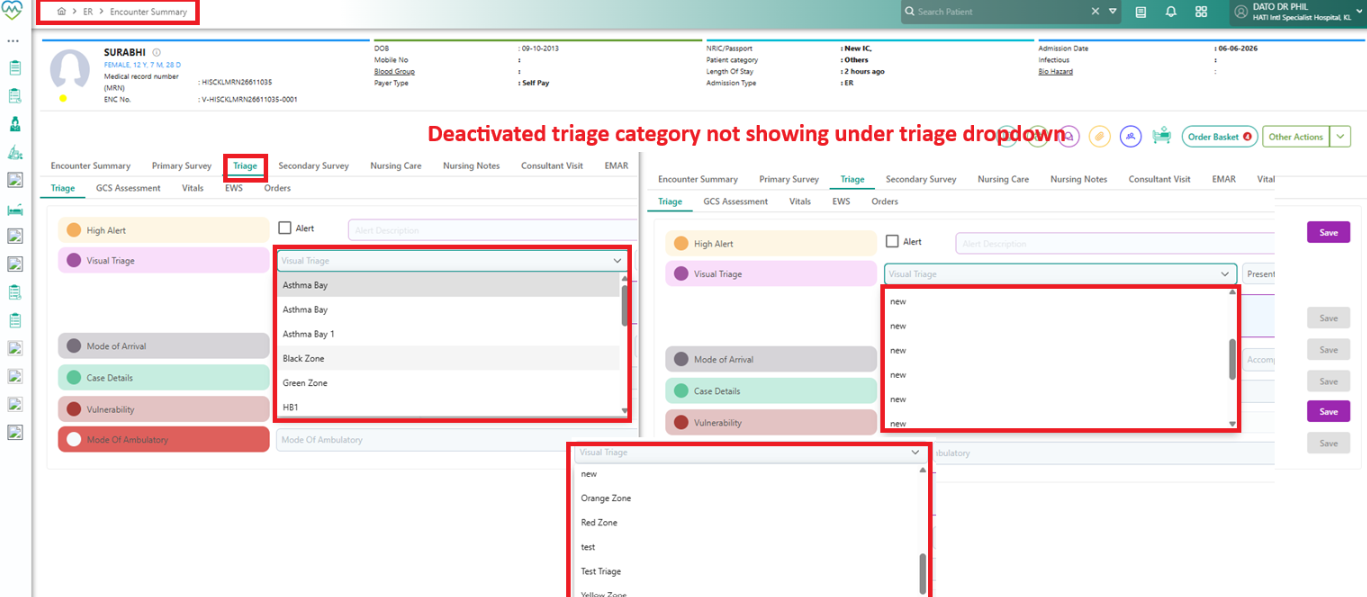
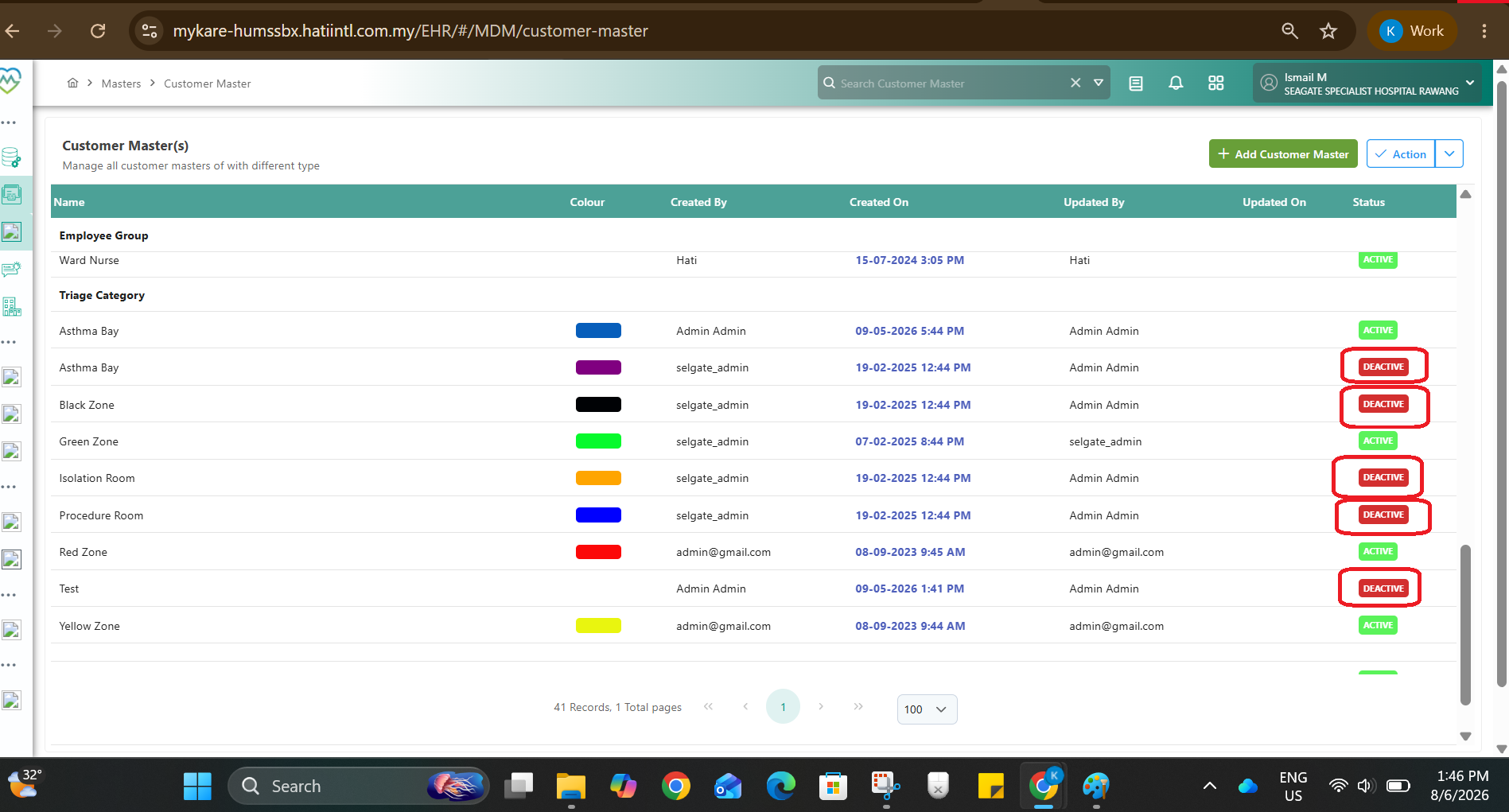
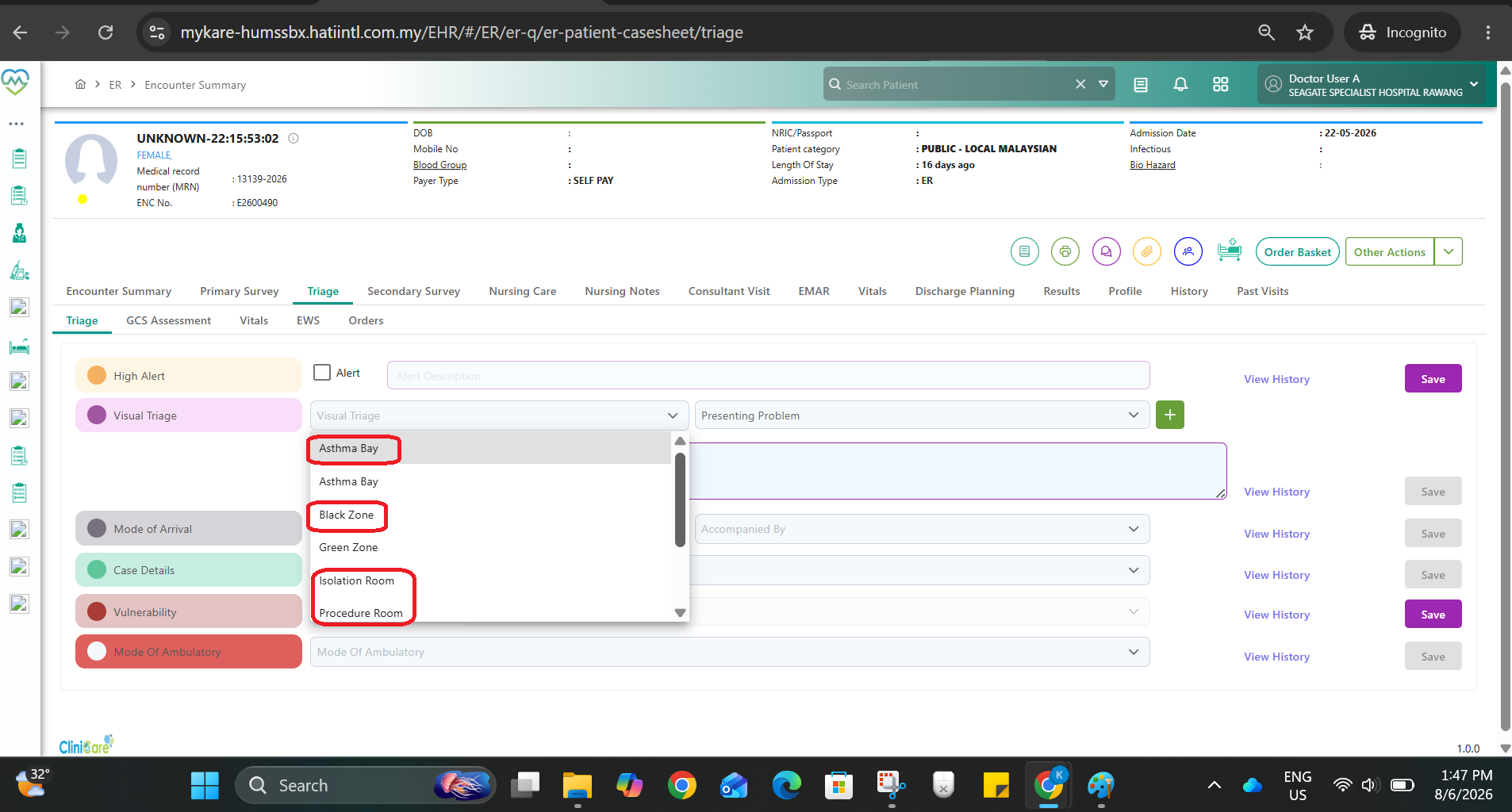
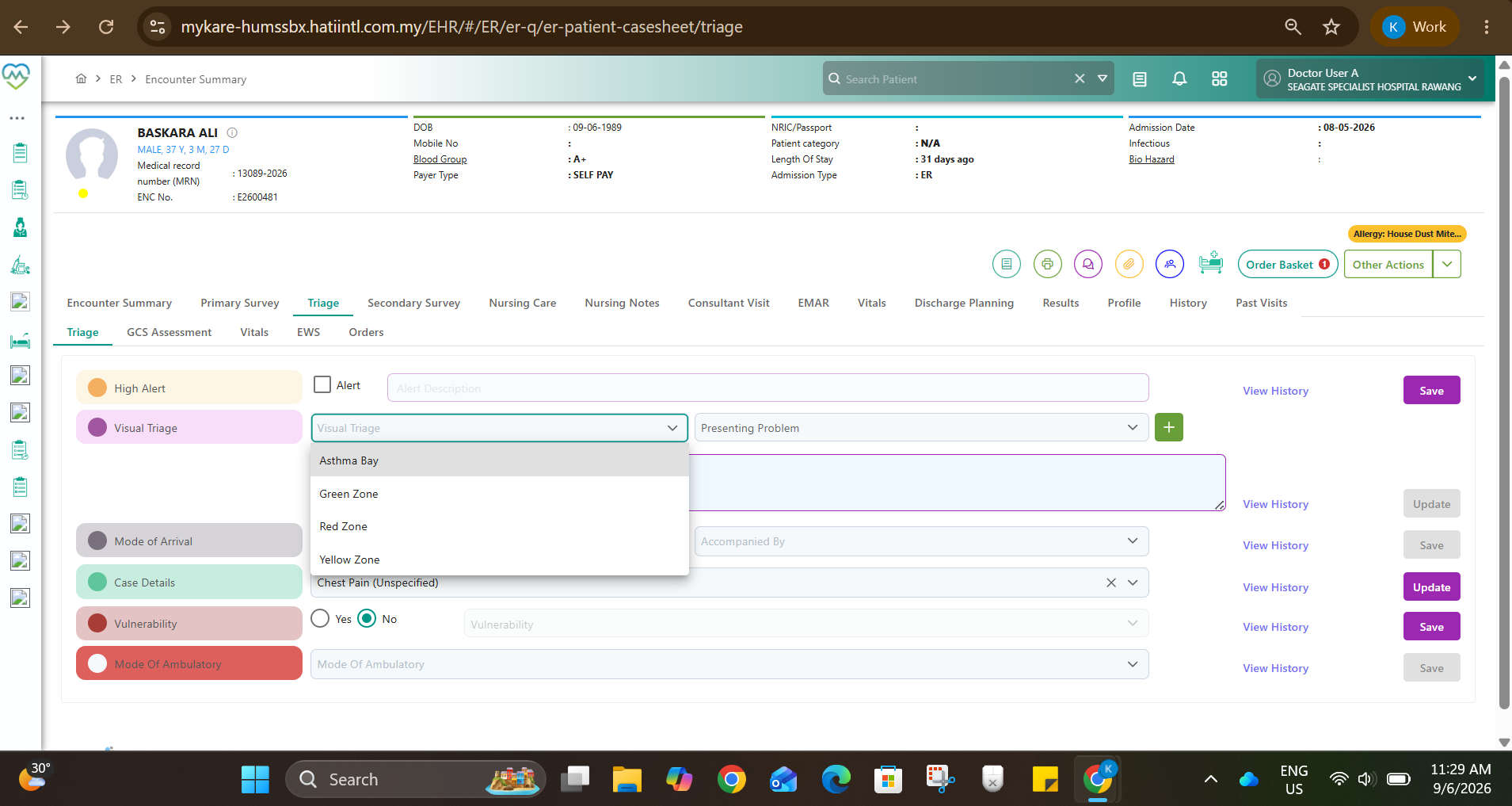
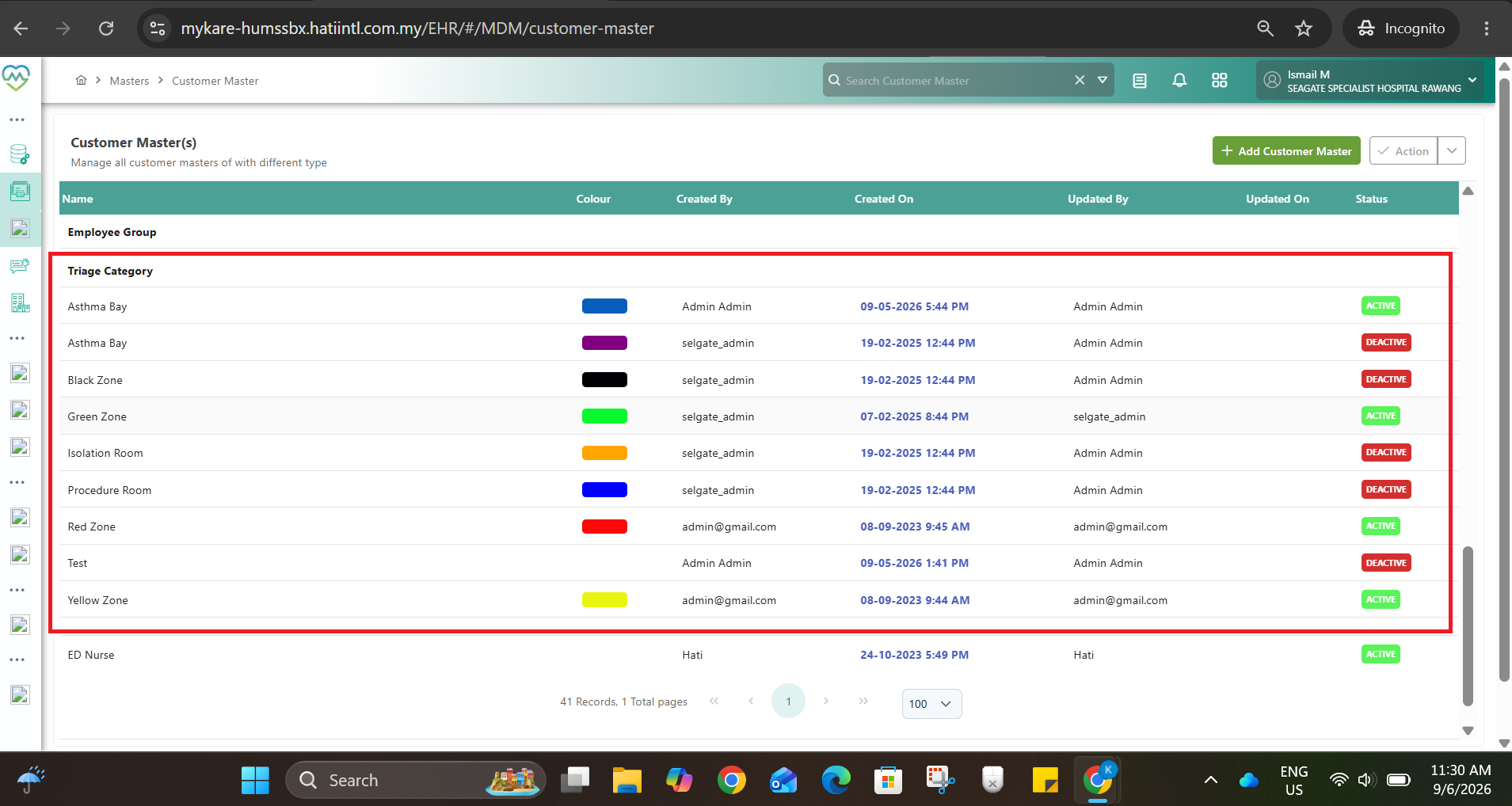
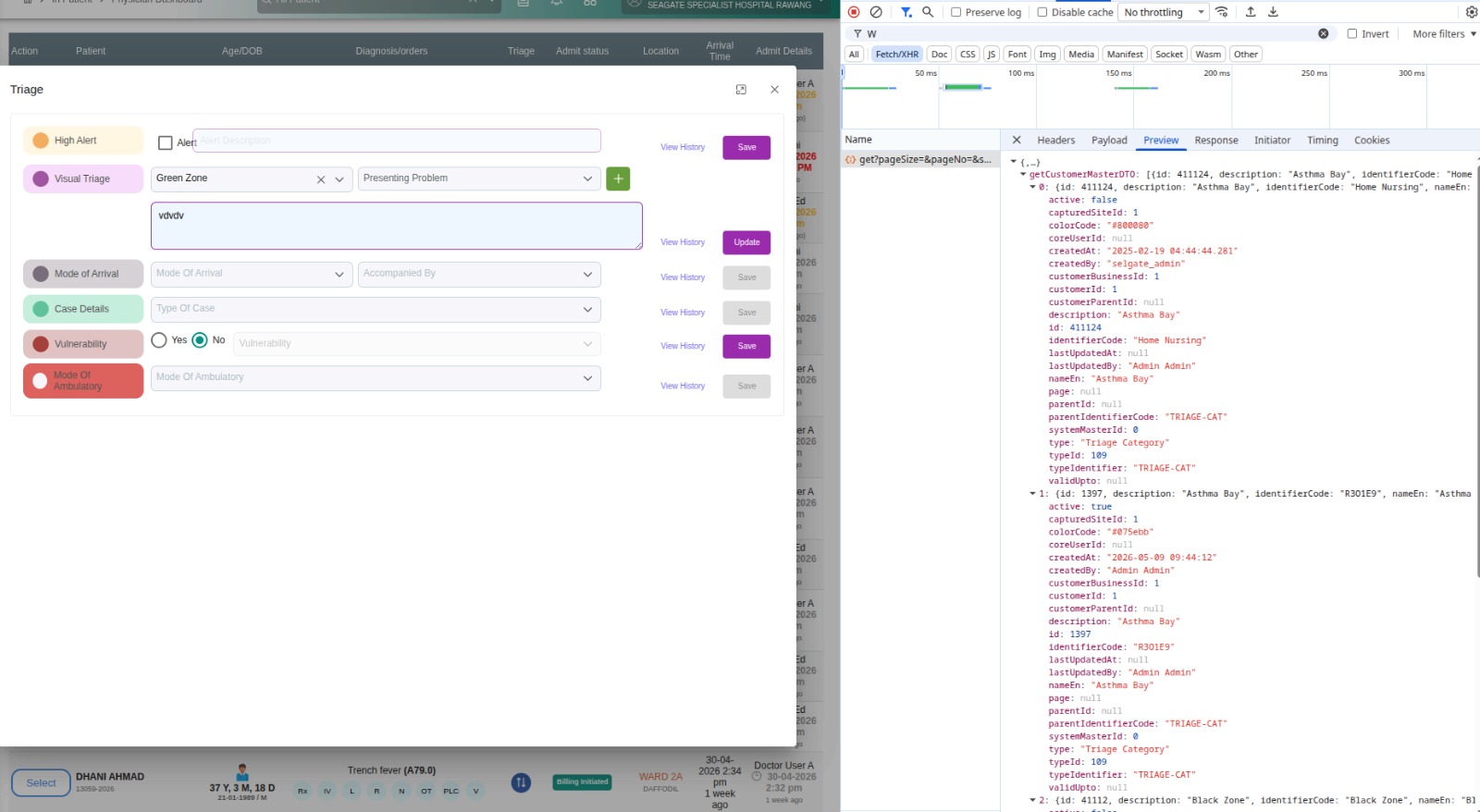
When a triage category is deactivated from the Triage Category master setting, the deactivated triage zone/category is still appearing and selectable in the ER CliniCare triage dropdown list.
Navigate to:
- CliniCare > Master > General Master > System Master > Customer Master > Triage Category
- Select an existing triage category/zone.
- Deactivate the triage category.
- Save the changes.
- Open ER CliniCare module.
- Go to the triage section/dropdown selection.
Current Behaviour
The deactivated triage category still appears in the ER triage dropdown.
Users are still able to view/select inactive triage categories.
Expected Behaviour
Once a triage category is deactivated in the master setting, it should no longer appear in the ER CliniCare dropdown selection.
Only active triage categories should be displayed and selectable in the ER module.
Impact
Risk of users assigning patients to inactive/obsolete triage zones.
Master setting changes are not reflected consistently in operational UI.
Files
Actions