Actions
Bug #93465
openMerge List Not In Order
Start date:
14/05/2026
Due date:
% Done:
0%
Estimated time:
Dev Due date:
Release date to QA:
Bug/Defect On:
UAT
Severity:
Minor
Issue released on:
UAT
Function:
Description
Path: OPD > Patient Merge > Merge List
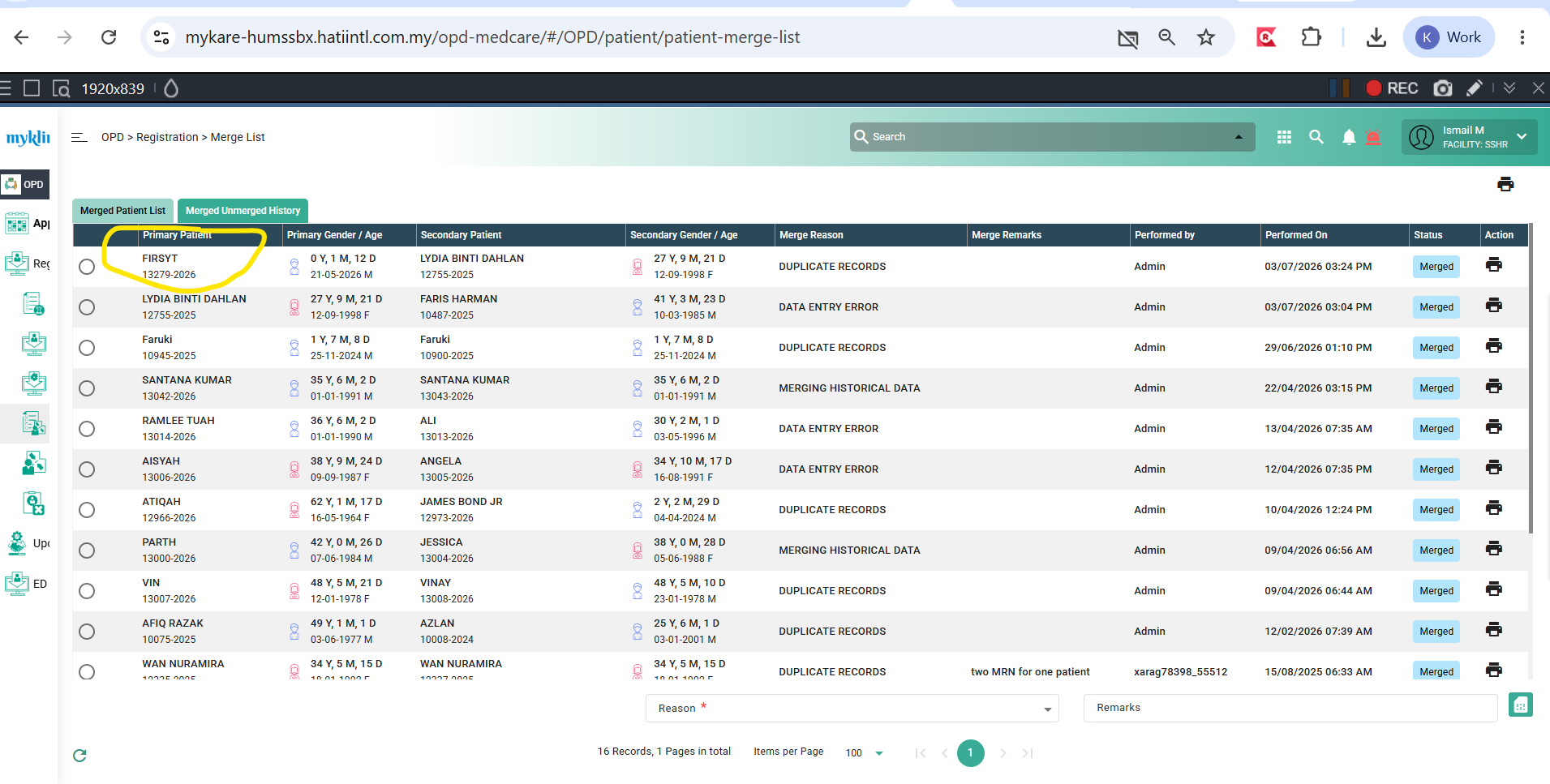
Issue: When the page is opened, the list order is not sorted by the latest items when the limit is set to 10. However, when the limit is changed to 100, the list correctly displays items in the latest order.
Steps to Reproduce:
1. Open the Merge List screen. The system will populate the list of merged patient records.
2. Locate the Items per Page setting and change it to 50.
3. Observe that the list order becomes inconsistent and is no longer sorted by the latest records.
Before adjust the items per page: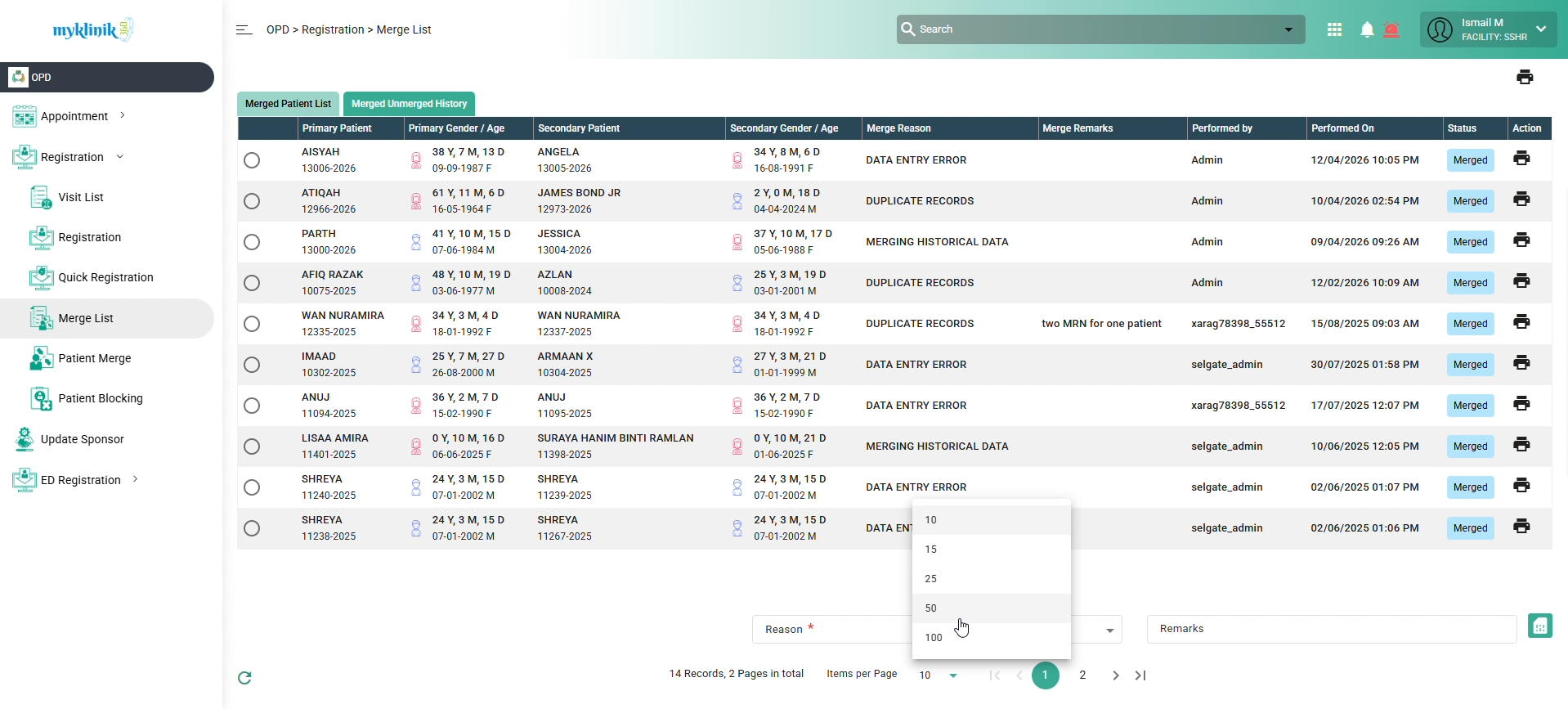
After adjust item per page: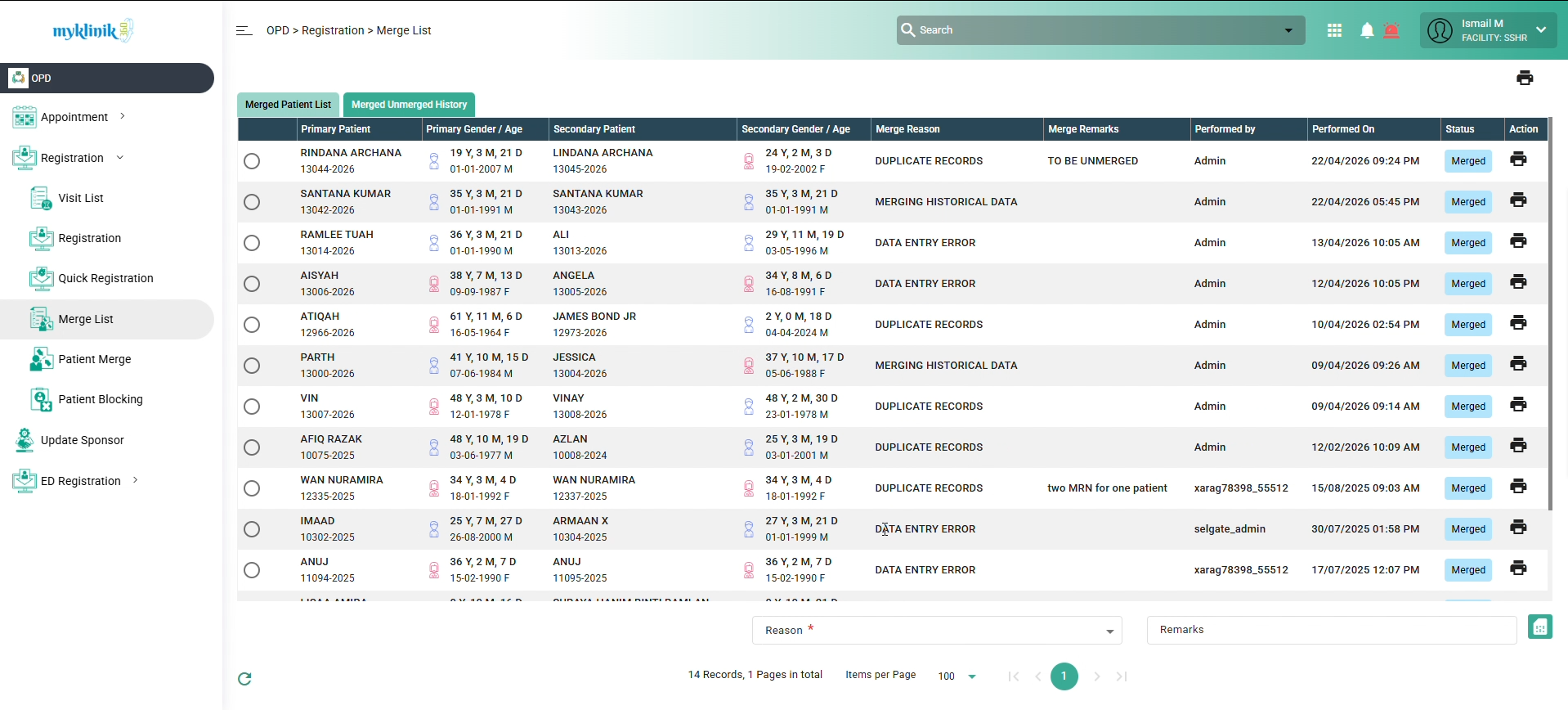
Expected Behavior:
The list should consistently display the latest records first, regardless of the Items per Page limit.
Files
Actions