Actions
Bug #93468
closedService Price Not According to Setup In the Master
Start date:
15/05/2026
Due date:
% Done:
0%
Estimated time:
Dev Due date:
Release date to QA:
Bug/Defect On:
Production
Severity:
Major
Issue released on:
HUMS SandBox
Function:
Description
Path: Billing > Bill > IPD Bill and OPD Bill
Issue: The service price does not follow the configured price in the Service Tariff Master
Steps to Reproduce:
1. Open any of the following screens: OP Charge, IP Charge, OP Bill, or IP Bill.
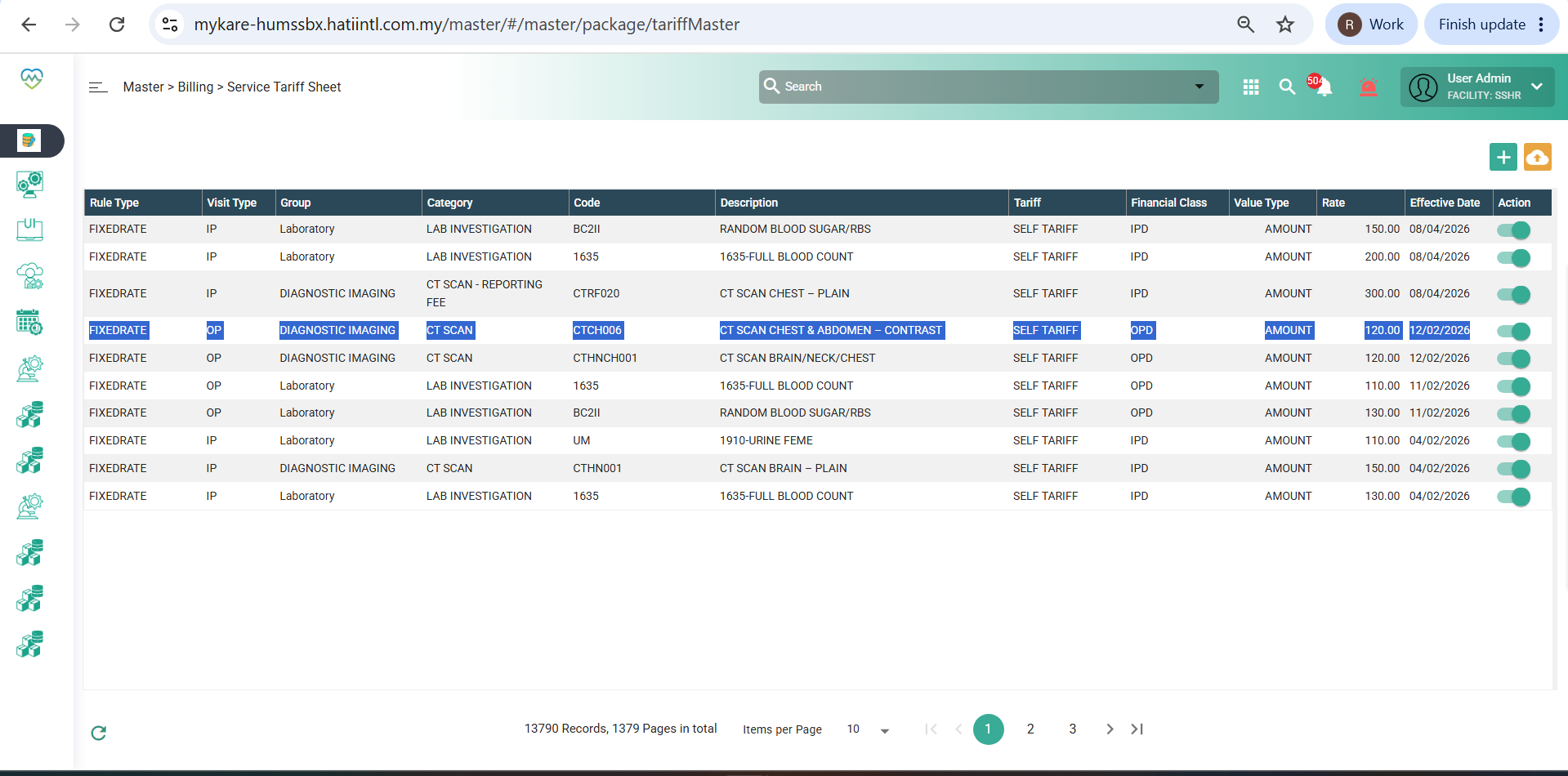
2. At the same time, open Master > Billing > Service Tariff Sheets.
3. Identify a service that exists in the master list and note its price.
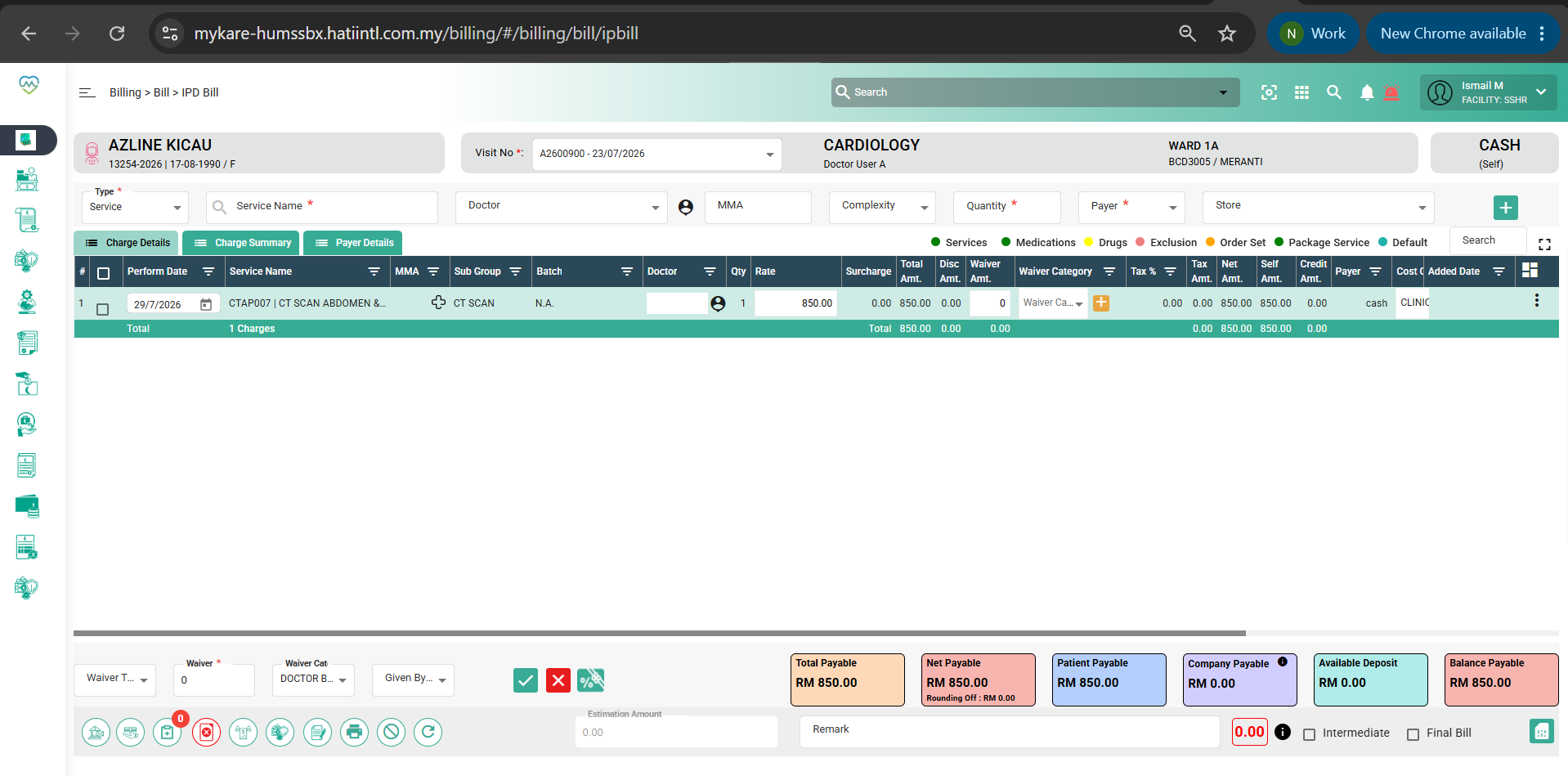
4. Search for the same service in the billing screen.
5. Press Enter to add the service into the bill.
6. Observe that the price does not match the price configured in the master.
Price in the master: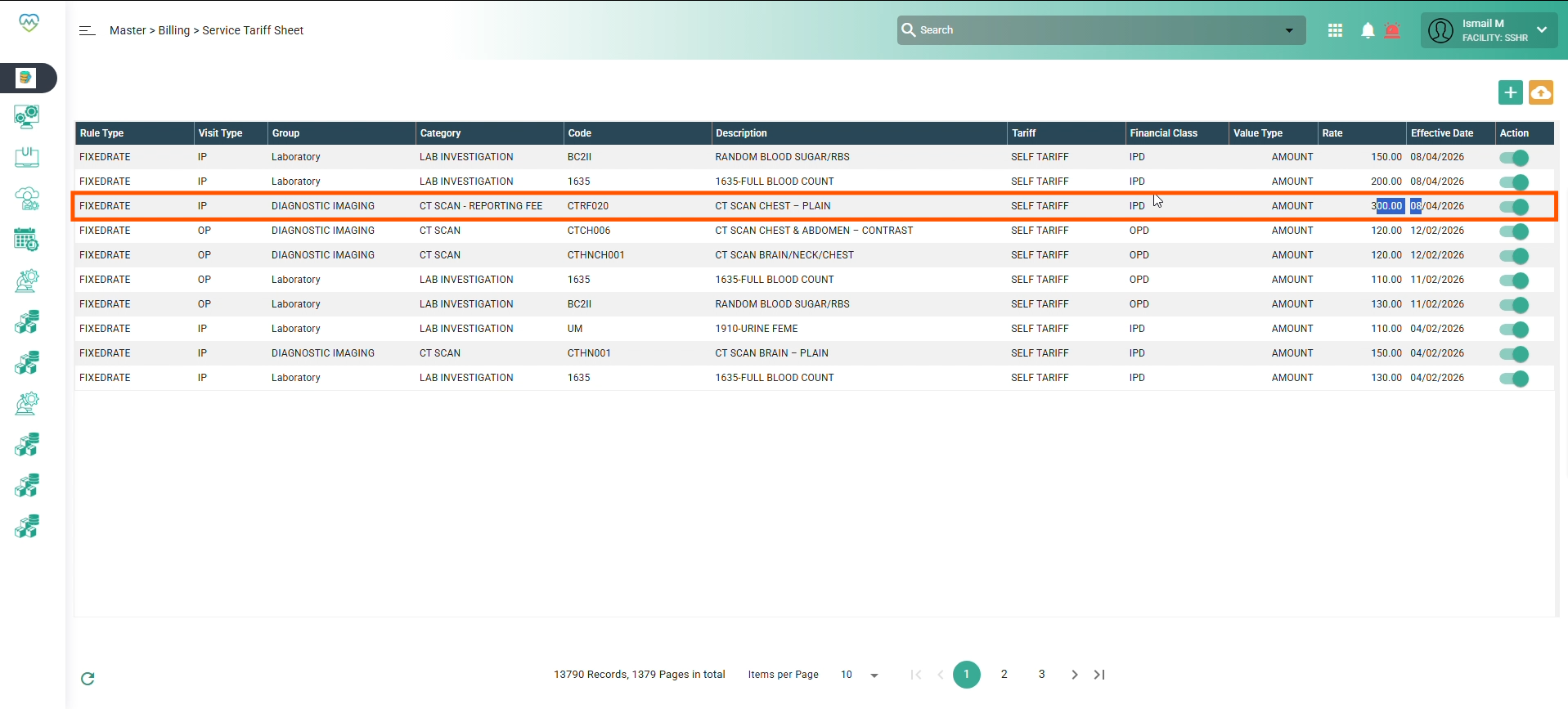
Price in the IPD Bill: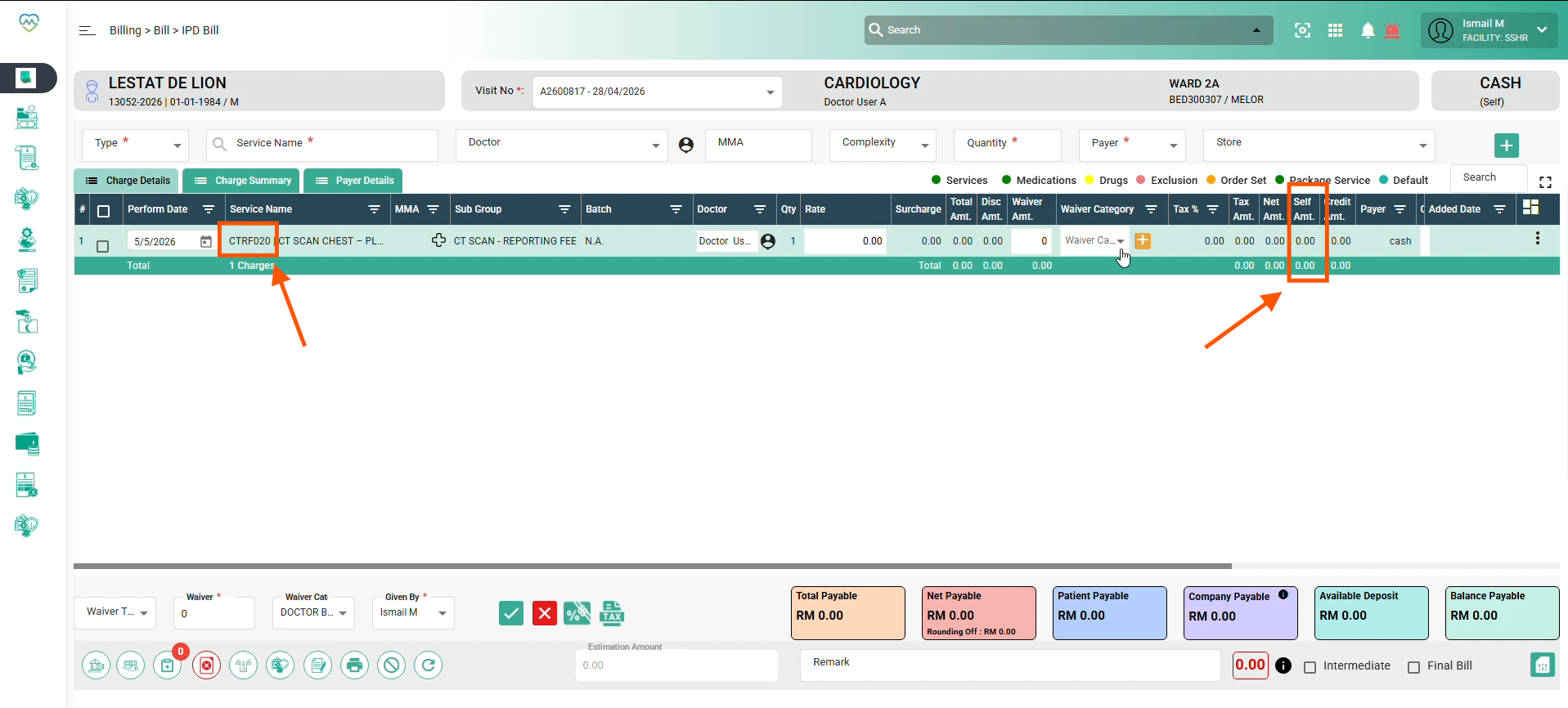
Expected Behavior:
When a service is selected in billing screens, the price should be automatically pulled from the Service Tariff Master.
Files
Actions