Bug #93585
openProcurement > Purchase Order. Print report is not functioning.
Description
Issues Description :
Currently, in Purchase Order (Purchase Order Dashboard, Purchase Order, and Purchase Order Verification), the Print Report function is not working. When the user clicks on the print/report button, the system does not generate or display the report as expected.
Step to reproduce
1.Login System
2.Navigate to > Procurement
3.Click on Purchase Order
4.Click on Purchase Order Dashboard
5.Observe screen > print Purchase order
Expectation:
The system should successfully generate and display/download the Purchase Order report when the user clicks on the Print Report button in the Purchase Order Dashboard.
Picture 1: Purchase order dashboard screen.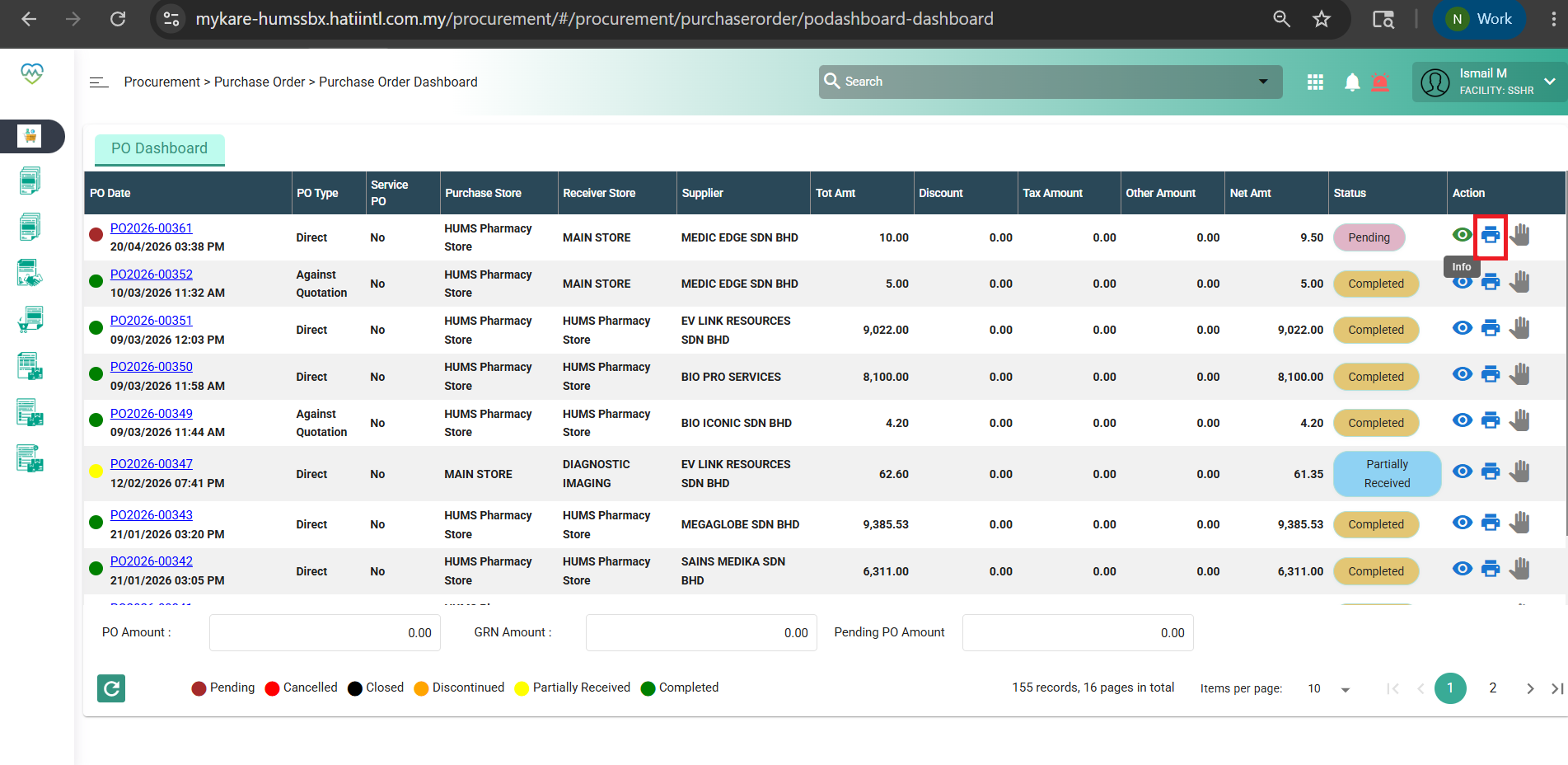
Picture 2: Pop-error appear when select print report.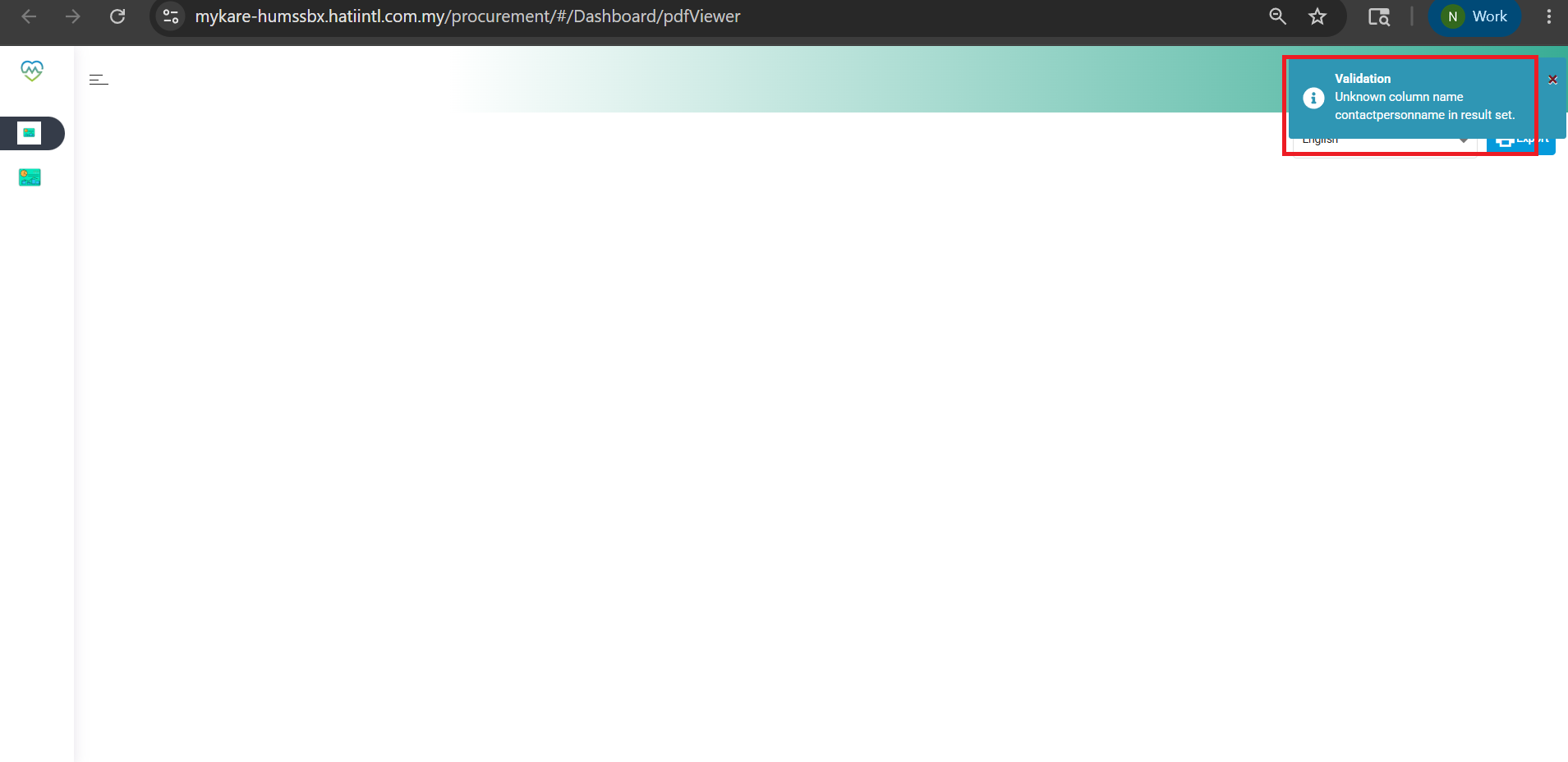
Files
Updated by Nur'Ain Binti Karim 6 months ago
- Subject changed from Procurement > Purchase Order > Purchase Order Dashboard. Print report is not functioning. to Procurement > Purchase Order. Print report is not functioning.
- Description updated (diff)
Updated by Daniyal Ansari 6 months ago
- Assignee changed from Daniyal Ansari to Somanath Jyotiram Rode
Updated by Somanath Jyotiram Rode 6 months ago
- Assignee changed from Somanath Jyotiram Rode to Shweta Bhoyar
hi Shweta please look into it
Updated by Shweta Bhoyar 6 months ago
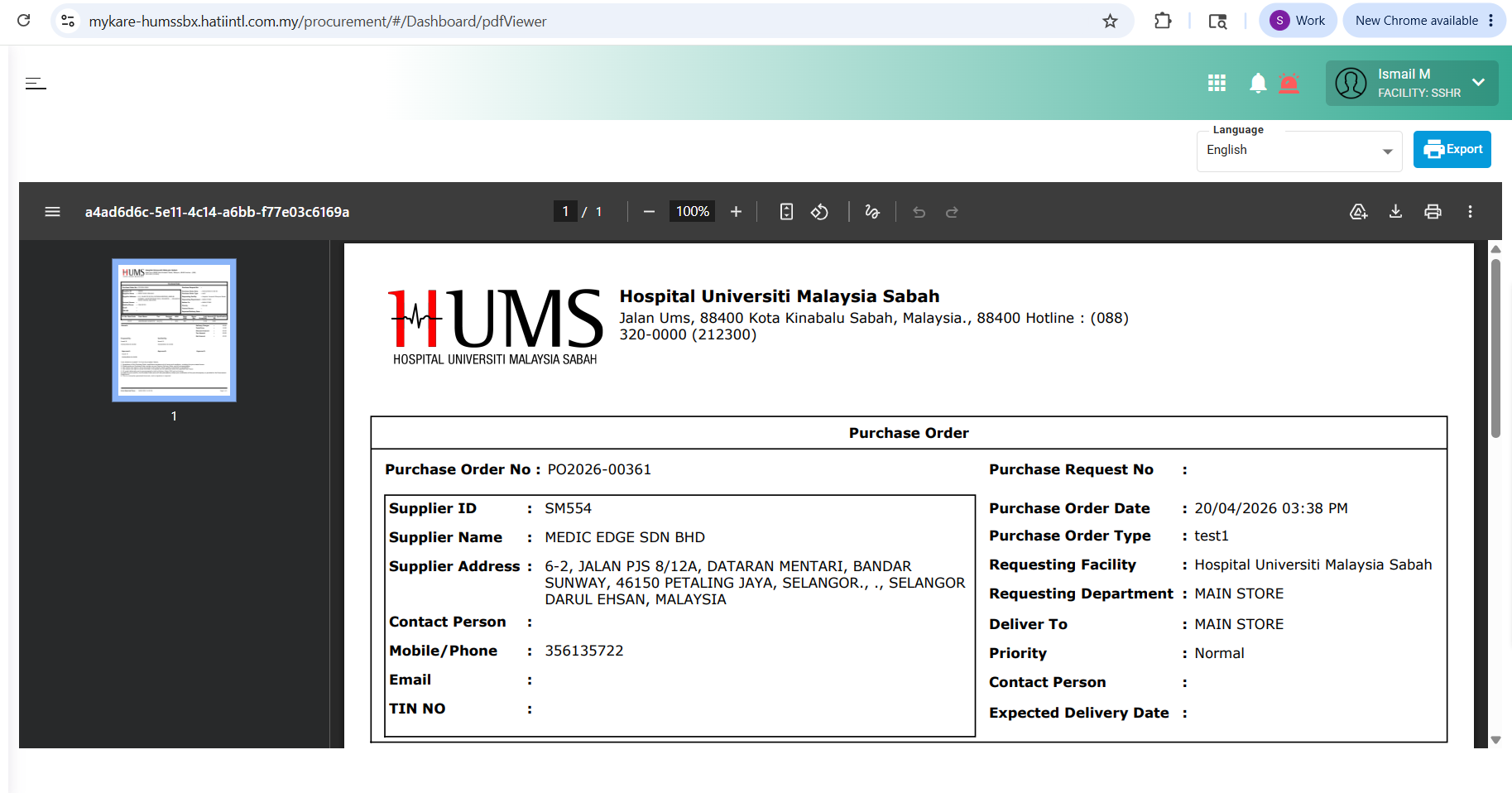
- File clipboard-202605191401-hseam.png clipboard-202605191401-hseam.png added
- Status changed from New to Coded
- % Done changed from 0 to 50
Updated by Shweta Sandip Waghmare 6 months ago
- Assignee changed from Shweta Bhoyar to Mangesh Pangrekar
Updated by Mangesh Pangrekar 5 months ago
- Issue released on HUMS SandBox added
- Issue released on deleted (
NA)
Updated by Manisha Kadam 5 months ago
- File bandicam 2026-06-04 16-05-46-939.mp4 bandicam 2026-06-04 16-05-46-939.mp4 added
- Status changed from QA to Tested
- % Done changed from 50 to 90
As per description it is working fine
See attached video