Actions
Bug #93644
openProcurement > PO > Approval system prompt schedule
Start date:
20/05/2026
Due date:
% Done:
90%
Estimated time:
Dev Due date:
29/05/2026
Release date to QA:
Bug/Defect On:
SIT
Severity:
Critical
Issue released on:
HUMS SandBox
Function:
Description
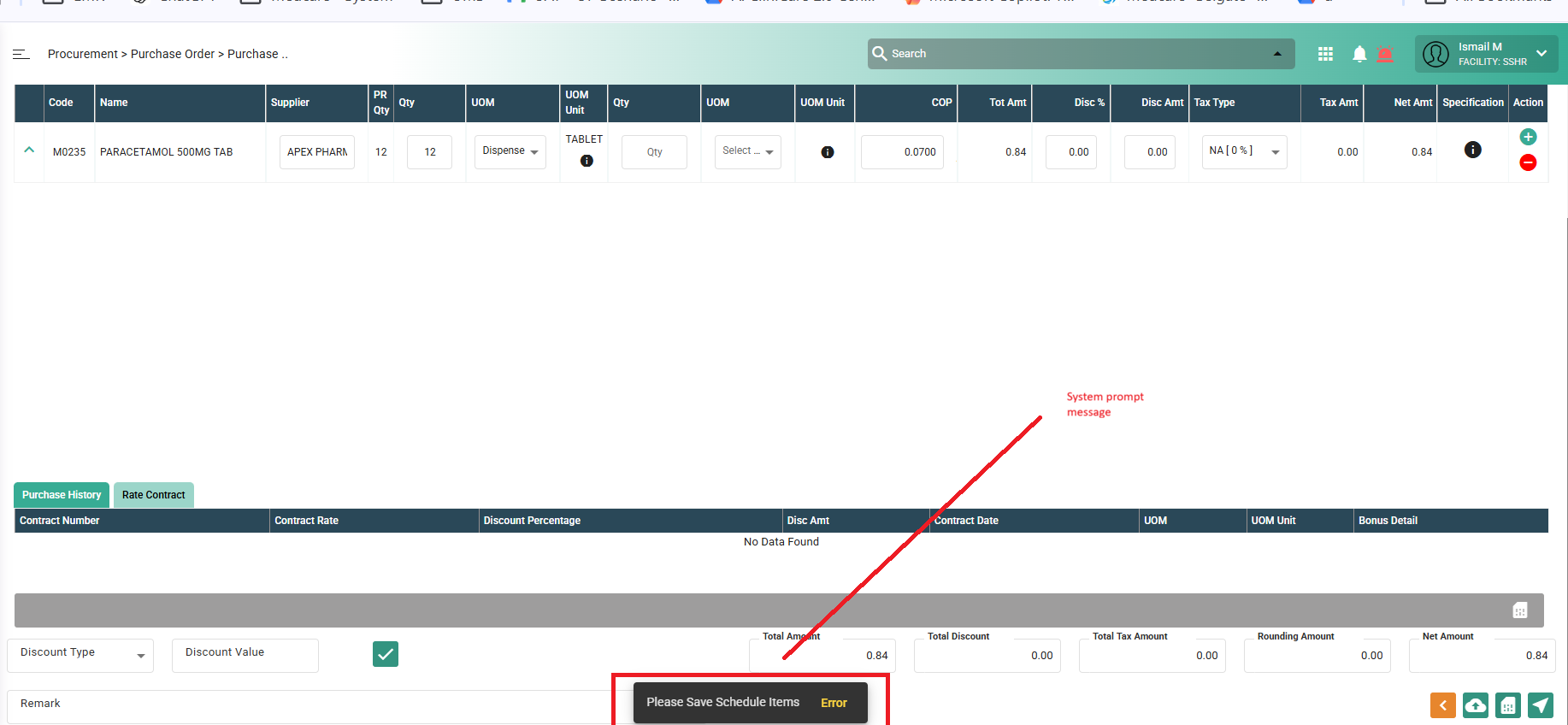
Issue Description : System prompt schedule Item
Steps to reproduce
1. Login system > Navigate to procurement
2. Create PR > Then approve PR
3. Crete PO against PR
4. Enter details > system prompt message : As result user not able to create PO againt PR
Expectation : User should be able to proceed and create PO from PR
Files
Updated by Zulkefli Arris 6 months ago
- Assignee changed from Daniyal Ansari to Zulkefli Arris
Updated by Daniyal Ansari 6 months ago
- Assignee changed from Zulkefli Arris to Shweta Sandip Waghmare
Actions
#4
Updated by Shweta Sandip Waghmare 6 months ago
- File bandicam 2026-05-25 16-12-00-192.mp4 bandicam 2026-05-25 16-12-00-192.mp4 added
- File bandicam 2026-05-25 16-12-46-903.mp4 bandicam 2026-05-25 16-12-46-903.mp4 added
- File clipboard-202605251615-8msia.png clipboard-202605251615-8msia.png added
- Status changed from New to Coded
Hello Zul,
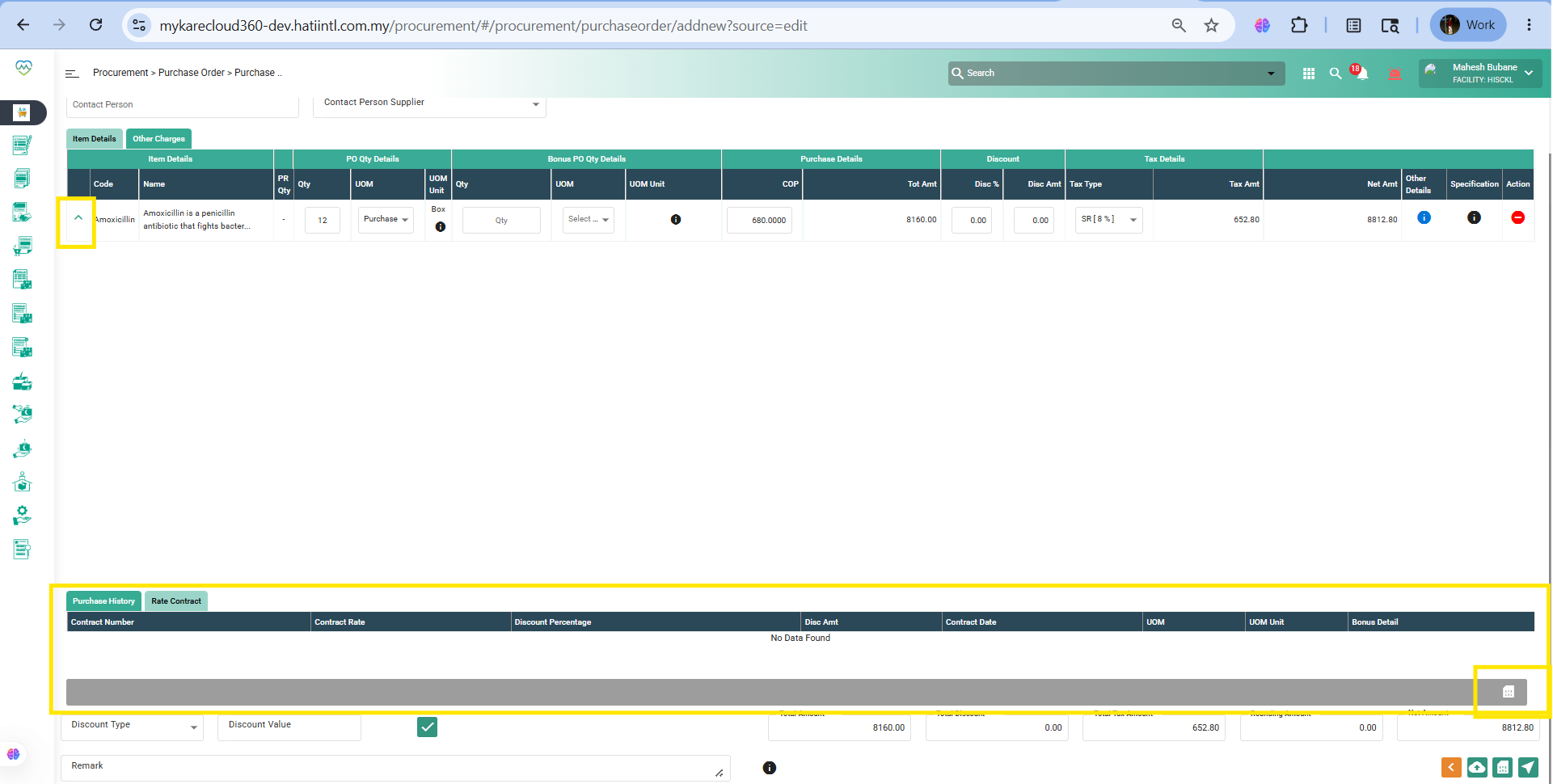
If you are clicking on highlighed arrow, at this time below table is open, at this need to click on Gray color save button, and then click on PO save buttons at the bottom. In that I updated the validation, if user mistakenly click on that arrow, and in below tables if their is no data then validation will not show, can save PO directly.
Updated by Shweta Sandip Waghmare 6 months ago
- Assignee changed from Shweta Sandip Waghmare to Mangesh Pangrekar
Updated by Mangesh Pangrekar 5 months ago
- Issue released on HUMS SandBox added
- Issue released on deleted (
NA)
Updated by Manisha Kadam 5 months ago
- File bandicam 2026-06-04 16-03-15-965.mp4 bandicam 2026-06-04 16-03-15-965.mp4 added
- Status changed from QA to Tested
- % Done changed from 0 to 90
Working fine as per description
See attached video
Actions