Bug #93896
openUrgent Sample Label Not Displayed
0%
Description
Path:
1. Lab > Central Receiving
2. Lab > Sample/ Result Management > Sample Processing
3. Lab > Sample/ Result Management > Result Entry
4. Lab > Sample/ Result Management > Result Verification
5. Lab > Sample/ Result Management > Result Approval
6. Lab > Reports
7. Lab > Microbiology > Media Observation
8. Lab > Microbiology > Result Entry Dashboard
9. Lab > Microbiology > Result Entry Verification
10. Lab > Microbiology > Result Entry Approval
11. Lab > Outsourced > Outsourced > Pending List & Outsourced List
12. Lab > Outsourced > Outsourced Approval List
13. Lab > Cytology > Sliding Dashboard
14. Lab > Cytology > Macroscopic Examination
Issue Description:
The Urgent label is not displayed for urgent samples. While the STAT and Routine labels are shown correctly, the Urgent label is missing.
Step to reproduce:
1. Login as doctor/nurse and order any lab test with urgent priority
2. Login as lab staff and complete the sample processing according to the all the screen already mention in the path
Expected Behavior:
Samples marked as Urgent should display the Urgent label, similar to how STAT and Routine labels are displayed.
Urgent label: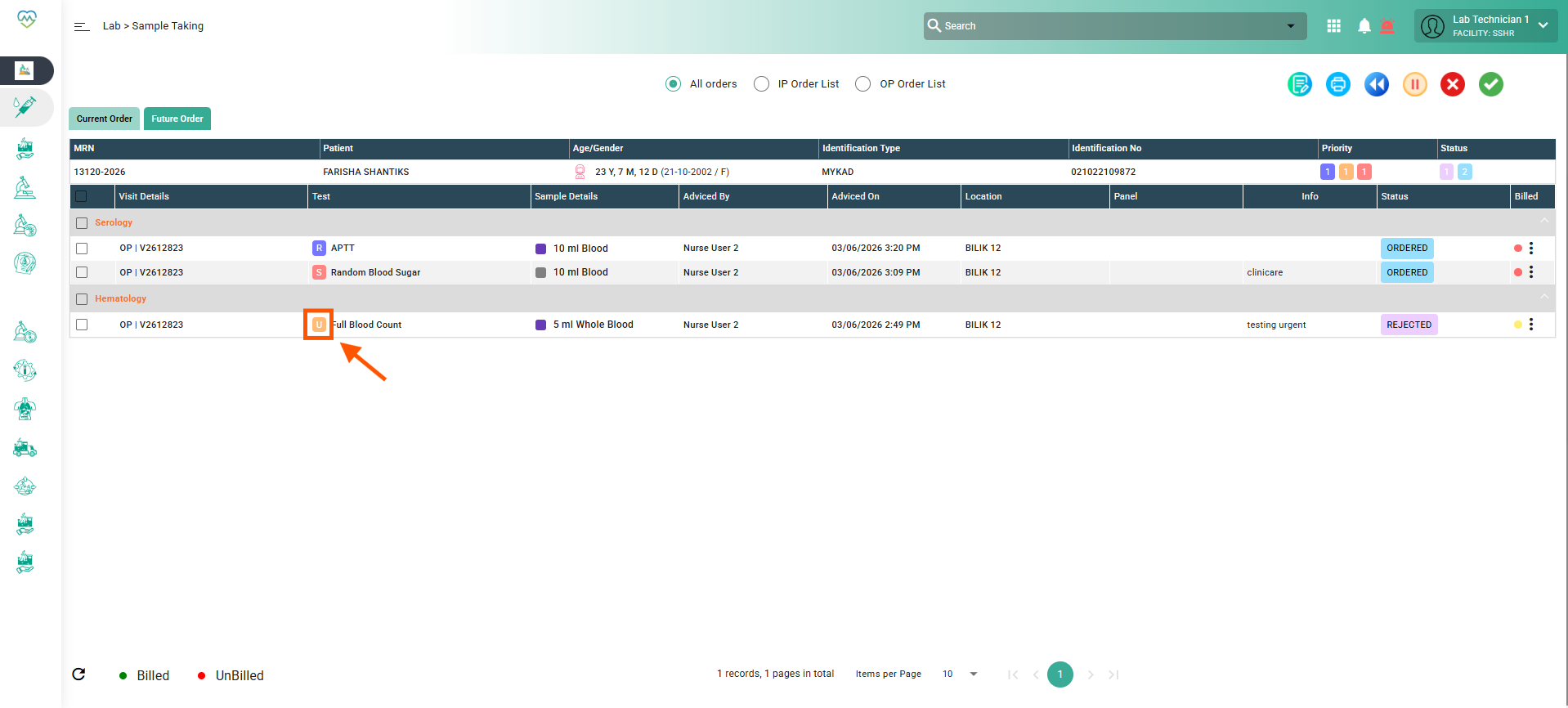
Files
Updated by Nurfarisha Izani 5 months ago
- Description updated (diff)
- Status changed from Insufficient Information to Assigned
- Assignee set to Daniyal Ansari
- Priority changed from Low to Medium
Updated by Daniyal Ansari 5 months ago
- Assignee changed from Daniyal Ansari to Rupali Suryawanshi
Updated by Rupali Suryawanshi 5 months ago
- File bandicam 2026-06-05 17-34-22-079.mp4 bandicam 2026-06-05 17-34-22-079.mp4 added
- Status changed from Assigned to Coded
Updated by Kunal Yelne 5 months ago
- Assignee changed from Rupali Suryawanshi to Mangesh Pangrekar
Updated by Yaswanth Sai Thirumalasetty 5 months ago
- File bandicam 2026-06-15 16-44-43-957.mp4 bandicam 2026-06-15 16-44-43-957.mp4 added
- Status changed from QA to Tested
Tested in QA, Urgent label is displaying for urgent samples Correctly.