Bug #93907
openIncorrect Display of Results and Supporting Documents in OP Consult
0%
Description
Path:
1. Media Observation > Add Incubation details
2. Lab > Central Receiving
3. Lab > Sample Result Management >Sample Processing
4. Lab > Sample Result Management >Result Entry
5. Lab > Sample Result Management >Result Validation
6. Lab > Sample Result Management >Result Approval
Issue Description:
When a supporting document is uploaded successfully, the information displayed in OP Consult (Clinicare) is incorrect. The uploaded supporting document appears in the Results section instead of the actual result entered by the user. Additionally, attachments cannot be downloaded, and multiple uploaded attachments are not displayed correctly in the Attachments section.
Step to Reproduce:
1. Login as doctor/nurse and order any lab test
2. Login as lab staff and accept the sample in the sample taking
3. User can attached any document in any stages after the sample taking
4. In the same time, user need to enter the result of sample in result entry
5. Login as doctor and go to result tab. Observe that the print out of the result. (Issue: Appear the supporting document)
6. Go to attachment tab and observe the attachment list. (Issue: the attachment not appear here and unable to download or view)
Result screen: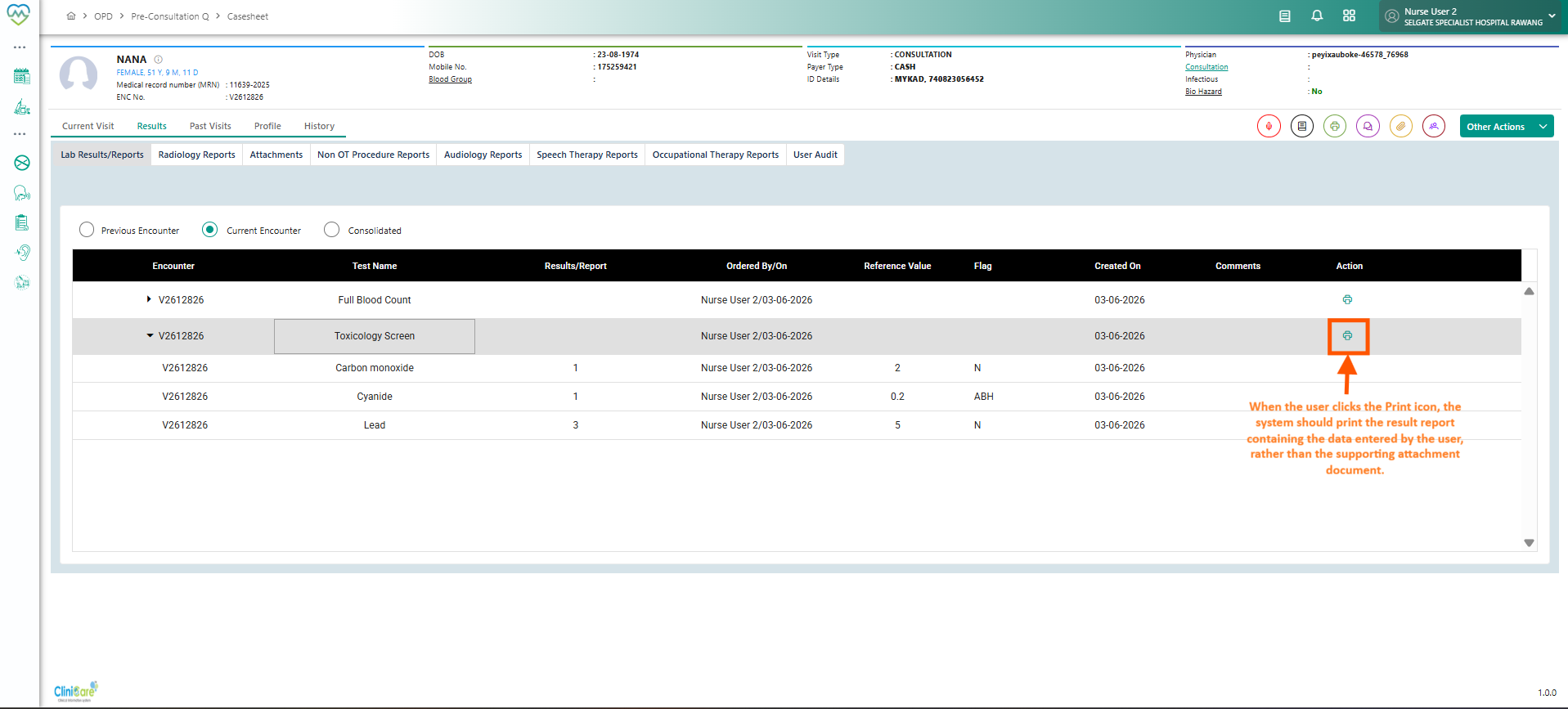
Attachment section: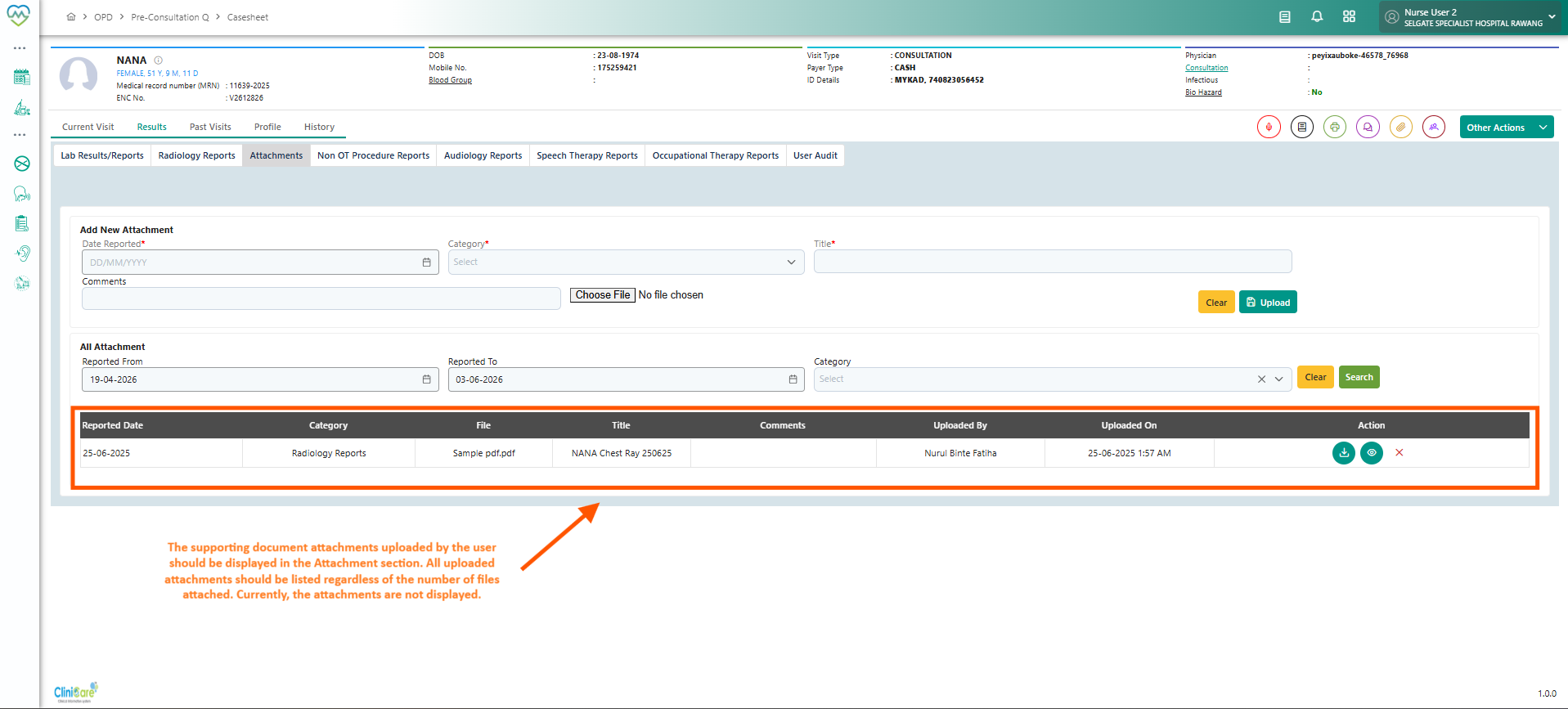
Attachment prove from lab screen: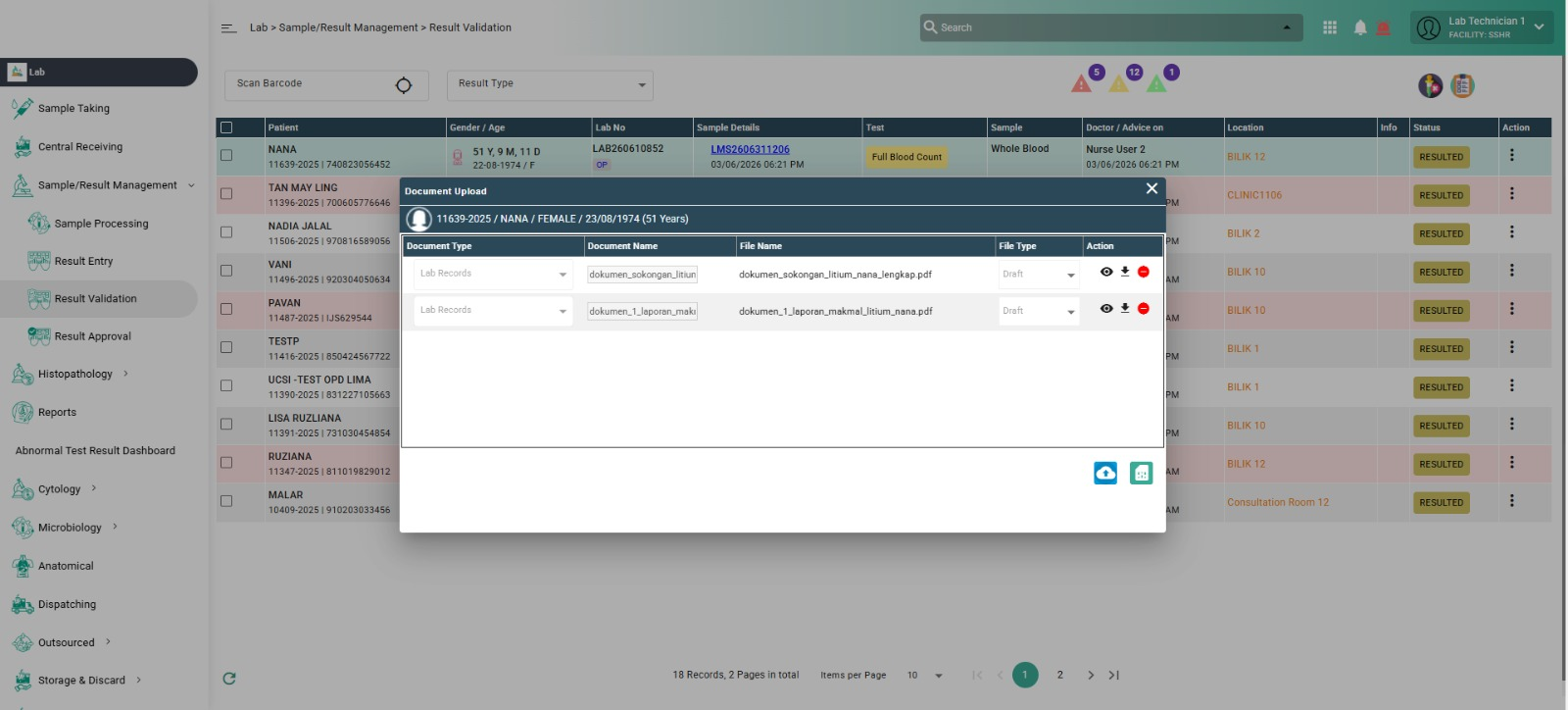
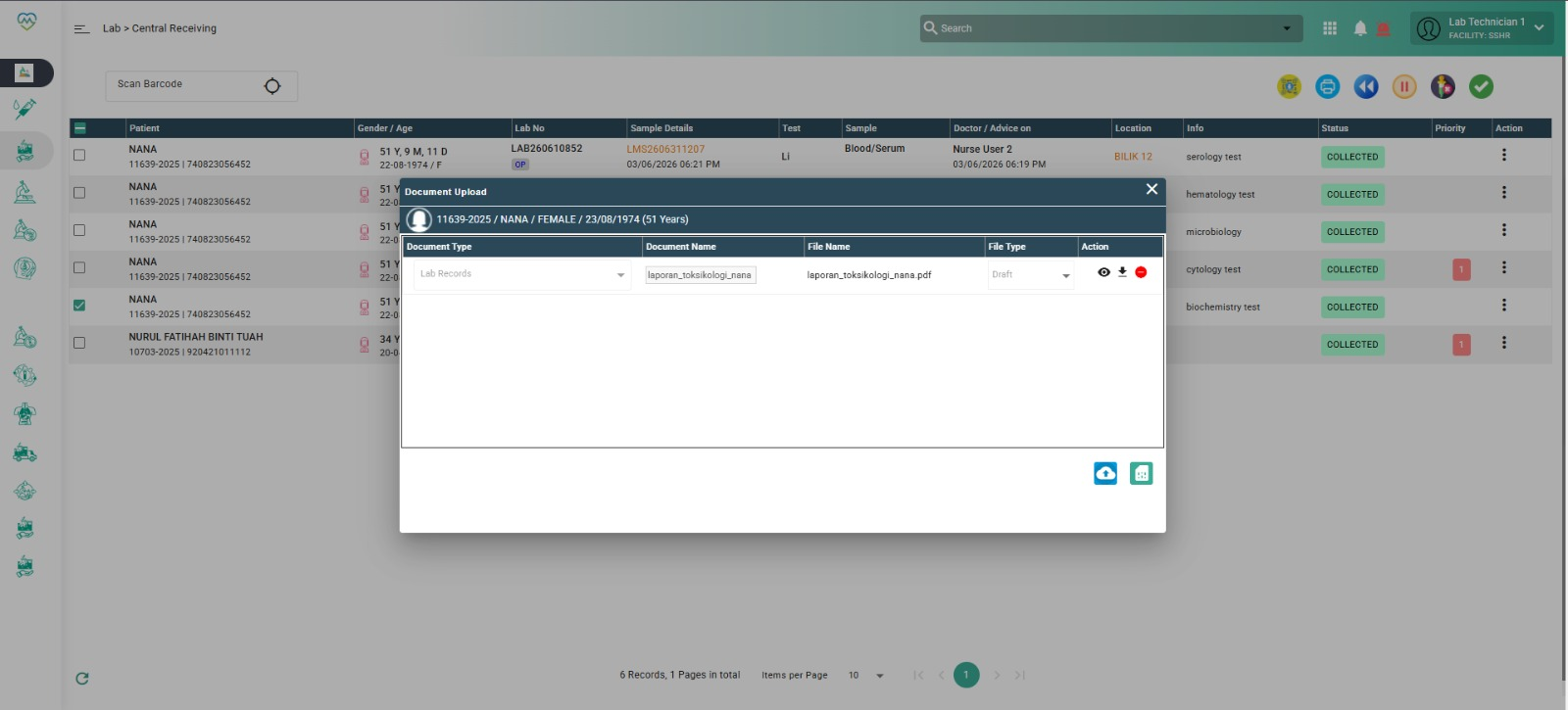
Expected Behavior:
1. The Results section should display the actual result entered by the user.
2. Supporting documents should be displayed under the Attachments section.
3. Uploaded attachments should be downloadable and viewable
4. When multiple supporting documents are uploaded, all attachments should be displayed correctly in the Attachments section.
Files
Updated by Daniyal Ansari 5 months ago
- Assignee changed from Daniyal Ansari to Ahmad Ashfaq
Updated by Ahmad Ashfaq 4 months ago
- Assignee changed from Ahmad Ashfaq to Sagar Pokale
@Sagar Please check this API call:
POST lab-service/reports/generateReport API with reportName: "RESULTENTRYCLINICAREREPORT"
It works correctly when no supporting document is attached during the lab process.
Updated by Ahmad Ashfaq 4 months ago
As discussed with Dr @Kierthini. We only need to work on this issue:
1. The Results section should display the actual result entered by the user.
Attachment will not show in clinicare.
Updated by Sagar Pokale 4 months ago · Edited
- Assignee changed from Sagar Pokale to Daniyal Ansari
Update:
This issue originates from the Lab Service.
Assigning it to the MedCare team for further investigation and resolution.
Reference:
The following API is triggered when the Action button is clicked.
Issue comes when attachments are added in the Lab module, the API returns an incorrect report.
API Endpoint:
https://mykarecloud360-dev.hatiintl.com.my/lab-service/reports/generateReport
Request Payload:
{
  "parameterList": [],
  "reportName": "RESULTENTRYCLINICAREREPORT",
  "transactionId": "6a5889deea9f1e5648120386",
  "type": "pdf"
}
Updated by Daniyal Ansari 3 months ago
- Assignee changed from Daniyal Ansari to Kunal Yelne
Updated by Kunal Yelne 3 months ago
- Assignee changed from Kunal Yelne to Pranav Walwade
Updated by Daniyal Ansari 2 months ago
- Assignee changed from Pranav Walwade to Daniyal Ansari