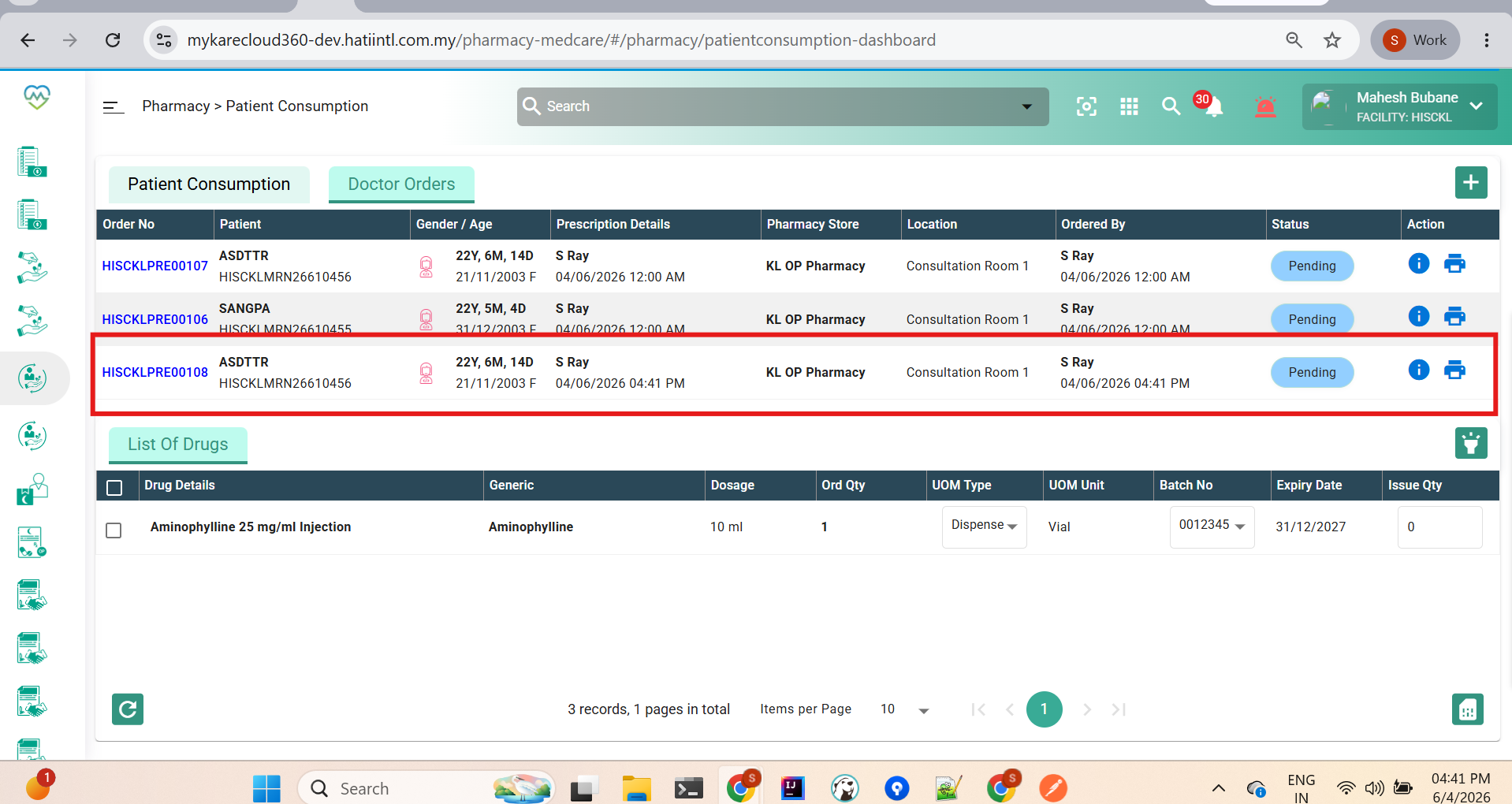
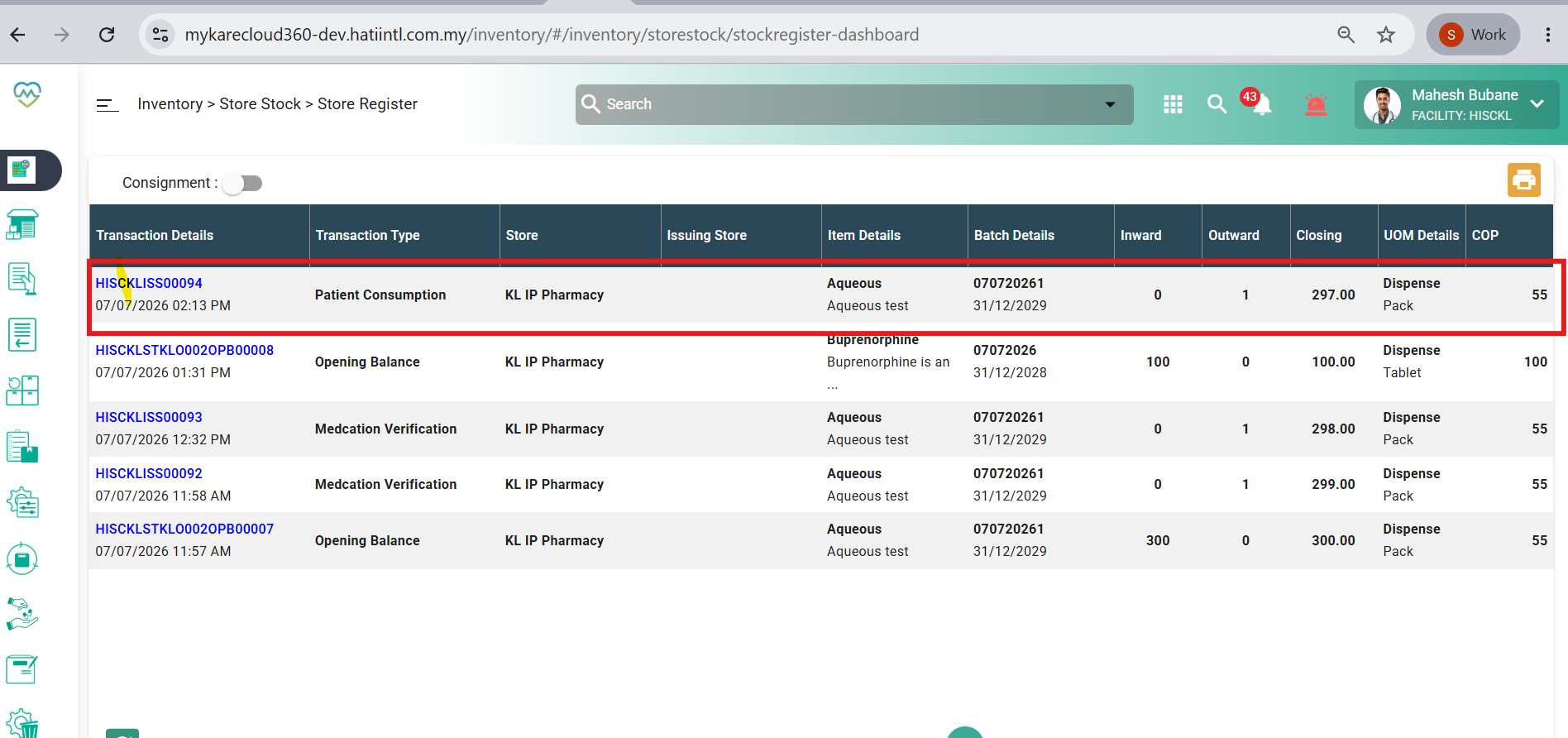
Bug #94018
openInventory > Store Stock. Item for patient consumption didn't capture to Store Stock
0%
Description
Issues Description:
Item for patient consumption was not captured in Store Stock Outward transaction. When patient consumption is processed, the system does not reflect or deduct the corresponding item from Store Stock outward records, leading to inaccurate stock movement tracking.
Step to reproduce
1.Login System
2.Navigate to > Inventory
3.Click on Store Stock
4.Click on find the item by code
5.Observe screen > Item for patient consumption was not captured in Store Stock Outward transaction
Expectation:
System should automatically capture and record items for patient consumption in Store Stock Outward. All patient consumption transactions must be reflected in Store Stock outward so that stock quantity is accurately updated and consistent between patient consumption records and store inventory.
Picture 1: patient consumption screen. The item was successfully approved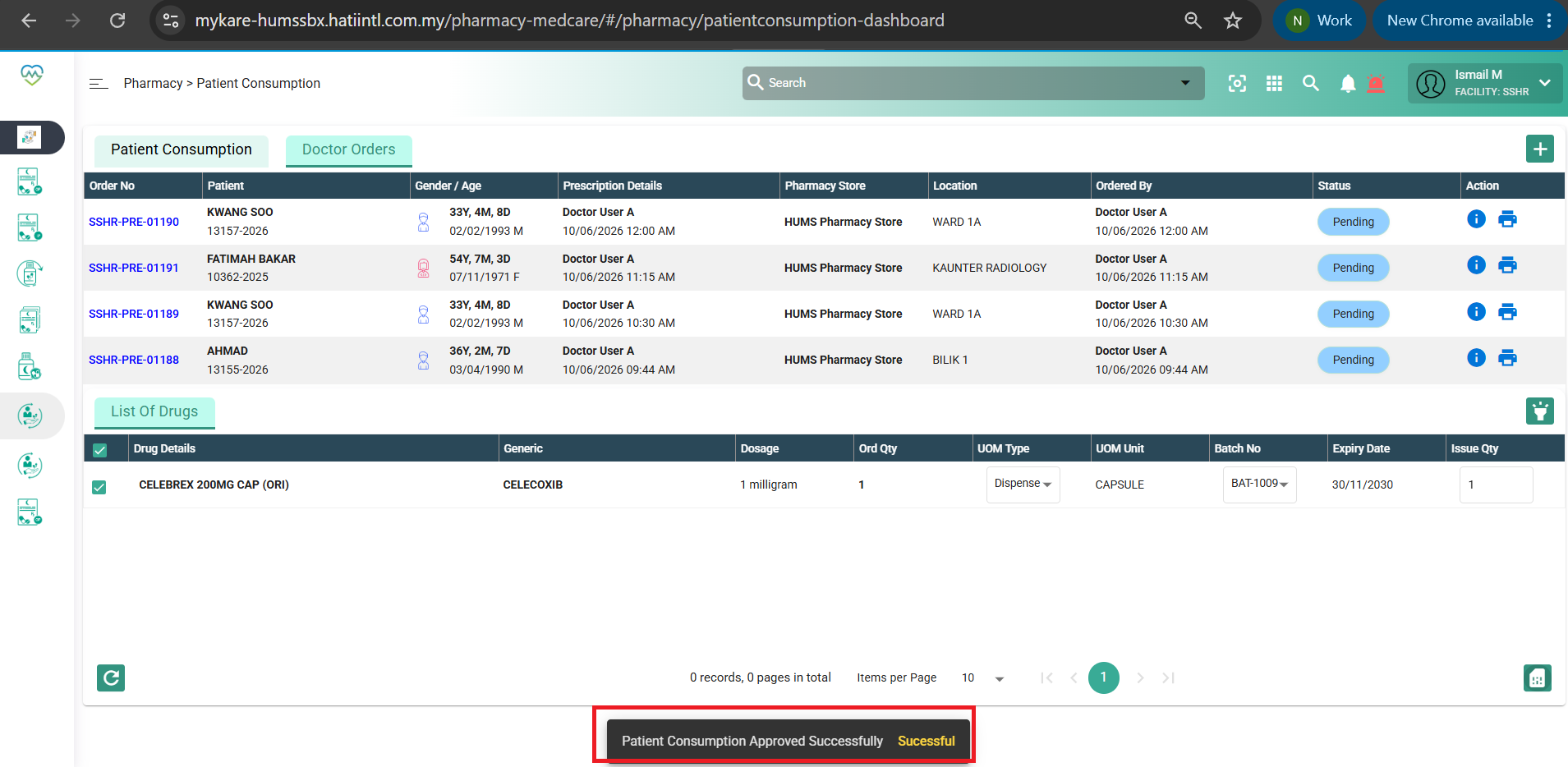
Picture 2: the consumption didn't captured in Store Stock 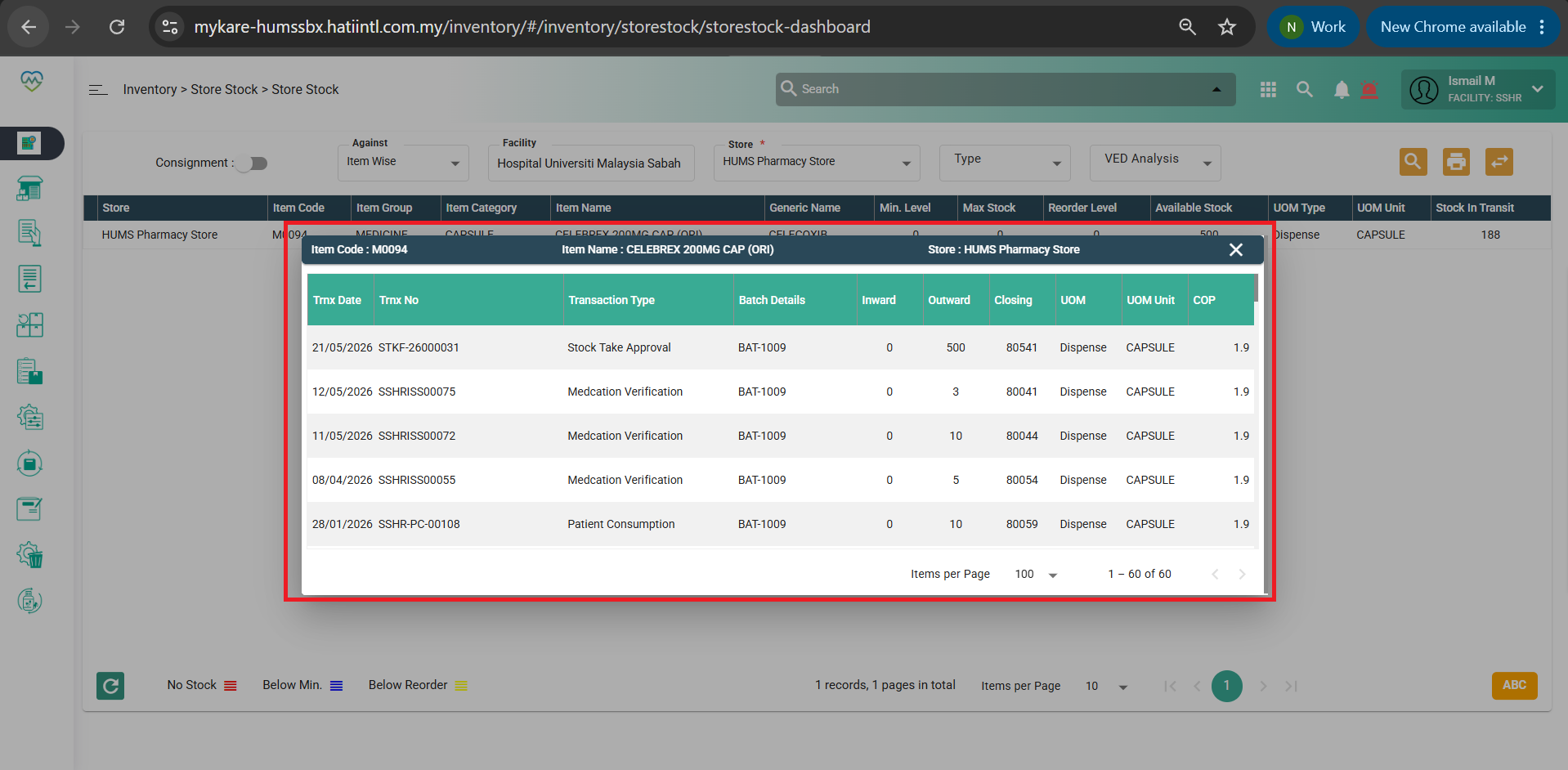
Files