Gaps #94309
openGaps #93875: Add Template Function for Result Entry and Addendum Fields in Histology and Cytology Modules
Add Template Function for Result Entry and Addendum Fields in Microbiology modules
0%
Description
Description: Kindly implement the same template functionality currently available in the Grossing Examination field under Lab > Histopathology > Macroscopic Examination for the following fields:
Modules:
1. Microbiology
Fields:
1. Result Entry Field
2. Addendum Field
a) 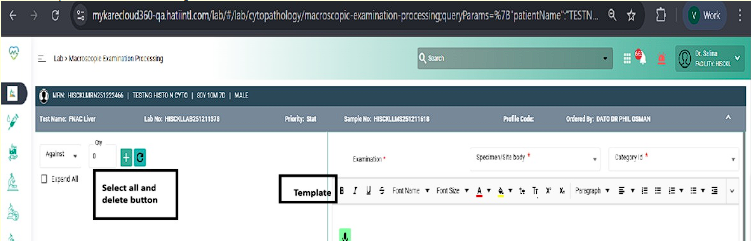
b) 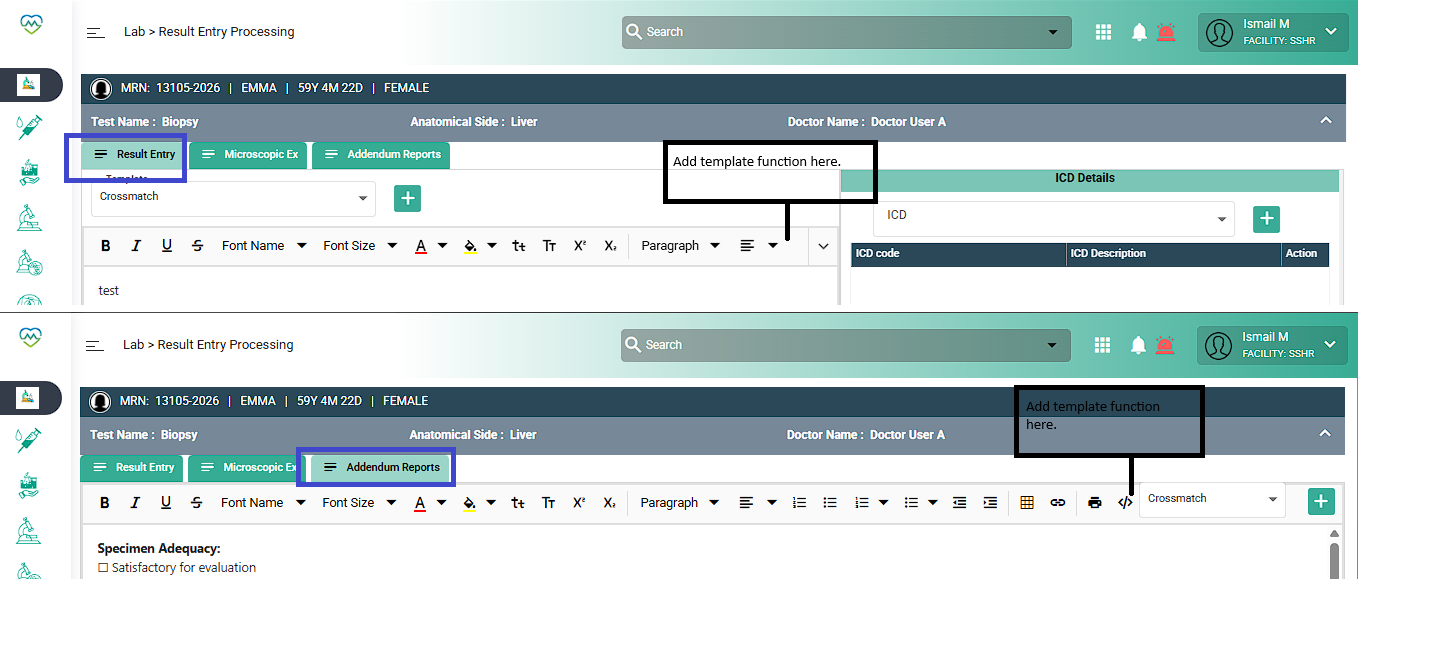
Files
Updated by Nurfarisha Izani 5 months ago
- Copied from Gaps #93875: Add Template Function for Result Entry and Addendum Fields in Histology and Cytology Modules added
Updated by Nurfarisha Izani 5 months ago
- Assignee changed from Nurfarisha Izani to Rupali Suryawanshi
Updated by Rupali Suryawanshi 4 months ago
- Status changed from Assigned to Coded
Updated by Daniyal Ansari 4 months ago
- Status changed from Coded to QA
- Assignee changed from Rupali Suryawanshi to Nurfarisha Izani
Updated by Nurfarisha Izani 4 months ago
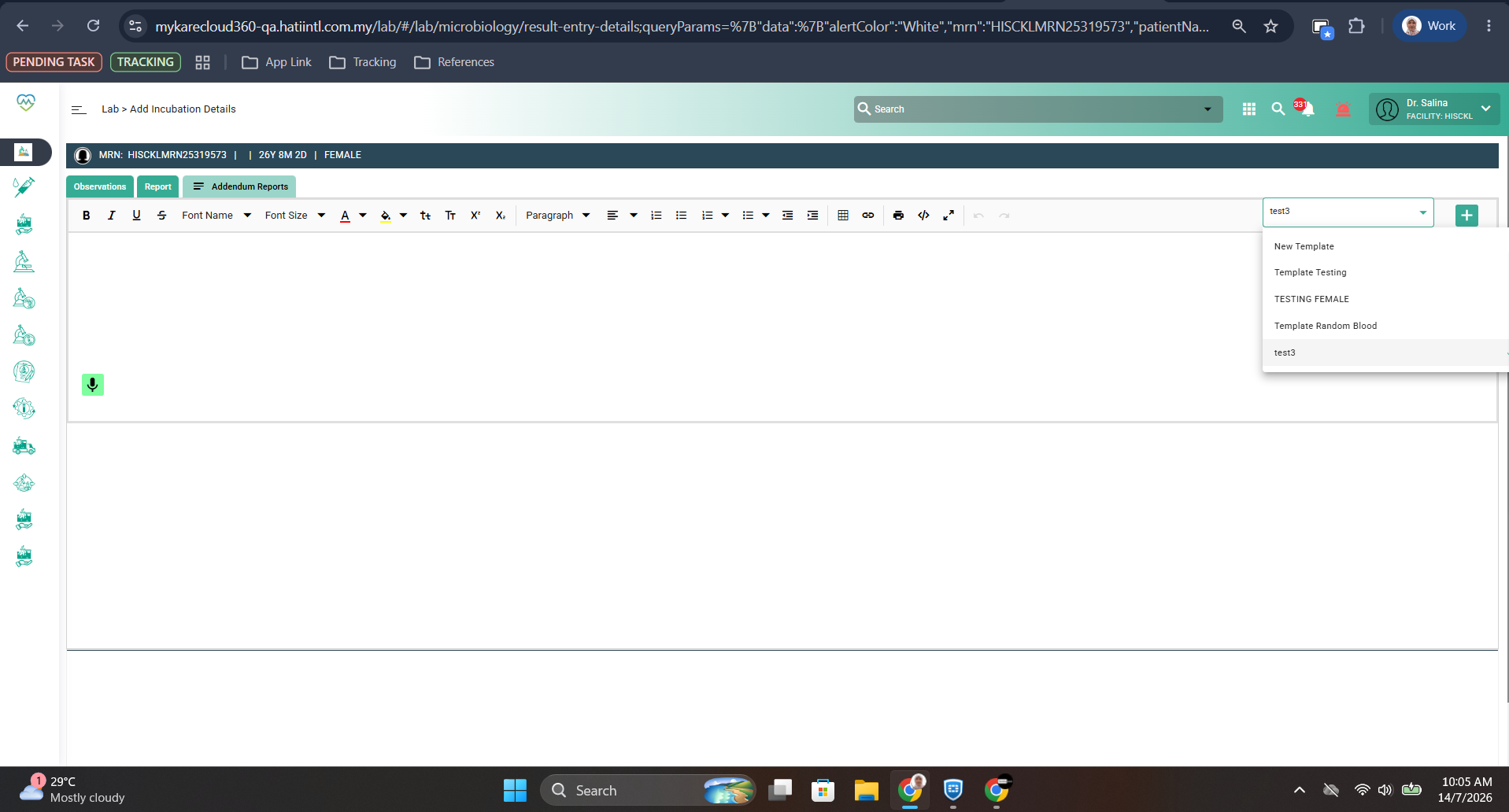
- File clipboard-202607141019-hclid.png clipboard-202607141019-hclid.png added
- File clipboard-202607141019-btfyk.png clipboard-202607141019-btfyk.png added
Update from Farisha:
Environment: QA
Path: Lab > Phlebotomy Dashboard
Step to reproduce:
1. Order lab test for microbiology department
2. Accept the test in the Sample Taking, Central Receiving and Sample Management.
3. Navigate to Microbiology > Media Observation and enter the necessary details
4. Navigate to Microbiology > Result Entry dashboard and enter the necessary details
5. Verify the result in the Result Entry Verification
6. Approve the result in the Result Entry Approval
7. Go to Phlebotomy Dashboard, select the patient and click Report Addendum button.
8. Choose the template and fill up the details and click save
9. View in the Report menu.
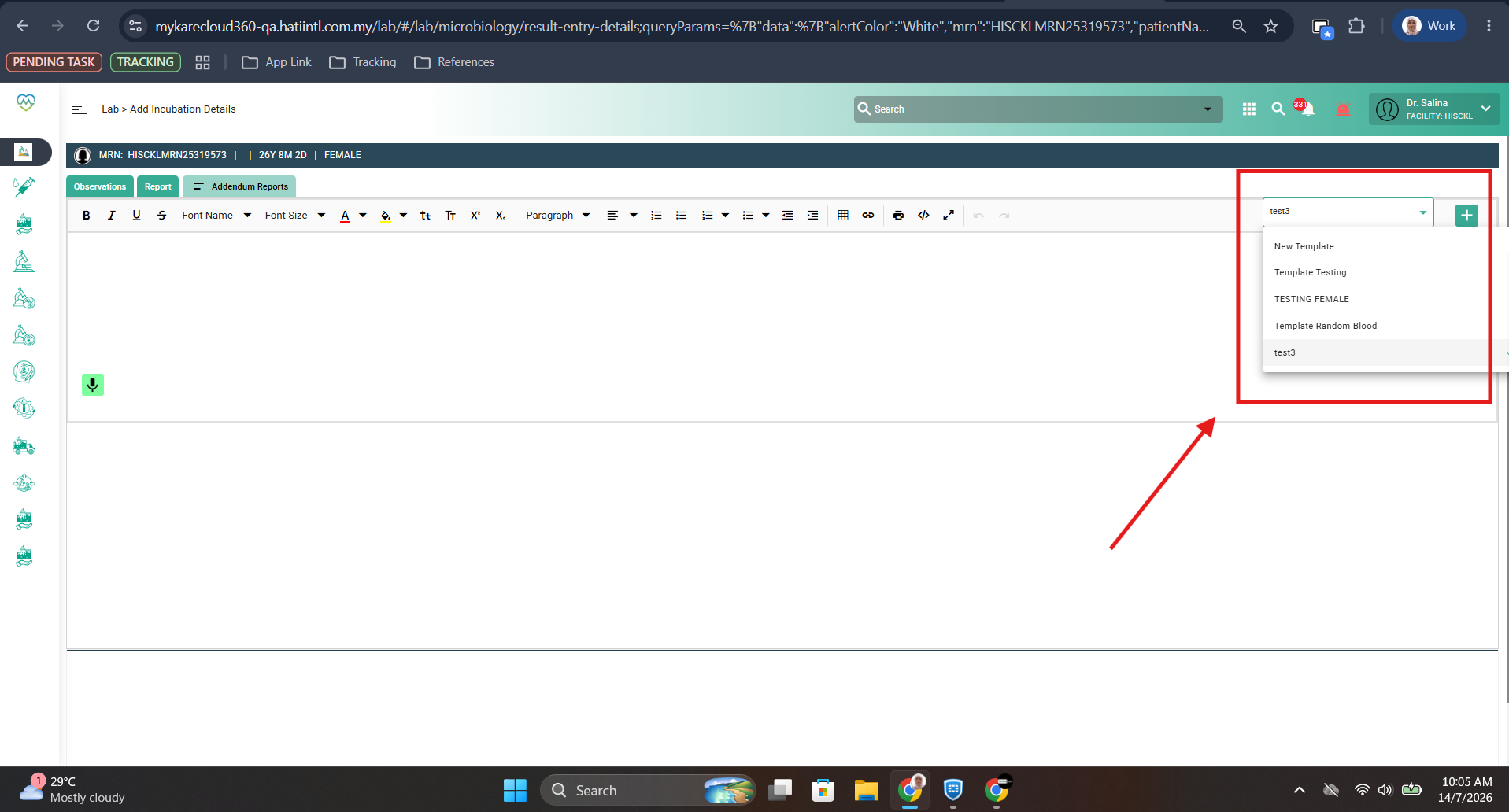
Expected Result: Template that has been setup in the master appear and able to edit
Actual Result: Template that has been setup in the master appear and able to edit