Feedback #94380
openClinical Masters > Hospital Schedule > Add "STAT" Hospital Schedule and Remove Medication Order Priority Field.
0%
Description
Description:
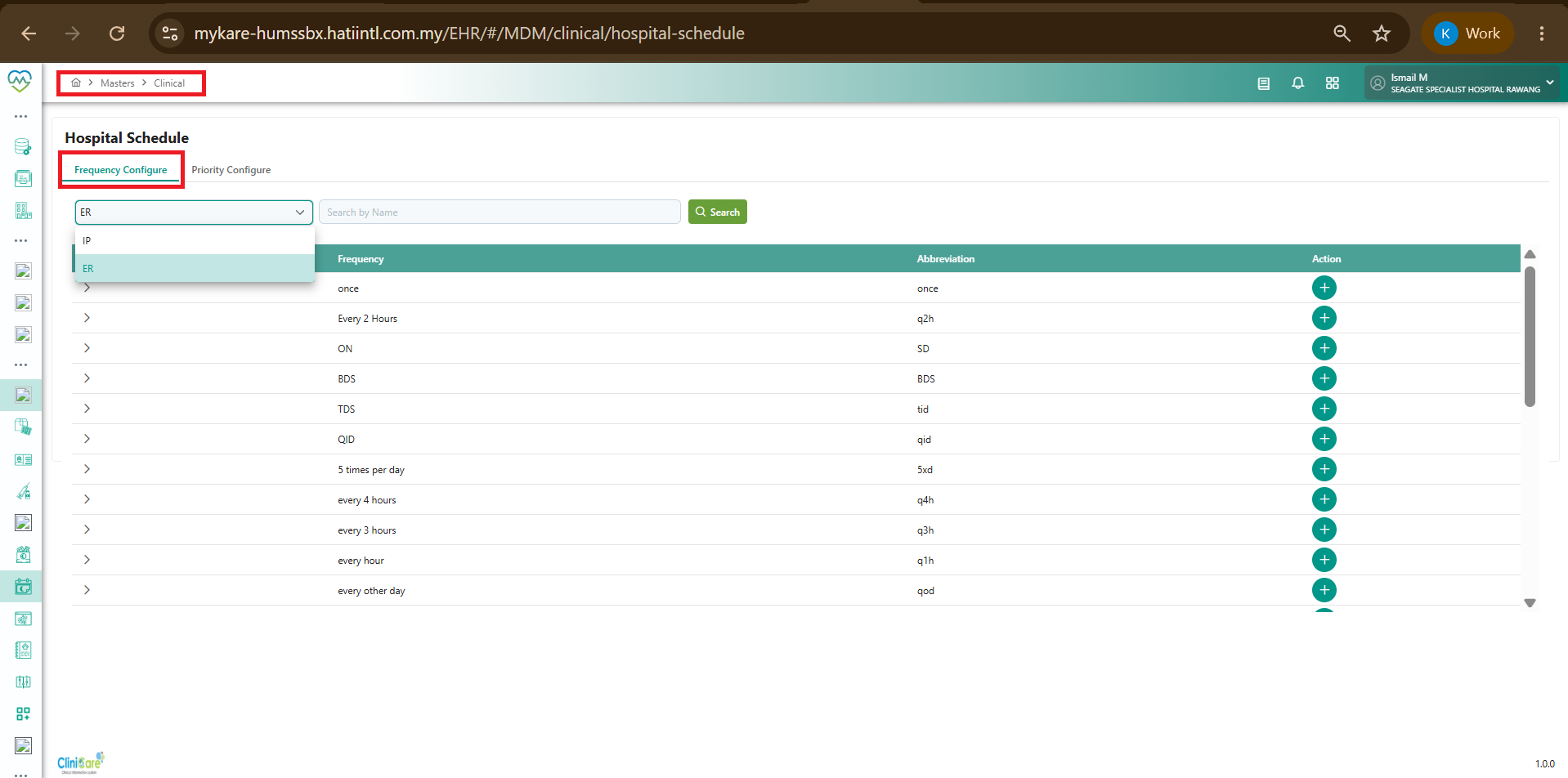
To standardize urgent medication ordering workflows across all clinical modules, a new "STAT" schedule option is to be configured under Clinical Masters > Hospital Schedule and made available in the Medication Order screen.
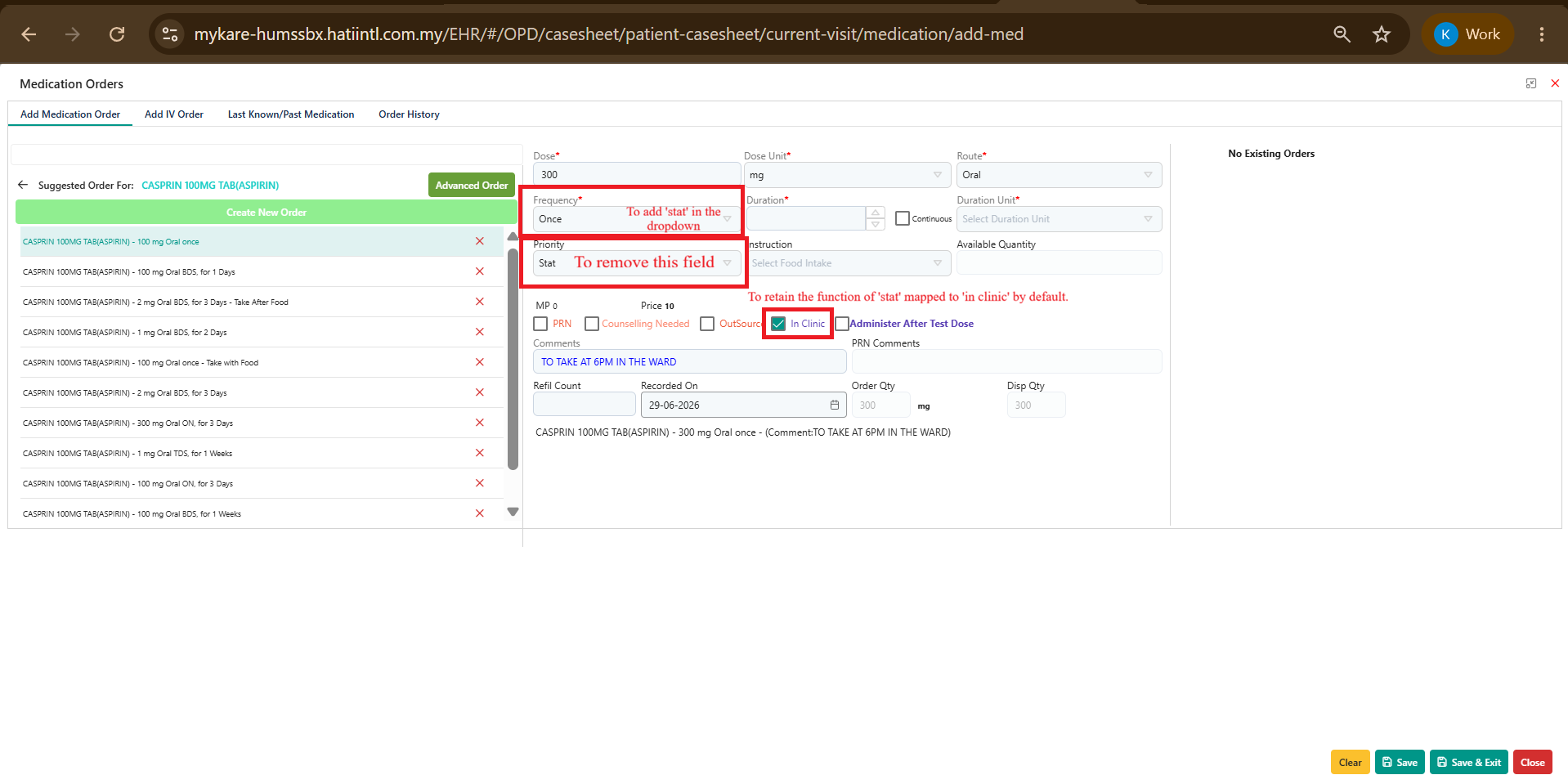
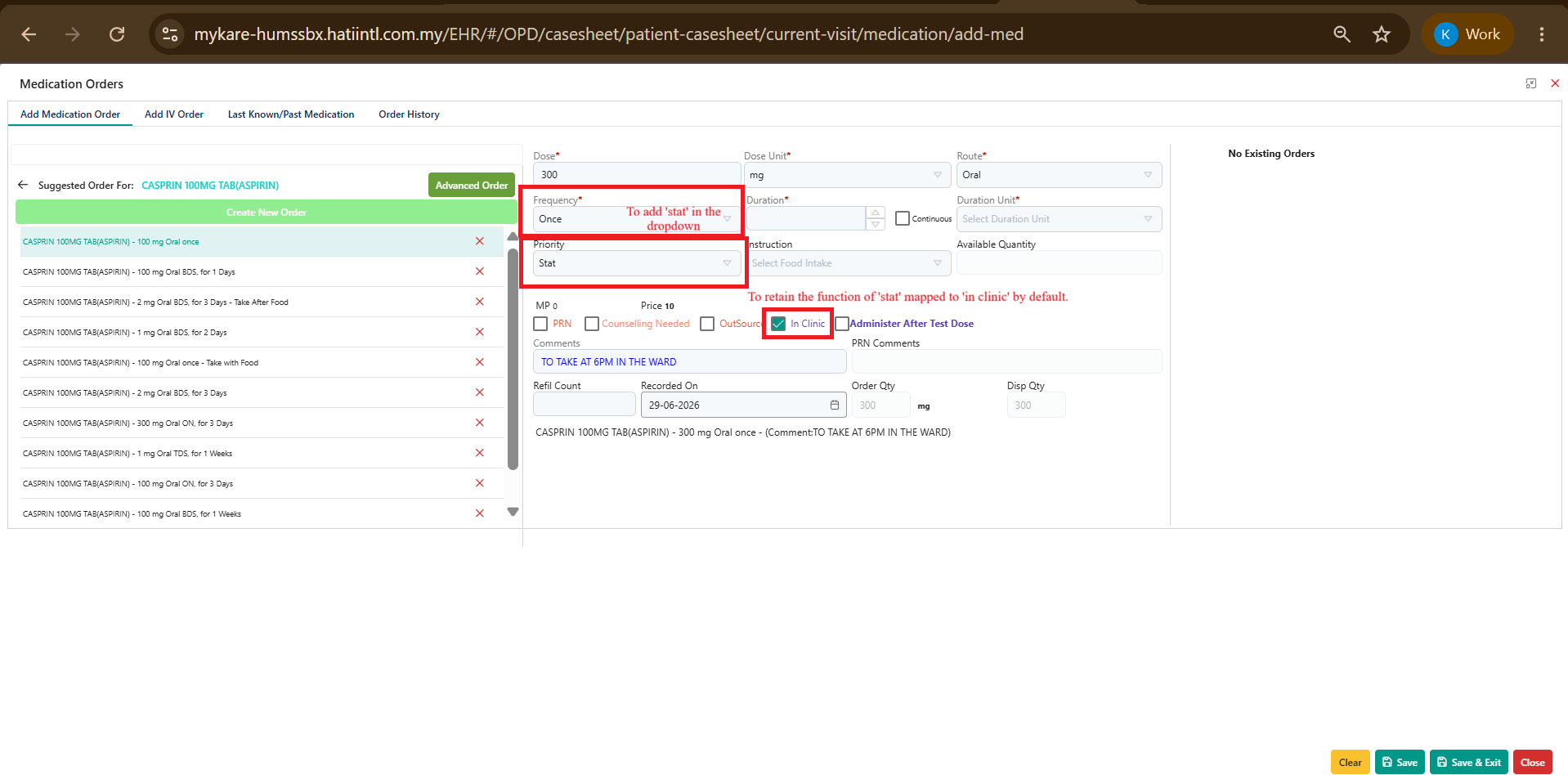
Additionally, the existing Priority field on the Medication Order screen is to be removed, with the urgent administration workflow being driven entirely through the Schedule selection.
Requirements
1. Add "STAT" to Hospital Schedule Master
Create a new schedule entry: STAT under:
Clinical Masters > Hospital Schedule
Ensure the new schedule is available for selection wherever Hospital Schedule values are utilized.
The newly created STAT schedule shall be available in the Schedule dropdown on the Medication Order screen across:
- Outpatient (OP)
- Inpatient (IP)
- Emergency Room (ER)
3. OP Module Mapping to "In Clinic"
For the OP Medication Order module:
When STAT is selected from the Schedule dropdown, the "In Clinic" checkbox shall be automatically ticked.
This will maintain the current system behaviour where urgent medications are dispensed/administered within the clinic.
4. Remove Priority Field
Remove the Priority dropdown/field from the Medication Order screen.
Existing workflow where Priority = STAT triggers In Clinic functionality shall be discontinued.
The Schedule = STAT selection will become the sole mechanism for triggering the urgent medication workflow.
- Urgent medication orders are standardized using the Hospital Schedule master.
- Users select STAT directly from the Schedule dropdown rather than through a separate Priority field.
- OP workflows continue to automatically mark urgent medications as In Clinic.
- The Medication Order screen is simplified by eliminating the redundant Priority field.
- Consistent behaviour is achieved across OP, IP, and ER modules.
Files
Updated by Kierthini Nethi 4 months ago
- Issue released on Dev added
- Issue released on deleted (
HUMS SandBox)
Updated by Kierthini Nethi 4 months ago
Updated Requirement
5. Pharmacy Integration for STAT Orders
For all medication orders where Schedule = STAT:
The medication order shall be transmitted immediately to the Pharmacy module.The order shall be displayed under:
- Pharmacy > Patient Consumption > Doctor Order
- Pharmacy users shall be able to view and process the STAT medication order through the existing Patient Consumption workflow.
This behaviour shall apply consistently across:
- Outpatient (OP)
- Inpatient (IP)
- Emergency Room (ER)
Updated by Kierthini Nethi 4 months ago
- Tracker changed from Gaps to Feedback
- Issue released on HUMS SandBox added
- Issue released on deleted (
Dev) - Function deleted (
Standard)
Deploy to Selgate and HPUMS.
Updated by Kierthini Nethi 4 months ago
- Issue released on Dev added
- Issue released on deleted (
HUMS SandBox)
Deploy as a standard feature.