Gaps #92844
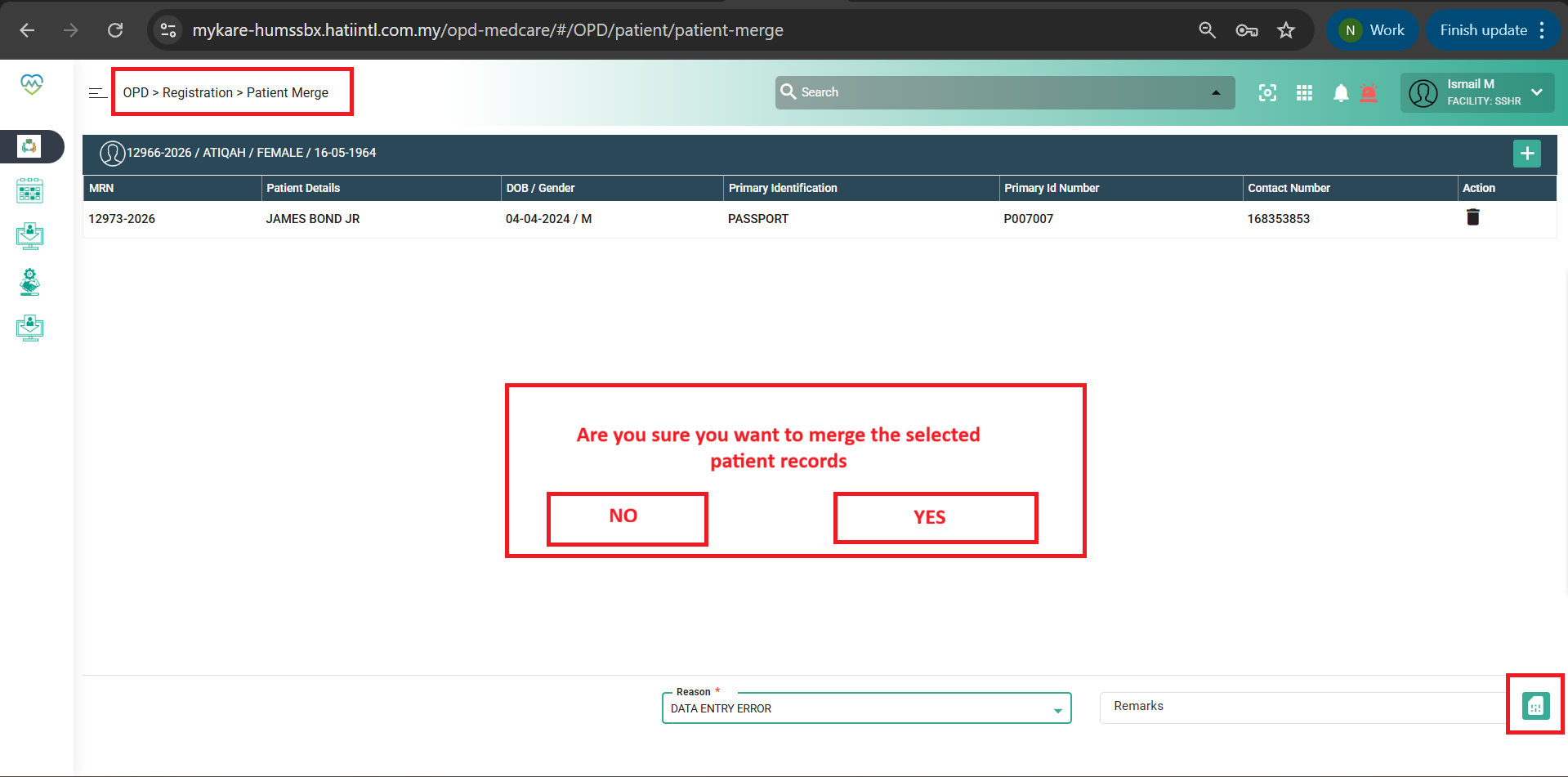
openOPD > Registration > Patient Merge
0%
Description
Issues Description :
- In the OPD > Registration > Patient Merge module, the system allows users to merge patient records without any confirmation step. After selecting the primary and secondary patients and clicking Save, the merge process is executed immediately without prompting the user to confirm the action.
Step to reproduce
1.Login System
2.Navigate to > OPD > Registration
3.Click on Patient Merge
4.Click on find the primary patient and add secondary patient
5.Observe screen > When the user clicks Save on the Patient Merge screen, the system immediately proceeds with the merge action. There is no confirmation pop-up displayed before saving. This may lead to accidental merging of patient records without user validation.
Expectation:
- When the user clicks Save, the system should display a confirmation pop-up dialog. The pop-up should include a message such as: “Are you sure you want to merge the selected patient records?”. The pop-up should provide options:
1. Yes / Confirm → Proceed with merge
2. No / Cancel → Return to the merge screen without saving
Files