Gaps #93062
openCLINICARE > OPD CONSULTATION Q > The uploaded document should be accessible from the doctor’s screen.
0%
Description
Issue Description:
The uploaded document should be accessible from the doctor’s screen.
Steps to Reproduce (OPD Registration):
1.Log in to the system and navigate to OP Registration
2.Click New and complete the required patient details
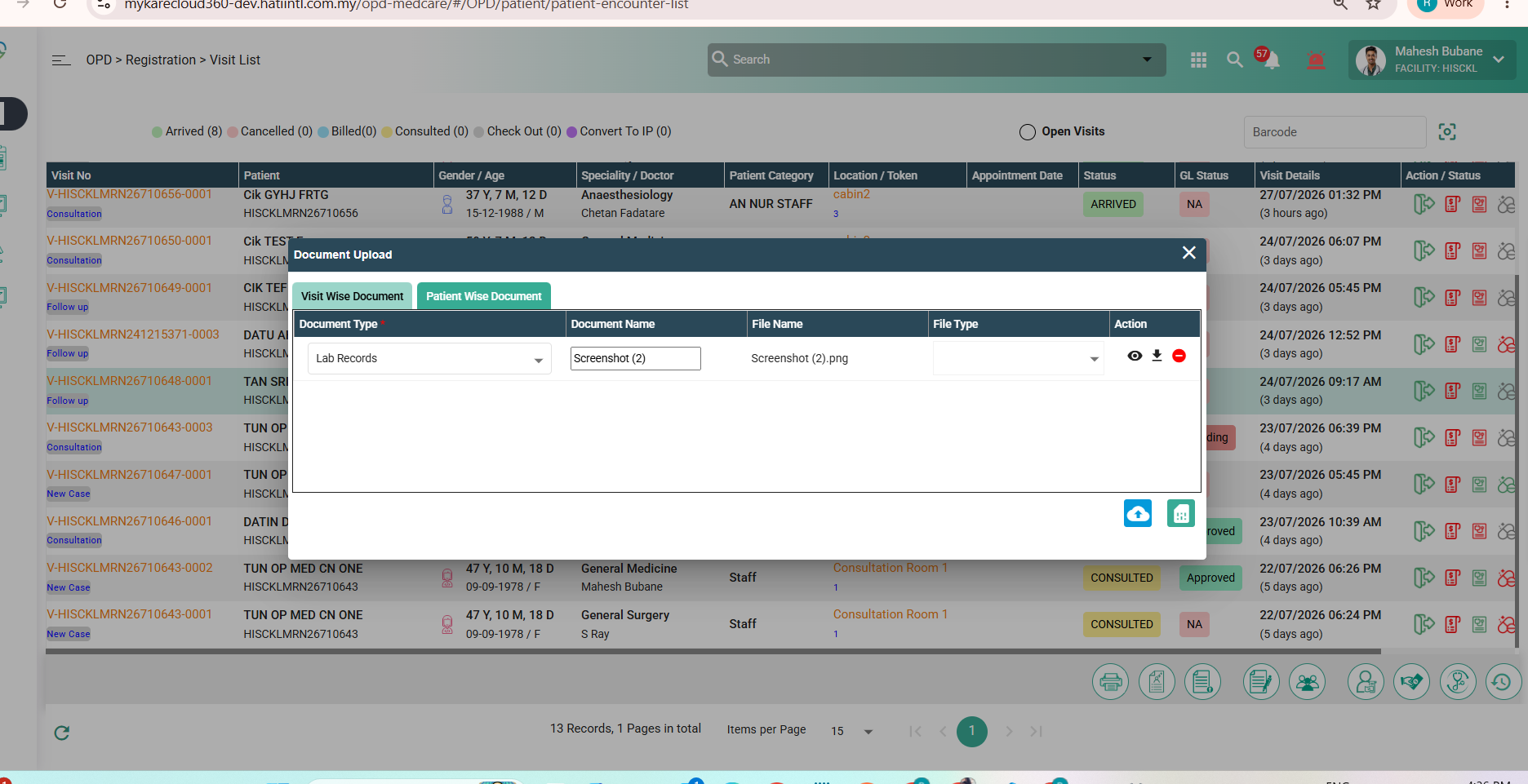
3.Go to the Document Details tab and upload a document
4.Save the registration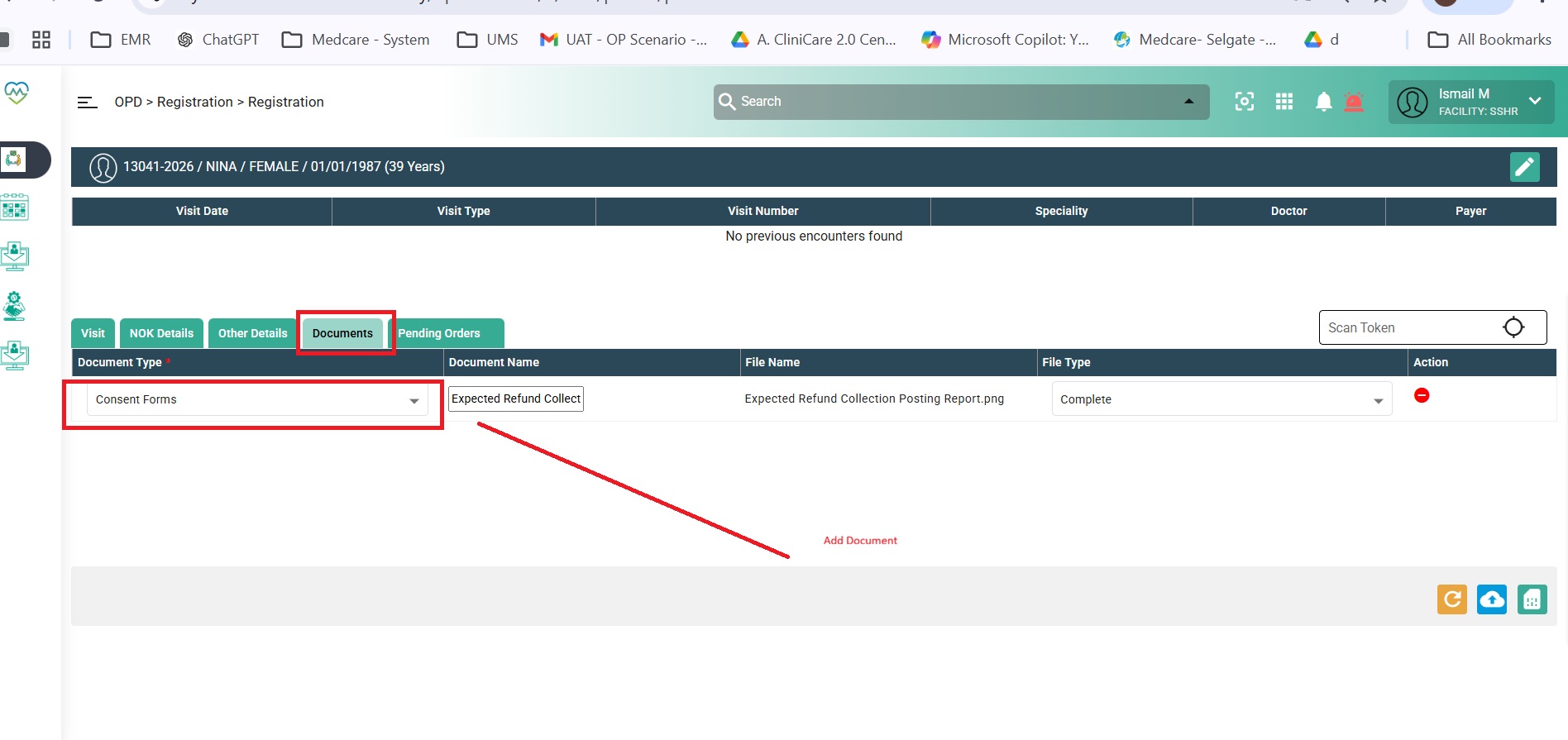
Doctor View:
1.Log in to the system and open the OPD Consultation screen
2.Click on Attachments
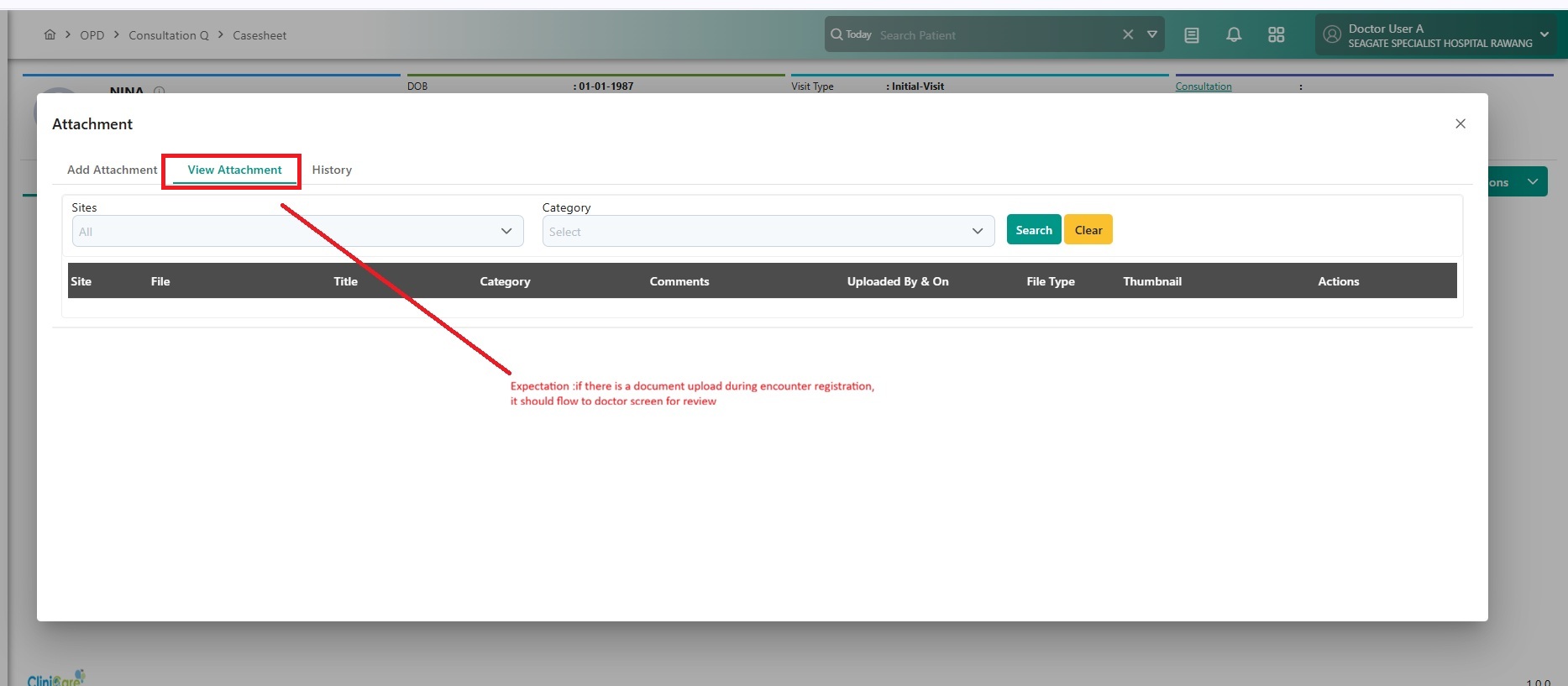
3.Currently, documents uploaded during encounter registration are not displayed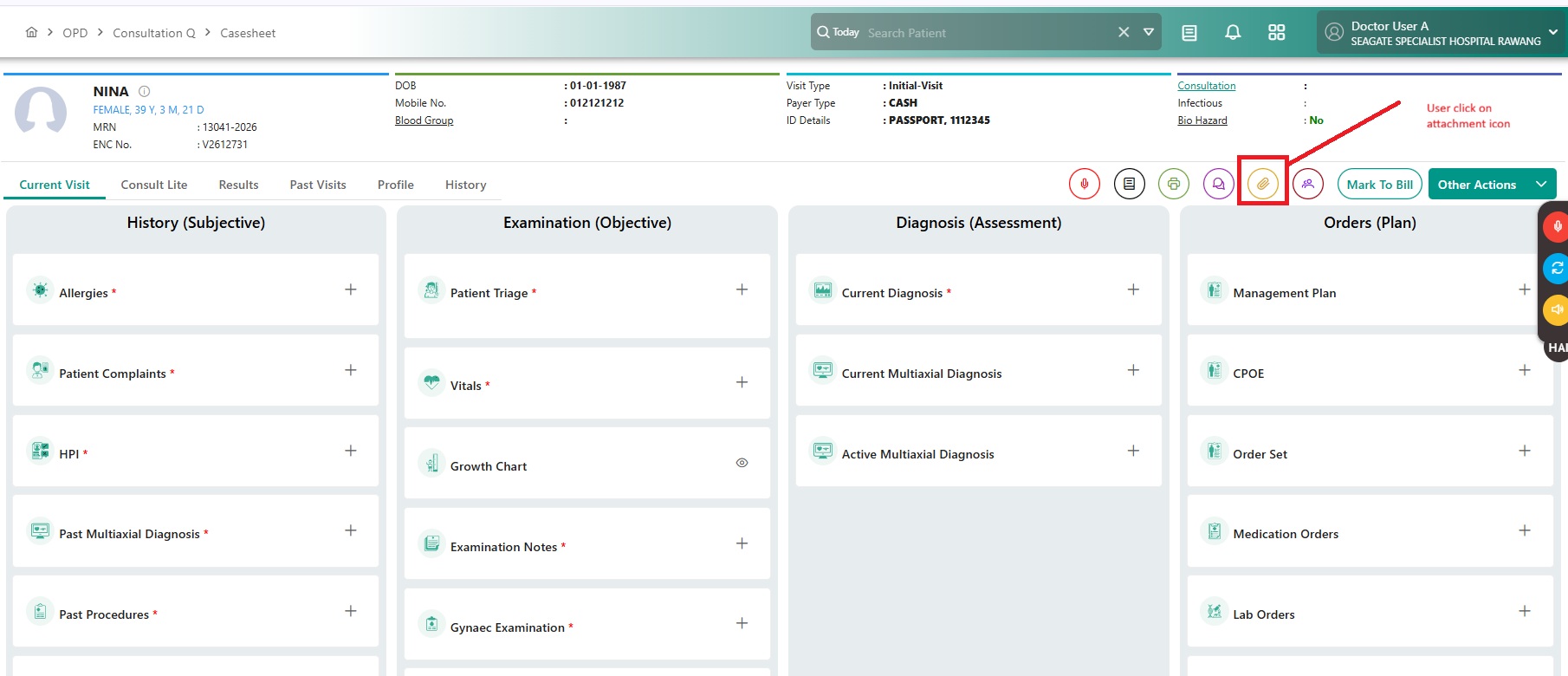
Expected Behavior:
Documents uploaded during encounter registration should be available and visible in the OPD Consultation (Doctor) screen. The system should display relevant details such as document type, uploaded by, category, and other related metadata.
Files
Updated by Zulkefli Arris 6 months ago
- Function Standard added
- Function deleted (
HUMS)
Updated by Daniyal Ansari 6 months ago
- Assignee changed from Daniyal Ansari to Rupali Suryawanshi
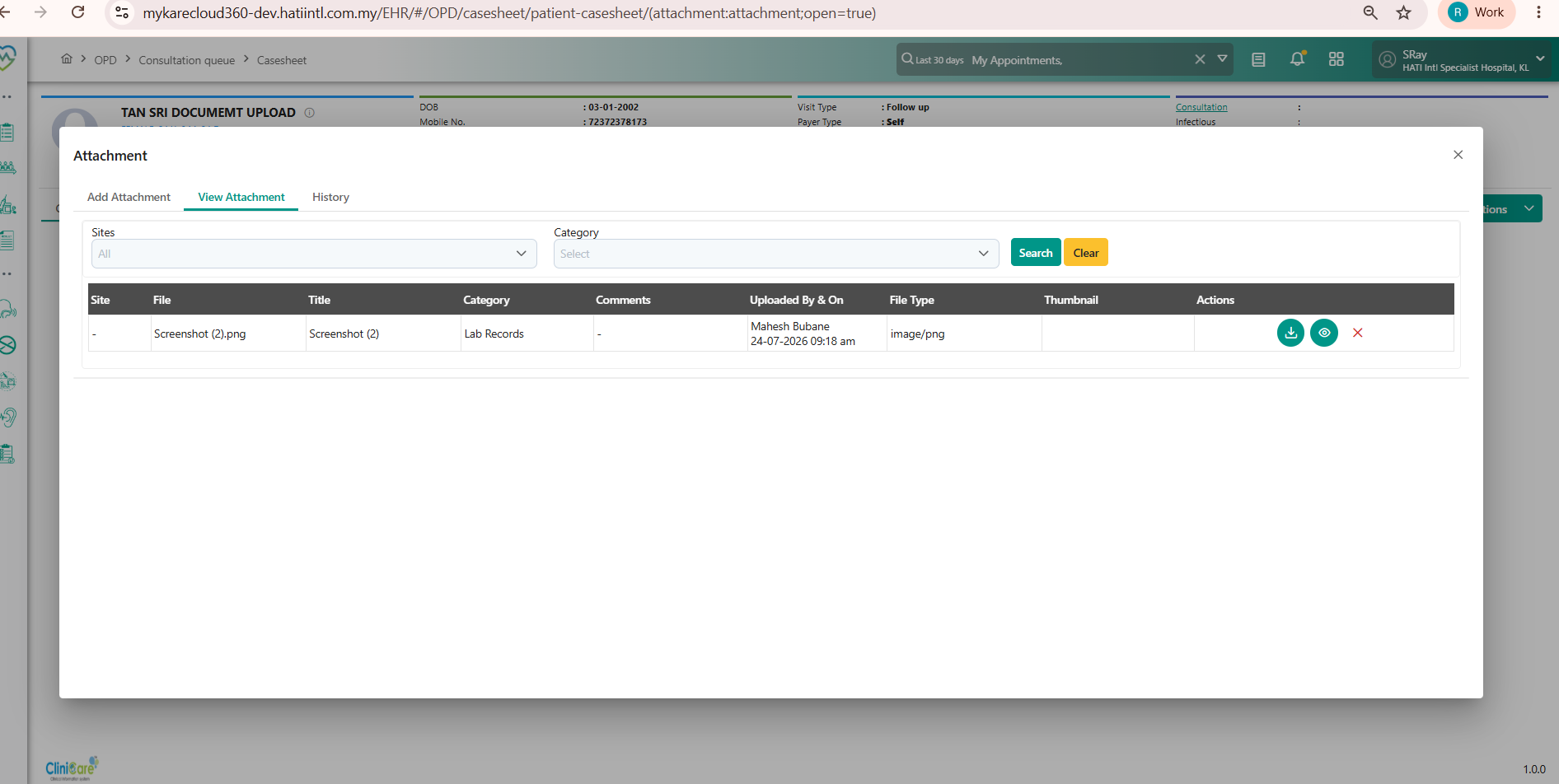
Hi @Rupali, we need to call the documents API from medcare for the Clinicare attachments as well (the existing API in clinicare should not be removed). We need to display attachments from both medcare and clinicare, thank you.
Updated by Daniyal Ansari 4 months ago
- Dev Due date changed from 27/07/2026 to 05/08/2026
Updated by Rupali Suryawanshi 3 months ago
- File clipboard-202607271635-vuufw.png clipboard-202607271635-vuufw.png added
- File clipboard-202607271636-vl7r3.png clipboard-202607271636-vl7r3.png added
- Status changed from Assigned to Coded
Updated by Shweta Sandip Waghmare 3 months ago
- Assignee changed from Rupali Suryawanshi to Mangesh Pangrekar