Gaps #93397
closedGaps #92501: ER > Encounter Summary > Add a new column for Patient's status for example, Transfer out, Admitted to IP, Discharged, Uptriage or Downtriage.
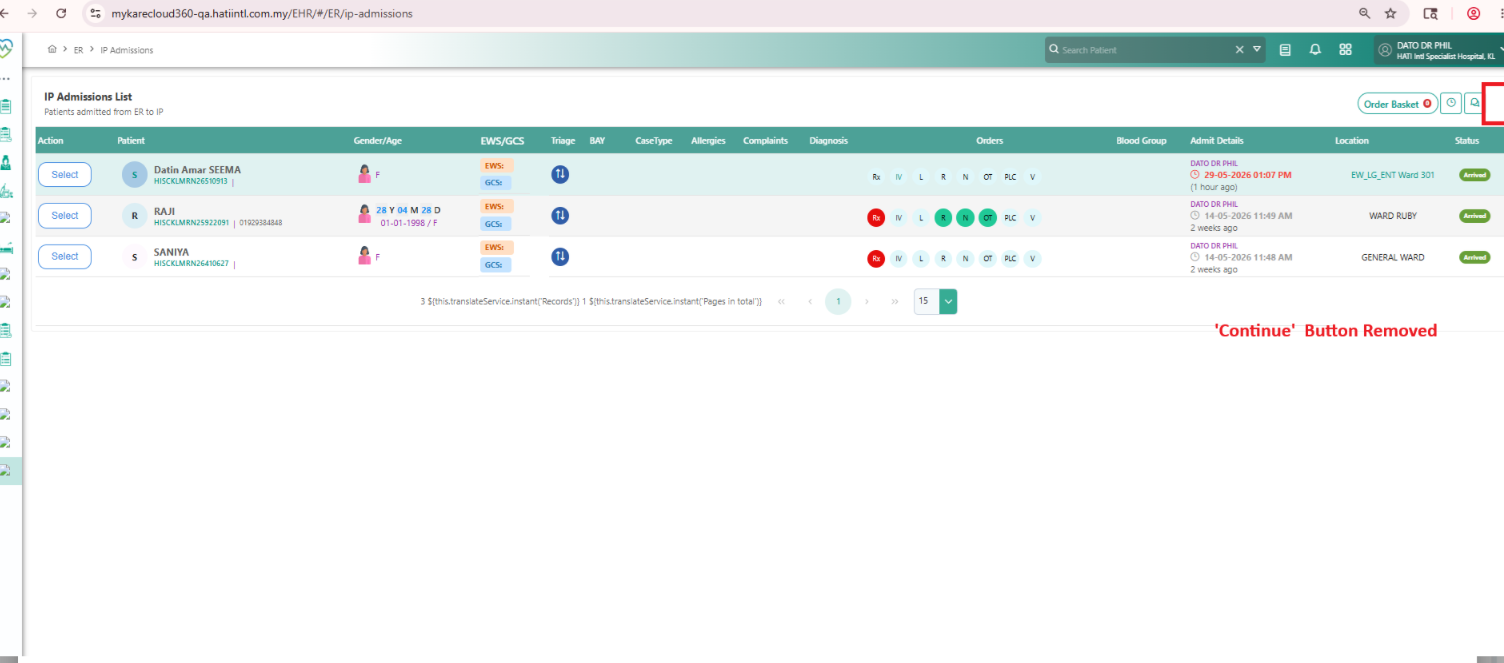
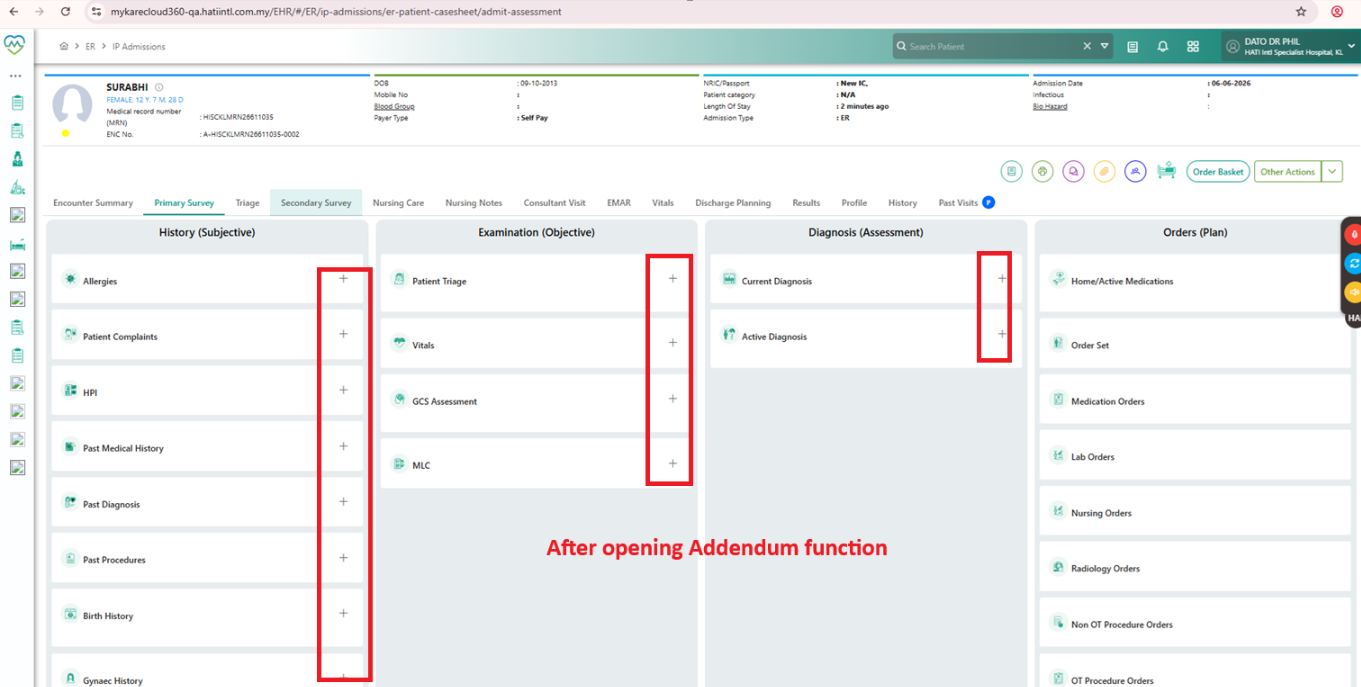
ER > IP Admission List > Enhance IP Admission List to Support Retrospective Addendum Entry After ER Transfer/ IP Admission
Description
Description
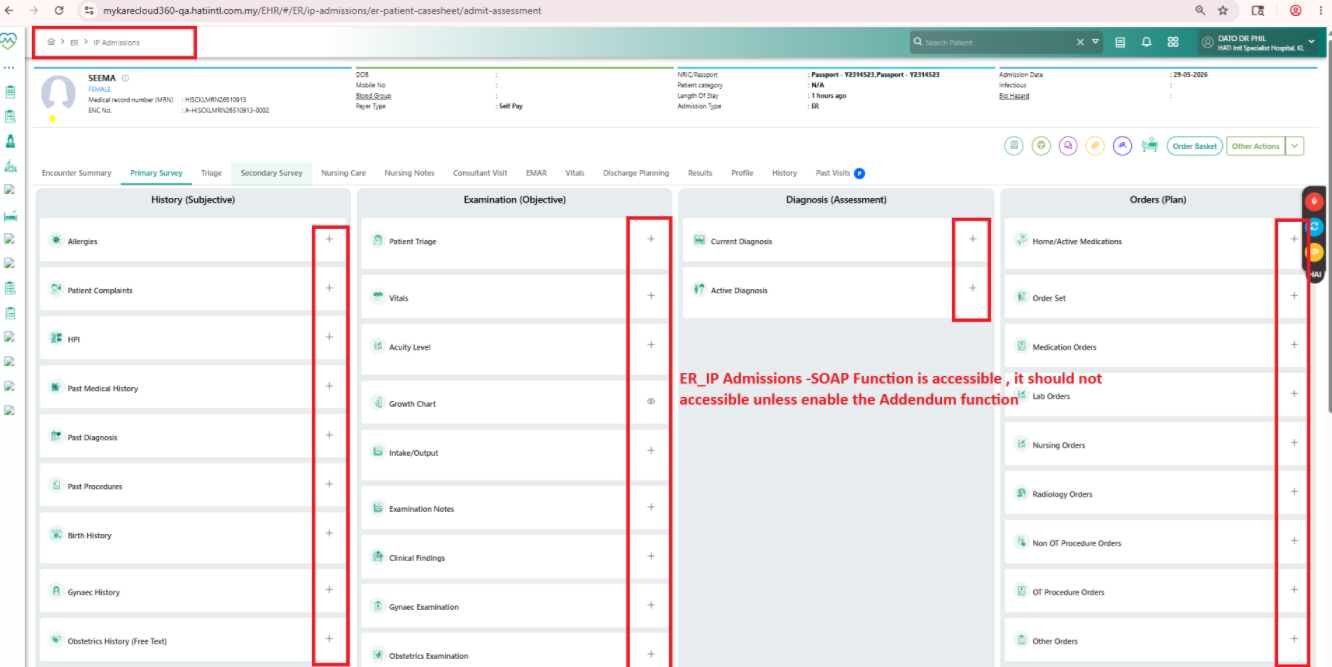
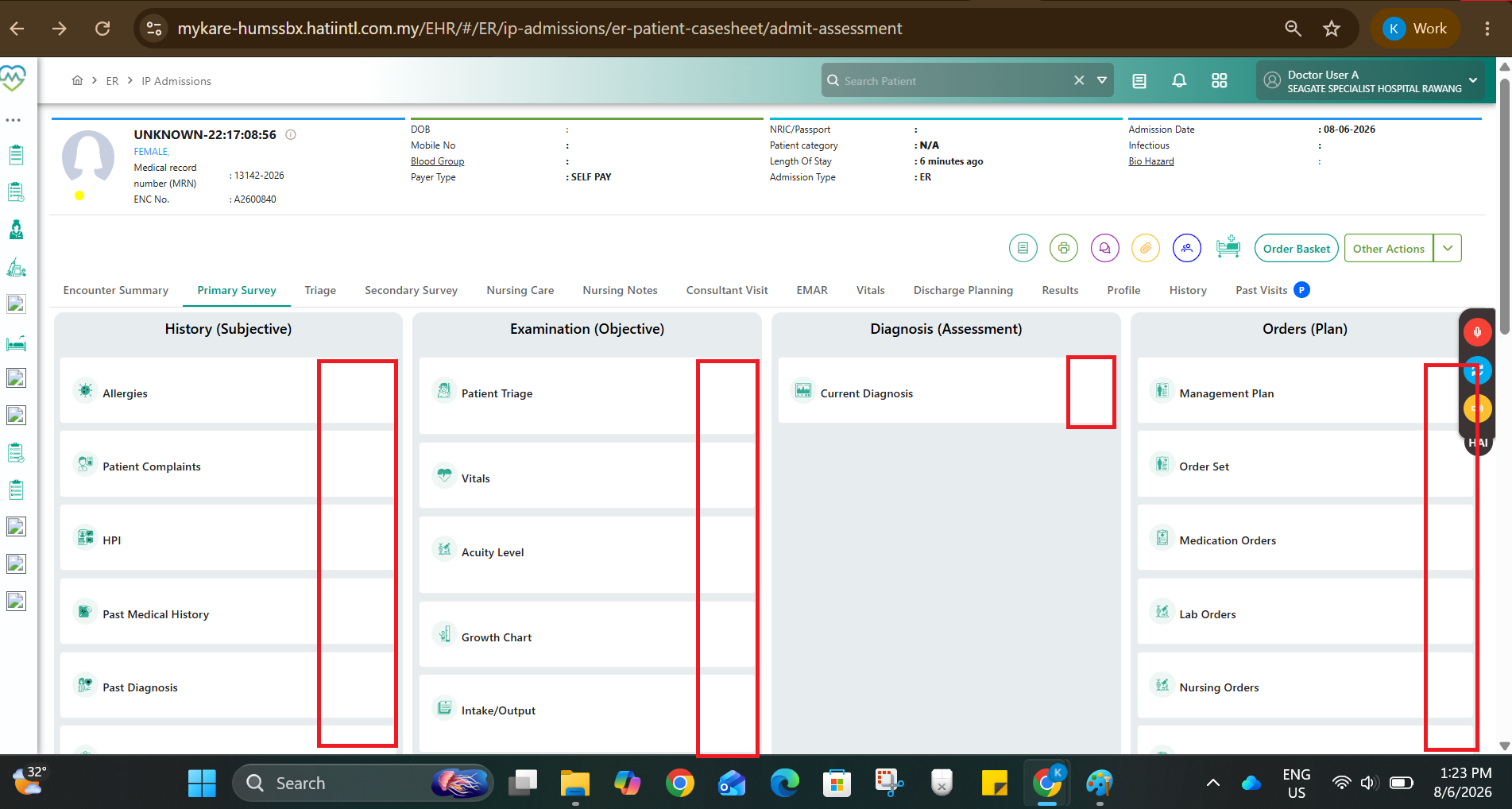
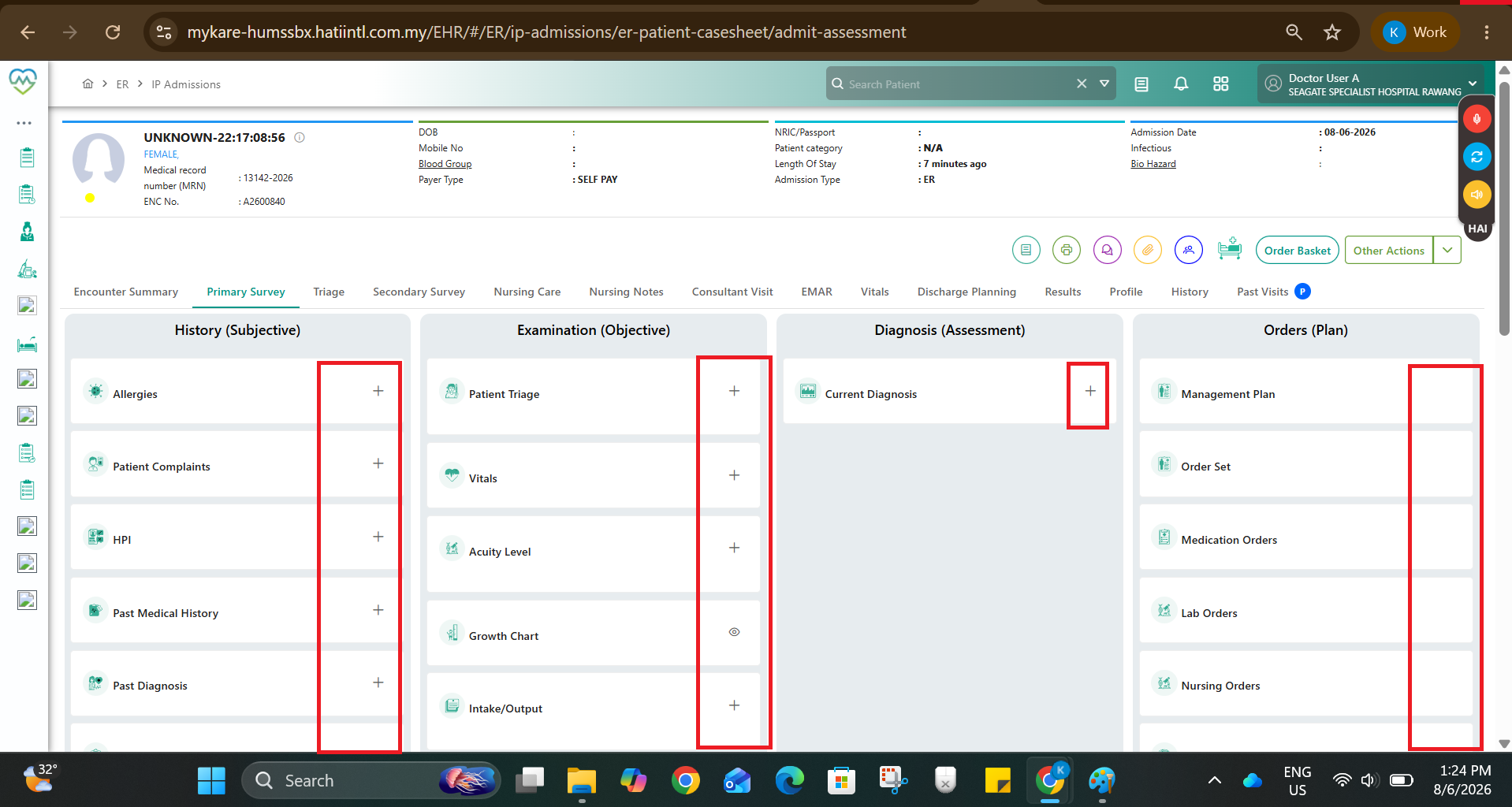
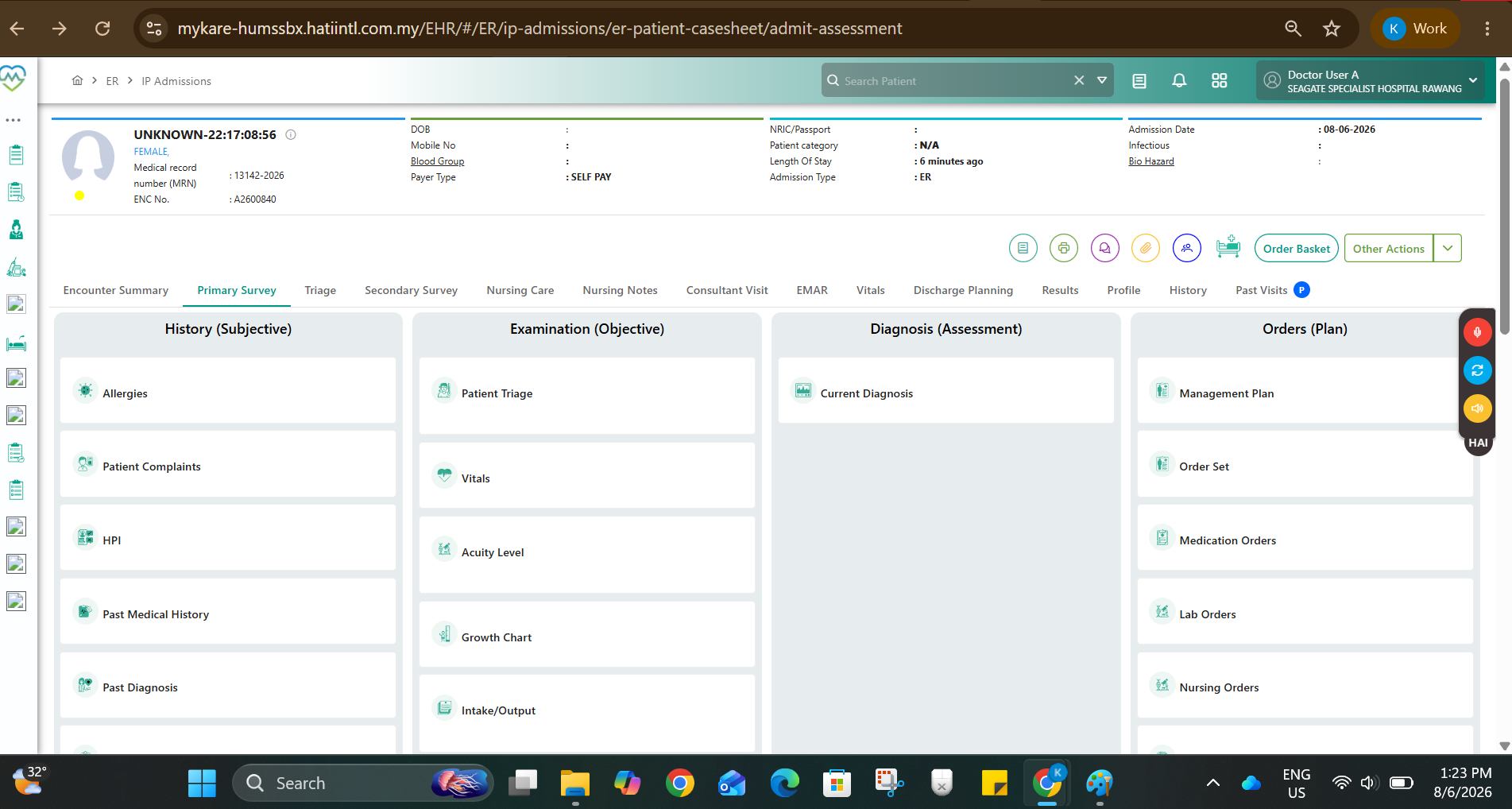
Currently, once a patient has been moved out from ER and admitted to IP, users are unable to perform retrospective documentation/addendum entry directly from the IP Admission List.
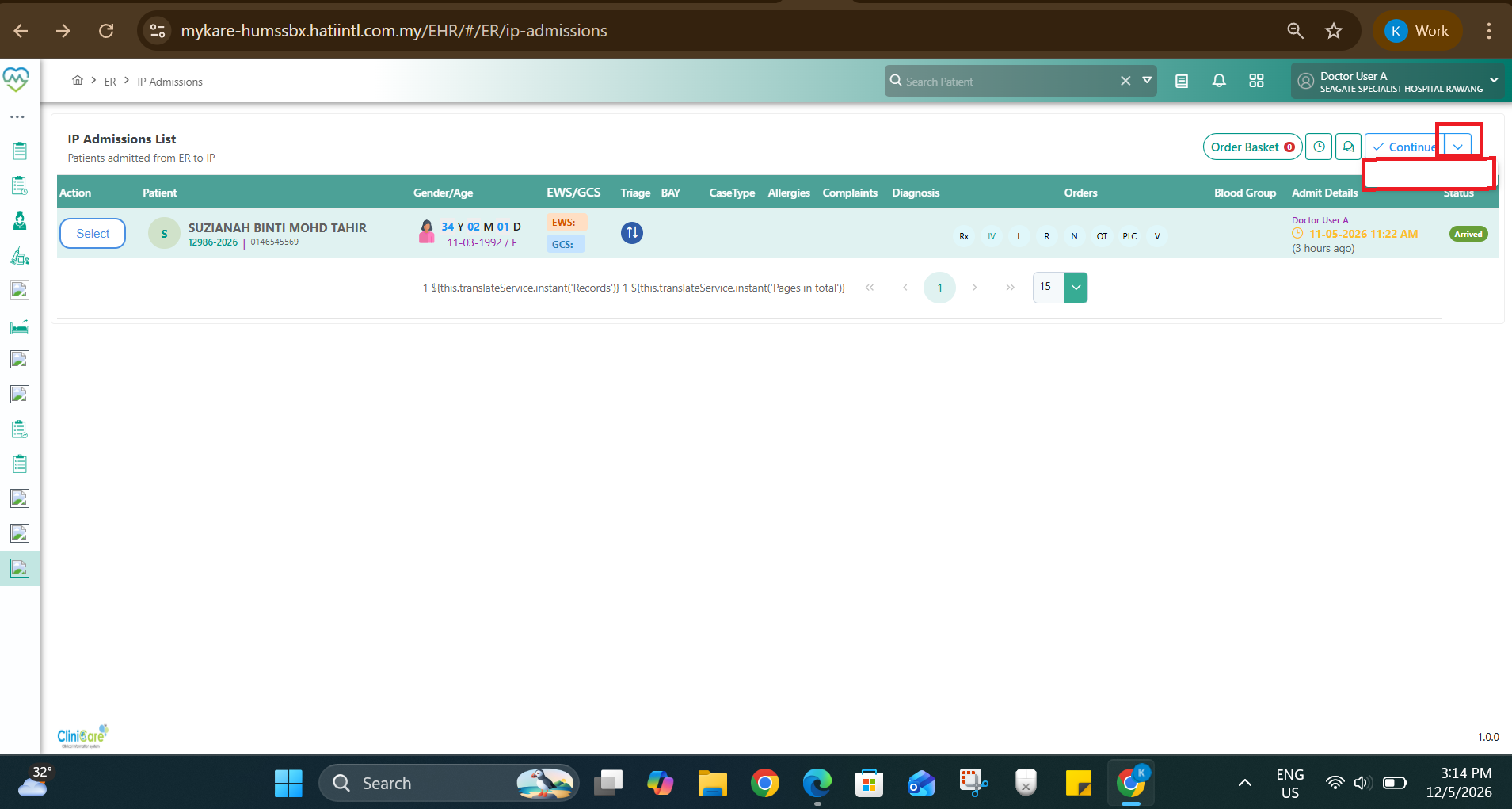
The current UI contains a “Continue” dropdown in the IP Admission List, but it does not serve any functional purpose and may confuse users.
Requested enhancement is for the IP Admission List workflow to behave similarly to the “Discharged Patient” workflow.
Current Behavior
Patient appears in IP Admission List after ER transfer/admission.
User is unable to easily perform retrospective/addendum documentation from this listing.
“Continue” dropdown button is available but does not provide meaningful workflow/action.
Expected Behavior
1. Patient Selection Flow
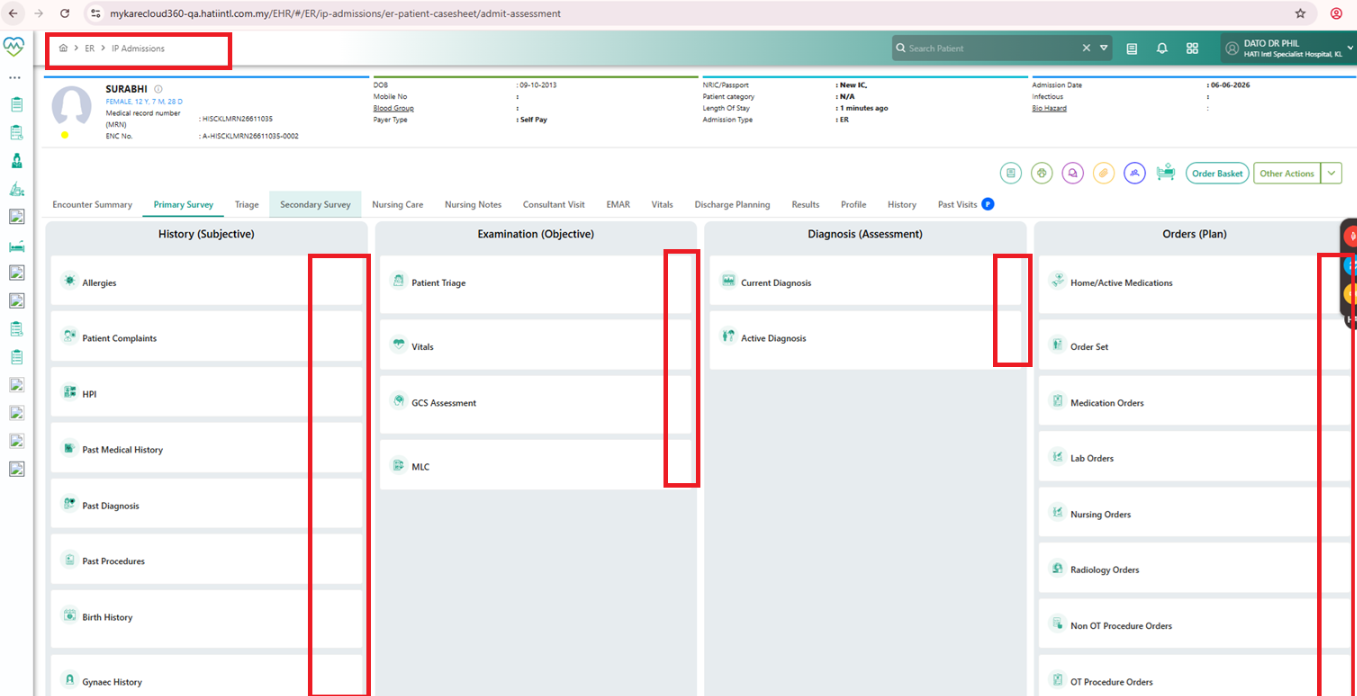
User should be able to select/click patient directly from the IP Admission List.
Upon selection, the screen flow should behave similarly to the “Discharged Patient” workflow.
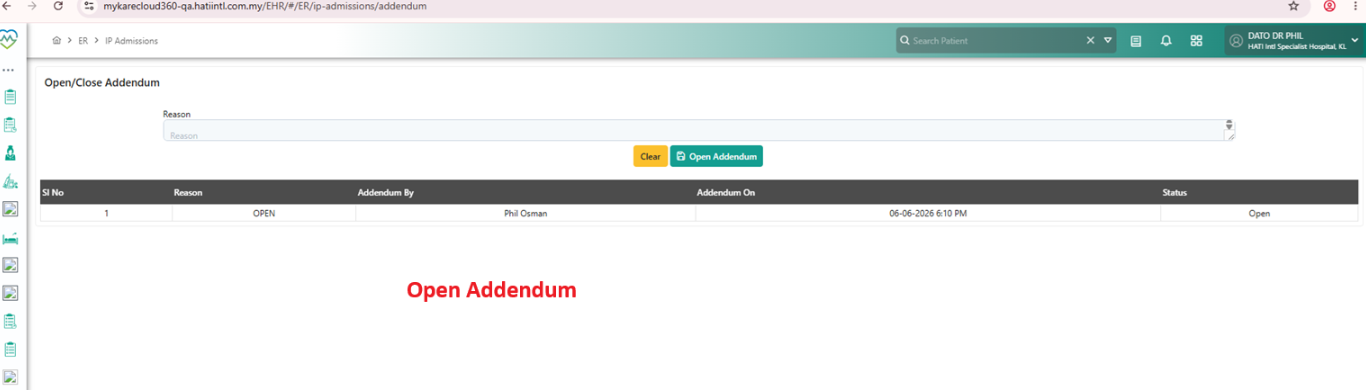
Under the Action button/menu, include an “Addendum” option.
This should allow users to:
- Enter retrospective notes/documentation
- Add late entries after patient has already moved out from ER into IP
Maintain proper audit trail with: - User name
- Date/time of entry
- Retrospective/addendum indicator
3. UI Alignment
Follow the same UI/UX logic and workflow as the existing “Discharged Patient” tab/module for consistency.
4. Continue Button
Review and remove the current “Continue” dropdown button from IP Admission List UI if it has no functional purpose.
Files