Gaps #93554
openOPD > Appointment > Default Parameters on Create Appointment Screen
90%
Description
Issue Description : To set default parameter on create appointment screen.
Steps to reproduce.
1.Login system > OPD > Appointment > Appointment
2. Create new .
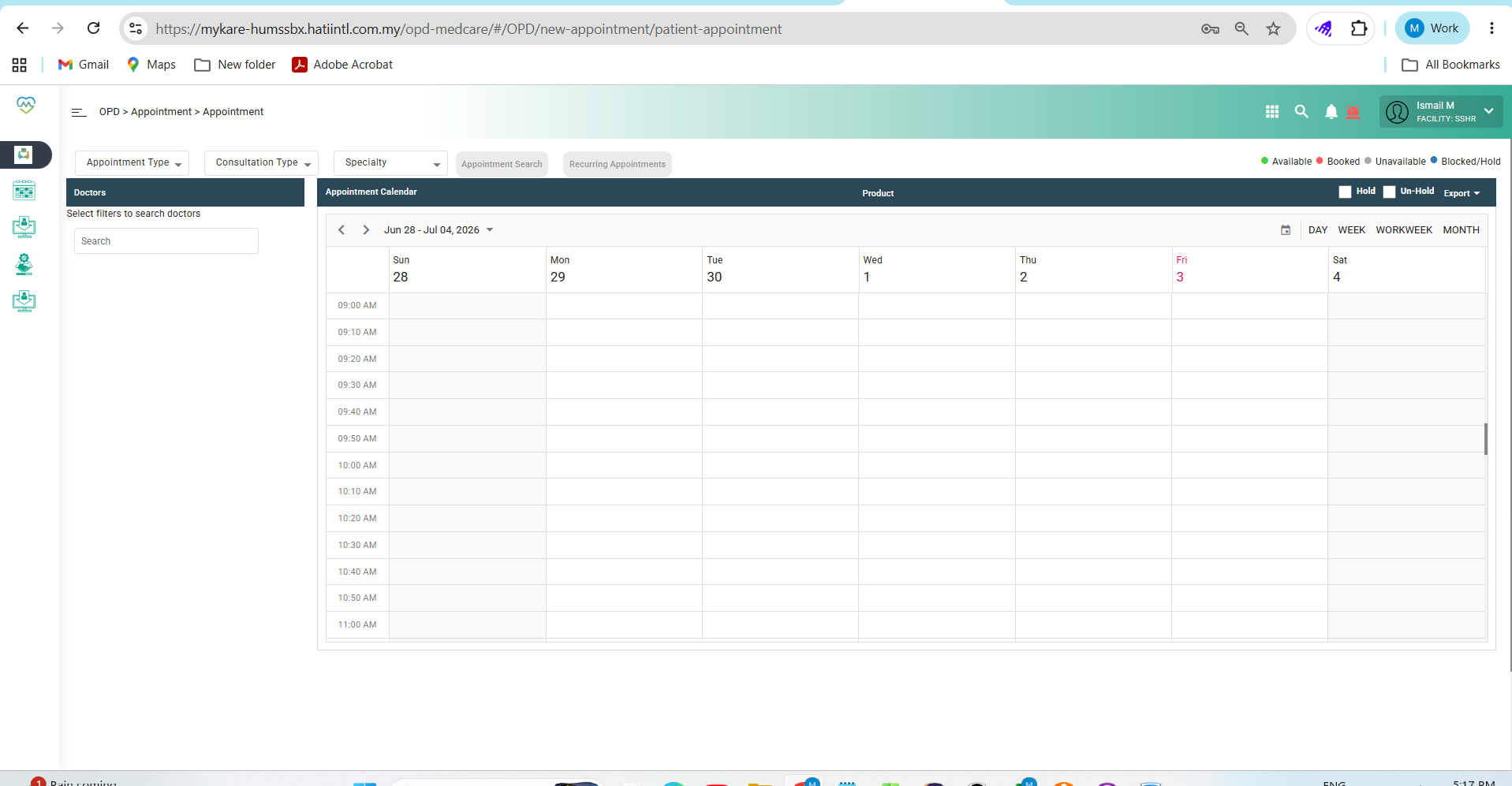
3. Observe screen > current user need to click and assign manually
Expectation :
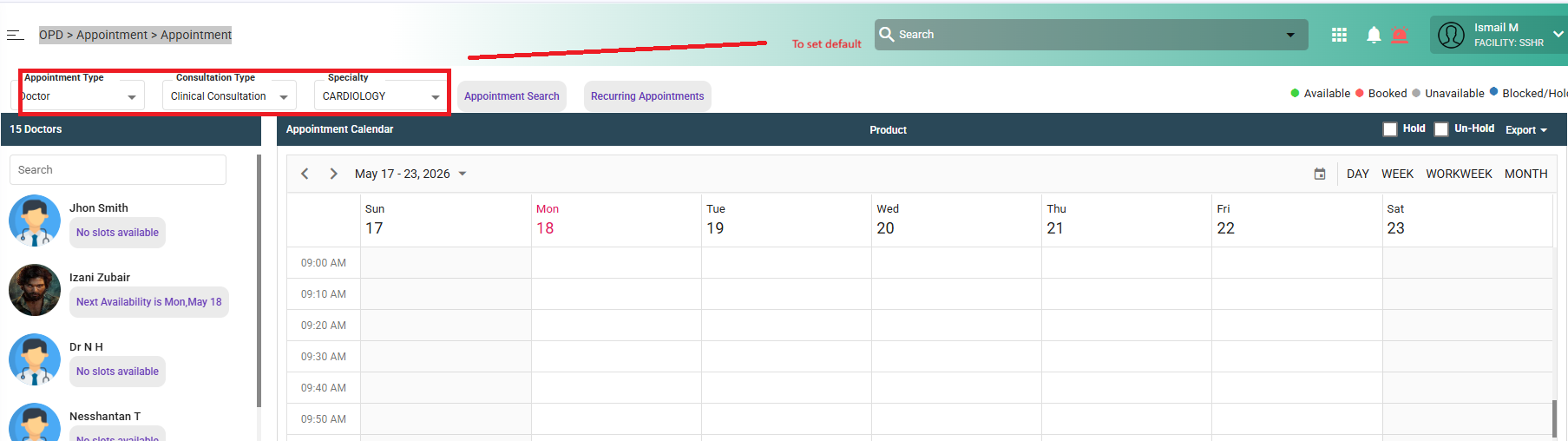
When opening the Create Appointment screen, the system should auto-populate default parameters to reduce repetitive manual selection and improve user efficiency.
Default Parameters to Set
Appointment Type: Doctor
Consultation Type: Clinical Consultation
Specialty: Against user & doctor speciality
Files
Updated by Daniyal Ansari 6 months ago
- Assignee changed from Daniyal Ansari to Rohit Jadhav
Hi @Rohit, for this, we should make these fields configurable for the default values from the backend, lets discuss the approach for this when you are available, thanks
Updated by Rohit Jadhav 5 months ago
- File clipboard-202606182143-cl7ph.png clipboard-202606182143-cl7ph.png added
- Assignee changed from Rohit Jadhav to Tejashri Tanaji Jagtap
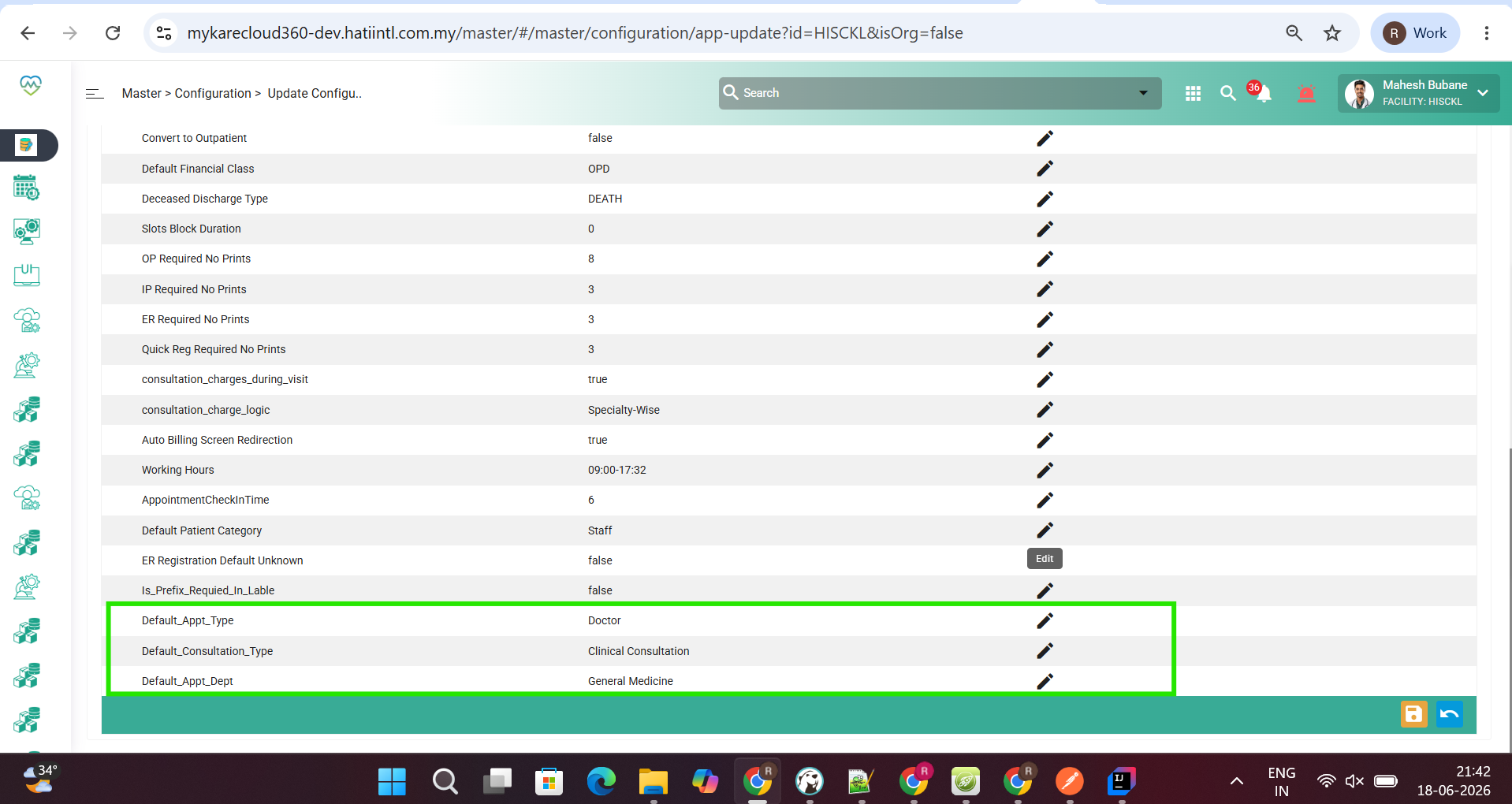
@tejashri New unitWise Configuration Added please do needful
Updated by Tejashri Tanaji Jagtap 5 months ago
- File bandicam 2026-06-19 14-41-04-247.mp4 bandicam 2026-06-19 14-41-04-247.mp4 added
- Status changed from New to Assigned
Updated by Tejashri Tanaji Jagtap 5 months ago
- Status changed from Assigned to Coded
Updated by Shweta Sandip Waghmare 4 months ago
- Assignee changed from Tejashri Tanaji Jagtap to Mangesh Pangrekar
Updated by Manisha Kadam 4 months ago
- File clipboard-202607031717-fmchj.png clipboard-202607031717-fmchj.png added
- File bandicam 2026-07-03 17-16-52-514.mp4 bandicam 2026-07-03 17-16-52-514.mp4 added
- Status changed from QA to Tested
- % Done changed from 0 to 90
Working fine as per description
See attached video