Actions
Gaps #93554
openOPD > Appointment > Default Parameters on Create Appointment Screen
Start date:
18/05/2026
Due date:
% Done:
90%
Estimated time:
Dev Due date:
Release date to QA:
Issue released on:
SIT
Function:
HUMS
Description
Issue Description : To set default parameter on create appointment screen.
Steps to reproduce.
1.Login system > OPD > Appointment > Appointment
2. Create new .
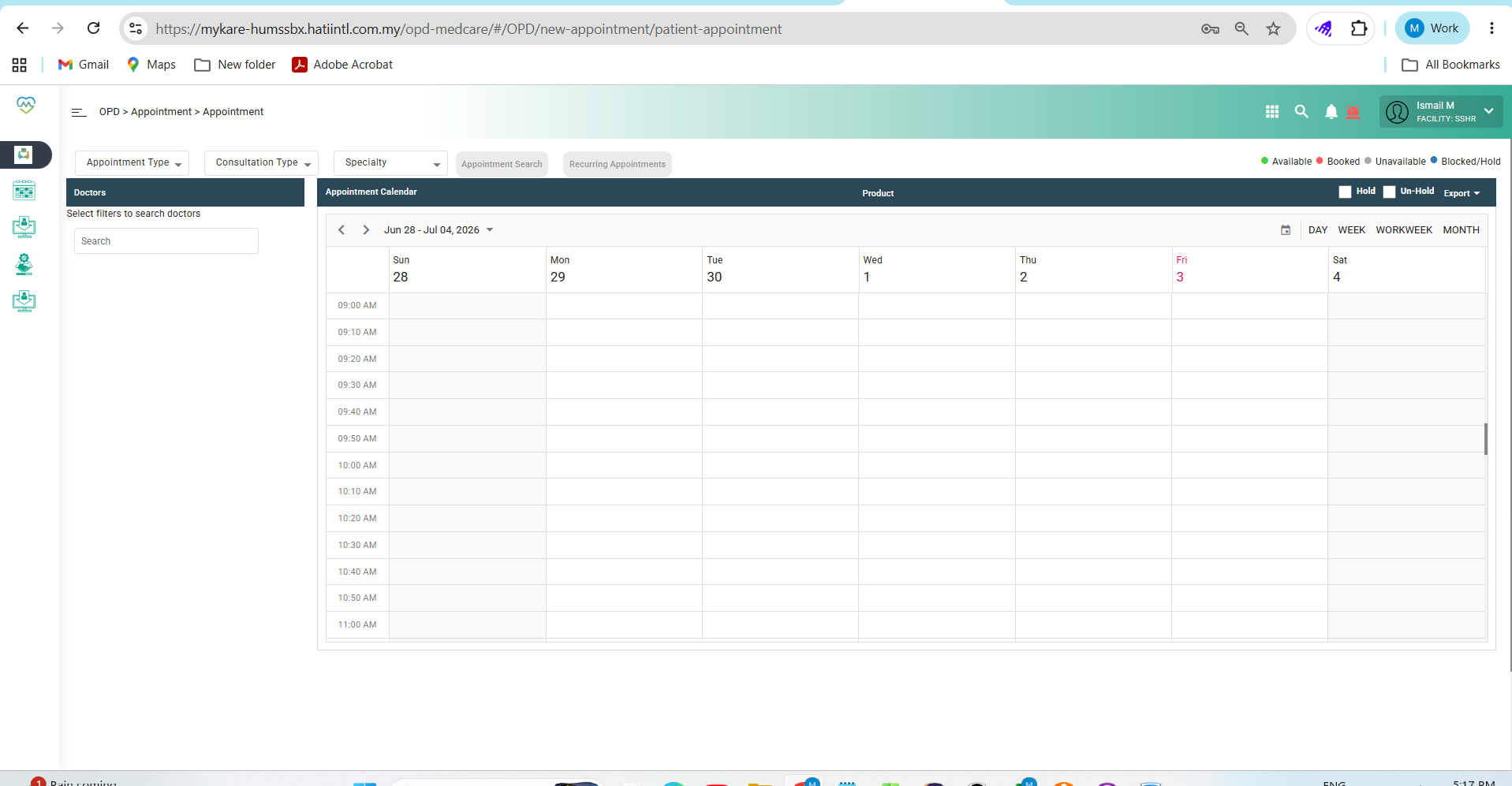
3. Observe screen > current user need to click and assign manually
Expectation :
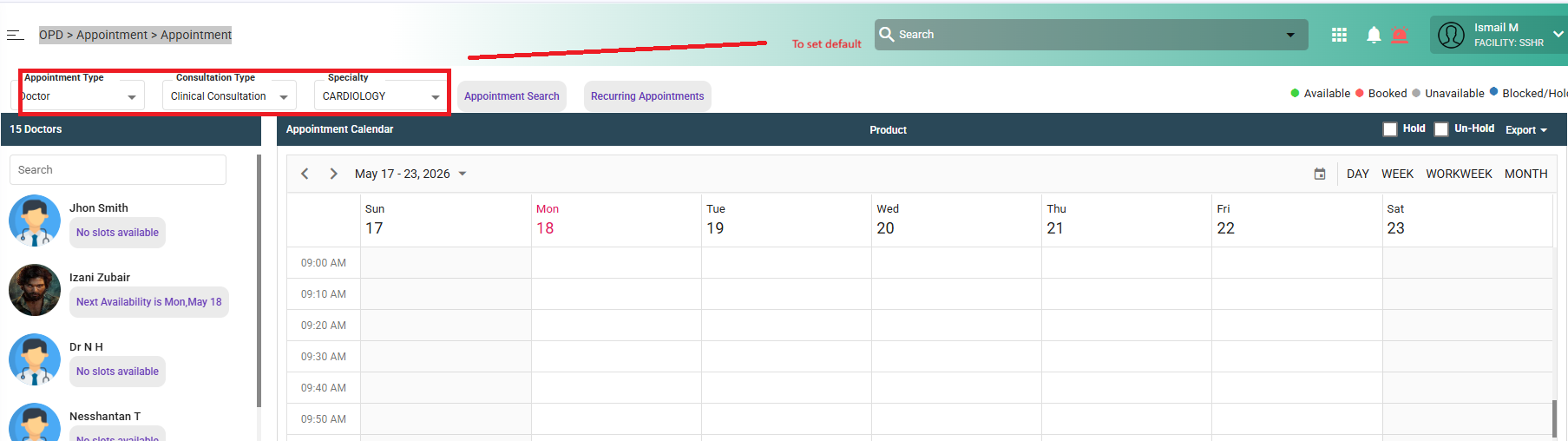
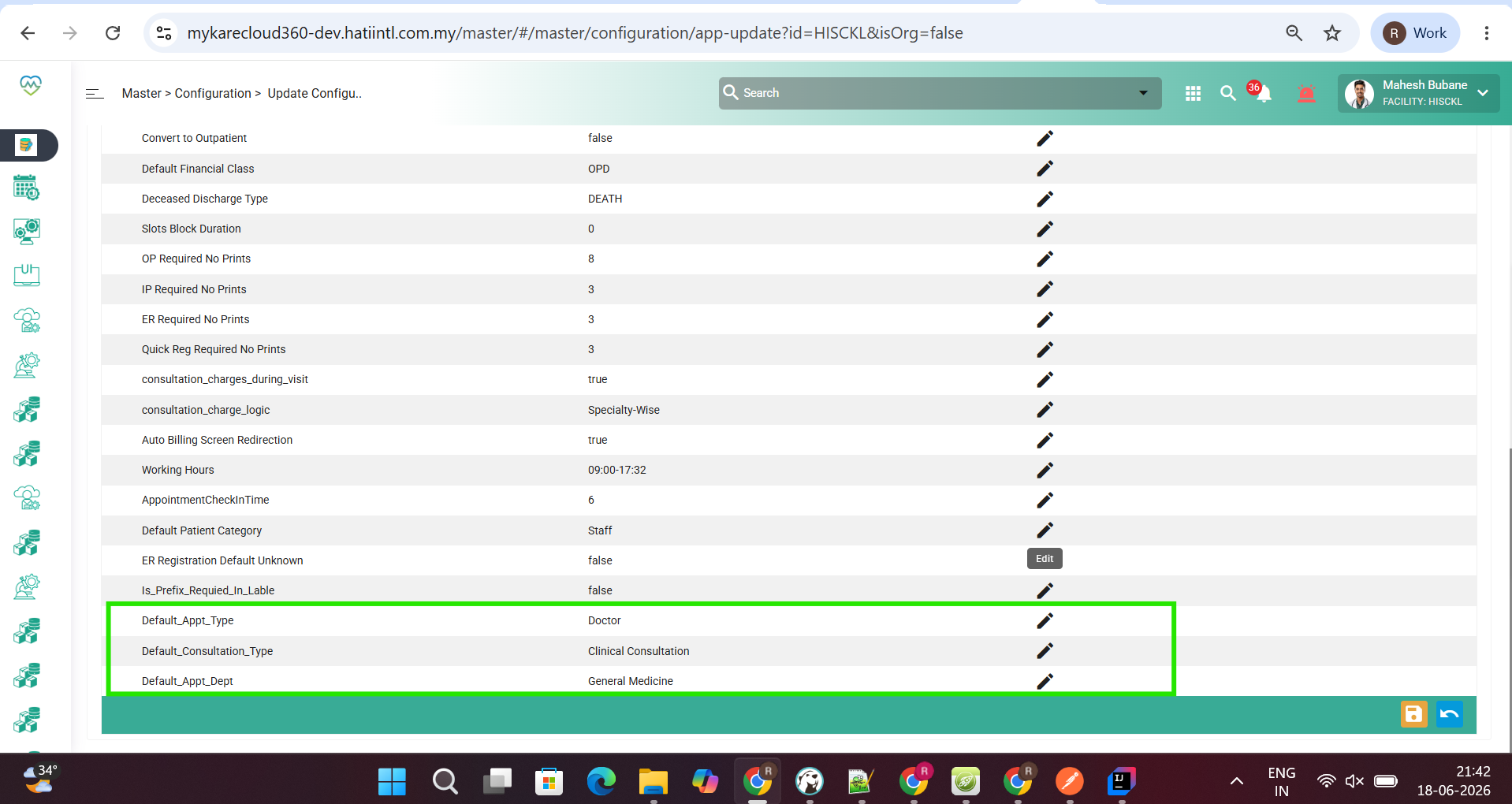
When opening the Create Appointment screen, the system should auto-populate default parameters to reduce repetitive manual selection and improve user efficiency.
Default Parameters to Set
Appointment Type: Doctor
Consultation Type: Clinical Consultation
Specialty: Against user & doctor speciality
Files
Actions