Bug #93685
open
Clinicare > Master > Delete reason does not appear on the UI after saving.
Added by Zulkefli Arris 6 months ago.
Updated 5 months ago.
Description
Issue Description:
Delete reason does not appear on the UI after saving.
Steps to Reproduce:
1.Log in to the system.
2.Navigate to Clinicare Master > Customer Master > Reason.
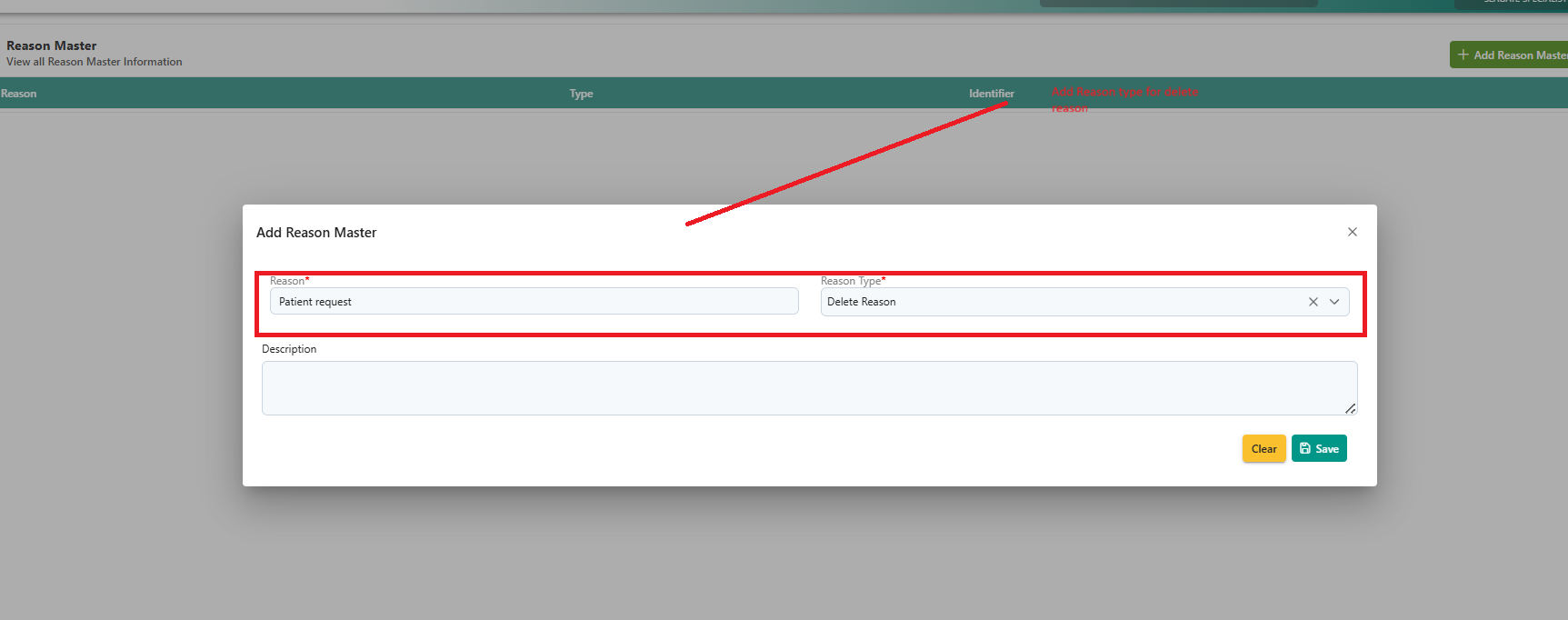
3.Add a delete reason (e.g., "Patient Request").
4.Click Save.
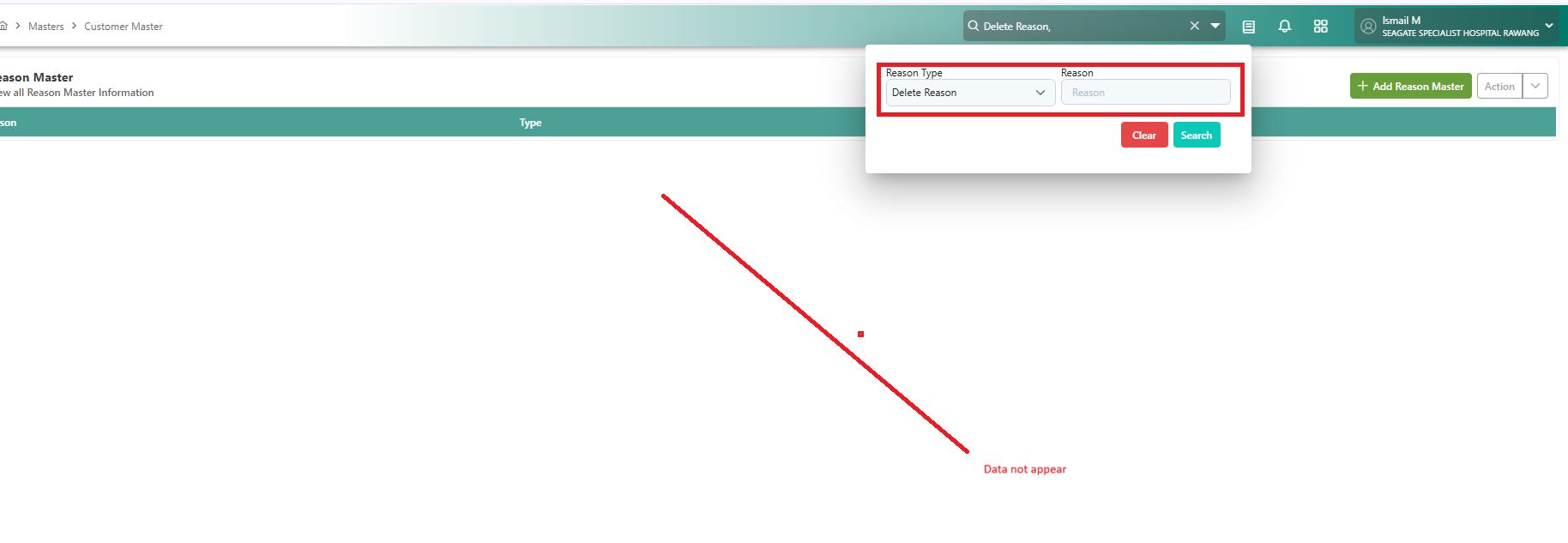
5.Search for the delete reason again.
Observed Result:
The newly created delete reason is not added to the list.
Expected Result:
The system should display the newly added delete reason in the list for selection.
Snapshot
A) Add Delete reason
B) Search Delete type reason
Files
- Assignee changed from Daniyal Ansari to Rasoul Nayeb
- Assignee changed from Rasoul Nayeb to Daniyal Ansari
Hi @Danyial
this issue happens only in HUMS-Dev due to the lack of data integrity in database.
login by admin passkey (11101110) to hums dev, username in the token is admin@gmail.com .
in the backend side, it searches customer_user table by username and in this table there is NOT any record with username='admin@gmail.com' . that's why it can not save delete reason in the database.
- Assignee changed from Daniyal Ansari to Rasoul Nayeb
Hi @Rasoul, please configure the needed missing data for any admin/testing user the BA team requires.
We should handle for those users for now, and later on the proper clean SIT instance, we can look into making sure all the data is properly synced.
for fixing this issue, I executed this query in HUMS dev db:
UPDATE public.customer_user
SET username='admin@gmail.com'
WHERE person_id=1;
- Status changed from Blocker to Assigned
- Status changed from Assigned to Coded
- Status changed from Coded to QA
- Assignee changed from Rasoul Nayeb to Mangesh Pangrekar
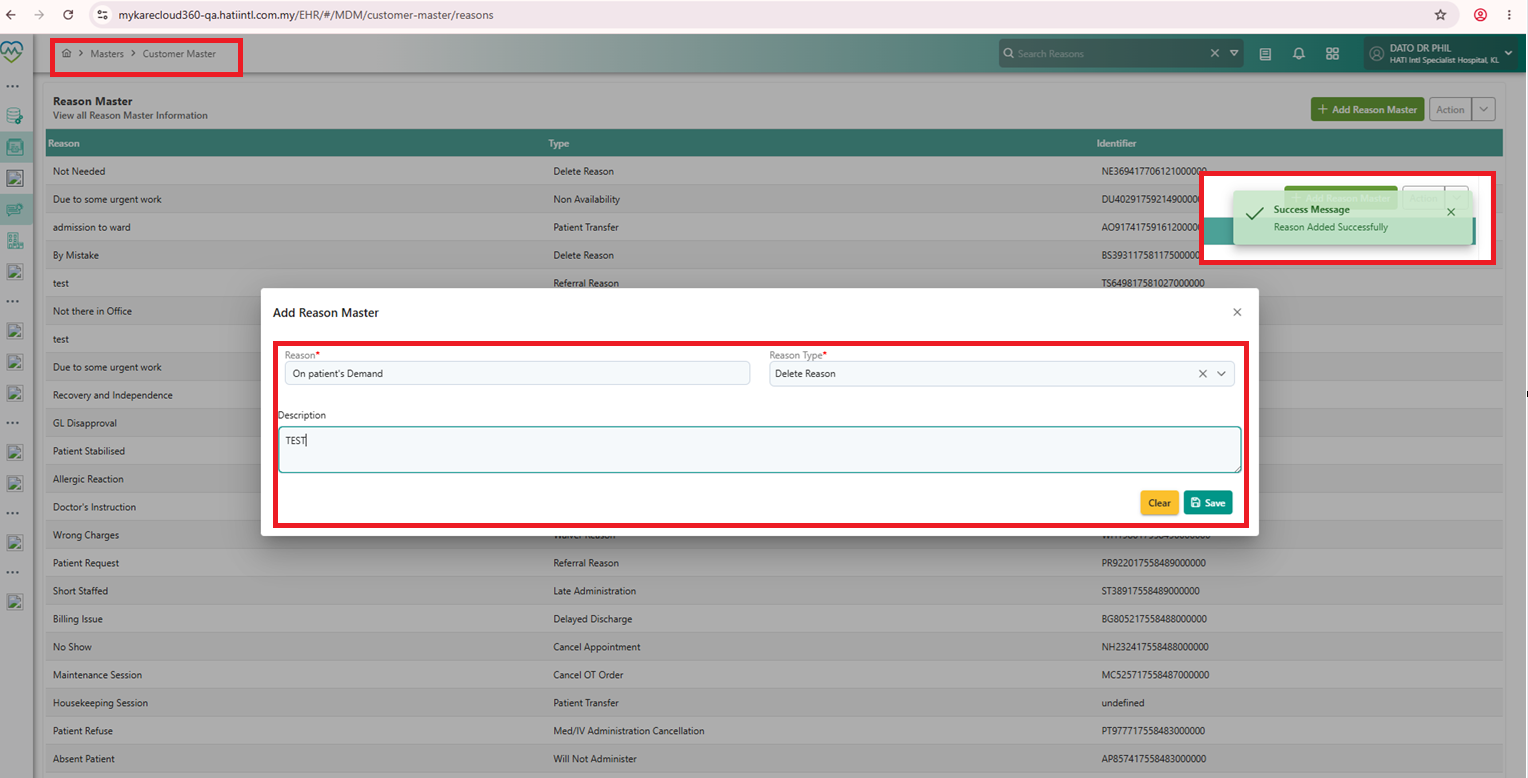
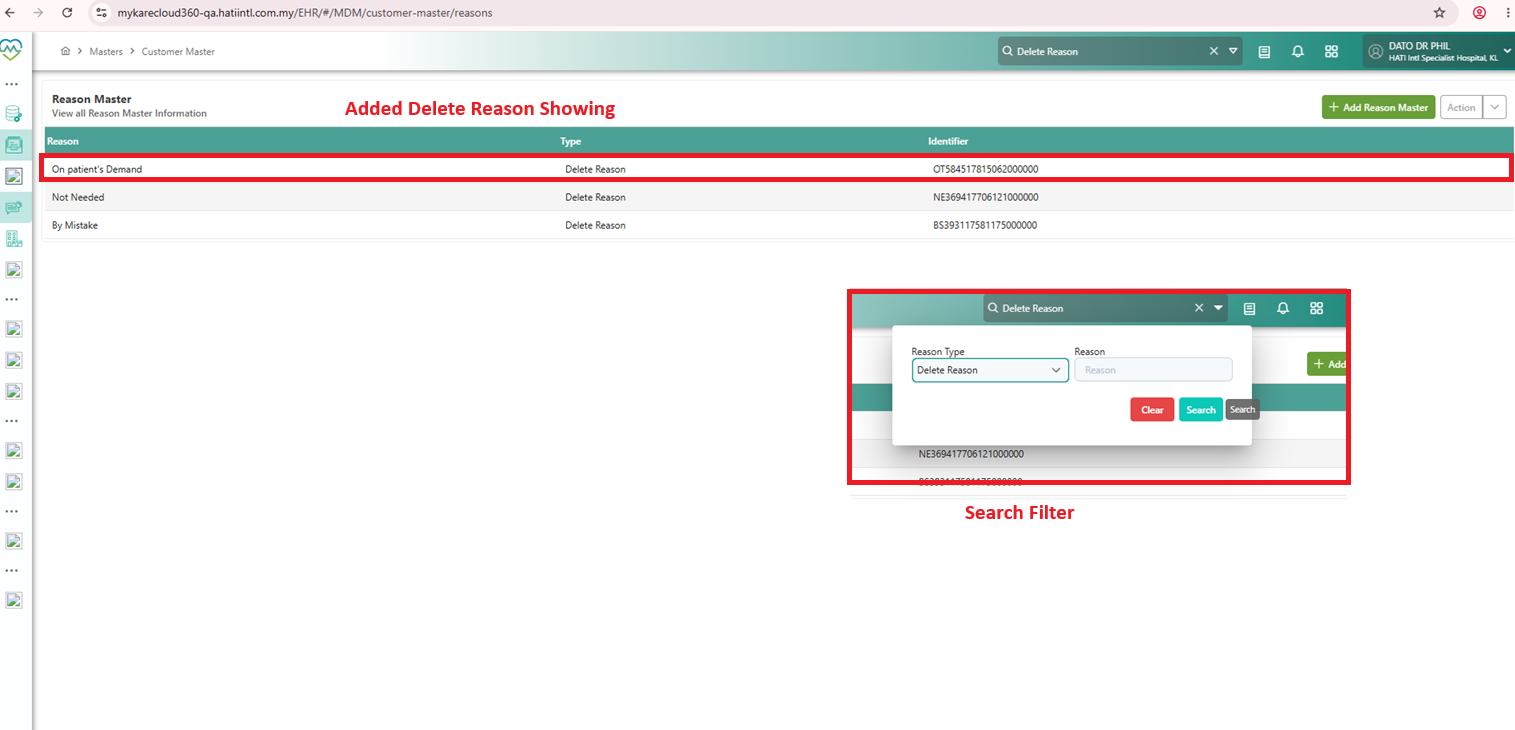
Clinicare > Master > Delete reason does not appear on the UI after saving- PASS
Verified in QA
Also available in: Atom
PDF