Gaps #93453
openGaps #92948: STAT Medication In-Clinic Orders Incorrectly Flowing to Outpatient Pharmacy Instead of Floor Stock Deduction
PHIS > Unable to Proceed IV Order Approval and Incorrect Prescription Time Display
0%
Description
Description:
Currently, when a doctor prescribes an IV order, the order is reflected under Doctor’s Order. However, users are unable to proceed with the approval process even after selecting the item. A pop-up message appears stating:
“Please select record to approve”.
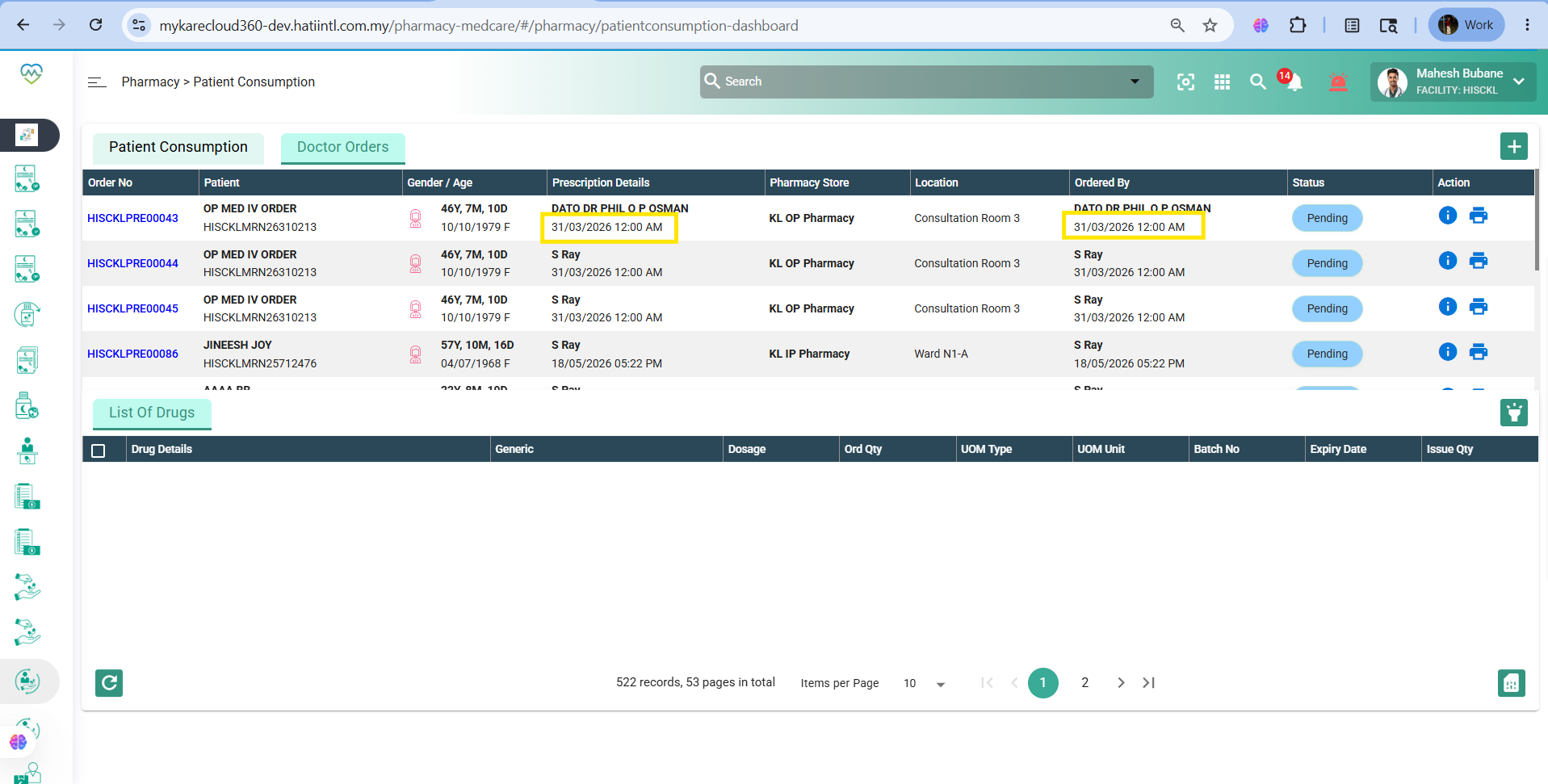
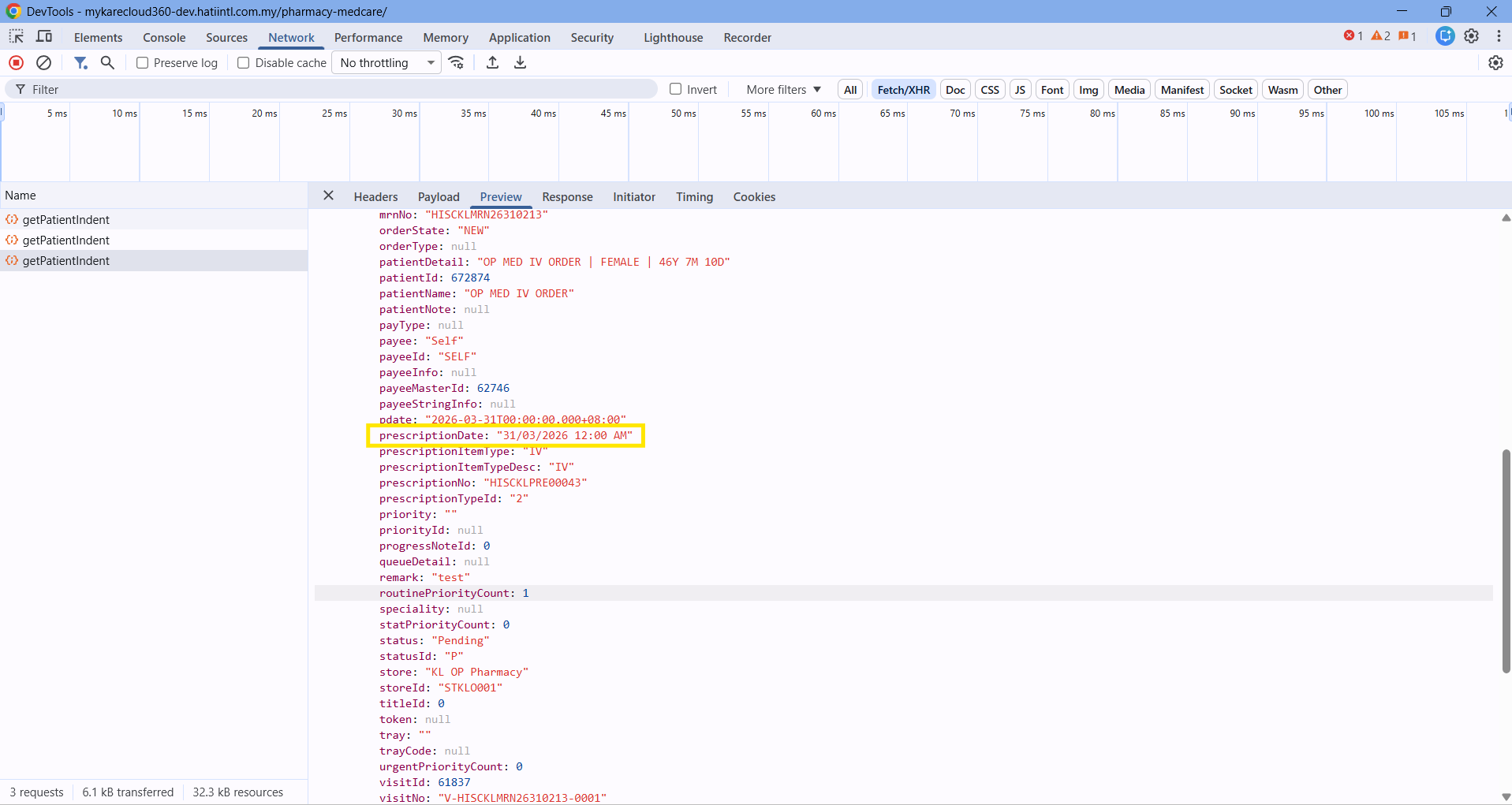
Additionally, the time displayed in the Prescription Details section is incorrect.
Steps to Reproduce:
1.Login System
2.Navigate to > OP consult
3.Select patient
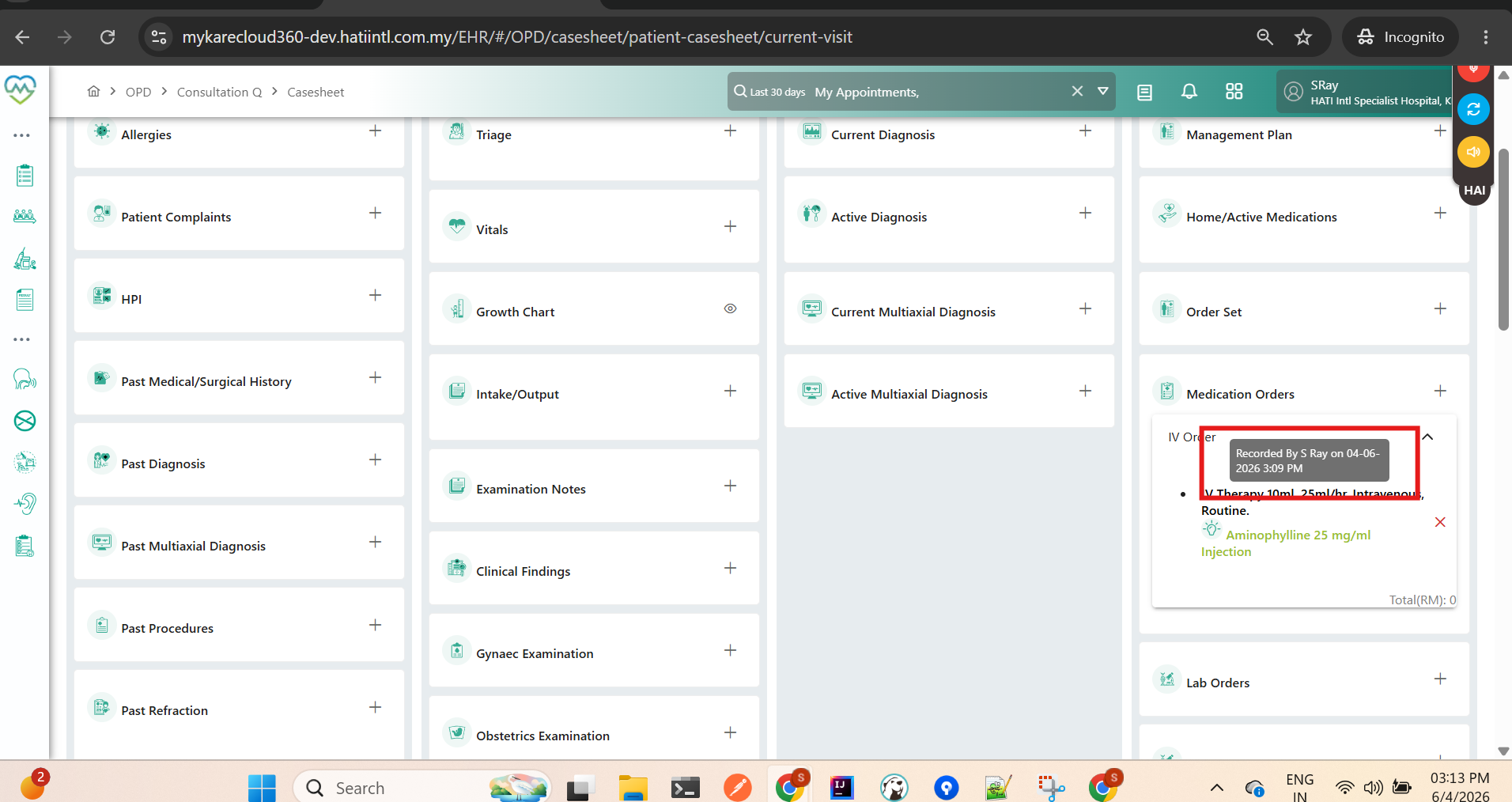
4. Doctor prescribe IV order under Medication order
5.Observe screen > IV order not reflect to pharmacy module
Current Behavior:
- IV order successfully appears in Doctor’s Order
- User selects the IV order item for approval
- System displays pop-up message:
“Please select record to approve”
- Approval process cannot proceed
- Prescription Details section displays incorrect time
Expected Behavior:
1. Selected IV orders should be successfully recognized by the system for approval processing
2. System should allow users to proceed without triggering the incorrect validation message
3. Prescription Details should display the correct prescribed date and time
Impact:
1. Unable to process or approve IV orders
2. Delay in medication workflow and patient treatment
3. Incorrect prescription timing may cause documentation inconsistencies and audit issues
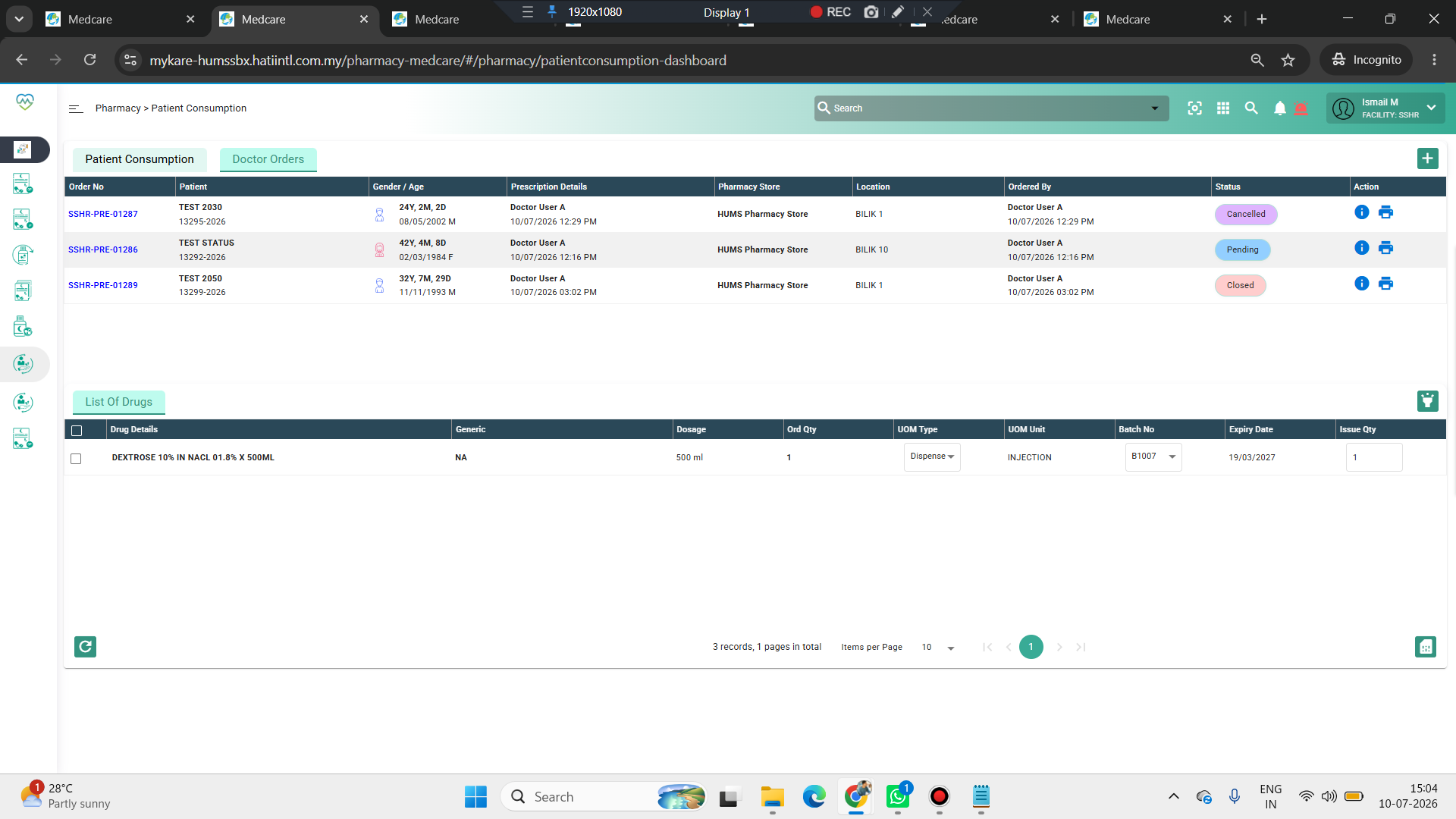
Picture1: IV order at Pharmacy Module → Patient Consumption → Doctor’s Orders. Pop-up message appear and time are incorrect.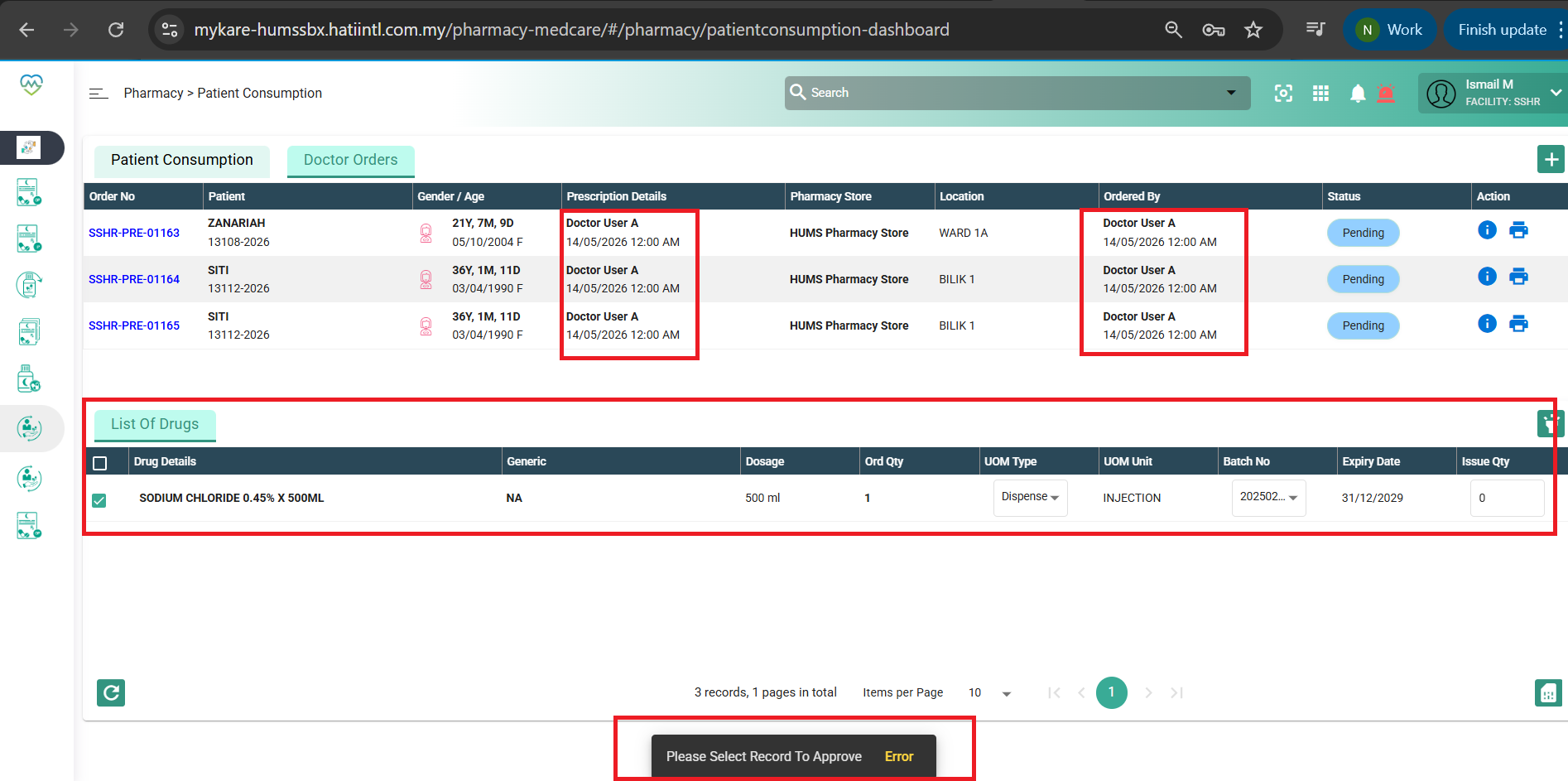
Picture2: IV order screen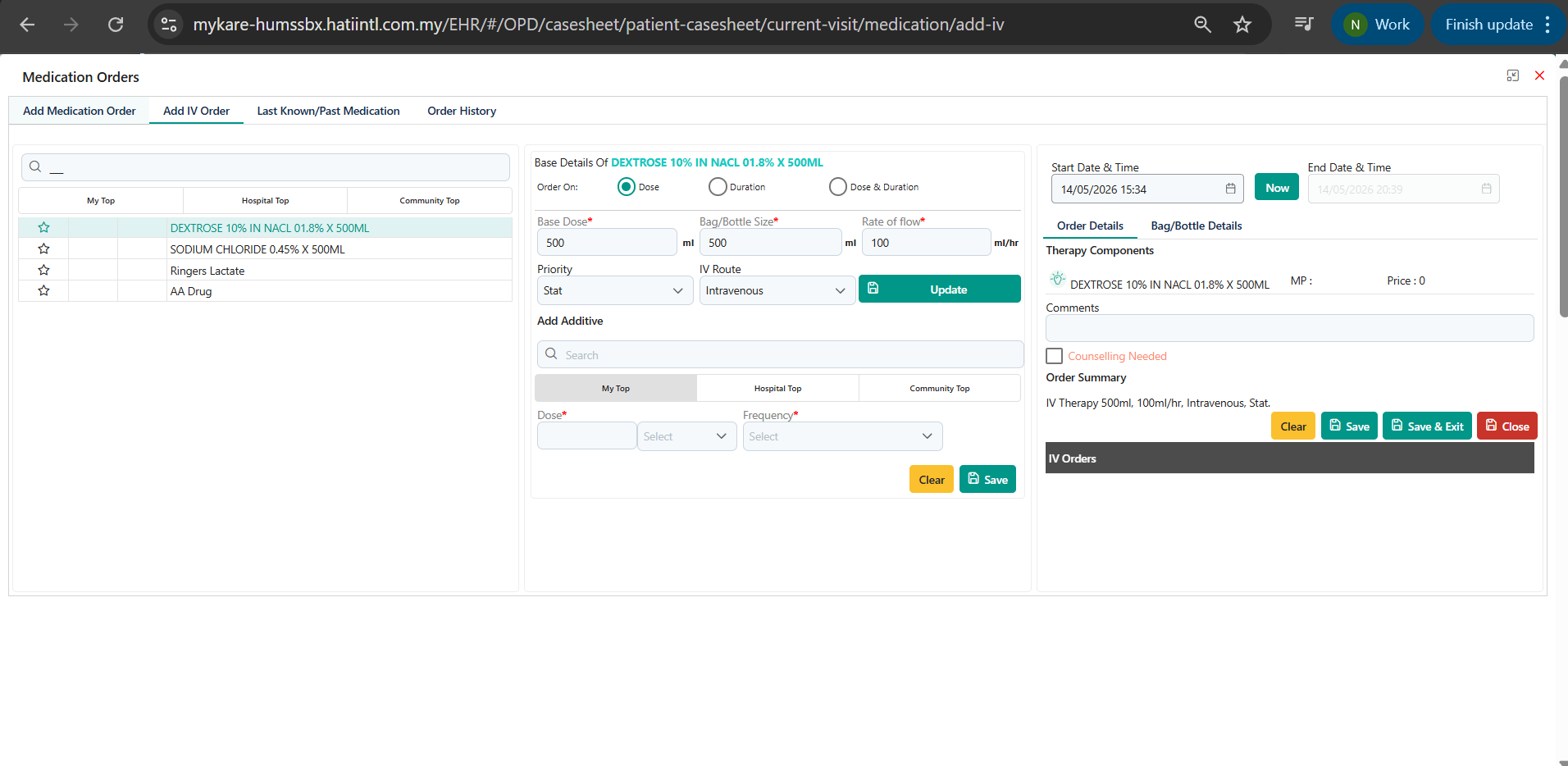
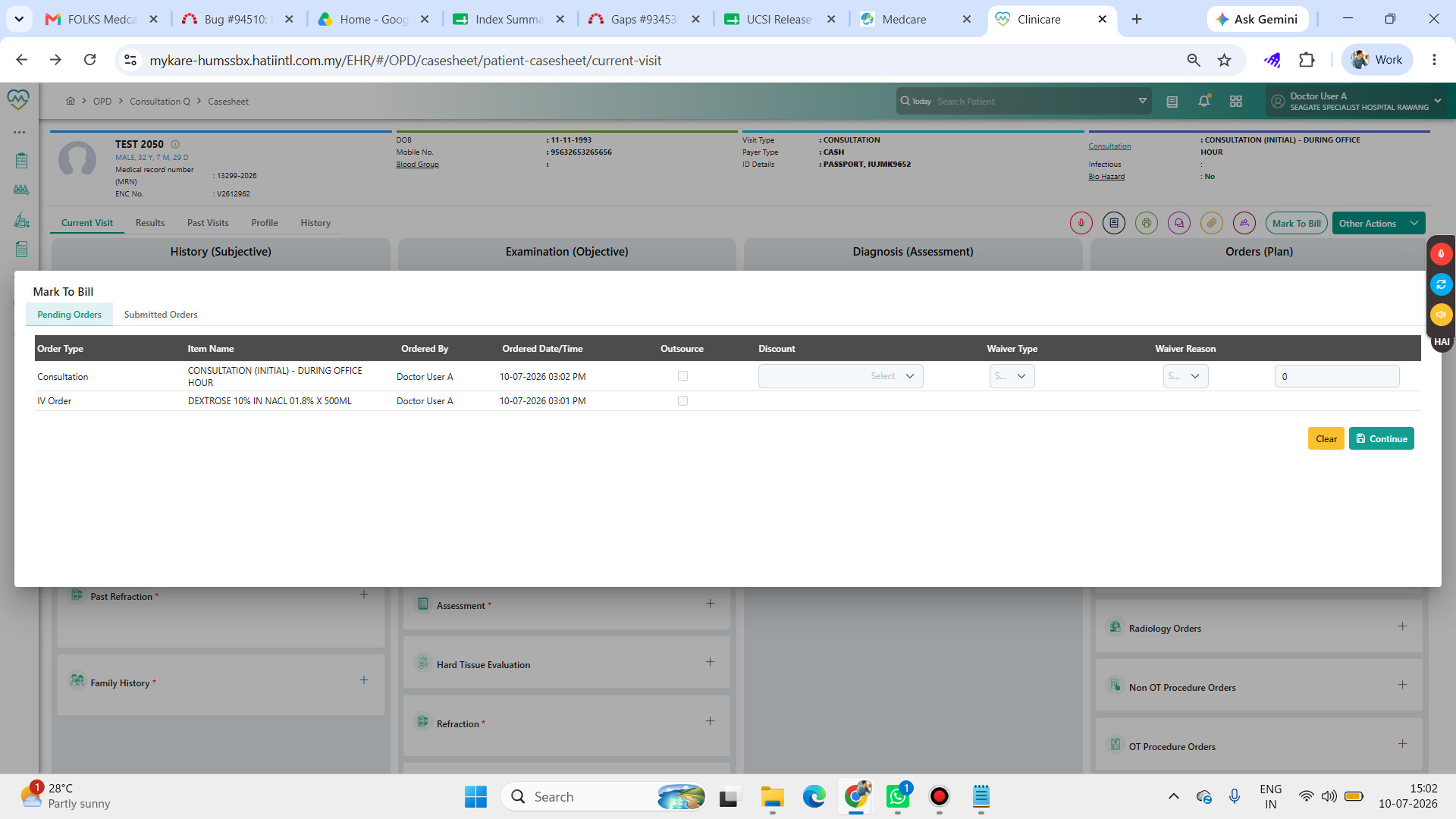
Picture3: The IV order has been submitted to the basket.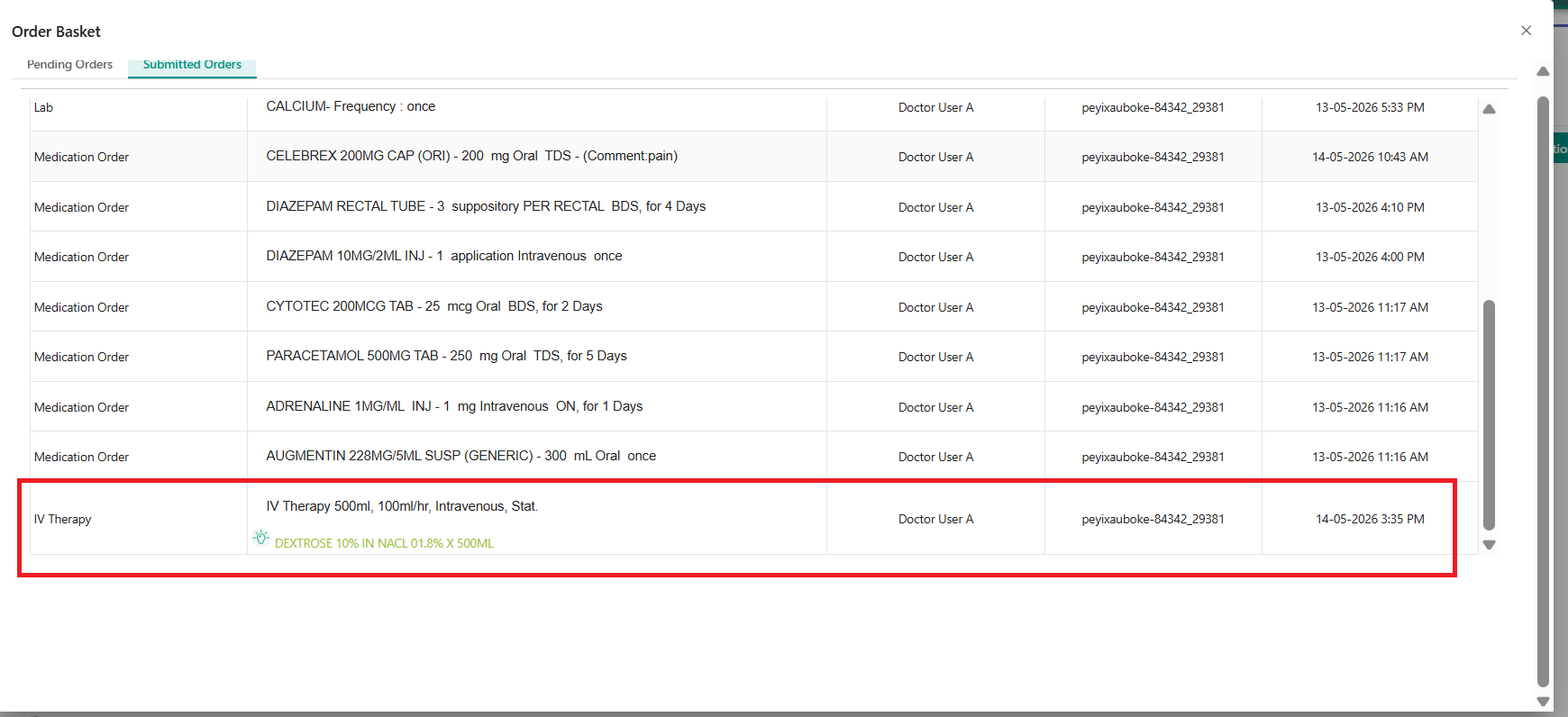
Files
Updated by Nur'Ain Binti Karim 6 months ago
- File clipboard-202605141544-ffrk6.png added
- Description updated (diff)
Updated by Nur'Ain Binti Karim 6 months ago
- File clipboard-202605141613-e1jwl.png clipboard-202605141613-e1jwl.png added
- Subject changed from PHIS > IV Orders Not Flowing to Pharmacy Module for Processing and Tracking to PHIS > Unable to Proceed IV Order Approval and Incorrect Prescription Time Display
- Description updated (diff)
Updated by Nur'Ain Binti Karim 6 months ago
- File deleted (
clipboard-202605141538-o6bal.png)
Updated by Nur'Ain Binti Karim 6 months ago
- File deleted (
clipboard-202605141544-ffrk6.png)
Updated by Daniyal Ansari 6 months ago
- Assignee changed from Daniyal Ansari to Shweta Sandip Waghmare
Updated by Shweta Sandip Waghmare 6 months ago
- File clipboard-202605201434-wlkva.png clipboard-202605201434-wlkva.png added
- File clipboard-202605201435-bz2ln.png clipboard-202605201435-bz2ln.png added
- Assignee changed from Shweta Sandip Waghmare to Somanath Jyotiram Rode
Hello Somnath, Validation issue is resolved, for timing issue : getting in correct time in response, please validate it.
Updated by Somanath Jyotiram Rode 5 months ago · Edited
Updated by Somanath Jyotiram Rode 5 months ago
- Status changed from New to Assigned
Updated by Somanath Jyotiram Rode 5 months ago
- Status changed from Assigned to Coded
Updated by Daniyal Ansari 5 months ago
- Status changed from Coded to QA
- Assignee changed from Somanath Jyotiram Rode to Mangesh Pangrekar
Updated by Akshay Patil 4 months ago
- File Screenshot (8136).png Screenshot (8136).png added
- File Screenshot (8134).png Screenshot (8134).png added
- Status changed from QA to Tested
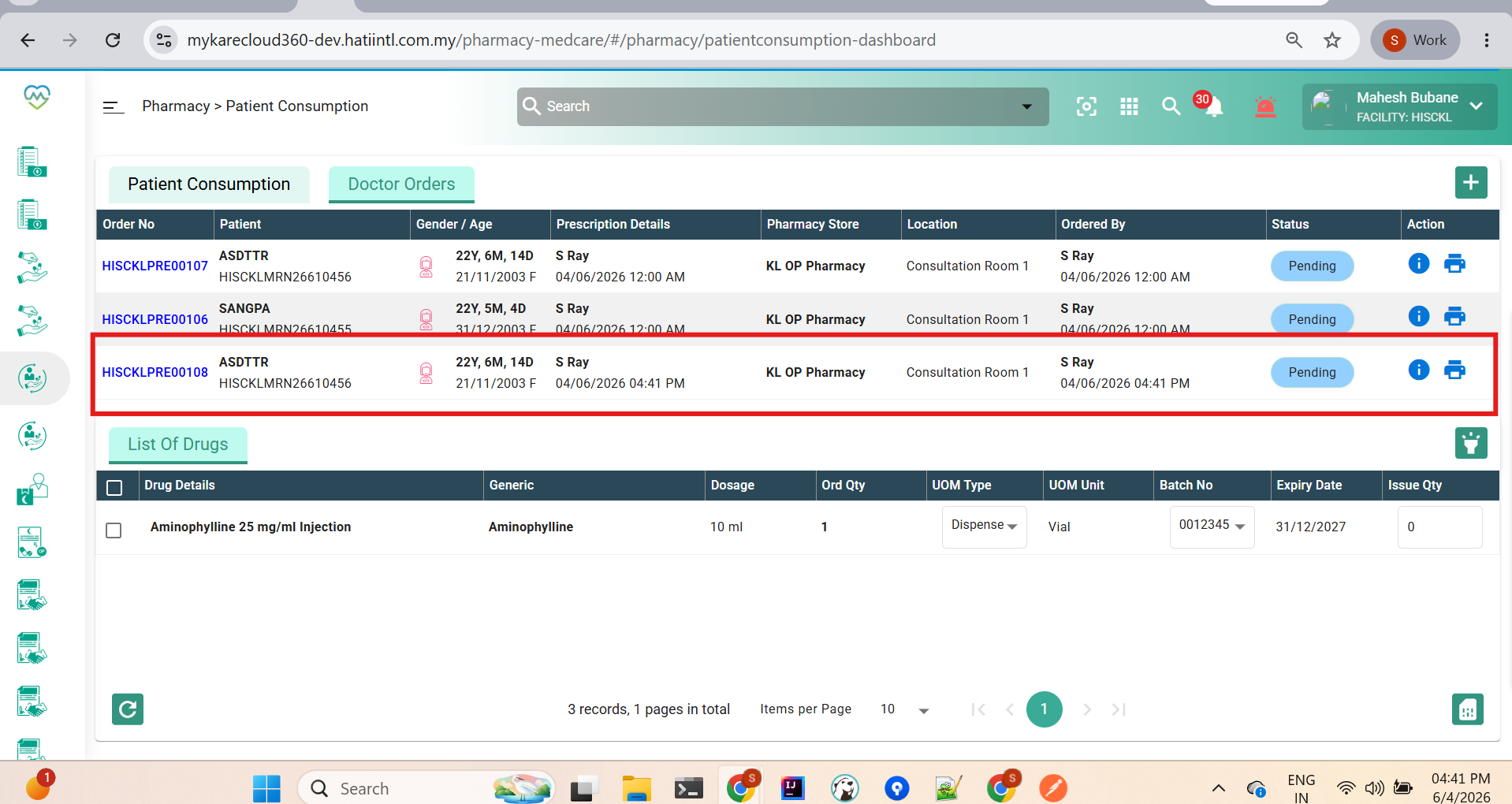
PASS - IV order showing in pharmacy